
1. Introduction
Thank you for choosing the XIAOVV P123 Outdoor Security Camera. This manual provides detailed instructions for the installation, operation, and maintenance of your new security camera. Designed for outdoor home security, this dome surveillance camera features WiFi connectivity, PTZ (Pan-Tilt-Zoom) capabilities, auto-tracking, alarm functions, and color night vision to help you monitor your property effectively.

Image 1.1: The XIAOVV P123 Outdoor Security Camera and its mobile app interface.
2. Product Overview
The XIAOVV P123 camera is equipped with advanced features to provide comprehensive outdoor surveillance.
Key Features:
- Pan & Tilt Functionality: Offers a wide viewing angle with 355° horizontal pan and 100° vertical tilt.
- 2K (2304*1296P) Resolution: Provides clear and detailed video footage.
- Two-Way Audio: Allows for real-time communication through the camera.
- Multiple Night Vision Modes: Supports Infrared, Full Color, and Alarm modes for enhanced visibility in low-light conditions.
- 24/7 Recording & Event Recording: Continuous recording and event-triggered recording options.
- Auto Tracking: Automatically follows detected motion.
- Wi-Fi & Ethernet Connectivity: Flexible network connection options.
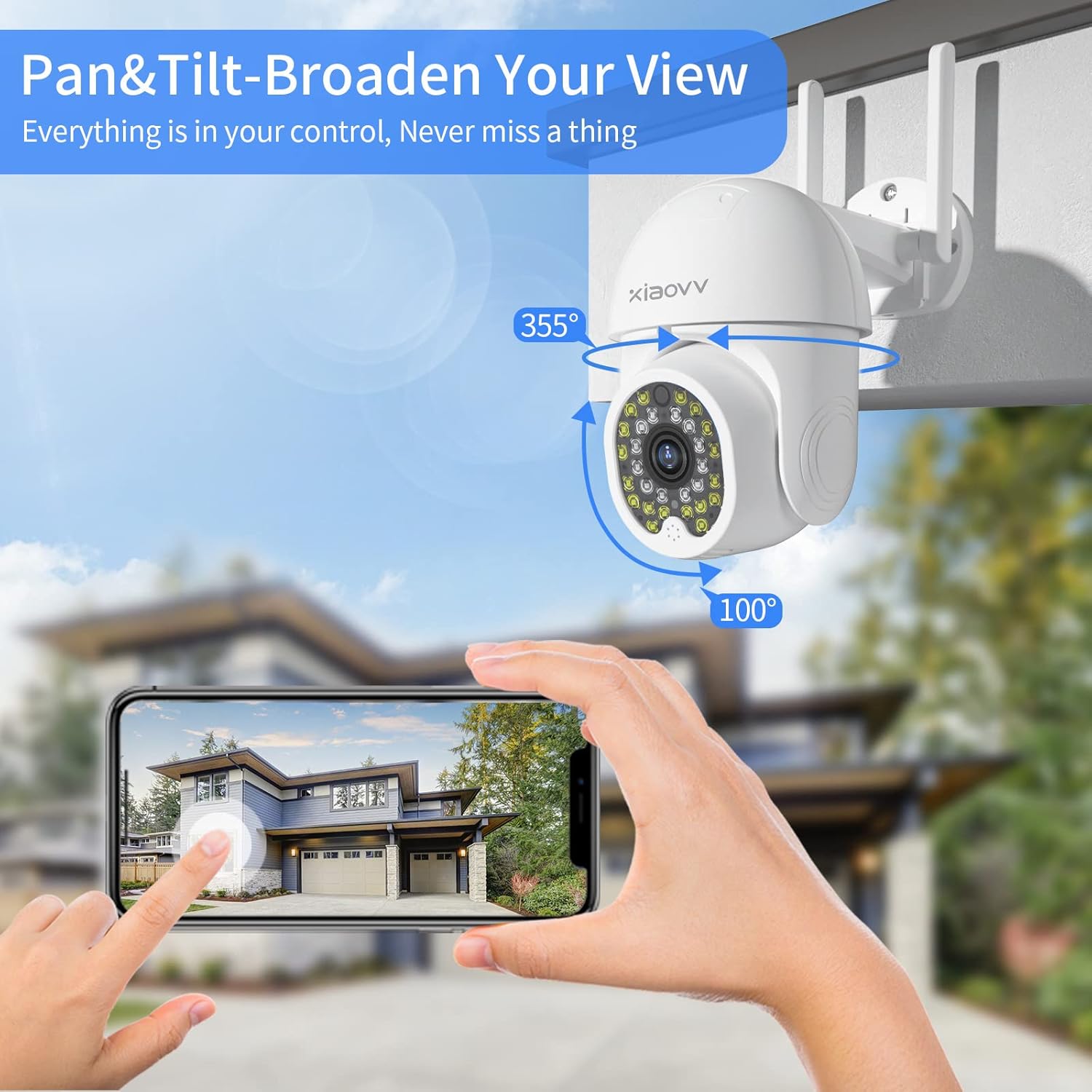
Image 2.1: Pan & Tilt functionality for broad area coverage.

Image 2.2: Two-way audio allows for communication through the camera.
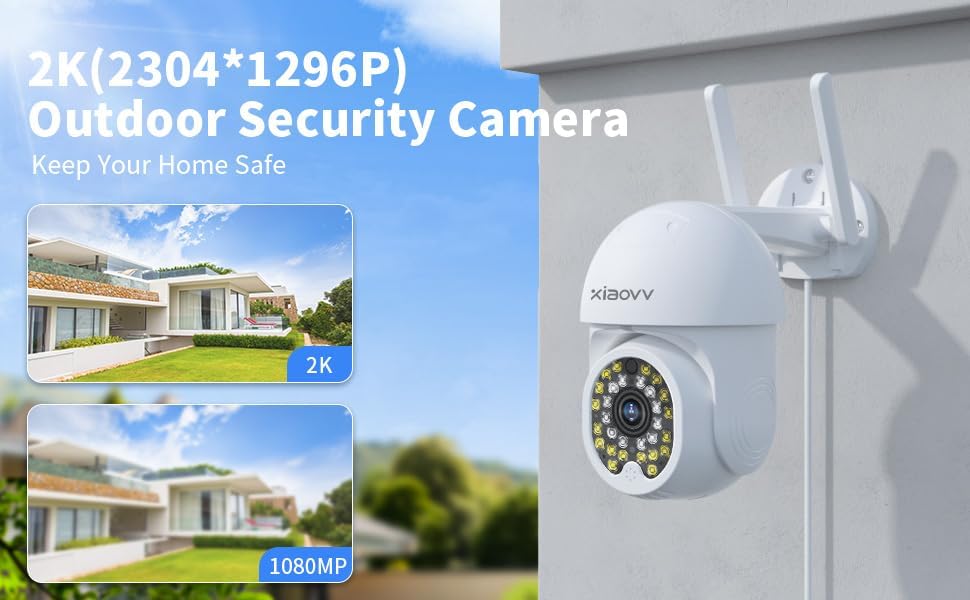
Image 2.3: High-definition 2K resolution for clear surveillance.

Image 2.4: Three distinct night vision modes for various lighting conditions.

Image 2.5: Continuous and event-based recording options.
3. Setup
3.1 Package Contents
Please check the package contents upon unboxing. Typically, the package includes:
- XIAOVV P123 Outdoor Security Camera
- Power Adapter (Corded Electric)
- Mounting Screws and Anchors
- Quick Start Guide
3.2 App Download and Installation
The XIAOVV P123 camera operates with the XIAOVV APP. Please download the app from your mobile device's app store (e.g., Apple App Store for iOS or Google Play Store for Android) by searching for "XIAOVV APP".
3.3 Mounting the Camera
The camera is designed for Wall Mount installation. Choose a suitable outdoor location that provides the desired viewing angle and is within reach of a power outlet. Ensure the mounting surface is sturdy enough to support the camera's weight.
- Mark the drilling points on the wall using the camera's mounting base as a template.
- Drill holes at the marked positions.
- Insert the wall anchors into the drilled holes.
- Secure the camera's mounting base to the wall using the provided screws.
- Attach the camera to the mounted base.
3.4 Powering On and Initial Connection
Connect the camera to a power source using the provided corded electric adapter. Once powered on, the camera will enter pairing mode. Follow the in-app instructions to connect the camera to your Wi-Fi network or use an Ethernet cable for a wired connection.
4. Operating the Camera
Once the camera is successfully connected to the XIAOVV APP, you can begin using its features.
4.1 Live View and PTZ Control
Open the XIAOVV APP and select your camera from the device list to access the live view. On the live view screen, you will find controls for:
- Pan/Tilt: Use the directional controls to rotate the camera horizontally (355°) and vertically (100°).
- Zoom: Digital zoom is available by pinching the screen.
4.2 Two-Way Audio
To use the two-way audio feature, tap the microphone icon in the live view interface. Hold the button to speak, and release to listen. Ensure your mobile device's microphone is enabled for the app.
4.3 Night Vision Modes
The camera offers three night vision modes:
- Infrared Mode: Provides black and white video in complete darkness using infrared LEDs.
- Full Color Mode: Utilizes built-in spotlights to provide full-color video even in low-light conditions.
- Alarm Mode: Automatically activates spotlights and an alarm sound upon motion detection at night.
You can switch between these modes in the camera settings within the XIAOVV APP.
4.4 Recording and Playback
The camera supports 24/7 Recording (with an installed SD card or cloud storage subscription) and Event Recording (triggered by motion). To view recorded footage:
- Navigate to the playback section in the XIAOVV APP.
- Select the date and time to review recordings.
- Event recordings are typically highlighted on the timeline.
4.5 Motion Detection and Alerts
The camera features Motion Only alert type. You can configure motion detection sensitivity and alert notifications within the app settings. When motion is detected, you will receive push notifications on your mobile device.
5. Maintenance
To ensure optimal performance and longevity of your XIAOVV P123 camera, follow these maintenance guidelines:
- Cleaning: Periodically clean the camera lens and housing with a soft, damp cloth. Avoid using harsh chemicals or abrasive materials.
- Firmware Updates: Regularly check for and install firmware updates through the XIAOVV APP. Updates often include performance improvements and security enhancements.
- Power Supply: Ensure the camera is connected to a stable power source. Avoid exposing the power adapter to extreme weather conditions.
6. Troubleshooting
If you encounter issues with your XIAOVV P123 camera, refer to the following common troubleshooting steps:
- Camera Offline:
- Check if the camera is powered on and the power adapter is securely connected.
- Verify your Wi-Fi network is working correctly.
- Restart the camera by unplugging and re-plugging the power.
- Ensure the camera is within range of your Wi-Fi router.
- Poor Video Quality:
- Clean the camera lens.
- Check your internet connection speed. A stable and fast connection is crucial for 2K streaming.
- Ensure there are no obstructions in front of the lens.
- Motion Detection Not Working:
- Verify motion detection is enabled in the app settings.
- Adjust the motion detection sensitivity.
- Ensure there are no large objects constantly moving in the detection zone (e.g., tree branches).
- Two-Way Audio Issues:
- Check the volume settings on your mobile device and in the app.
- Ensure your mobile device's microphone permissions are granted to the XIAOVV APP.
- Reduce background noise near the camera or your mobile device.
For further assistance, please refer to the support section or contact customer service.
7. Specifications
| Feature | Specification |
|---|---|
| Brand | XIAOVV |
| Model | P123 |
| Compatible Devices | XIAOVV APP |
| Power Source | Corded Electric |
| Connectivity Protocol | Wi-Fi |
| Connectivity Technology | Ethernet |
| Controller Type | XIAOVV |
| Mounting Type | Wall Mount |
| Number of Items | 1 |
| Wireless Communication Technology | Wi-Fi |
| Form Factor | Dome |
| Batteries Required? | No |
| Alert Type | Motion Only |
| Video Capture Format | MPEG-4 |
| Control Method | App |
| Package Dimensions | 8 x 7 x 4 inches |
| Item Weight | 1 pounds |
| Recommended Uses For Product | Outdoor Security |
| Special Feature | Easy to Install |
| Indoor/Outdoor Usage | Outdoor |
8. Warranty and Support
XIAOVV products are designed for reliability and performance. This product comes with a standard manufacturer's warranty. For specific warranty terms and conditions, please refer to the documentation included with your purchase or visit the official XIAOVV website.
If you require technical support, have questions about your product, or need assistance with troubleshooting, please contact XIAOVV customer support through the contact information provided on the official website or within the XIAOVV APP.