
XIAOVV B0D49JSST3
XIAOVV 4MP Outdoor Wired Wi-Fi Camera User Manual
Model: B0D49JSST3
1. Product Overview
The XIAOVV 4MP Outdoor Wired Wi-Fi Camera is a high-definition security solution designed for comprehensive outdoor monitoring. It features 2.4G Wi-Fi connectivity, human motion tracking, night vision capabilities, and two-way audio communication. This camera provides reliable surveillance with easy installation and remote access via the XIAOVV app.

Figure 1.1: The XIAOVV 4MP Outdoor Wired Wi-Fi Camera, showing its design and a smartphone displaying its live feed.
2. What's in the Box
Verify that all components are present in the package:
- Instruction Manual
- Mounting Screw Set
- Power Adapter
- Charging Cable
- Camera Stand
3. Key Features
- 4MP Ultra-High Definition: Provides clear and detailed video footage.
- 2.4G Wi-Fi Connectivity: Ensures stable wireless connection.
- Pan & Tilt Functionality: Offers 350° horizontal and 90° vertical rotation for comprehensive coverage.
- Human Motion Tracking: Automatically detects and tracks human movement.
- Three Night Vision Modes: Infrared, full color, and alarm modes for clear visibility in low light.
- Two-Way Audio: Built-in speaker and microphone for communication.
- IP65 Weatherproof Rating: Designed to withstand various outdoor weather conditions.
- Local & Cloud Storage: Supports Micro SD card up to 128GB and cloud services for video storage.
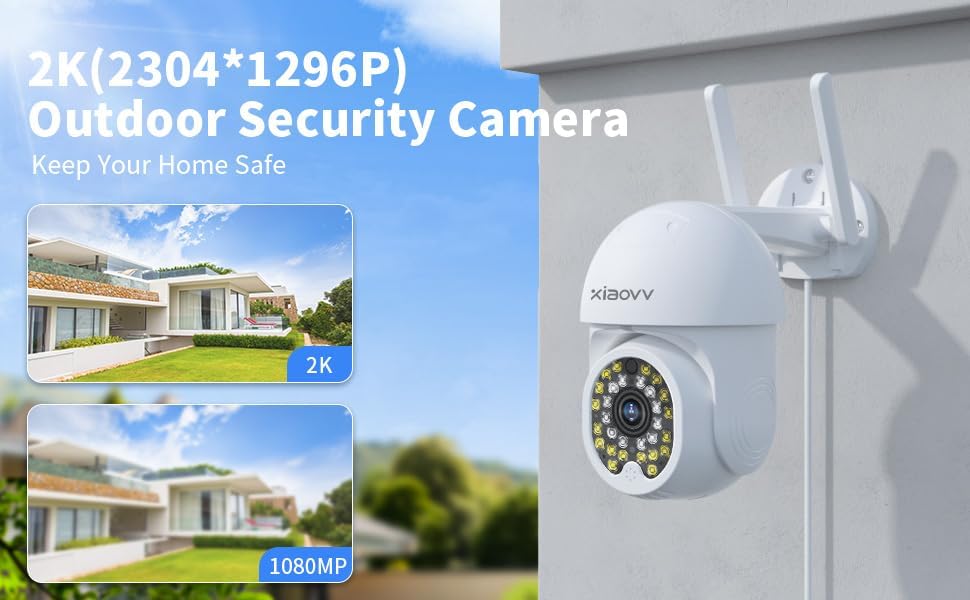
Figure 3.1: Image illustrating the 2K (2304x1296P) resolution capability of the outdoor security camera, highlighting its clarity compared to 1080P.
4. Setup Guide
4.1. Physical Installation
- Choose a Location: Select an outdoor location with a clear view of the area you wish to monitor and within range of your Wi-Fi network. Ensure the location allows for power connection.
- Mount the Camera: Use the provided mounting screws and stand to securely attach the camera to a wall or suitable surface. Ensure the camera is stable.
- Connect Power: Connect the power adapter to the camera and plug it into a power outlet. The camera will power on and initiate its startup sequence.
4.2. App Download and Pairing
- Download the XIAOVV App: Search for "XIAOVV" in your smartphone's app store (App Store for iOS or Google Play Store for Android) and download the official application.
- Create an Account: Open the app and follow the on-screen instructions to register a new account or log in if you already have one.
- Add Device: Tap the "+" icon or "Add Device" button within the app. Select "Camera" or "Security Camera" from the device list.
- Scan QR Code: The app will prompt you to scan the QR code located on the camera itself. Hold your phone's camera steady over the QR code until it is successfully scanned.
- Connect to Wi-Fi: Follow the app's instructions to connect the camera to your 2.4GHz Wi-Fi network. Enter your Wi-Fi password when prompted. Note: This camera supports 2.4GHz Wi-Fi only.
- Completion: Once connected, the camera will be added to your account, and you can begin viewing the live feed.
5. Operating Instructions
5.1. Remote Access and Live View
Open the XIAOVV app on your smartphone. Select your camera from the device list to access the live video feed. You can view real-time footage from anywhere with an internet connection.
5.2. Pan & Tilt Control
From the live view screen in the app, use the directional controls to remotely adjust the camera's viewing angle. The camera supports 350° horizontal rotation and 90° vertical rotation, allowing you to monitor a wide area without blind spots.
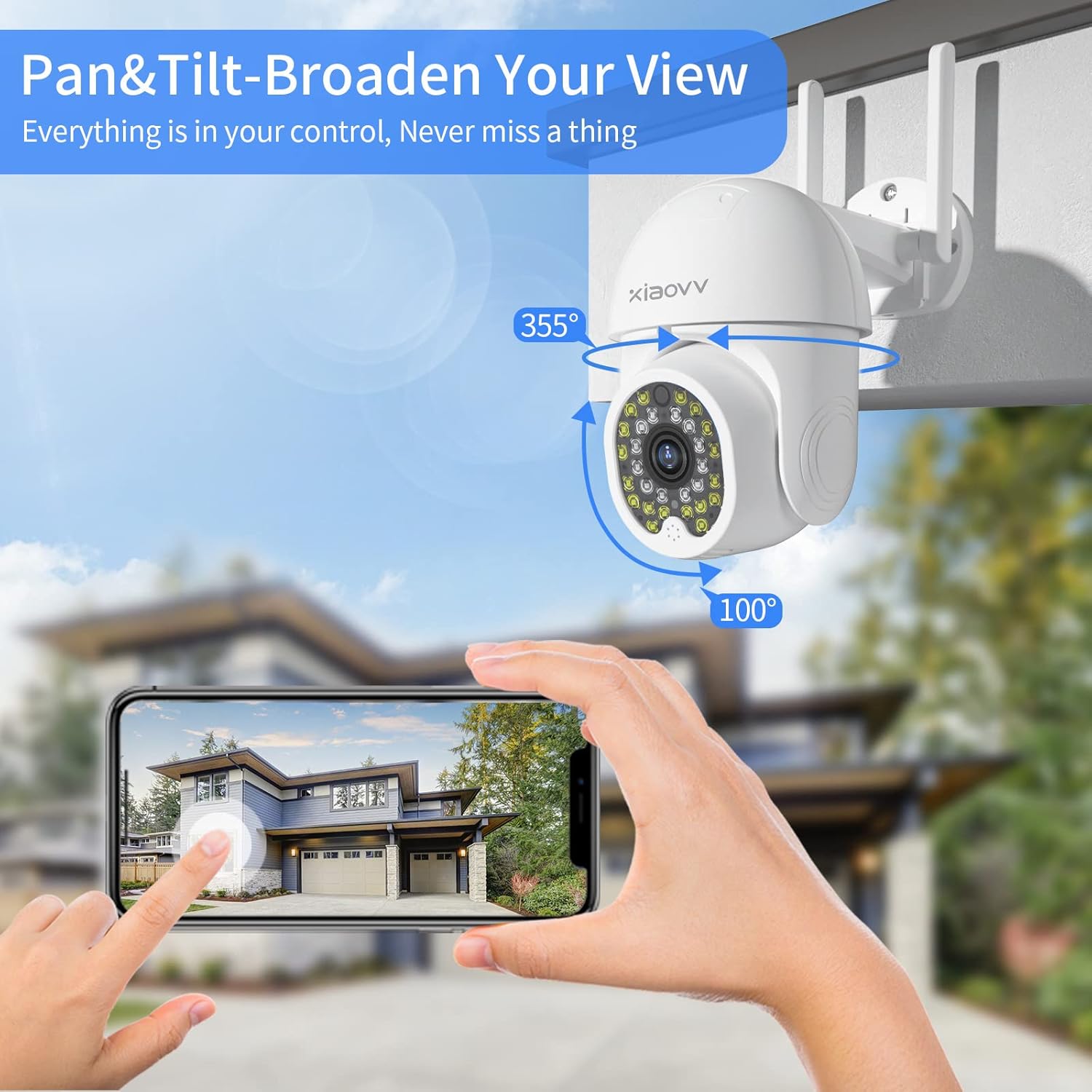
Figure 5.1: Illustration of the camera's pan (355°) and tilt (100°) capabilities, demonstrating its ability to broaden the view and cover a wide area.
5.3. Two-Way Audio
To use the two-way audio feature, tap the microphone icon in the app's live view. You can then speak through your phone, and your voice will be projected through the camera's speaker. Similarly, you can hear audio from the camera's surroundings through your phone.

Figure 5.2: Depiction of the two-way audio feature, showing a user communicating through the camera with children playing outdoors.
5.4. Motion Detection and Alerts
The camera is equipped with advanced human motion tracking. When motion is detected, the camera will automatically send an alert notification to your smartphone via the XIAOVV app. You can customize motion detection sensitivity and alert settings within the app.

Figure 5.3: Visual representation of the motion tracking and sound-light alarm feature, showing how the camera detects an intruder and sends an alert to a smartphone.
5.5. Night Vision Modes
The camera offers three night vision modes for optimal visibility in low-light conditions:
- Infrared Mode: Provides clear black and white images in complete darkness.
- Full Color Mode: Utilizes built-in spotlights to provide full-color night vision.
- Alarm Mode: Activates spotlights and an audible alarm upon motion detection at night.
You can switch between these modes in the XIAOVV app settings.
5.6. Recording and Storage
The camera supports 24/7 continuous recording and event-triggered recording. Recorded footage can be stored in two ways:
- Micro SD Card: Insert a Micro SD card (up to 128GB, not included) into the camera's designated slot for local storage.
- Cloud Service: Subscribe to the optional cloud storage service via the XIAOVV app for secure, remote storage of your recordings.
You can access and download recorded videos directly through the app.

Figure 5.4: Image highlighting the camera's 24/7 and event recording capabilities, emphasizing continuous monitoring throughout the year.
6. Maintenance
6.1. Cleaning the Camera
Periodically wipe the camera lens and body with a soft, damp cloth to remove dust and dirt. Do not use harsh chemicals or abrasive cleaners, as they may damage the camera's finish or lens.
6.2. Weather Protection
The camera has an IP65 weatherproof rating, meaning it is protected against dust ingress and low-pressure water jets. While designed for outdoor use, avoid submerging the camera in water or exposing it to extreme weather conditions beyond its rating.
7. Troubleshooting
| Problem | Possible Cause | Solution |
|---|---|---|
| Camera not connecting to Wi-Fi. | Incorrect Wi-Fi password; Camera too far from router; Only 5GHz Wi-Fi available. | Double-check Wi-Fi password. Move camera closer to router. Ensure your router broadcasts a 2.4GHz network. |
| No live view in app. | Camera offline; Internet connection issue; App glitch. | Check camera's power and Wi-Fi connection. Verify your phone's internet connection. Restart the app or your phone. |
| Motion alerts not received. | App notifications disabled; Motion detection sensitivity too low; Incorrect detection zone. | Enable notifications for the XIAOVV app. Adjust motion detection sensitivity in app settings. Configure detection zones. |
| Two-way audio not working. | Microphone/speaker muted in app; Volume too low; Network latency. | Check audio settings in the app. Increase volume. Ensure stable internet connection. |
8. Specifications
| Feature | Detail |
|---|---|
| Model | B0D49JSST3 |
| Resolution | 4MP (Maximum Webcam Image Resolution) / 1080p (Video Capture Resolution) |
| Connectivity | Wi-Fi (2.4GHz only), Ethernet |
| Power Source | Corded Electric |
| Pan/Tilt Range | Horizontal 350°, Vertical 90° |
| Night Vision | Infrared, Full Color, Alarm Mode |
| Storage Options | Micro SD Card (up to 128GB), Cloud Service |
| Audio | Two-Way Audio (Built-in speaker and microphone) |
| Weatherproof Rating | IP65 |
| Material | Plastic |
| Dimensions | 7.72 x 7.48 x 4.33 inches (Package) |
| Weight | 1.41 pounds |
| Compatible App | XIAOVV APP |
9. Warranty and Support
XIAOVV is committed to providing high-quality products and excellent customer service. For any technical support, troubleshooting assistance, or warranty inquiries, please contact XIAOVV customer service. They offer timely, professional technical support and satisfactory solutions for your home security needs.
Please refer to the product packaging or the XIAOVV official website for the most up-to-date contact information.
Related documentsB0D49JSST3


Ask a question about this manual
Ask about setup, troubleshooting, compatibility, parts, safety, or missing instructions. Manuals+ will review the question and use this page’s manual context to help answer it.