
JENABOM B0D49FP524
JENABOM 3.7V Electric Precision Screwdriver Set User Manual
Model: B0D49FP524
1. Introduction
Thank you for choosing the JENABOM 3.7V Electric Precision Screwdriver Set. This manual provides detailed instructions for the safe and efficient operation, maintenance, and troubleshooting of your new tool. Please read this manual thoroughly before first use and retain it for future reference.
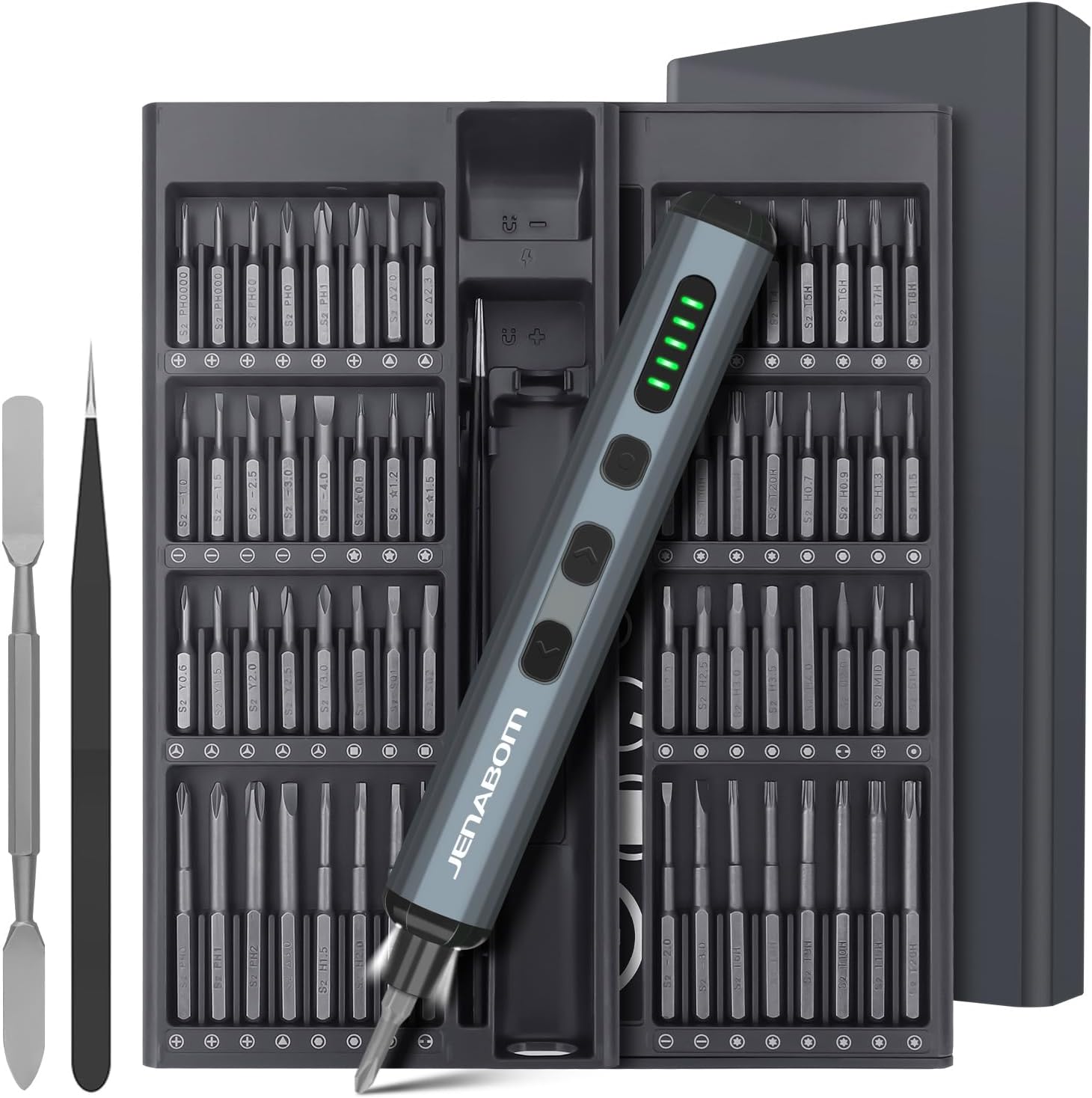
Image 1.1: The JENABOM 3.7V Electric Precision Screwdriver Set, including the screwdriver, magnetic bit case, spudger, and tweezers.
2. Package Contents
Verify that all items listed below are present in your package:
- 1 x JENABOM 3.7V Electric Precision Screwdriver
- 64 x S2 Steel Magnetic Bits
- 1 x Magnetic Storage Case for screwdriver and bits
- 1 x Magnetizer/Demagnetizer
- 1 x Metal Spudger
- 1 x Tweezers
- 1 x USB Type-C Charging Cable

Image 2.1: A visual representation of the 64 included S2 steel screwdriver bits.
3. Product Overview
Familiarize yourself with the components of your electric screwdriver:

Image 3.1: Detailed diagram illustrating the main features and buttons of the electric screwdriver.
- Type-C Charging Port: For recharging the internal battery.
- Battery Level Display: LED indicators showing remaining battery charge.
- LED Light Switch: Activates the integrated LED work light.
- Left Rotation Button: Engages counter-clockwise rotation for unscrewing.
- Right Rotation Button: Engages clockwise rotation for screwing.
- LED Light: Illuminates the work area.
- Magnetic Bit Holder: Securely holds screwdriver bits.

Image 3.2: The magnetic storage case featuring a pop-up mechanism for easy access to bits and the screwdriver.
4. Setup
4.1 Initial Charging
Before first use, fully charge the electric screwdriver. Connect the provided USB Type-C charging cable to the screwdriver's charging port and a compatible USB power source (e.g., computer, wall adapter). The battery level display LEDs will indicate charging status and full charge.
- A full charge typically allows for approximately 300 screws.
- The screwdriver can be charged while stored in its case via an external USB port on the case.
4.2 Installing Screwdriver Bits
The screwdriver features a magnetic bit holder for quick and secure bit changes.
- Select the appropriate S2 steel bit from the magnetic storage case.
- Insert the bit firmly into the magnetic bit holder at the tip of the screwdriver. The magnetic connection will secure the bit in place.
- To remove, simply pull the bit straight out.
5. Operating Instructions
5.1 Powering On/Off and Rotation
The screwdriver operates by pressing the rotation buttons:
- Press the Right Rotation Button (clockwise) to drive screws in.
- Press the Left Rotation Button (counter-clockwise) to remove screws.
- Release the button to stop rotation.
5.2 Torque Adjustment
The electric screwdriver offers a precision torque range for delicate tasks and a manual mode for higher torque requirements.
- Electric Torque: Provides 0.1 Nm to 0.35 Nm of torque, suitable for electronics, watches, cameras, and other precision instruments. The screwdriver automatically adjusts within this range based on resistance.
- Manual Torque: For screws requiring more force, the screwdriver can be used manually, providing up to 3 Nm of torque. Simply continue turning the screwdriver by hand after the electric motor stops or for initial loosening/final tightening.

Image 5.1: Examples of the screwdriver in use, demonstrating its adjustable torque for different applications.
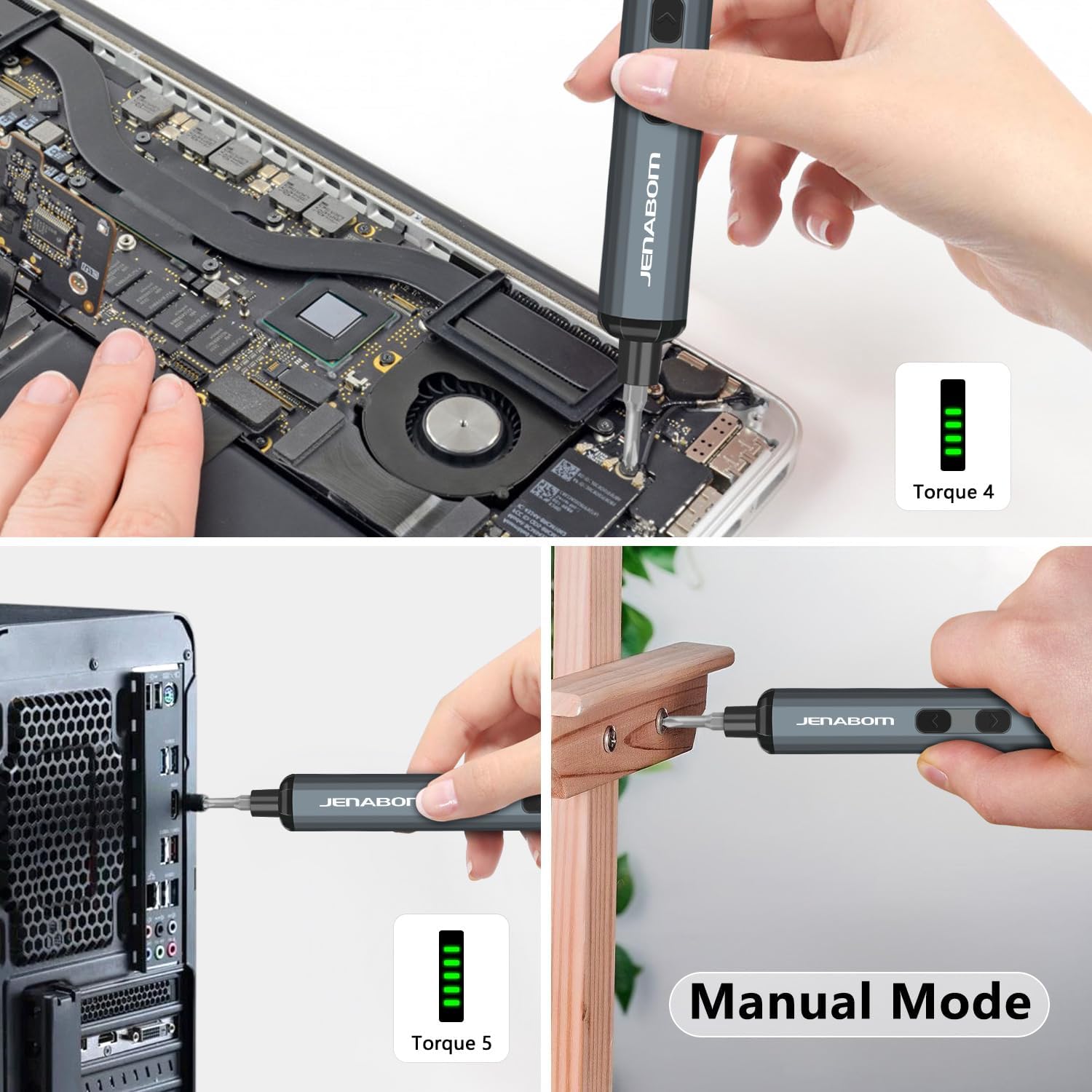
Image 5.2: The screwdriver being used for computer assembly and demonstrating its manual mode capability.
5.3 LED Lighting
The integrated LED light illuminates the work area, making it easier to see screw holes and small components, especially in low-light conditions.
- Press the LED Light Switch to turn the light on or off.
6. Maintenance
6.1 Cleaning
- Wipe the screwdriver and bits with a clean, dry cloth after each use to remove dust and debris.
- Do not use harsh chemicals or abrasive cleaners.
- Ensure the charging port is free of dust and moisture.
6.2 Storage
- Store the screwdriver and all accessories in the provided magnetic storage case when not in use. This protects the components and keeps them organized.
- Store in a cool, dry place, away from direct sunlight and extreme temperatures.
- Keep out of reach of children.
6.3 Battery Care
- To prolong battery life, avoid completely draining the battery before recharging.
- If storing for extended periods, charge the battery to approximately 50% every 3-6 months.
7. Troubleshooting
| Problem | Possible Cause | Solution |
|---|---|---|
| Screwdriver does not turn on/rotate. | Low battery. | Charge the screwdriver fully using the provided Type-C cable. |
| Screwdriver lacks power or stops during use. | Low battery. | Recharge the battery. |
| Bit slips or does not engage screw. | Incorrect bit size/type. Worn bit. | Ensure the correct bit is selected for the screw head. Replace worn bits. |
| Screwdriver cannot loosen/tighten a screw. | Screw is too tight for electric torque. | Use the manual mode for additional torque (up to 3 Nm). Apply steady pressure. |
| LED light does not turn on. | LED light switch off. Low battery. | Press the LED light switch. Charge the screwdriver. |
8. Specifications
- Brand: JENABOM
- Model: B0D49FP524
- Power Source: Corded Electric (for charging)
- Battery: 350mAh Lithium Ion (included)
- Electric Torque: 0.1 Nm - 0.35 Nm
- Manual Torque: Up to 3 Nm
- Bits Included: 64 S2 Steel Bits
- Charging Port: USB Type-C
- Features: LED Lighting, Magnetic Bit Holder, Magnetic Storage Case, Battery Level Display
- Item Weight: Approximately 1.19 pounds (total package)
- Package Dimensions: Approximately 9.21 x 3.9 x 1.1 inches
9. Safety Information
- Always wear appropriate eye protection when using power tools.
- Keep your work area clean and well-lit. Cluttered or dark areas invite accidents.
- Do not operate power tools in explosive atmospheres, such as in the presence of flammable liquids, gases, or dust.
- Keep children and bystanders away while operating a power tool. Distractions can cause you to lose control.
- Avoid accidental starting. Ensure the switch is in the off-position before connecting to battery pack, picking up or carrying the tool.
- Do not overreach. Keep proper footing and balance at all times.
- Use the correct tool for your application. Do not force small tools or attachments to do the job of a heavy-duty power tool.
- Disconnect the battery pack from the power tool before making any adjustments, changing accessories, or storing power tools.
- Store idle power tools out of the reach of children and do not allow persons unfamiliar with the power tool or these instructions to operate the power tool.
- Maintain power tools. Check for misalignment or binding of moving parts, breakage of parts and any other condition that may affect the power tool’s operation. If damaged, have the power tool repaired before use.
- Use the power tool, accessories and tool bits etc. in accordance with these instructions, taking into account the working conditions and the work to be performed.
10. Warranty and Support
For warranty information or technical support, please refer to the product packaging or contact JENABOM customer service directly through the retailer where the product was purchased. Please have your model number (B0D49FP524) and purchase date available when contacting support.
You can also visit the official JENABOM store on Amazon for more information: JENABOM Store
Ask a question about this manual
Ask about setup, troubleshooting, compatibility, parts, safety, or missing instructions. Manuals+ will review the question and use this page’s manual context to help answer it.