
Product Overview
The DEWENWILS Outdoor Waterproof Power Stake Timer is designed to provide convenient and automated control over your outdoor lighting and electrical devices. Featuring a robust waterproof design, multiple timer functions, and remote control capabilities, it is ideal for managing power in gardens, yards, and patios.
Key features include:
- Multi-Timer Choices: Offers 7 distinct timer functions for versatile control.
- Remote Control: Handheld remote for convenient operation from a distance up to 100 feet.
- 6 Grounded Outlets: Provides ample connectivity for multiple devices.
- Weatherproof Design: Constructed with waterproof covers and housings for outdoor use in various conditions.
- Long Extension Cord: A 6-foot SJTW power cord for flexible placement.

Image: The DEWENWILS Outdoor Power Stake Timer, showing the main unit with six outlets, the remote control, and the coiled 6-foot power cord. The unit is green and designed for outdoor use.
Safety Information
Please read all safety instructions before operating this device. Failure to follow these instructions may result in electric shock, fire, or serious injury.
- Ensure the product is properly grounded.
- Do not immerse the unit in water.
- Do not exceed the maximum electrical rating of 13A/1625W.
- Keep children and pets away from the unit during operation.
- Always unplug the unit from the power source before performing any maintenance or cleaning.
- Use only in accordance with local electrical codes and regulations.
Package Contents
- 1 x DEWENWILS Outdoor Power Stake Timer (Model SP-041)
- 1 x Remote Control
- 1 x User Manual
Setup and Installation
- Unpack the Unit: Carefully remove all components from the packaging.
- Assemble the Stake: The stake typically comes in two sections. Connect them firmly to form the full stake.
- Attach the Main Unit: Securely attach the power stake timer unit to the top of the assembled stake.
- Positioning: Choose a suitable outdoor location for the power stake. Ensure the location allows the stake to be inserted at least 1 foot into the ground, keeping the outlets elevated and away from potential waterlogging. The dark green color is designed to blend with garden environments.
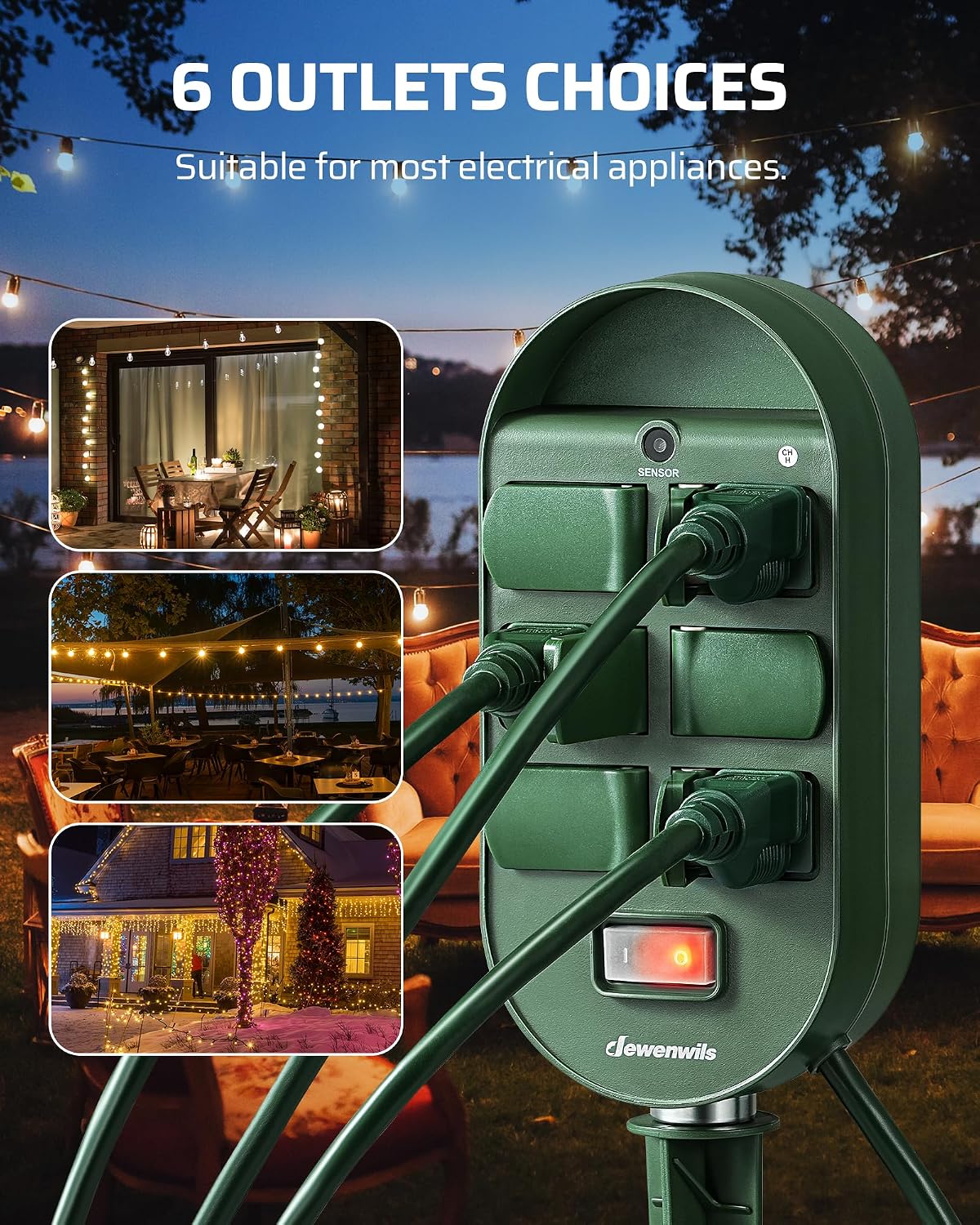
Image: The DEWENWILS power stake timer installed in a grassy area, demonstrating its weatherproof design with water droplets visible on the unit. The image highlights that the unit should be at least 1 foot above ground to protect outlets from water.
- Plug In: Connect the 6-foot SJTW power cord to a grounded outdoor electrical outlet.
- Connect Devices: Plug your outdoor lights or appliances into the six grounded outlets on the power stake. Ensure the waterproof covers are securely closed over unused outlets.
Operating Instructions
Understanding the Timer Dial and Remote
The timer unit features a rotary dial and an ENTER button for selecting functions. The handheld remote control allows for convenient operation from a distance.

Image: A close-up view of the timer's rotary dial and the "ENTER" button, illustrating how to select different timer functions. The dial shows options like OFF, ON, SENSOR, 2H, 4H, 6H, 8H.
Timer Functions
Rotate the dial to select your desired function and press the ENTER button to confirm. The remote control can also be used to check or change settings.
- Always ON: The connected devices will remain continuously powered.
- Always OFF: The connected devices will remain continuously off.
- Dusk to Dawn (SENSOR): The unit will automatically turn on at dusk and turn off at dawn, utilizing the built-in photocell sensor.
- Dusk ON, OFF after 2/4/6/8 Hours (SENSOR + H): The unit will turn on at dusk and automatically turn off after the selected duration (2, 4, 6, or 8 hours).

Image: A split image demonstrating the light sensor functionality. One side shows outdoor string lights off, labeled "OFF", while the other side shows the same lights illuminated, labeled "ON", indicating the sensor's role in activating lights based on ambient light.
Remote Control Operation
The remote control allows you to operate the timer from up to 100 feet away, even through walls and doors. This is particularly useful for avoiding going outside in inclement weather or dark conditions.

Image: A hand holding the remote control, with the outdoor power stake timer visible in the background connected to string lights. The image emphasizes the 100-foot control range and the convenience of remote operation for outdoor lighting.
Maintenance
- Cleaning: Periodically wipe the unit with a damp cloth to remove dirt and debris. Do not use harsh chemicals or abrasive cleaners. Ensure the unit is unplugged before cleaning.
- Outlet Covers: Always ensure the waterproof covers on unused outlets are securely closed to prevent water and dust ingress.
- Cord Inspection: Regularly inspect the power cord for any signs of damage, fraying, or cuts. If damage is found, discontinue use immediately and replace the unit.
- Storage: If storing the unit for an extended period, clean it thoroughly and store it in a dry, protected area.
Troubleshooting
| Problem | Possible Cause | Solution |
|---|---|---|
| Unit not powering on. | No power from wall outlet; unit unplugged; internal fuse tripped. | Check wall outlet with another device. Ensure unit is fully plugged in. Check for tripped circuit breaker at your home's electrical panel. |
| Timer function not working as expected. | Incorrect timer setting; photocell obstructed (for Dusk to Dawn); remote battery low. | Verify the dial setting and press ENTER. Ensure the photocell sensor is clean and unobstructed. Replace remote battery if necessary. |
| Remote control not responding. | Remote battery dead; remote out of range; signal interference. | Replace the remote control battery. Move closer to the main unit. Reduce potential sources of RF interference. |
| Outlets not providing power. | Overload protection activated; individual outlet issue. | Unplug devices, reduce total load, and reset the unit by unplugging and replugging. Ensure total wattage does not exceed 1625W. |
Specifications
| Feature | Detail |
|---|---|
| Model Number | SP-041 |
| Voltage | 125 Volts |
| Max Current | 13 Amps |
| Max Wattage | 1625 Watts |
| Total Power Outlets | 6 Grounded Outlets |
| Cord Length | 6 Feet (SJTW) |
| Control Range | Up to 100 feet (RF signal) |
| Special Feature | Waterproof, Photocell Sensor |
| Product Dimensions | 7.99 x 5.2 x 3 inches |
| Item Weight | 1.68 pounds |
| Certifications | UL Listed |

Image: A detailed diagram illustrating the various components of the DEWENWILS power stake timer, including the sensor, 6 outlets, 13A/1625W switch, 6-foot cord, and 2-section long stake, along with their respective dimensions.
Warranty and Support
For warranty information or technical support, please contact DEWENWILS customer service directly. Refer to the product packaging or the official DEWENWILS website for contact details.
Note: Keep your purchase receipt as proof of purchase for warranty claims.