1. Introduction
The Intoval Fast Charging Station is a versatile power solution designed to efficiently charge multiple Apple and other compatible devices simultaneously. Featuring a powerful 140W total output and intelligent power allocation, this station ensures optimal charging speeds while protecting your devices.
Key Features:
- Efficient Trio Charging: Compatible with MagSafe, swiftly powers up iPhone 15/14/13/12, Apple Watch, and AirPods, delivering 50% battery in approximately 60 minutes.
- Unrivaled Multi-Device Charging: Delivers a powerful 140W total output (up to 65W on a single port) across 8 devices simultaneously, reducing waiting times.
- Precise Power Allocation: Intoval's advanced charging recognition ensures devices receive the exact power needed, allowing a laptop to charge at 65W while other devices charge optimally.
- Sleek, Award-Winning Design: Features a touch-sensitive ambient light indicating charging progress, adding a modern aesthetic to your space.
- Safety First with NanoPulse: NanoPulse Monitoring technology provides instantaneous detection and advanced protection for a dependable and secure charging experience.
2. Package Contents
Please check the package contents to ensure all items are present and in good condition.
- Intoval 140W 8-Port USB Charging Station (Model K44)
- Detachable AC Power Cable
- User Manual
- Intoval Magnetic Charger Stand (for MagSafe compatible devices)

Figure 2.1: The product packaging showing the Intoval 140W 8-Port USB Charging Station and the Magnetic Charger Stand, along with the power cable and user manual.
3. Setup Guide
- Unpack: Carefully remove the charging station and all accessories from the packaging.
- Connect Power: Insert the detachable AC power cable into the power input port on the back of the Intoval 140W 8-Port USB Charging Station.
- Plug In: Plug the other end of the AC power cable into a standard wall outlet.
- Position: Place the charging station on a stable, flat surface, ensuring adequate ventilation around the unit.
- Magnetic Stand Assembly (if applicable): If your package includes the magnetic charger stand, ensure it is securely connected to a compatible power source (e.g., one of the USB-C ports on the 140W charger block or another suitable adapter).

Figure 3.1: The Intoval Fast Charging Station, showing both the 8-port charger block and the magnetic charging stand for Apple devices.
4. Operating Instructions
The Intoval Fast Charging Station is designed for ease of use. Simply connect your devices to the appropriate ports.
4.1. Understanding the Ports
The charging station features 8 ports, including USB-C and USB-A, each with specific power delivery capabilities:
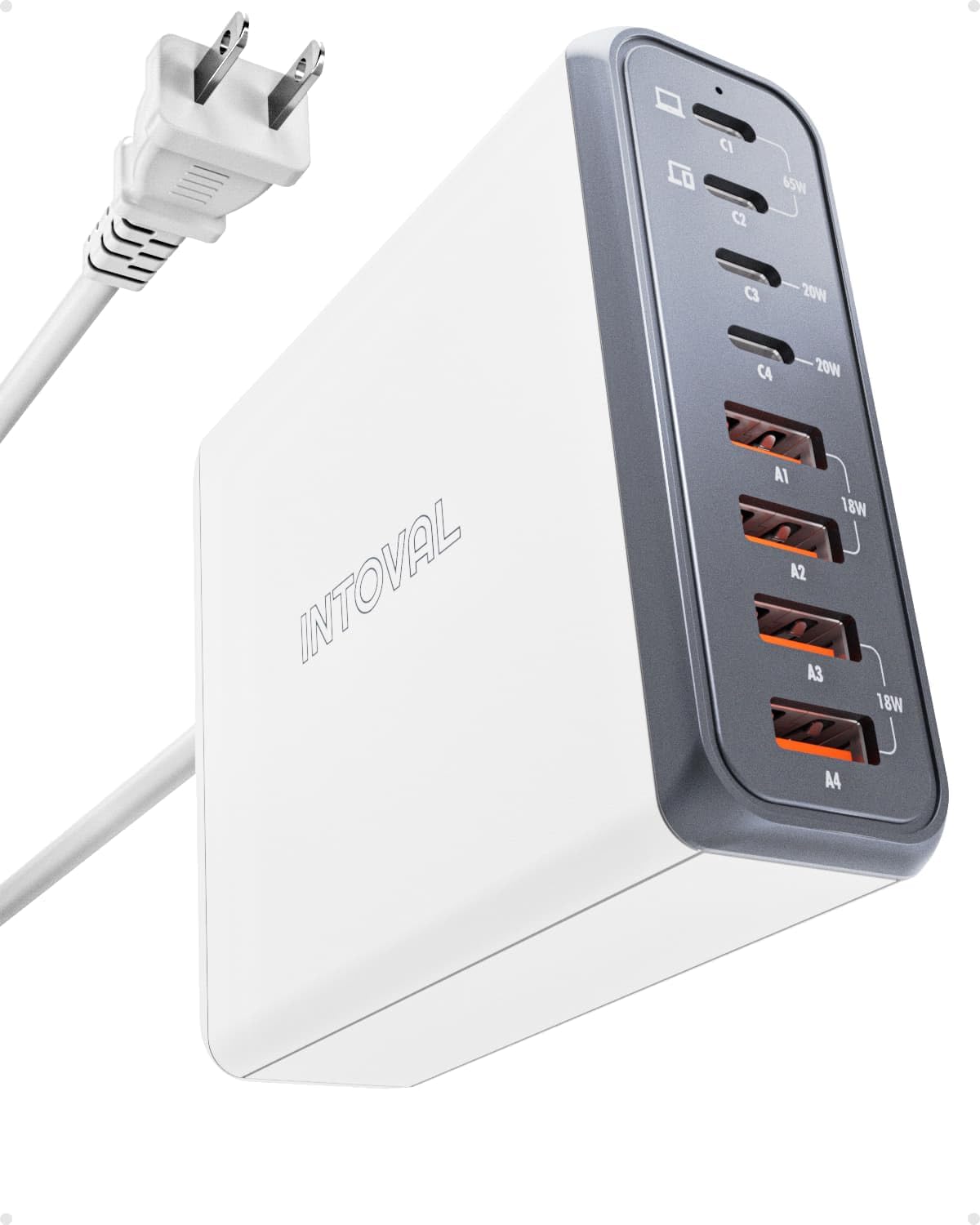
Figure 4.1: Detailed view of the charging ports on the Intoval 140W charger block, indicating their respective power outputs.
- USB-C Ports (C1, C2, C3, C4): These ports offer high-speed charging. C1 and C2 are ideal for laptops and other high-power devices (up to 65W each), while C3 and C4 provide up to 20W, suitable for tablets and smartphones.
- USB-A Ports (A1, A2, A3, A4): These ports provide up to 18W each, suitable for a wide range of devices including smartphones, earbuds, and other accessories.
4.2. Charging Your Devices
- Connect Device: Use a compatible charging cable to connect your device to the appropriate port on the charging station.
- Intelligent Power Allocation: The station will automatically detect your device's power requirements and deliver the optimal charging speed.
- Magnetic Charging Stand: For MagSafe compatible iPhones, Apple Watch, and AirPods, place them on the magnetic charging stand. Ensure the stand is connected to a powered USB-C port on the 140W charger block for optimal performance. The ambient light on the stand will indicate charging status.
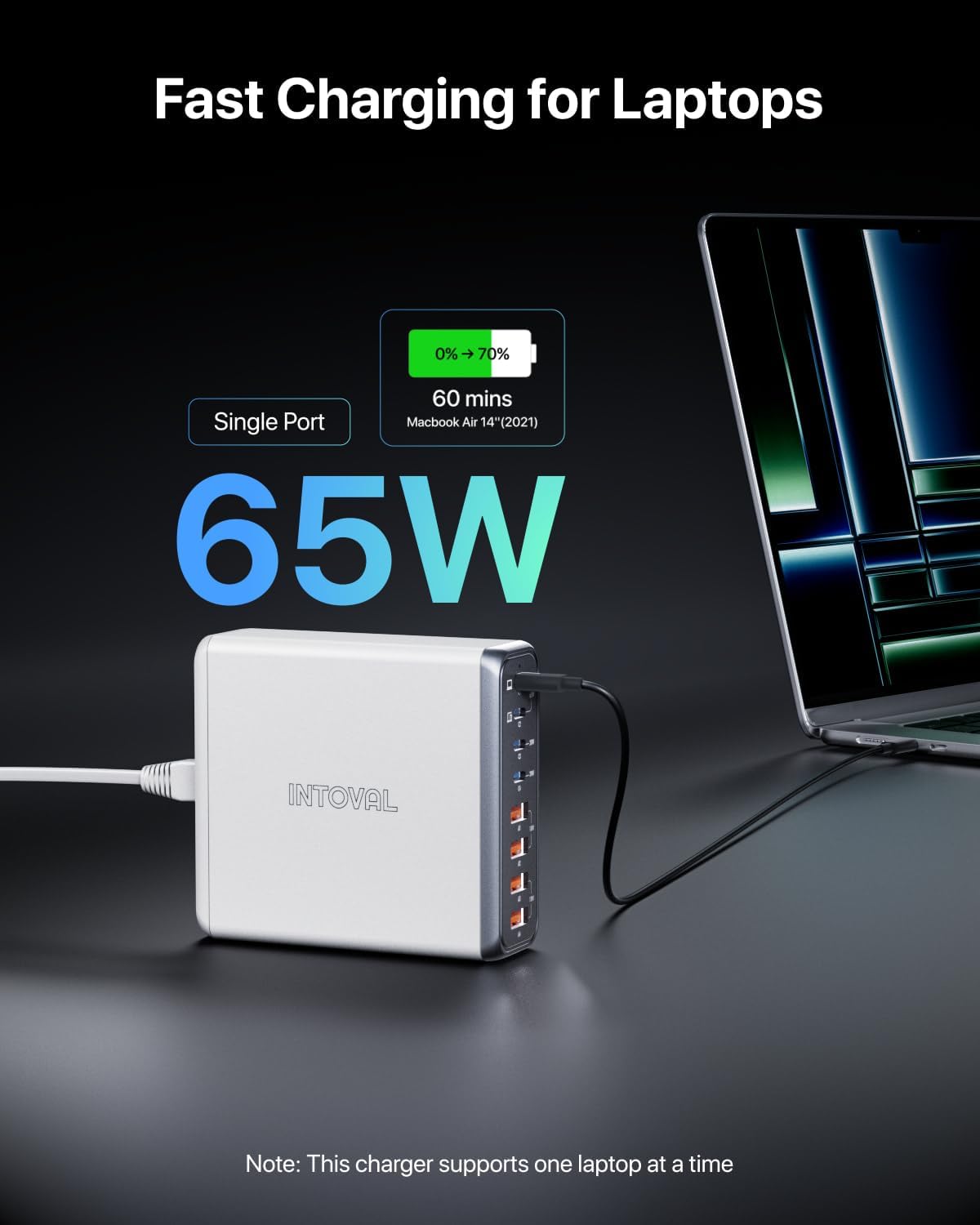
Figure 4.2: The Intoval 140W charger block providing 65W fast charging to a laptop, demonstrating its high-power capability.
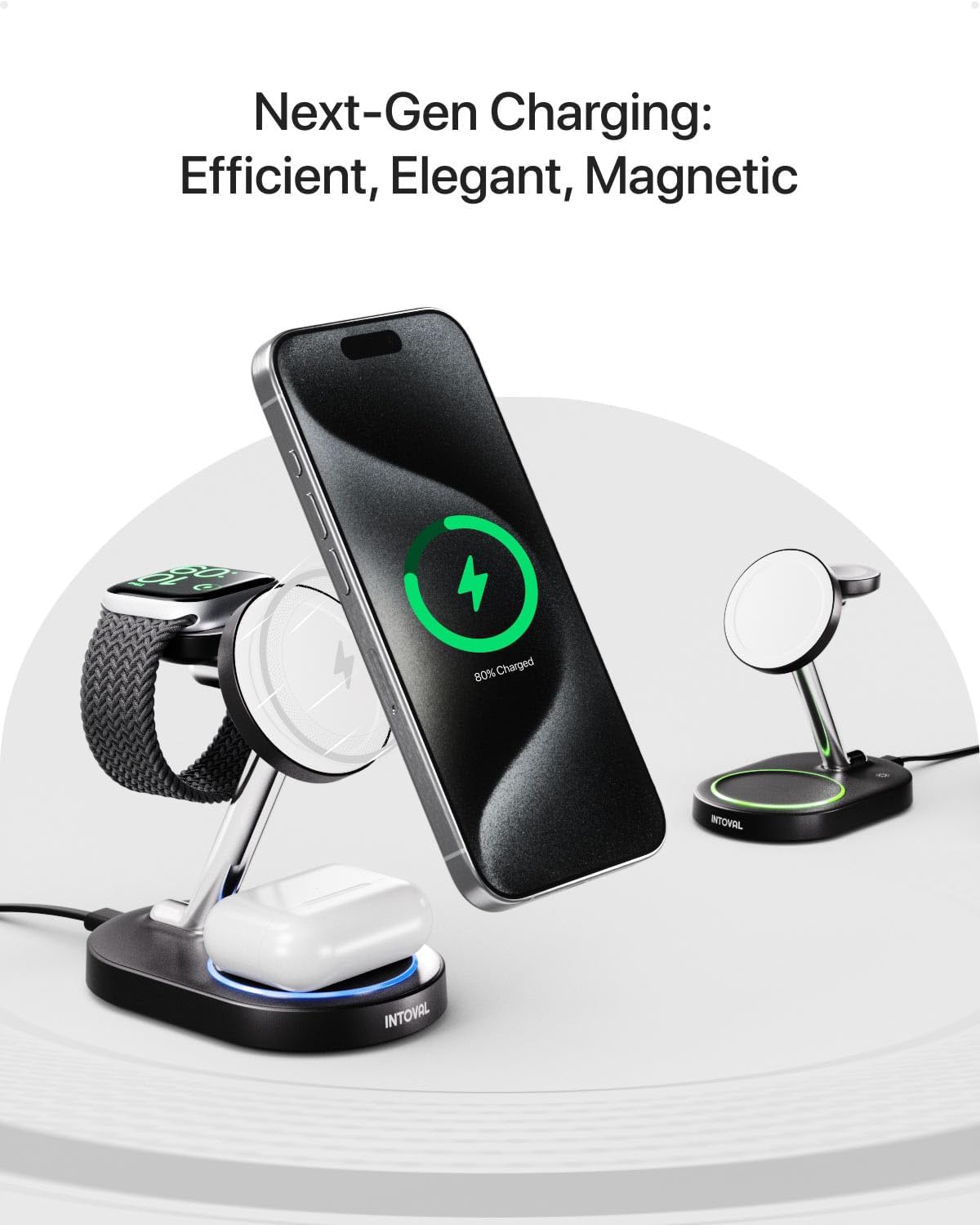
Figure 4.3: The Intoval magnetic charging stand simultaneously charging an iPhone, Apple Watch, and AirPods, highlighting its multi-device magnetic charging capability.
The NanoPulse Monitoring technology actively monitors the charging process to prevent overcharge, overheating, and short-circuits, ensuring the safety and longevity of your devices.

Figure 4.4: An illustration detailing the advantages of Intoval's NanoStabilized Charging technology, including high efficiency, minimal heat, optimized battery health, protected charging safety, and reliable user experience.
5. Maintenance
- Cleaning: Disconnect the charging station from the power outlet before cleaning. Use a soft, dry cloth to wipe the surface. Do not use liquid cleaners or aerosol sprays.
- Storage: When not in use for extended periods, store the charging station in a cool, dry place away from direct sunlight and extreme temperatures.
- Avoid Obstructions: Ensure that the ventilation openings are not blocked to prevent overheating.
6. Troubleshooting
| Problem | Possible Cause | Solution |
|---|---|---|
| Device not charging. | Power cable not connected; device cable faulty; device not compatible; port overloaded. | Ensure power cable is securely plugged in. Try a different charging cable. Verify device compatibility. Disconnect some devices if overloading. |
| Slow charging. | Incorrect port used; cable not suitable; multiple high-power devices connected. | Use the appropriate high-wattage USB-C port (C1/C2) for laptops. Ensure your cable supports fast charging. The total 140W is shared; charging many devices simultaneously may reduce individual port speed. |
| Charging station feels warm. | Normal operation during high load; insufficient ventilation. | A slight warmth is normal. Ensure the unit is placed in a well-ventilated area and not covered. If excessively hot, disconnect immediately and contact support. |
| Magnetic stand light not working. | Stand not powered; faulty connection. | Ensure the magnetic stand is properly connected to a powered USB-C port on the 140W charger block. Check the cable connection. |
7. Specifications
| Feature | Detail |
|---|---|
| Brand | Intoval |
| Model | K44 |
| Total USB Ports | 8 (4x USB-C, 4x USB-A) |
| Total Wattage | 140W Max |
| USB-C Output (C1/C2) | Up to 65W per port |
| USB-C Output (C3/C4) | Up to 20W per port |
| USB-A Output (A1/A2/A3/A4) | Up to 18W per port |
| Connectivity Technology | USB |
| Connector Type | USB Type C |
| Compatible Devices | Laptops, Smartphones (iPhone, Galaxy), Tablets (iPad), Apple Watch, AirPods, and more. |
| Special Feature | Magnetic (for stand), NanoPulse Monitoring |
| Mounting Type | Tabletop Mount |
8. Warranty and Support
Intoval products are built with quality and reliability in mind. This product comes with a standard manufacturer's warranty. For specific warranty details, please refer to the warranty card included in your package or visit the official Intoval website.
If you encounter any issues or have questions regarding your Intoval Fast Charging Station, please contact our customer support team:
- Website: Visit the Intoval Store on Amazon
- Email: Refer to product packaging or official website for contact email.
- Phone: Refer to product packaging or official website for contact number.
Please have your product model (K44) and purchase information ready when contacting support.


