
1. Introduction
The Godox TL120 RGB Tube Light is a versatile and powerful LED lighting solution designed for professional photography, videography, and creative content creation. It offers a wide range of color options, including bi-color, RGB, HSI, and various special effects, providing exceptional flexibility to shape visual impacts. With its robust battery and multiple control methods, the TL120 is an ideal tool for diverse shooting scenarios.

Figure 1.1: The Godox TL120 RGB Tube Light shown with its carrying bag, power adapter, cables, and clips, set against a vibrant, colorful background, demonstrating its versatile lighting capabilities.
2. Key Features
- Multi-Color Lighting: Freely switch between LED Bi-color mode (2700K-6500K), RGB mode, HSI mode, and 39 special effects modes.
- High Color Accuracy: Features a high Color Rendering Index (CRI) of 96 and Television Lighting Consistency Index (TLCI) of 98 for accurate color reproduction.
- Flexible Control Options: Control the light via smartphone APP (Godox Light App), 2.4G wireless remote (optional RC-R9), or DMX controller.
- Integrated Power Supply: Equipped with a 14.4V/5200mAh lithium battery, providing approximately 150 minutes of continuous output at full power. Includes an adapter for continuous power.
- Modular Design: Can be spliced together for creative lighting setups and figures.
- Versatile Mounting: Standard 1/4" threaded hole allows for easy connection to light stands, desktop tripods, boom arms, and other supports.
3. What's in the Box
Please check the contents of your package to ensure all items are present and in good condition:
- Light Body (x1)
- RJ45 Cable (x1)
- Carry Bag CB46 (x1)
- 5m Power Cord (x1)
- Clip (x2)
- Adapter (x1)
- Steel Cable (x2)
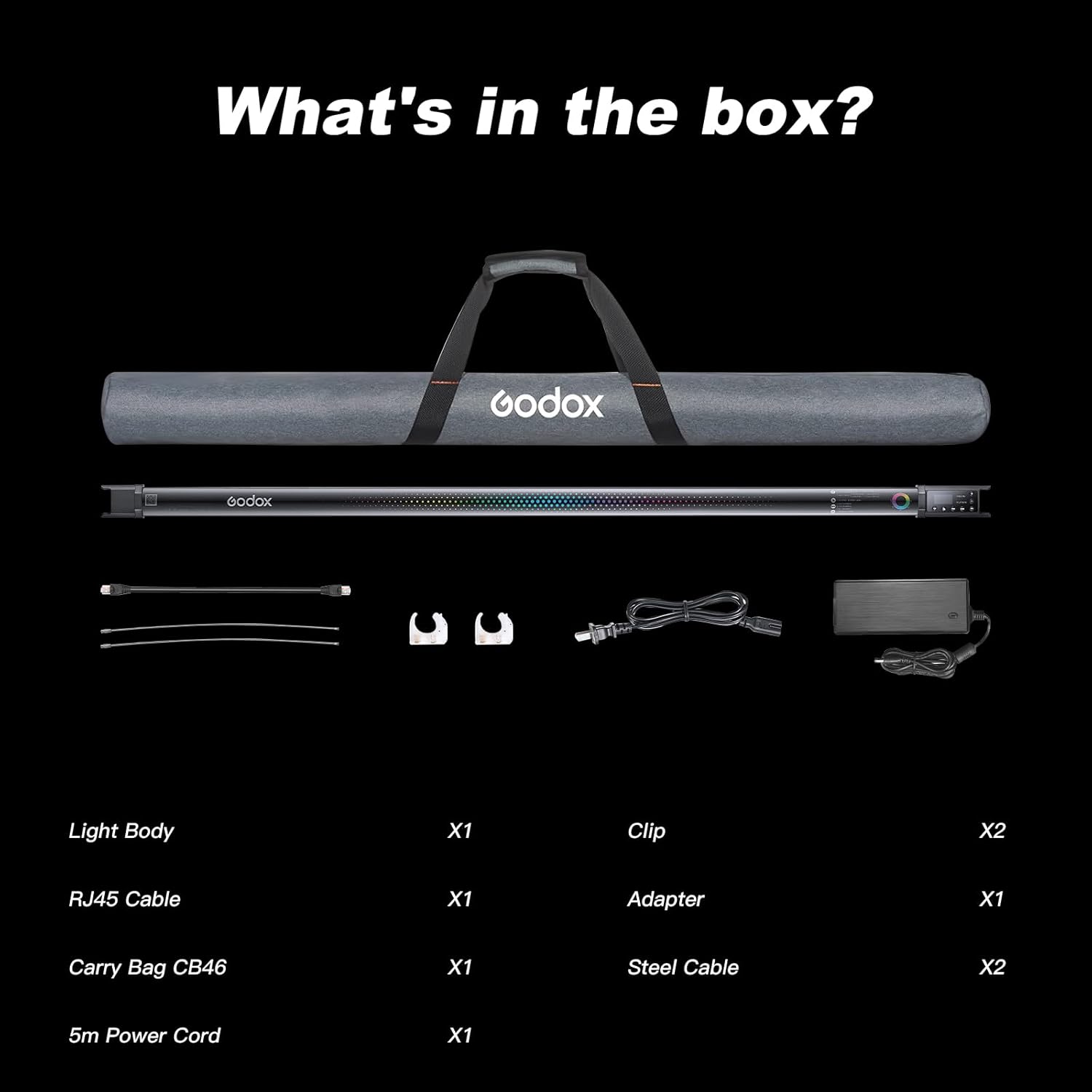
Figure 3.1: All components included in the Godox TL120 RGB Tube Light package, neatly arranged for inspection.
4. Setup and Installation
4.1 Charging the Battery
The TL120 comes with a built-in 14.4V/5200mAh lithium battery. Before first use, fully charge the light using the provided adapter. A full charge takes approximately 2 hours and provides up to 150 minutes of operation at 100% power.

Figure 4.1: Visual representation of the TL120's battery specifications, including its 5200mAh capacity, 150-minute working time at full power, and 2-hour charging time.
4.2 Mounting Options
The TL120 offers versatile mounting options to suit various shooting needs:
- Handheld: The tube light can be easily held by hand for dynamic lighting effects.
- Wall Mounting: Use the included clips to mount the light securely to a wall.
- Light Stand/Tripod: Utilize the standard 1/4" threaded hole at the base to attach the light to a light stand, desktop tripod, or boom arm for stable positioning.
- Splicing: Multiple TL120 units can be connected together to create larger and more complex lighting arrays.
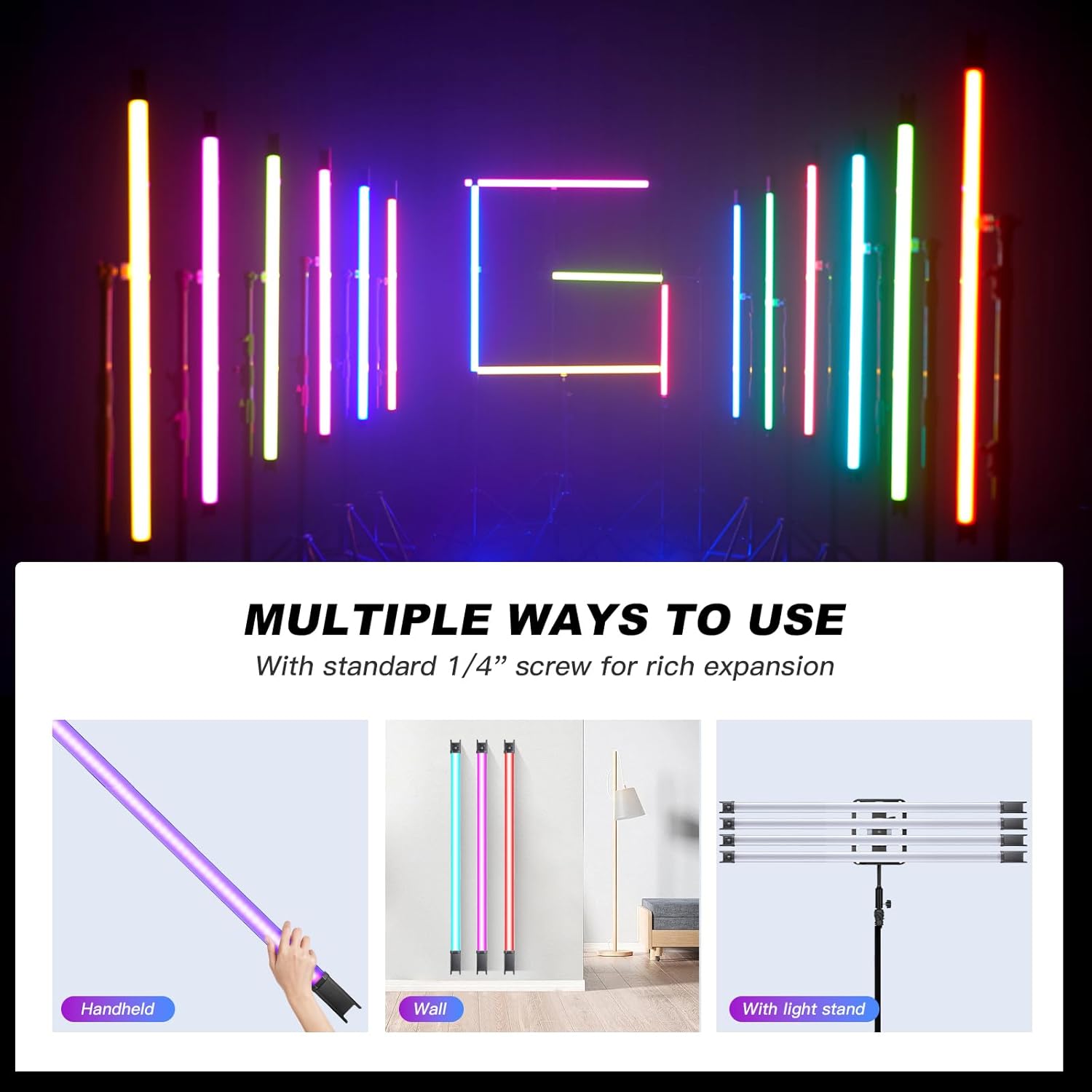
Figure 4.2: Demonstrates the multiple ways to use the TL120, including handheld operation, wall mounting with clips, and attachment to a light stand for broader illumination.
5. Operating the Godox TL120
5.1 Control Methods
The Godox TL120 offers several convenient ways to control its functions:
- On-board Controls: The light features a clear reading screen and easy function settings for quick adjustments.
- Godox Light App: Download the Godox Light App on your smartphone for comprehensive control over color temperature, brightness, hue, saturation, and special effects.
- RC-R9 Remote Control: An optional 2.4G wireless remote control (RC-R9) provides another convenient method for parameter adjustment and group control.
- DMX Control: For professional setups, the TL120 supports DMX control for integration into larger lighting systems.

Figure 5.1: Various control methods for the TL120, including the Godox Light App for detailed adjustments, the on-board display for direct interaction, and the RC-R9 remote for wireless control.
5.2 Lighting Modes
The TL120 provides a variety of lighting modes to suit different creative needs:
- CCT Mode: Adjust color temperature from 2700K (warm) to 6500K (cool) to match ambient light or create specific moods.
- RGB Mode: Access a full spectrum of colors by adjusting Red, Green, and Blue values.
- HSI Mode: Control Hue, Saturation, and Intensity for precise color selection.
- FX Effects Mode: Choose from 39 built-in special effects, such as Police Car, Fire, Lightning, and more, with adjustable speed for dynamic scenes.

Figure 5.2: An overview of the TL120's comprehensive color and effects modes, highlighting RGB, HSI, Gel, CCT, and FX, enabling a wide range of creative lighting possibilities.
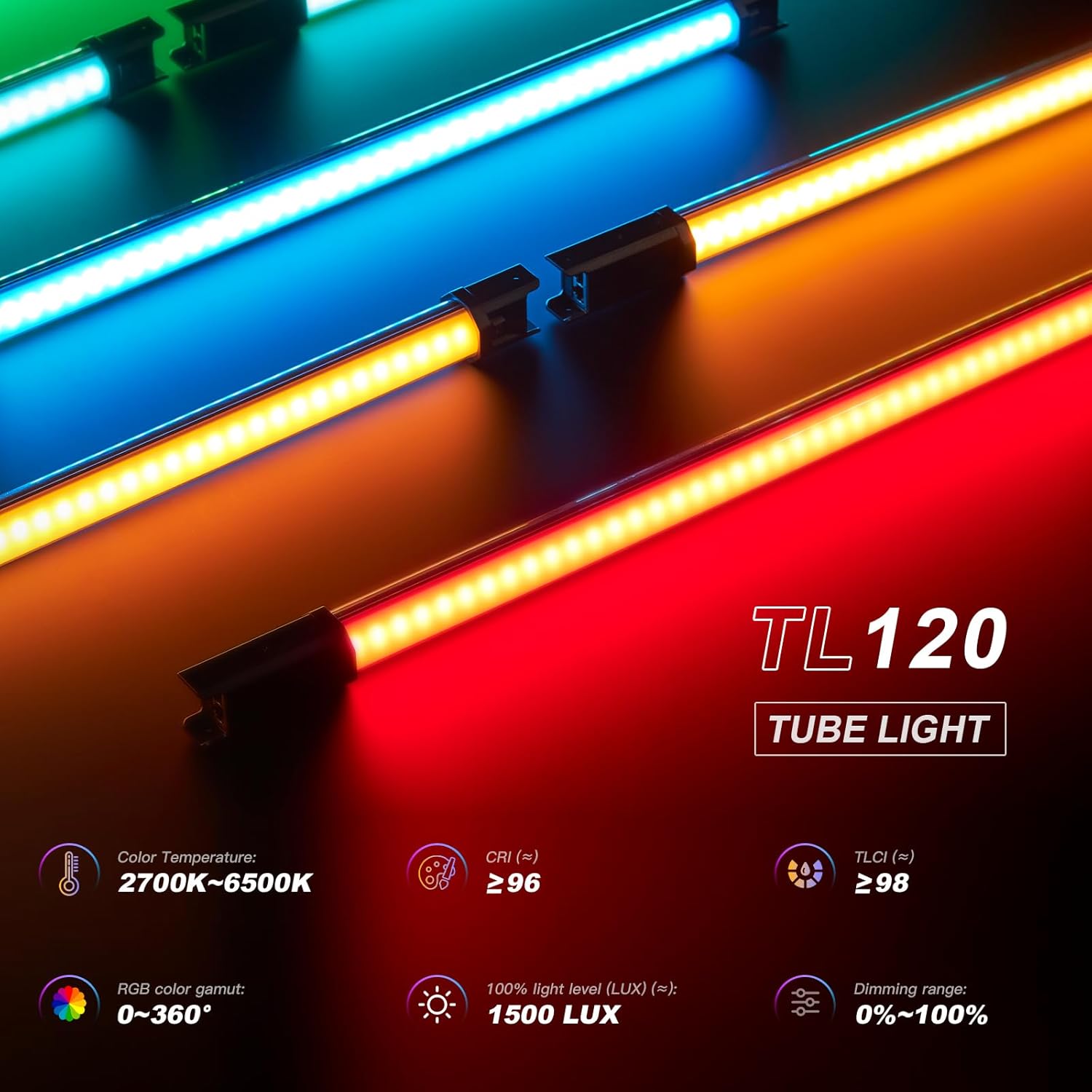
Figure 5.3: Detailed specifications of the TL120's lighting performance, highlighting its color temperature range, high CRI/TLCI values, RGB color gamut, maximum LUX output, and dimming capabilities.
5.3 Video Demonstration
Watch the official product video to see the Godox TL120 RGB Tube Light in action, demonstrating its various features and applications.
Video 5.1: Official demonstration of the Godox TL120 RGB Tube Light, showcasing its dynamic lighting effects, color capabilities, and ease of control in various creative scenarios.
6. Specifications
| Feature | Detail |
|---|---|
| Model | TL120 |
| Power Output | 30W |
| Battery | 14.4V/5200mAh (74.88Wh) Lithium Ion (included) |
| Adapter Input | 20V/4.8A |
| Color Temperature Range | 2700K-6500K |
| CRI | ≥96 |
| TLCI | ≥98 |
| RGB Color Gamut | 0 - 360° |
| Light Brightness Range | 0% - 100% |
| Max Illuminance (100% LUX) | 1500 LUX |
| Duration (continuous output at 100% power) | Approx. 150 minutes (in 2700K or 6500K) |
| Control Method | Smartphone APP / 2.4G Wireless / DMX control |
| Bluetooth Wireless Control Distance | ≈30m |
| 2.4G Wireless Control Distance | ≈50m (with optional RC-R9 remote control) |
| Channel | 32 |
| Group | 6 (A B C D E F) |
| Operation Temperature | -10℃ to 40℃ |
| Dimensions | 48" x 1.97" x 1.97" (121.92cm x 5cm x 5cm) |
| Net Weight | 2.79 pounds (1.27 kg) |
7. Maintenance and Care
- Keep the light clean by wiping it with a soft, dry cloth. Avoid using harsh chemicals or abrasive materials.
- Store the light in its protective carrying bag when not in use to prevent dust and damage.
- Avoid exposing the light to extreme temperatures or high humidity.
- Do not attempt to disassemble or repair the unit yourself. Refer to qualified service personnel for any repairs.
8. Troubleshooting
| Problem | Possible Cause | Solution |
|---|---|---|
| Light does not turn on. | Battery is depleted; Power switch is off; Faulty power adapter. | Charge the battery; Ensure the power switch is in the ON position; Try a different power outlet or adapter if available. |
| Light output is dim or inconsistent. | Low battery; Brightness setting is too low; Overheating. | Recharge the battery; Increase brightness setting; Allow the light to cool down if it feels hot. |
| Remote control or App not connecting. | Incorrect channel/group setting; Out of range; Battery in remote is low. | Verify channel and group settings on both light and controller; Move closer to the light; Replace remote control batteries. |
| Colors are not accurate. | Incorrect color mode selected; Calibration issue. | Ensure you are in the correct color mode (CCT, RGB, HSI); Perform a factory reset if available (refer to detailed manual); Contact support if issue persists. |
9. Warranty and Support
GODOX products are manufactured to the highest quality standards. For warranty information, technical support, or service inquiries, please refer to the warranty card included with your product or visit the official GODOX website. Keep your purchase receipt as proof of purchase.
For further assistance, you may contact GODOX customer support directly.