
1. Introduction
Thank you for choosing the Ohniyou 52-inch Ceiling Fan. This manual provides essential information for the safe installation, operation, and maintenance of your new ceiling fan. Please read these instructions thoroughly before installation and retain them for future reference.
2. Safety Instructions
WARNING: To reduce the risk of fire, electric shock, or personal injury, always follow these safety guidelines.
- Ensure the power is turned off at the circuit breaker before installation or servicing.
- All wiring must be in accordance with national and local electrical codes. Consult a qualified electrician if you are unsure.
- The mounting structure must be capable of supporting the weight of the fan (at least 35 lbs / 15.9 kg).
- Do not operate the fan with damaged blades or housing.
- Keep hands, clothing, and other objects away from the fan blades when the fan is in operation.
- This fan is suitable for both indoor and outdoor (covered patio) use. Ensure proper protection from direct water exposure for outdoor installations.
3. Product Features
The Ohniyou 52-inch Ceiling Fan offers a range of features designed for comfort and convenience:
- Dimmable LED Light: Integrated LED light with 3 color temperature settings (3000K Warm White, 4500K Natural Light, 6000K Cool White) to suit various moods and activities. Brightness is also adjustable.
- 6 Adjustable Wind Speeds: Choose from 6 fan speeds, from a gentle breeze for sleeping to a powerful airflow for rapid cooling.
- Timer Function: Convenient timer settings (1, 4, or 8 hours) allow the fan to automatically turn off, promoting energy saving and undisturbed sleep.
- Quiet and Powerful DC Motor: Equipped with a silent DC motor, operating at less than 30 decibels, ensuring a peaceful environment. The motor is also reversible for year-round comfort.
- Reversible Airflow: The fan features a reversible motor function. In summer, it creates a downward airflow for a cooling effect. In winter, it can be reversed to circulate warm air trapped near the ceiling, improving indoor air circulation.
- Dual-Finish Fan Blades: The fan blades offer two aesthetic options: one side is a classic black finish, and the other side features a wood grain finish, allowing you to match your decor.
- Versatile Mounting Options: Includes 8-inch and 16-inch downrods for flexible installation heights. Supports both flat and inclined mounting (up to 15° angle).
- Remote Control: All functions, including fan speed, light settings, timer, and reverse mode, are easily controlled via the included remote.
4. Setup and Installation
Proper installation is crucial for the safe and efficient operation of your ceiling fan. Please follow these steps carefully.
4.1 Unpacking and Inspection
Carefully remove all components from the packaging. Inspect all parts for any damage. Do not proceed with installation if any parts are damaged or missing. Contact customer support for assistance.
4.2 Mounting Bracket Installation
- Turn off power at the circuit breaker.
- Secure the mounting bracket to the ceiling junction box. Ensure the junction box is securely fastened to the building structure and can support the fan's weight.
- Use the provided hardware suitable for your ceiling type.
4.3 Fan Assembly
- Attach the downrod (choose 8-inch or 16-inch based on desired height) to the motor housing.
- Feed the electrical wires from the fan motor through the downrod.
- Carefully lift the fan assembly and hang it from the mounting bracket.

Image: Fan dimensions, showing 8-inch and 16-inch downrods, and the two blade color options (black and wood grain).
4.4 Electrical Wiring
- Connect the fan's electrical wires to the household wiring according to the wiring diagram in the full manual. Ensure all connections are secure.
- Tuck all wires neatly into the junction box.
4.5 Attaching Fan Blades and Canopy
- Attach the fan blades to the motor housing. Choose either the black or wood grain side of the blades to face downwards.
- Secure the canopy to cover the mounting bracket and wiring connections.

Image: Demonstrates flat assembly with wood grain blades (Side A) and inclined mounting (angle ≤ 15°) with black blades (Side B).
5. Operating Instructions
Your Ohniyou ceiling fan is controlled by the included remote control. Ensure the remote has fresh batteries installed.
5.1 Fan Speed Control
Use the speed buttons on the remote to adjust the fan's rotation speed. There are 6 available speeds:
- Speeds 1-2: Comfortable wind, ideal for sleeping or working.
- Speeds 3-4: Natural wind, suitable for general air circulation.
- Speeds 5-6: Rapid cooling wind, for quick air movement.

Image: Visual representation of 6 adjustable speeds, categorized for comfortable wind (1-2), natural wind (3-4), and rapid cooling wind (5-6).
5.2 Light Control
The integrated LED light offers adjustable brightness and color temperature:
- Power Button: Turns the light on or off.
- Color Temperature Button: Cycles through 3000K (Warm White), 4500K (Natural Light), and 6000K (Cool White).
- Dimming Buttons: Adjusts the brightness level from 0% to 100%.

Image: Illustrates the three different light color temperatures (3000K, 4500K, 6000K) and the remote control for adjustment.
5.3 Reversible Airflow Function
The fan's reversible motor allows for seasonal use:
- Summer Mode: Blades rotate counter-clockwise, pushing air downwards to create a cooling breeze.
- Winter Mode: Blades rotate clockwise, drawing air upwards to circulate warm air from the ceiling, improving heat distribution.
Activate the reverse function using the dedicated button on the remote control. Ensure the fan is off before changing direction.

Image: Depicts the reversible function, showing downward airflow for summer comfort and upward airflow for improved winter air circulation.
5.4 Timer Function
Press the timer buttons (1H, 4H, 8H) on the remote to set the fan to automatically turn off after the selected duration.
6. Maintenance
Regular maintenance helps ensure the longevity and optimal performance of your ceiling fan.
- Cleaning: Dust the fan blades and motor housing regularly with a soft, damp cloth. Do not use abrasive cleaners or solvents.
- Blade Inspection: Periodically check that all blade screws are tight. Loose screws can cause wobbling and noise.
- Light Fixture: The LED light source is designed for long life and typically does not require replacement.
- Power Off: Always turn off the power at the circuit breaker before performing any cleaning or maintenance.
7. Troubleshooting
If you encounter issues with your fan, refer to the following common problems and solutions:
| Problem | Possible Cause | Solution |
|---|---|---|
| Fan does not start | No power to the fan; Loose wire connections; Remote control battery low. | Check circuit breaker; Verify all wire connections; Replace remote control batteries. |
| Light does not work | No power to the light; Loose wire connections; LED driver issue. | Check circuit breaker; Verify light wire connections; Contact customer support if LED driver is suspected. |
| Fan wobbles | Loose blade screws; Unbalanced blades; Loose mounting bracket. | Tighten all blade screws; Use a balancing kit (not included) if necessary; Ensure mounting bracket is secure. |
| Excessive noise | Loose screws; Motor issue; Blades hitting an obstruction. | Check and tighten all screws; Ensure no obstructions are near blades; If motor noise persists, contact support. |
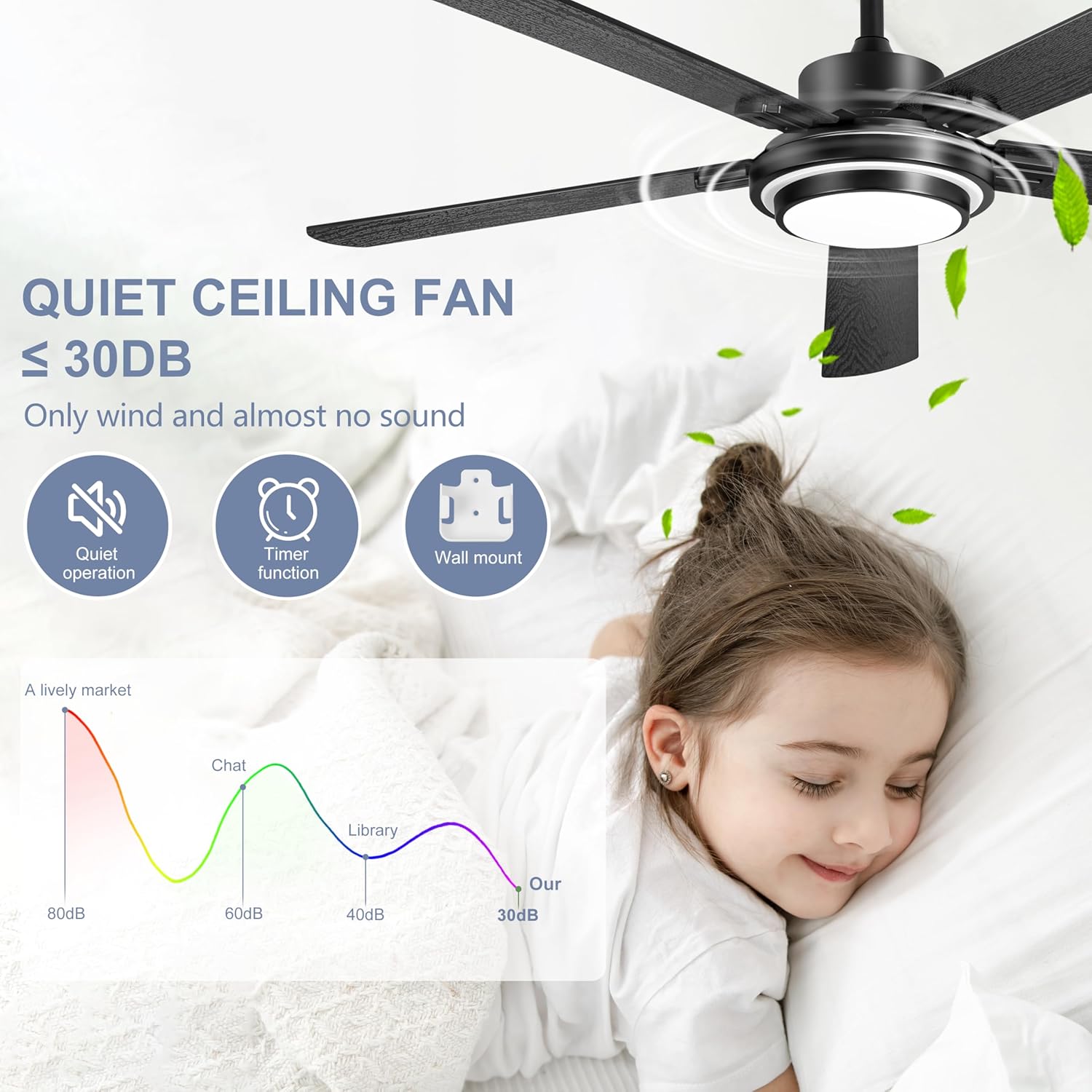
Image: Highlights the quiet operation of the fan (less than 30dB), along with its timer function and remote control wall mount.
8. Specifications
| Feature | Detail |
|---|---|
| Brand | Ohniyou |
| Model | B0D4989HPT |
| Color | Black |
| Fan Design | Ceiling Fan |
| Power Source | Corded Electric |
| Style | Farmhouse, Rustic |
| Product Dimensions | 132P x 132l x 40H cm (52 inches diameter) |
| Room Type | Bedroom, Living Room, Dining Room, Office, Patio, Shop |
| Special Features | LED Light, Remote Controlled, Reversible Motor, 6 Speeds, Timer Function |
| Recommended Uses | Air Circulation, Cooling |
| Mounting Type | Ceiling Mount (Flat or Inclined ≤15°) |
9. Warranty and Support
For warranty information and customer support, please refer to the documentation included with your purchase or contact the retailer/manufacturer directly. Keep your proof of purchase for warranty claims.
10. Product Usage Examples

Image: The Ohniyou ceiling fan elegantly installed in a spacious, modern living room, demonstrating its aesthetic integration.

Image: The Ohniyou ceiling fan providing comfort on a covered outdoor patio, highlighting its suitability for outdoor use.


