ABCDONG Open Ear Headphones User Manual
Model: M75
1. Introduction
Thank you for choosing the ABCDONG Open Ear Headphones. These wireless Bluetooth 5.49 earbuds are designed for comfort and situational awareness, making them ideal for sports, workouts, driving, and daily use. This manual provides detailed instructions for setup, operation, and maintenance to ensure optimal performance and longevity of your device.

The ABCDONG Open Ear Headphones in their charging case, ready for use.

The ABCDONG Open Ear Headphones allow you to enjoy music while remaining aware of your surroundings.
2. What's in the Box
Verify that all components are present in your package:
- Open Air Conduction Earphones (Left and Right)
- Charging Case
- User Manual
- Type-C Charging Cable

Included items: Open Air Conduction Earphones, Charging Case, User Manual, and Type-C Charging Cable.
3. Setup and Charging
3.1 Initial Charging
Before first use, fully charge the headphones and the charging case. Connect the provided Type-C charging cable to the charging port on the case and a power source. The LED display on the case will indicate the charging status and battery level.
- Charging Time (Case): Approximately 1.5 hours.
- Earbuds Playtime (Single Charge): More than 8 hours.
- Total Playtime (with Charging Case): More than 60 hours.
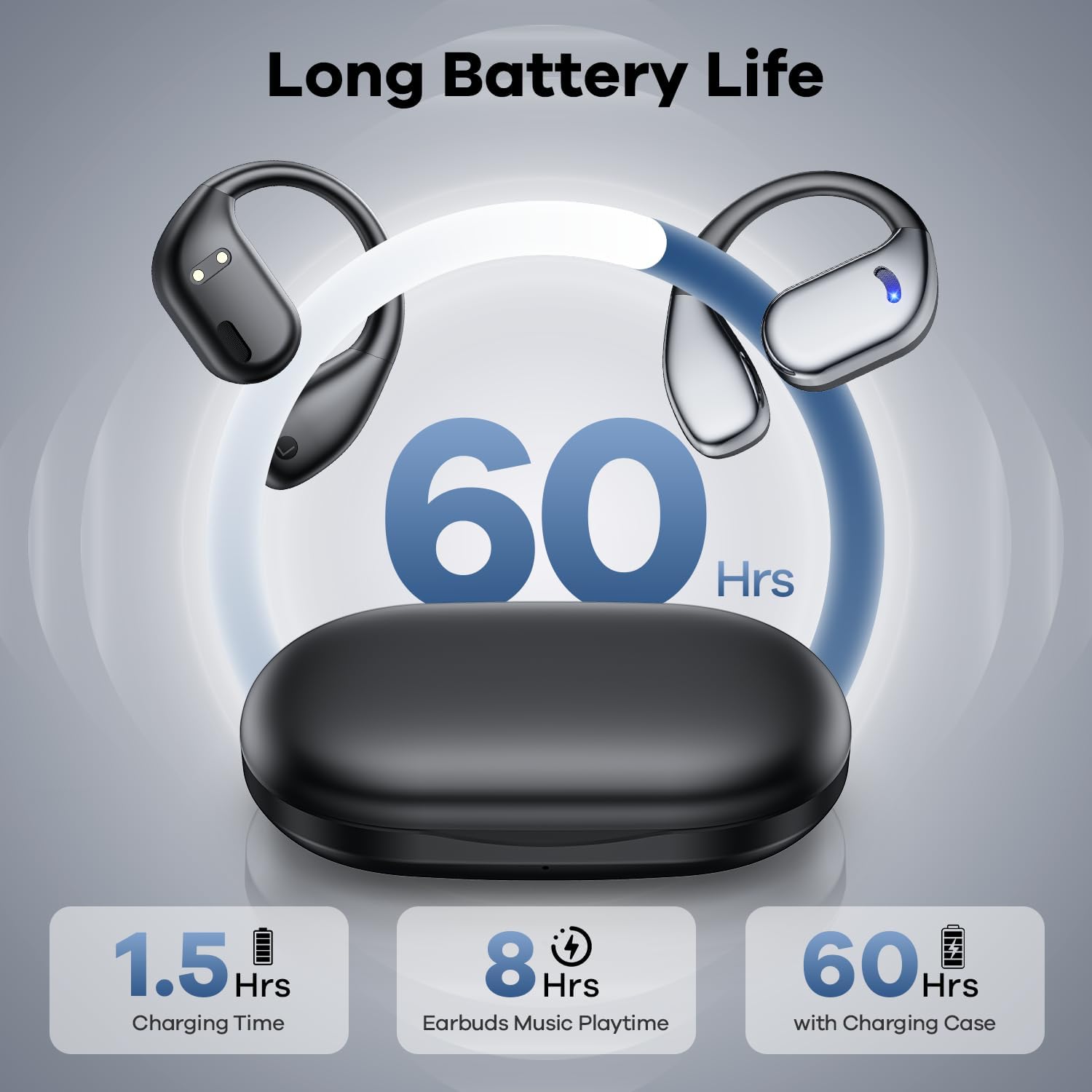
The charging case features a digital display to show battery levels for both the case and individual earbuds.

The headphones offer extended playtime with the compact charging case.
3.2 Pairing with Your Device
The headphones feature one-step auto-pairing for convenience.
- Open the charging case. The earbuds will automatically power on and enter pairing mode.
- On your device (smartphone, tablet, computer), enable Bluetooth and search for available devices.
- Select "M75" from the list of found devices to connect.
- Once connected, a voice prompt will confirm the successful pairing.

One-step auto-pairing simplifies the connection process with your Bluetooth-enabled devices.
4. Wearing Instructions
The open-ear design ensures comfort and allows you to stay aware of your surroundings. Follow these steps for correct and comfortable wear:
- Ensure there are no foreign objects around your ear. If wearing glasses, remove them temporarily for easier placement.
- Gently place the earhook over the top of your ear.
- Rotate the headphone horizontally behind your ear until it fits securely and comfortably.
- Adjust the position slightly until the sound is clear and the fit is stable.

Proper wearing ensures optimal comfort and sound quality.

The open-ear design prevents blocking ear canals, promoting long-lasting comfort and protecting hearing.
5. Operating Instructions
5.1 Touch Controls
The headphones feature intuitive touch controls on each earbud. Refer to the diagram below for specific functions:

Control your audio and calls with simple touch gestures on the earbuds.
- Volume + (L): Click 1 time
- Volume + (R): Click 1 time
- Pause/Play (L/R): Click 3 times
- Answer Call (L/R): Click 1 time
- Reset Earbuds (L&R) / Game Mode: Click 4 times
- Previous Song (L): Click 3 times
- Next Song (R): Click 3 times
- Reject Call / Hang Up (L/R): Long Press 2 seconds
- Siri (L/R): Long Press 3 seconds
Warming Tips: To reset earbuds, disconnect from the phone and quickly press the left button 5 times at the same time to reset.
5.2 Audio Experience
The M75 headphones are equipped with dual 15.2mm air conduction dynamic drivers, delivering clear, powerful, and stereo sound. The open-ear design allows for enhanced situational awareness while enjoying your audio.

Experience incredible audio with the advanced driver technology.

Enjoy 3D surround stereo sound with 16.2mm dynamic speakers for well-balanced audio.
5.3 Call Functionality
The built-in microphone allows for clear calls. Use the touch controls to manage incoming and outgoing calls.

The headphones provide clear call quality, even in various environments.
6. Maintenance and Care
6.1 Water Resistance
The ABCDONG Open Ear Headphones are IPX5 water-resistant, meaning they are protected against low-pressure water jets from any direction. This makes them suitable for workouts and light rain, but they are not designed for submersion in water.
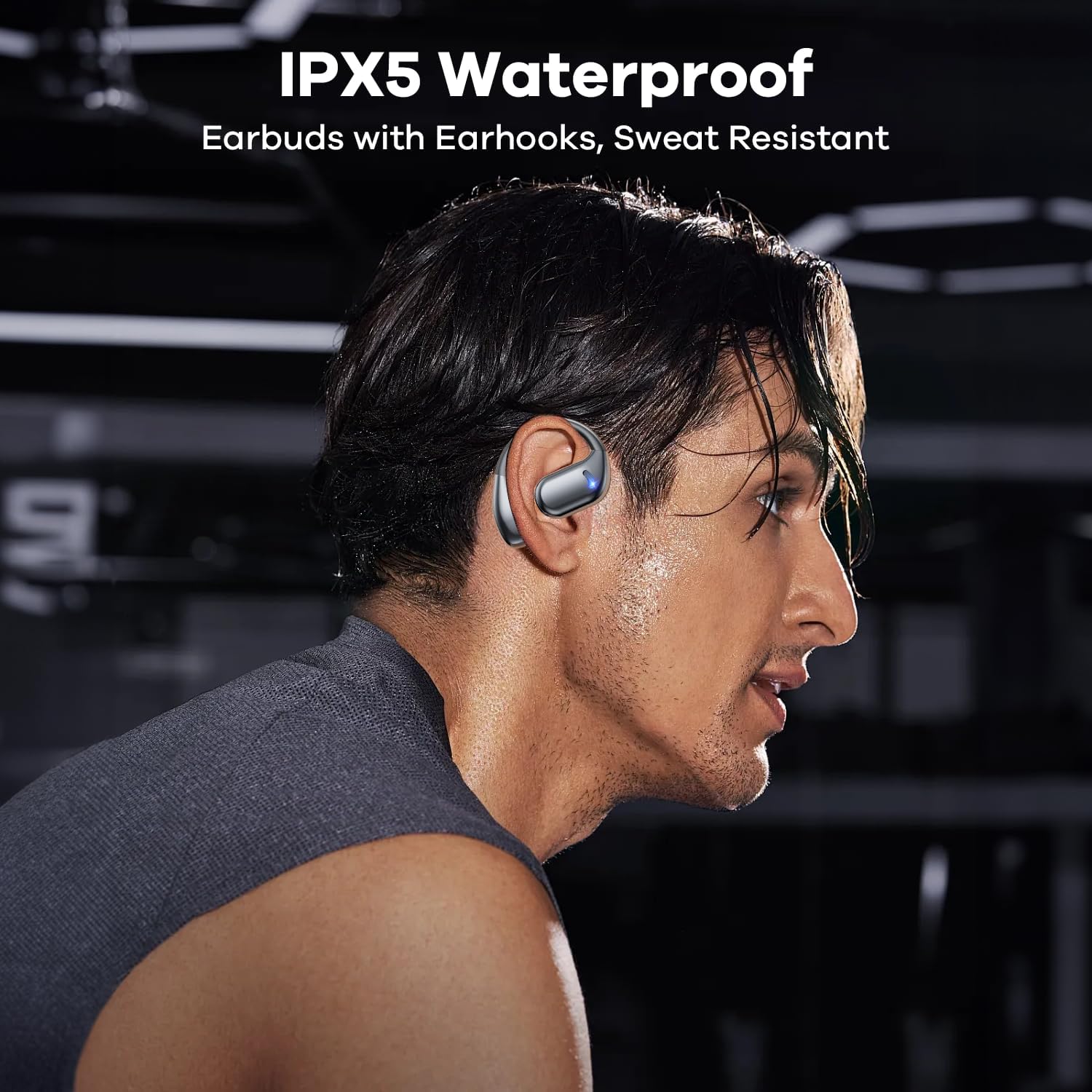
The IPX5 water-resistant rating ensures durability during exercise and in various weather conditions.

The IPX5 water-resistant rating ensures durability during exercise and in various weather conditions.
6.2 Cleaning
Wipe the earbuds and charging case with a soft, dry, lint-free cloth. Do not use abrasive cleaners or immerse the device in water.
7. Troubleshooting
If you encounter issues with your headphones, try the following solutions:
- No Sound:
- Ensure the headphones are charged.
- Check if the headphones are properly paired with your device.
- Adjust the volume on both the headphones and your device.
- Cannot Pair:
- Ensure Bluetooth is enabled on your device.
- Make sure the headphones are within the 15m signal range.
- Try resetting the earbuds (disconnect from phone, then quickly press left button 5 times).
- Forget "M75" from your device's Bluetooth list and try pairing again.
- Intermittent Connection / Static:
- Move closer to your connected device.
- Avoid obstacles between the headphones and your device.
- Ensure there is no interference from other wireless devices.
- Voice Prompt in Foreign Language:
- This issue has been reported by some users. There is no direct language setting on the device. A factory reset might sometimes resolve unexpected voice prompts.
8. Specifications
| Feature | Detail |
|---|---|
| Model Name | M75 |
| Connectivity Technology | Wireless (Bluetooth 5.49) |
| Ear Placement | Open Ear |
| Form Factor | True Wireless |
| Playtime (Earbuds) | >8 hours |
| Total Playtime (with Case) | >60 hours |
| Charging Time (Case) | 1.5 hours |
| Water Resistance | IPX5 |
| Driver Size | 15.2mm dynamic drivers |
| Impedance | 16 Ohm |
| Control Type | Media Control (Touch) |
| Material | Acrylonitrile Butadiene Styrene (ABS) |
| Item Weight | 4.2 ounces |
| UPC | 797417754045 |

A comparison highlighting the advantages of Air-Conduction headphones like the M75.

The headphones offer wide compatibility with various Bluetooth-enabled devices.
9. Warranty and Support
For warranty information or technical support, please refer to the contact details provided on the product packaging or the official ABCDONG website. Keep your purchase receipt for warranty claims.


