
1. Introduction
The BALILA CM1-US3 Wireless Lavalier Microphone system is designed for high-quality audio recording with iPhone and iPad devices featuring a Lightning port. This system offers clear sound capture, effective noise cancellation, and a long wireless transmission range, making it suitable for various applications such as video recording, streaming, and interviews.
Key features include a 48KHz/24bit audio format for vivid sound reproduction, a dedicated noise-canceling chip, and a magnetic attachment design for versatile placement. The system is lightweight and designed for ease of use.

Image 1.1: Overview of the BALILA Wireless Lavalier Microphone system, showing two microphone transmitters, the Lightning receiver, and the portable charging case.
2. What's in the Box
Please verify that all components are present in the package:
- 2 x Wireless Lavalier Microphones (Transmitters)
- 1 x Lightning Receiver
- 1 x USB Charging Cable
- 2 x Magnetic Sheets
- 2 x Back Clips
- 2 x Windshields
- 1 x Carrying Pouch
- 1 x Instruction Manual

Image 2.1: Visual representation of all items included in the BALILA Wireless Lavalier Microphone product package.
3. Product Overview
Familiarize yourself with the main components and their functions:
- Wireless Microphone (Transmitter): Captures audio. Features an ON/OFF button, multi-function keys, status indicator, and charging contacts.
- Lightning Receiver: Plugs into your iPhone/iPad. Features a status indicator and a Lightning charging port for pass-through charging.
- Charging Case: Stores and charges the microphones.
- Magnetic Attachment: Allows for secure and discreet placement of the microphone on clothing or other surfaces.
- Back Clip: Provides an alternative attachment method for the microphone.
- Windshield: Reduces wind noise for clearer outdoor recordings.

Image 3.1: Detailed diagram of the microphone transmitter and Lightning receiver, highlighting their respective features and ports.

Image 3.2: Illustration of the microphone's attachment options, including magnetic and clip-on methods, along with other design elements.
4. Setup Instructions
- Charge the Microphones: Before first use, ensure the wireless microphones are fully charged. Place them in the charging case and connect the case to a power source using the provided USB charging cable. The indicator lights on the case will show charging status.
- Connect the Receiver: Plug the Lightning receiver directly into the Lightning port of your iPhone or iPad. The receiver's indicator light will illuminate, indicating it is powered on and ready for pairing.
- Power On Microphones: Press and hold the ON/OFF button on each wireless microphone (transmitter) to power them on. The status indicator on the microphone will flash, then turn solid, indicating successful pairing with the receiver. The system is designed for automatic pairing upon power-on.
- Verify Connection: Once connected, the indicator lights on both the microphone(s) and the receiver will remain solid. Your device should now recognize the external microphone.
5. Operating Instructions
5.1 Basic Recording
- Ensure the microphones and receiver are connected as per the setup instructions.
- Open your desired recording application (e.g., Camera app for video, Voice Memos for audio, or a third-party streaming app) on your iPhone or iPad.
- The system will automatically use the external microphone for audio input. Begin your recording.
5.2 Noise Cancellation
The BALILA CM1-US3 features a one-click noise cancellation function to reduce ambient noise.
- Activate Noise Cancellation: Press the yellow multi-function button on the side of the microphone transmitter. The indicator light will change or provide a visual cue to confirm activation.
- Deactivate Noise Cancellation: Press the yellow multi-function button again to turn off the noise cancellation feature.
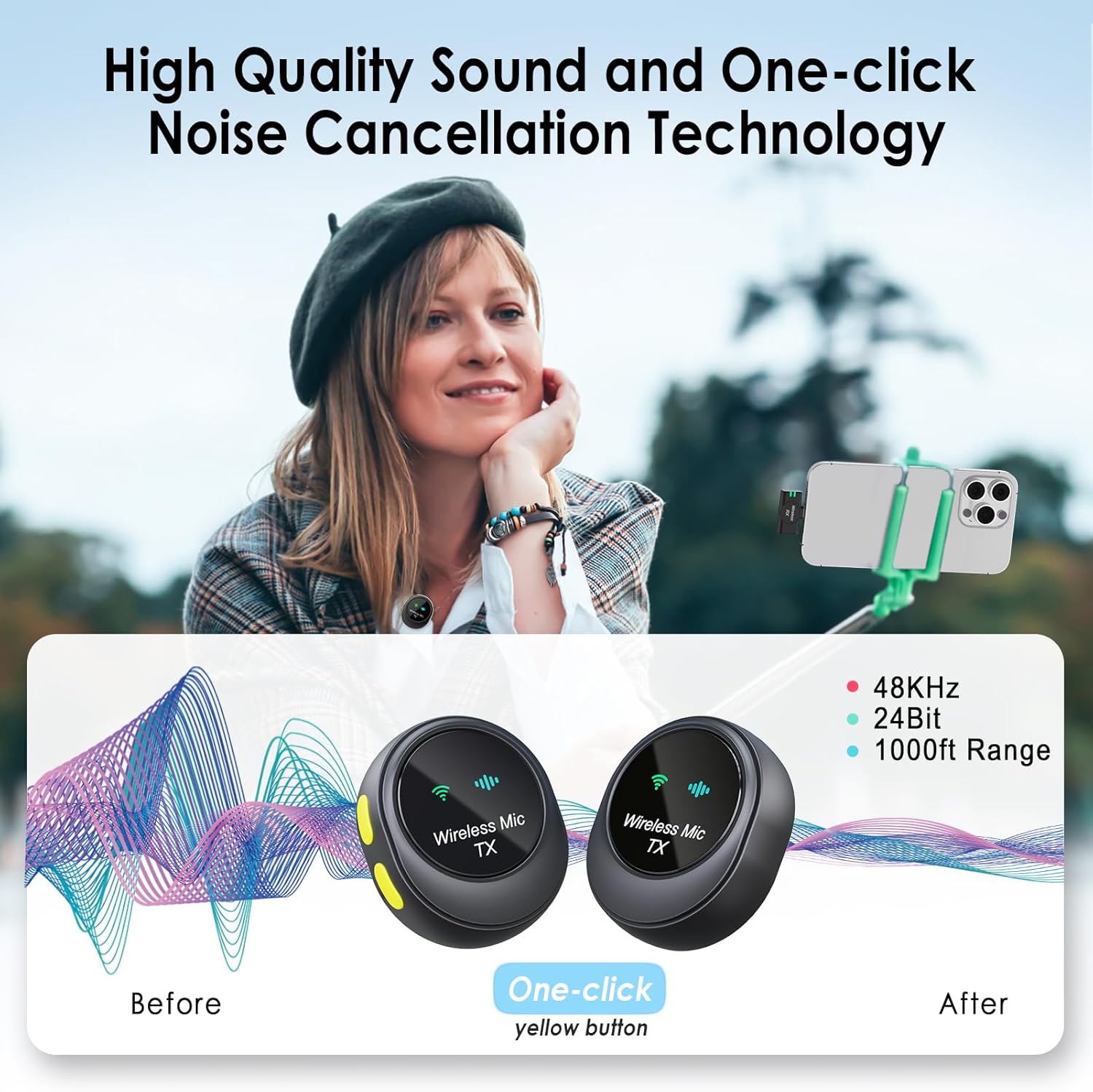
Image 5.1: Demonstration of the noise cancellation effect, illustrating how background noise is reduced with a single button press.

Image 5.2: Overview of the one-click noise cancellation feature, emphasizing its simplicity and effectiveness.
5.3 Usage Scenarios
The microphone system is versatile for various recording environments:
- Interviews: Capture clear dialogue in professional settings.
- Video Recording: Enhance audio for vlogs, tutorials, and creative content.
- Live Streaming: Provide high-quality audio for live broadcasts on social media platforms.
- Outdoor Recording: Utilize the windshields to minimize environmental noise.

Image 5.3: Examples of individuals using the microphone system in different recording situations.
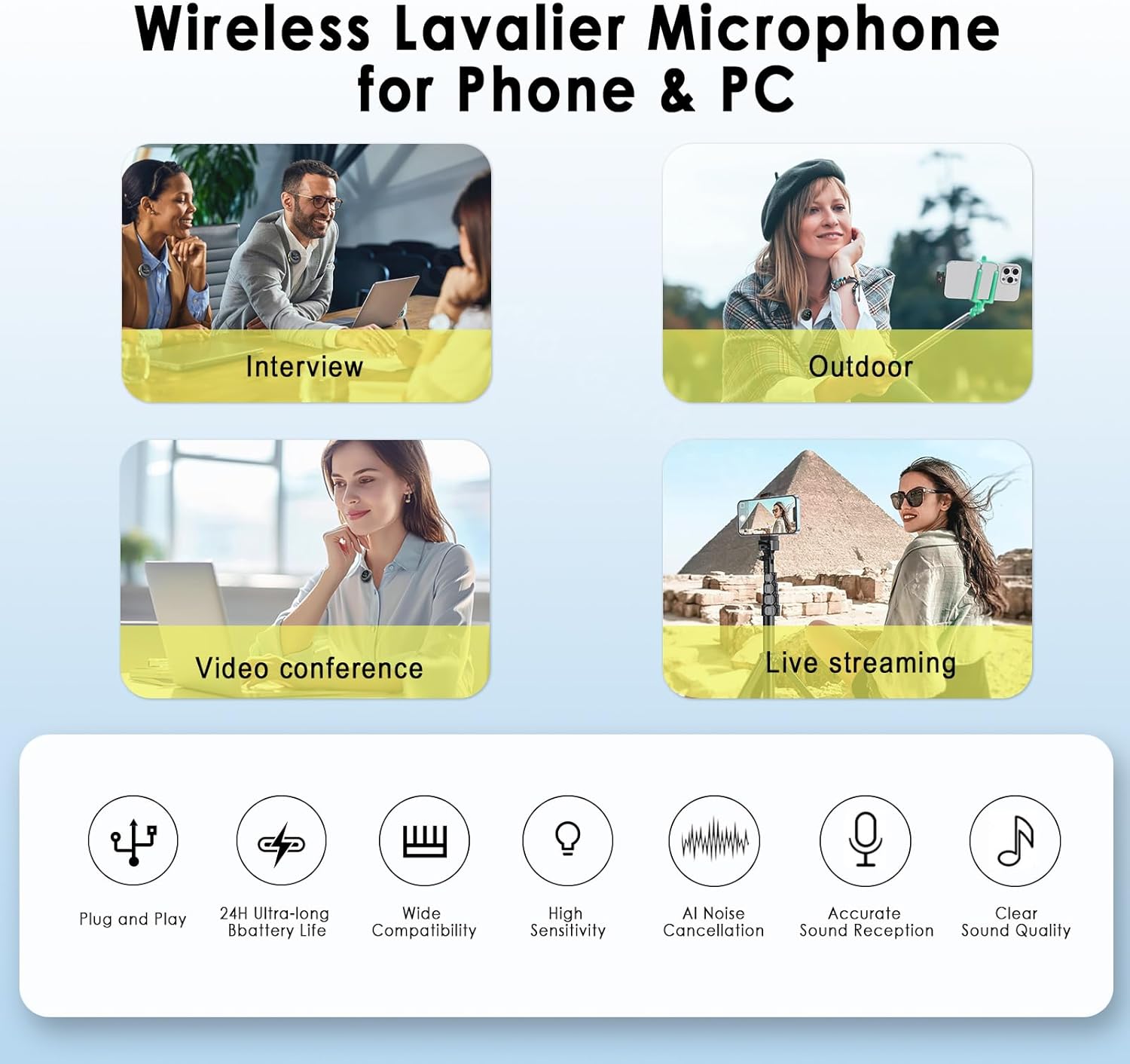
Image 5.4: Multiple use cases for the wireless microphone, demonstrating its adaptability for different recording needs.

Image 5.5: Depiction of the microphone's utility across different content creation and communication platforms.
5.4 Wireless Range
The system offers a wireless transmission range of up to 1000 feet (300 meters) in open environments, providing flexibility for recording at a distance from your device.

Image 5.6: Visual representation of the microphone's extensive wireless range, enabling recording from significant distances.

Image 5.7: Information on the microphone's long wireless range and audio specifications.
6. Charging and Battery Life
The BALILA Wireless Lavalier Microphone system is designed for extended use with its charging case.
- Each microphone (transmitter) provides approximately 8-9 hours of working time on a full charge.
- The charging case can recharge the microphones multiple times, extending the total usage time up to 24 hours.
- The charging case itself can be recharged via the USB charging cable.
- The Lightning receiver can be charged simultaneously with your iPhone/iPad through its pass-through Lightning charging port, allowing for extended recording sessions without draining your device's battery.

Image 6.1: Overview of the system's battery performance, including individual microphone runtime and total usage with the charging case.

Image 6.2: Details on charging time and individual microphone battery life.

Image 6.3: Demonstration of the pass-through charging feature on the receiver, enabling continuous recording while charging the host device.
7. Compatibility
This BALILA Wireless Lavalier Microphone system is specifically designed with a Lightning connector for compatibility with Apple devices.
- Compatible Devices: All iOS devices equipped with a Lightning port, including various models of iPhone and iPad.
- Platform: Functions with smartphones, laptops, and PCs when connected via appropriate adapters (not included for non-Lightning devices).

Image 7.1: Visual guide to device compatibility, showing the Lightning receiver connected to an iPhone and other iOS devices.
8. Maintenance
To ensure the longevity and optimal performance of your BALILA Wireless Lavalier Microphone, follow these maintenance guidelines:
- Cleaning: Use a soft, dry cloth to clean the microphones, receiver, and charging case. Avoid using liquid cleaners or solvents.
- Storage: Store the system in the provided carrying pouch when not in use to protect it from dust and physical damage. Keep it in a cool, dry place away from direct sunlight and extreme temperatures.
- Windshields: Regularly clean or replace the windshields if they become dirty or worn, as this can affect audio quality.
- Charging Ports: Keep charging ports free of dust and debris to ensure proper connection and charging.
9. Troubleshooting
If you encounter issues with your BALILA Wireless Lavalier Microphone, refer to the following common troubleshooting steps:
| Problem | Possible Cause | Solution |
|---|---|---|
| Microphone not connecting/pairing | Low battery; Microphone or receiver not powered on; Pairing issue. | Ensure microphones are fully charged. Power off and on both the microphone(s) and receiver. Re-insert the receiver into the device. |
| No audio input from microphone | Microphone not connected; App not recognizing external mic; Device settings. | Verify successful pairing (solid indicator lights). Check your device's audio input settings. Try a different recording app. |
| Poor audio quality/Interference | Distance from receiver; Obstructions; Environmental noise; Noise cancellation off. | Reduce distance between microphone and receiver. Ensure line of sight. Activate noise cancellation. Use windshields in windy conditions. Avoid strong electromagnetic interference sources. |
| Microphone not charging | Charging cable issue; Dirty charging contacts; Faulty charging case. | Ensure USB cable is securely connected. Clean charging contacts on microphones and case. Try a different USB port or cable. |
10. Specifications
- Model Number: CM1-US3
- Brand: BALILA
- Microphone Form Factor: Lavalier
- Polar Pattern: Omnidirectional
- Audio Sensitivity: 70 Decibels
- Signal-to-Noise Ratio: 45 dB
- Frequency Response: 20 Hz - 20 KHz
- Audio Format: 48KHz/24bit
- Connectivity Technology: 2.4G Wireless
- Connector Type: Lightning
- Wireless Range: Up to 1000ft (300m)
- Power Source: Battery Powered (1 Lithium Ion battery included per microphone)
- Microphone Operating Time: 8-9 hours (per TX)
- Total Operating Time with Charging Case: Up to 24 hours
- Special Features: One-Touch Recording, Battery Indicator Light, Clip, Noise Reduction
- Material: Plastic
- Item Dimensions (L x W x H): 1.14 x 0.98 x 0.39 inches
- Item Weight: 5.3 ounces
11. Warranty and Support
For warranty information or technical support, please refer to the contact details provided in the product packaging or visit the official BALILA website. Keep your purchase receipt as proof of purchase for any warranty claims.

