
K&F Concept V mount
K&F Concept V-Mount Battery User Manual
Model: V mount
1. Introduction
This user manual provides detailed instructions for the safe and efficient operation of your K&F Concept V-Mount Battery. Please read this manual thoroughly before using the product and retain it for future reference.
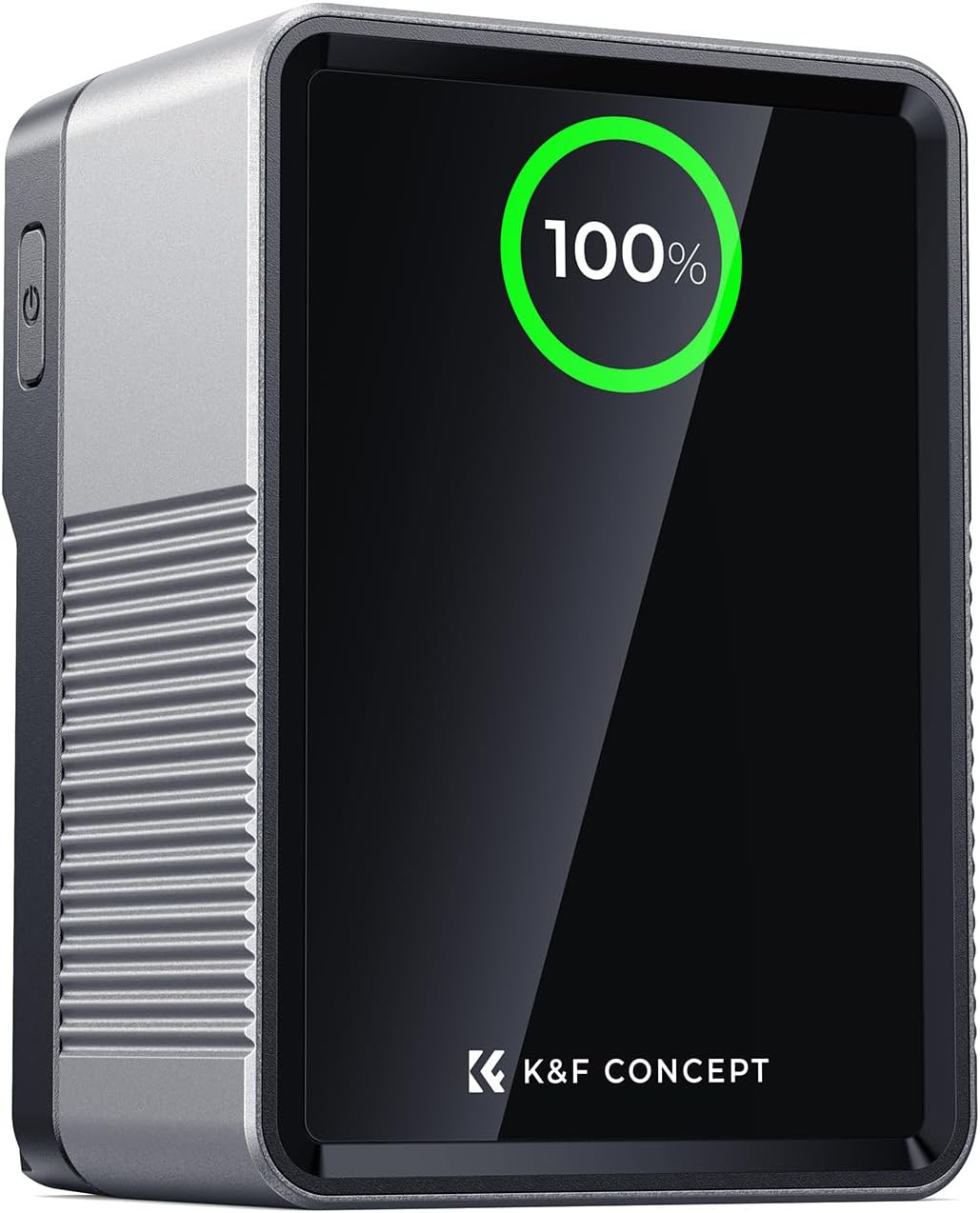
Figure 1: K&F Concept V-Mount Battery. This image shows the front view of the battery with its digital display indicating a 100% charge, highlighting its compact design.
2. Product Overview and Features
The K&F Concept V-Mount Battery is a high-capacity, versatile power solution designed for professional photography and videography equipment. It features multiple output ports, fast charging capabilities, and a clear TFT digital display for real-time monitoring.
- High Capacity: 99 Wh and 6700 mAh at 14.8 V, suitable for air travel (within allowed limits for carry-on luggage).
- 100W Bidirectional PD Fast Charging: USB-C port allows for rapid charging of the battery (approx. 2.5 hours for full charge) and efficient power delivery to laptops, smartphones, and other devices.
- Extensive Connectivity: Includes two USB-C ports, one USB-A, one DC (12V, 5.5 x 2.5 mm), BP, and D-TAP ports for simultaneous powering of various devices.
- Real-time TFT Color Screen: Provides clear monitoring of output power for each port and overall battery status.
- Durable Construction & Emergency Light: Built with durable aluminum alloy and fire-resistant polycarbonate, featuring a scratch-resistant acrylic cover. Includes an emergency night light for low-light conditions.

Figure 2: Internal capacity representation. This image illustrates the robust internal structure and high-capacity cells of the K&F Concept V-Mount Battery, indicating its 99Wh, 6700mAh, and 14.8V specifications.
3. Package Contents
Please verify that all items are present in the package:
- 1x K&F-V99 Pro V-Mount Battery
- 1x 240W USB-C Charging Cable
- 1x User Manual (this document)

Figure 3: What's in the box. This image displays the complete package contents, including the K&F Concept V-Mount Battery, a USB-C charging cable, and the user manual, all neatly presented.
4. Setup and Charging
4.1 Initial Charge
Before first use, fully charge the battery. Connect the provided USB-C charging cable to the USB-C1 port on the battery and to a compatible 100W PD power adapter (not included). The TFT display will show charging progress.
A full charge takes approximately 2.5 hours using a 100W PD charger.
4.2 Connecting Devices
The battery offers multiple output options:
- USB-C1 (100W Max): Bidirectional port for charging the battery or powering devices like laptops.
- USB-C2 (65W Max): Output port for charging devices.
- USB-A (24W Max): Standard USB output for various devices.
- DC-12V (12V/3A Max): Barrel connector for compatible devices.
- BP/D-Tap (7A Max): Industry-standard V-mount and D-Tap outputs for professional camera equipment.
Ensure the total power output of C1/C2/USB-A/DC interfaces does not exceed 100W simultaneously to prevent overload.

Figure 4: PD100W Fast Charging. This image demonstrates the bidirectional 100W fast charging capability of the battery, showing both input and output connections via the USB-C port.
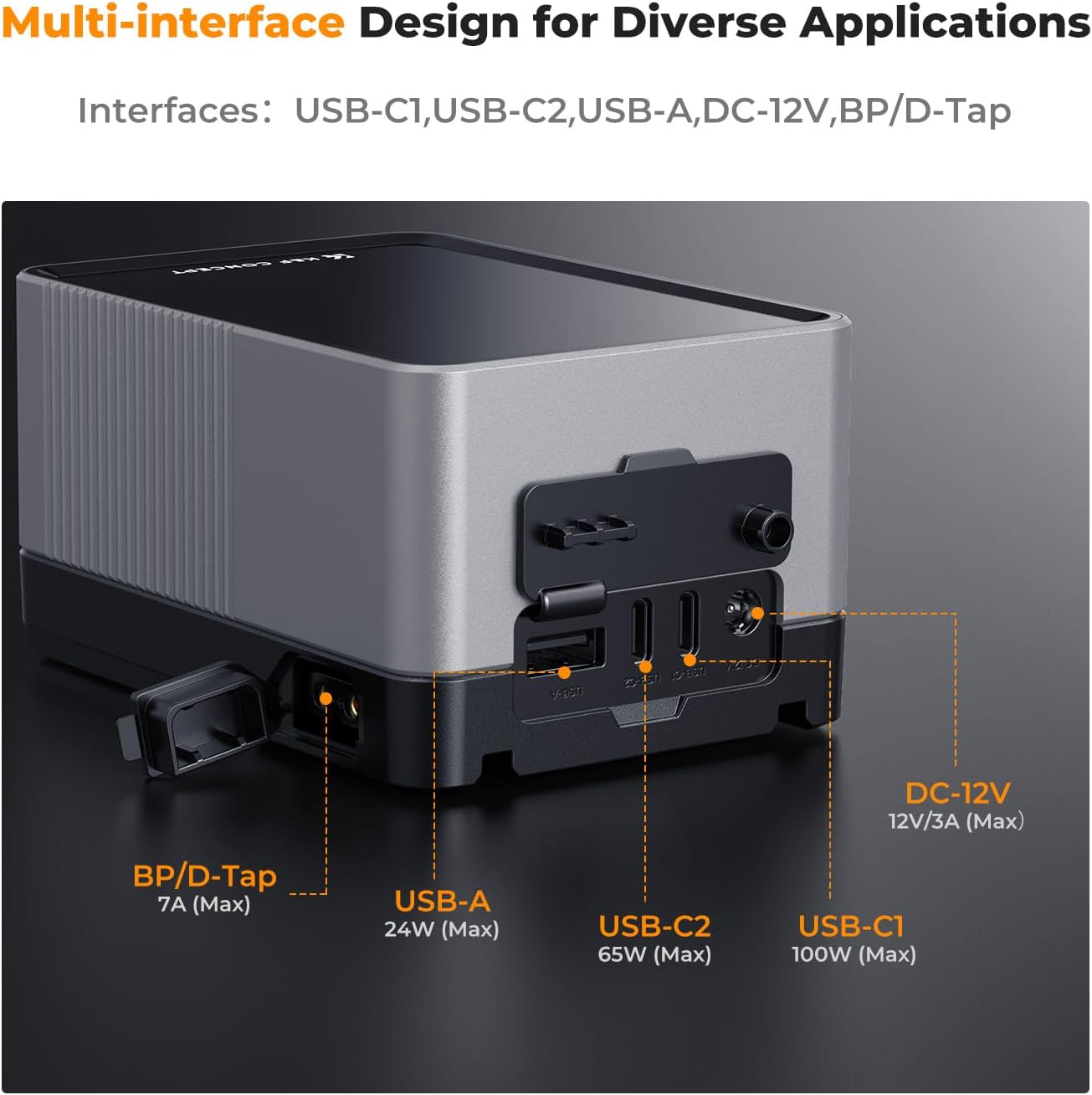
Figure 5: Multi-interface Design. This image provides a detailed view of all available ports on the K&F Concept V-Mount Battery, including USB-C1, USB-C2, USB-A, DC-12V, and BP/D-Tap, highlighting its versatile connectivity.
5. Operating Instructions
5.1 Powering On/Off
Press and hold the power button located on the side of the battery to turn it on or off. The TFT display will illuminate upon power-on.
5.2 TFT Digital Display
The intelligent TFT color screen provides real-time information:
- Total Battery Power (TDP): Shows the overall power output.
- Percentage: Displays remaining battery capacity.
- C1: USB-C1 port output or input voltage/wattage.
- C2: USB-C2 port output voltage/wattage.
- A: USB-A port output voltage/wattage.
- DC: DC 12V port output voltage/wattage.
This allows for efficient power management and optimal use during extended shooting sessions.

Figure 6: Intelligent TFT Digital Display. This close-up image highlights the clear TFT color screen, showing real-time voltage and power output for each port, along with the remaining battery capacity.
5.3 Emergency Lighting Function
The battery includes a built-in emergency night light. To activate, press the dedicated light button (refer to product diagram for location). This feature is useful for setting up equipment or navigating in low-light environments.
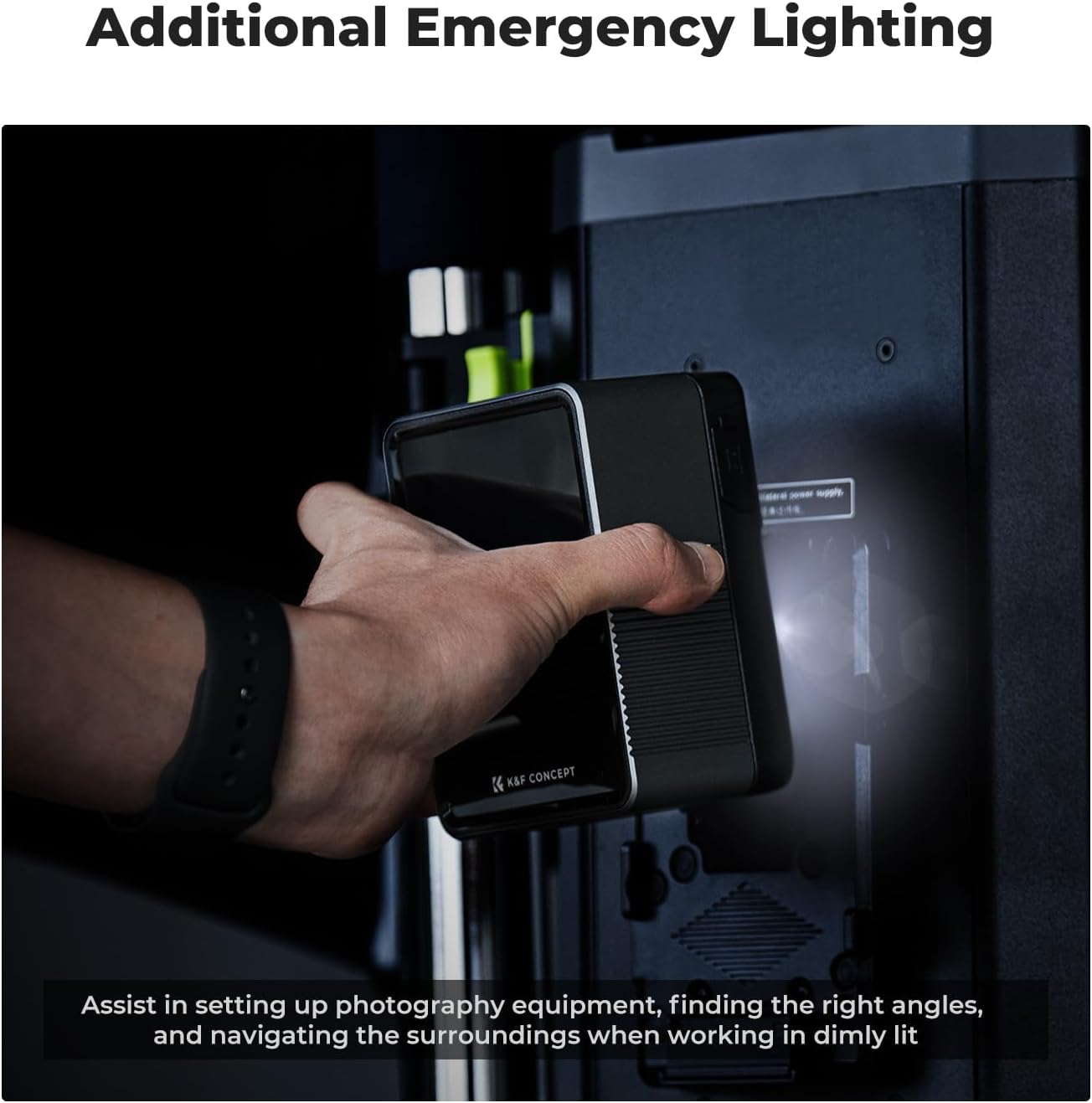
Figure 7: Additional Emergency Lighting. This image demonstrates the practical use of the battery's emergency light feature, assisting users in dimly lit conditions for equipment setup and navigation.
5.4 Usage Scenarios
The K&F Concept V-Mount Battery is suitable for a variety of professional applications:
- Handheld camera shooting
- Powering photography lights
- Fixed position recording setups
- As a backup power bank for laptops, tablets, and smartphones
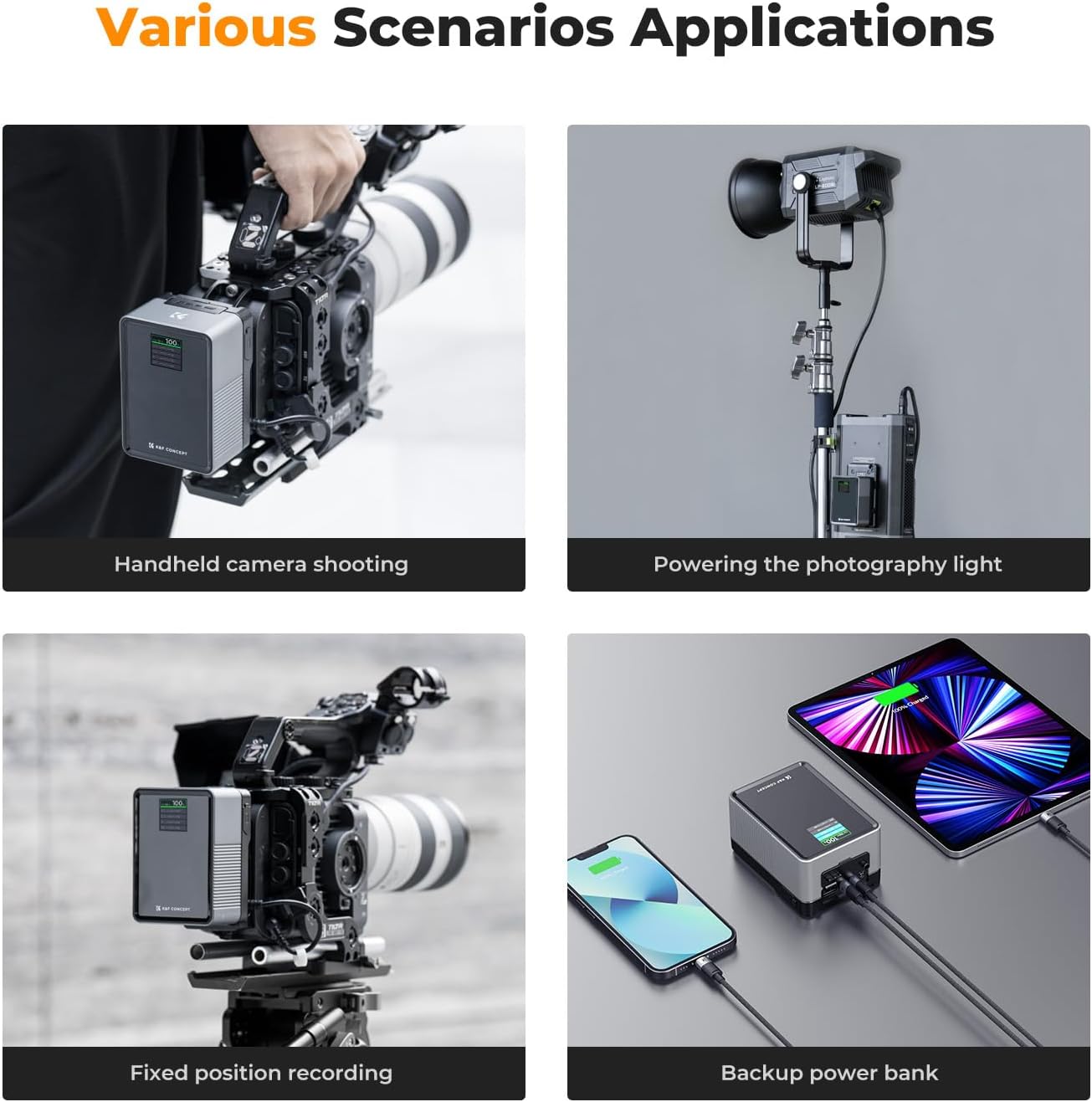
Figure 8: Various Scenarios Applications. This composite image illustrates the versatility of the K&F Concept V-Mount Battery across different professional settings, including handheld camera use, powering photography lights, fixed recording setups, and serving as a backup power bank for mobile devices.
6. Maintenance and Care
- Keep the battery clean and dry. Avoid exposure to extreme temperatures, humidity, or direct sunlight.
- Do not disassemble, puncture, or modify the battery.
- Store the battery in a cool, dry place when not in use for extended periods. It is recommended to store it with approximately 50% charge.
- Use only the provided or recommended charging cables and adapters.
- Avoid dropping or subjecting the battery to strong impacts.
7. Troubleshooting
| Problem | Possible Cause | Solution |
|---|---|---|
| Battery not charging | Cable not connected properly; Power adapter not sufficient; Battery deeply discharged. | Ensure cable is securely connected. Use a 100W PD compatible power adapter. Allow battery to charge for a longer period, even if display doesn't immediately show progress. |
| Devices not charging from battery | Battery charge too low; Cable issue; Device incompatibility; Total output exceeds 100W. | Check battery level on TFT display. Try a different cable. Ensure device is compatible with the output port. Reduce number of connected devices if total output exceeds 100W. |
| TFT display not working | Battery is off; Battery is completely drained; Malfunction. | Press power button to turn on. Charge the battery. If problem persists, contact customer support. |
| Emergency light not working | Light button not pressed correctly; Battery is off; Malfunction. | Ensure battery is on and press the light button firmly. If problem persists, contact customer support. |
8. Specifications
| Feature | Detail |
|---|---|
| Brand | K&F Concept |
| Model Number | V mount |
| Battery Type | Lithium-ion |
| Capacity | 99 Wh / 6700 mAh (at 14.8 V) |
| Nominal Voltage | 14.8 Volts |
| Max Power Output | 100 Watts |
| Input Voltage (DC) | 14.8 Volts |
| Amperage | 14.8 A |
| Charging Time | Approx. 2.5 hours (with 100W PD charger) |
| Output Ports | 2x USB-C (100W Max, 65W Max), 1x USB-A (24W Max), 1x DC (12V/3A Max), 1x BP/D-Tap (7A Max) |
| Compatible Devices | Cameras, camcorders, photography lighting, laptops, tablets, phones |
| Dimensions | Not specified |
| Weight | 1.9 Pounds (approx. 0.86 kg) |
| Construction Material | Aluminum alloy, fire-resistant polycarbonate, scratch-resistant acrylic |
9. Safety Information
- Do not expose the battery to fire or high temperatures.
- Do not immerse the battery in water or other liquids.
- Keep out of reach of children.
- If the battery swells, leaks, or emits an unusual odor, discontinue use immediately and dispose of it properly.
- Recycle the battery according to local regulations.
10. Warranty and Support
K&F Concept products are designed and manufactured to the highest quality standards. For any questions, technical support, or warranty inquiries, please contact K&F Concept customer service through their official website or the retailer from whom you purchased the product.
Please note that specific warranty terms and conditions may vary by region and retailer. Keep your proof of purchase for warranty claims.
Spare parts availability information is not provided by the manufacturer at this time.
Related documentsV mount

Ask a question about this manual
Ask about setup, troubleshooting, compatibility, parts, safety, or missing instructions. Manuals+ will review the question and use this page’s manual context to help answer it.