
1. Introduction
This manual provides detailed instructions for the installation, operation, and maintenance of the Ampinvt 5000W Hybrid Solar Inverter. This advanced inverter combines the functions of an inverter, AC battery charger, MPPT solar charge controller, and AC auto-transfer switch, offering a comprehensive solution for off-grid and hybrid solar power systems. It delivers a continuous stable pure sine wave output and supports both 240Vac (HOT1+HOT2) and 120/240Vac output simultaneously.
2. Safety Information
Important Safety Instructions:
- Read all instructions and cautionary markings on the unit and in this manual before installation or operation.
- Installation must be performed by qualified personnel in accordance with all local electrical codes.
- Do not disassemble the inverter. There are no user-serviceable parts inside. Refer servicing to qualified service personnel.
- Ensure all connections are tight to avoid loose connections that can cause overheating.
- Disconnect all power sources (solar, battery, AC input) before performing any maintenance or wiring.
- This inverter is designed for indoor use. Avoid exposure to rain, snow, spray, or any liquids.
- Ensure adequate ventilation around the inverter to prevent overheating.
3. Product Overview
The Ampinvt 5000W Hybrid Solar Inverter is a robust unit designed for reliable power conversion. It features a built-in 100A MPPT solar controller and a 35A AC charger.
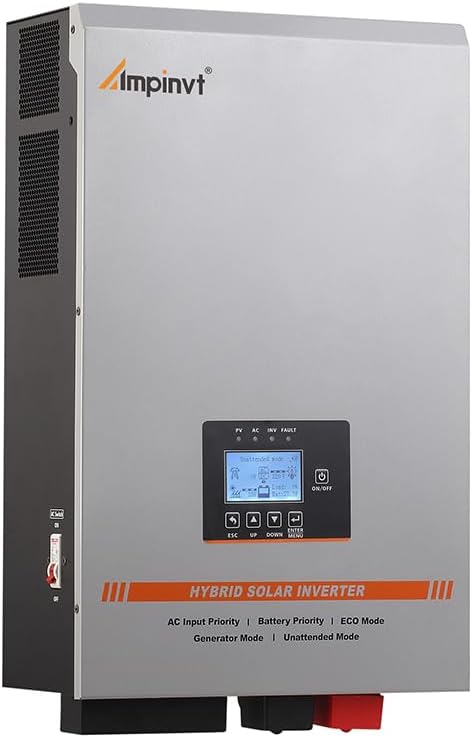
Figure 3.1: Front view of the Ampinvt 5000W Hybrid Solar Inverter, showing the display and control buttons.

Figure 3.2: Key features of the inverter, including the 35A built-in automatic AC charger, 100A built-in MPPT, and efficiency exceeding 99%.

Figure 3.3: The inverter's compatibility with various appliances, highlighting its 5000W continuous output, 48VDC battery voltage, 240VAC input, and 120/240VAC output.
4. Installation and Setup
4.1 Mounting the Inverter
Choose a suitable location for mounting the inverter. It should be a dry, well-ventilated area, away from direct sunlight and flammable materials. Ensure sufficient clearance around the unit for proper airflow.
4.2 Battery Connection
The inverter is compatible with various 48V battery types, including Sealed (SLD), Flooded (FLD), Gel, AGM, Lithium (LI), and User-defined (USER) modes for custom battery settings.
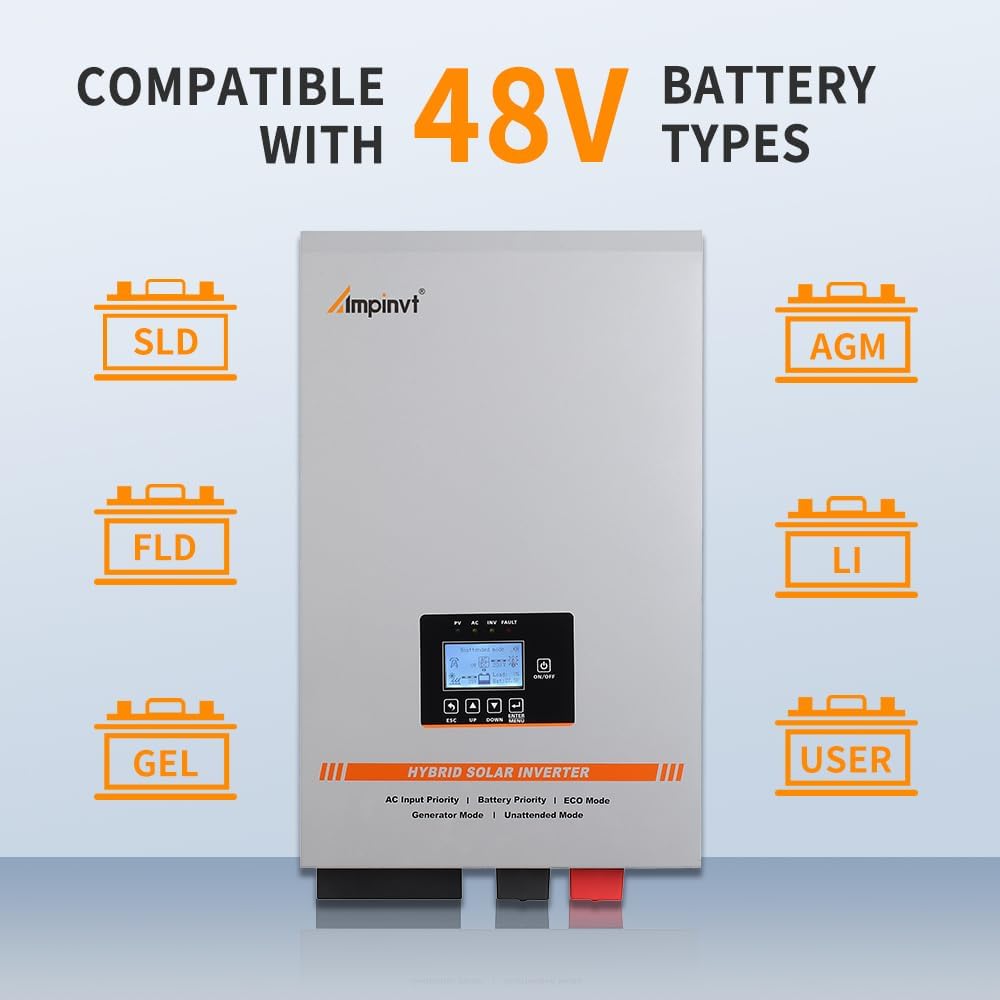
Figure 4.1: The inverter supports multiple 48V battery chemistries, offering flexibility for different energy storage solutions.
Connect the battery bank to the inverter's battery terminals. Ensure correct polarity: positive to positive (+) and negative to negative (-). Use appropriate gauge wiring for the battery connections to handle the current.
4.3 Solar Panel Connection
Connect your solar panels to the PV input terminals of the inverter. The built-in 100A MPPT controller can handle a maximum PV array power of 5600W and a maximum PV input voltage of 150V DC. Ensure your solar array configuration matches these specifications.
4.4 AC Input and Output Connections
The inverter supports 240Vac AC input and provides both 120Vac and 240Vac split-phase output. Connect your utility grid or generator to the AC input terminals. Connect your loads (appliances, lights, etc.) to the AC output terminals.

Figure 4.2: A comprehensive connection diagram illustrating the integration of solar panels, utility grid, generator, battery, and AC loads with the hybrid solar inverter.
4.5 Initial Power-Up
Once all connections are secure, turn on the battery breaker first, then the AC input breaker (if applicable), and finally the solar array breaker. Power on the inverter using its ON/OFF switch.
5. Operating Modes
The Ampinvt Hybrid Solar Inverter offers five distinct operating modes to optimize power management:
- AC/Line Priority Mode: The inverter prioritizes AC power input (utility grid or generator) to supply loads and automatically charges the battery.
- Battery Priority Mode: The inverter primarily uses battery power to supply loads. If the battery voltage drops below a set threshold, it switches to AC power. Once the battery is sufficiently charged, it reverts to battery power.
- ECO Mode: Designed for energy saving, the inverter enters a low-power sleep state if the load is less than 10% of its capacity. It automatically resumes normal operation when the load exceeds 10%.
- Generator Mode: This mode allows the inverter to regulate unstable 240V AC power from a generator. It automatically matches the 60Hz municipal frequency and regulates the output voltage within the normal operating range.
- Unattended Mode: When the battery voltage is low, the inverter enters a standby (power-saving) state. It automatically restores normal output once the battery voltage recovers to a user-defined value (e.g., after solar charging), enabling fully automatic operation without manual intervention.
The maximum charge current can be adjusted from 0% to 100% (100% corresponds to the max charge current of 35A). Setting the value to 0% will disable the charging function.
6. Maintenance
Regular maintenance ensures the longevity and optimal performance of your inverter system:
- Cleaning: Periodically clean the inverter's exterior and ventilation openings to prevent dust buildup, which can impede cooling. Use a dry, soft cloth.
- Connection Checks: Annually inspect all electrical connections (battery, solar, AC input/output) for tightness and corrosion. Loose connections can lead to overheating and system failure.
- Battery Health: Monitor battery voltage and health regularly. Ensure batteries are properly charged and maintained according to their manufacturer's guidelines.
- Environmental Conditions: Ensure the inverter's operating environment remains within specified temperature and humidity ranges.
7. Troubleshooting
This section outlines common issues and their potential solutions:
| Problem | Possible Cause | Solution |
|---|---|---|
| Inverter not turning on | No battery connection, low battery voltage, or power switch off. | Check battery connections, ensure battery voltage is within operating range, turn on the inverter switch. |
| Battery low voltage alarm | Battery discharged below threshold. | Charge batteries via solar or AC input. Reduce load. |
| Battery high voltage alarm | Battery overcharged. | Check charging settings and battery bank configuration. |
| Over temperature protection | Inverter overheating due to insufficient ventilation or excessive load. | Ensure proper ventilation, clear obstructions, reduce load, allow unit to cool. |
| Overload protection | Connected load exceeds inverter's capacity. | Reduce the connected load. The inverter can maintain 110%-120% of output for 30s before bypassing, and over 160% for 300ms. |
| Short Circuit protection | Short circuit detected at output. | Identify and clear the short circuit. Restart the inverter. |
| No AC output | Inverter fault, low battery, or no AC input. | Check fault codes on display, verify battery status, check AC input source. |
If the problem persists after attempting these solutions, please contact customer support.
8. Specifications
| Feature | Specification |
|---|---|
| Model Name | TG-5000W48V |
| Continuous Output Power | 5000W (5 KW) |
| Battery Voltage | 48V DC |
| AC Input Voltage | 240V AC |
| AC Output Voltage | 120V/240V AC Split Phase |
| MPPT Solar Charge Controller | Built-in 100A |
| Max PV Array Power | 5600W |
| Max PV Input Voltage | 150V DC |
| AC Battery Charger | Built-in 35A (adjustable 0%-100%) |
| Transfer Efficiency | Above 85% |
| Product Dimensions | 14.2 x 6.9 x 20 inches |
| Item Weight | 77 pounds |
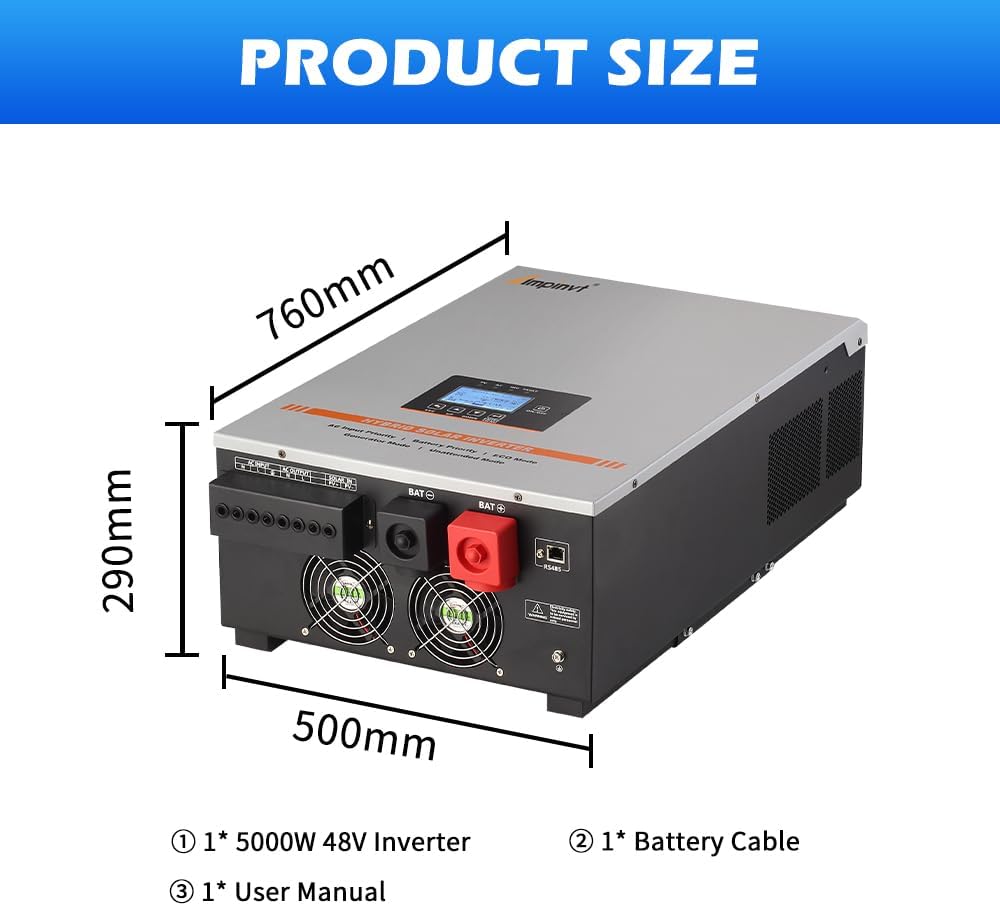
Figure 8.1: Product dimensions (760mm, 290mm, 500mm) and typical package contents, including the inverter, battery cable, and user manual.
9. Practical Applications
The Ampinvt 5000W Hybrid Solar Inverter is versatile and suitable for a wide range of applications, including:
- Off-grid residential homes
- Remote cabins and pastures
- Recreational Vehicles (RVs)
- Boats and marine applications
- Telecommunication base stations
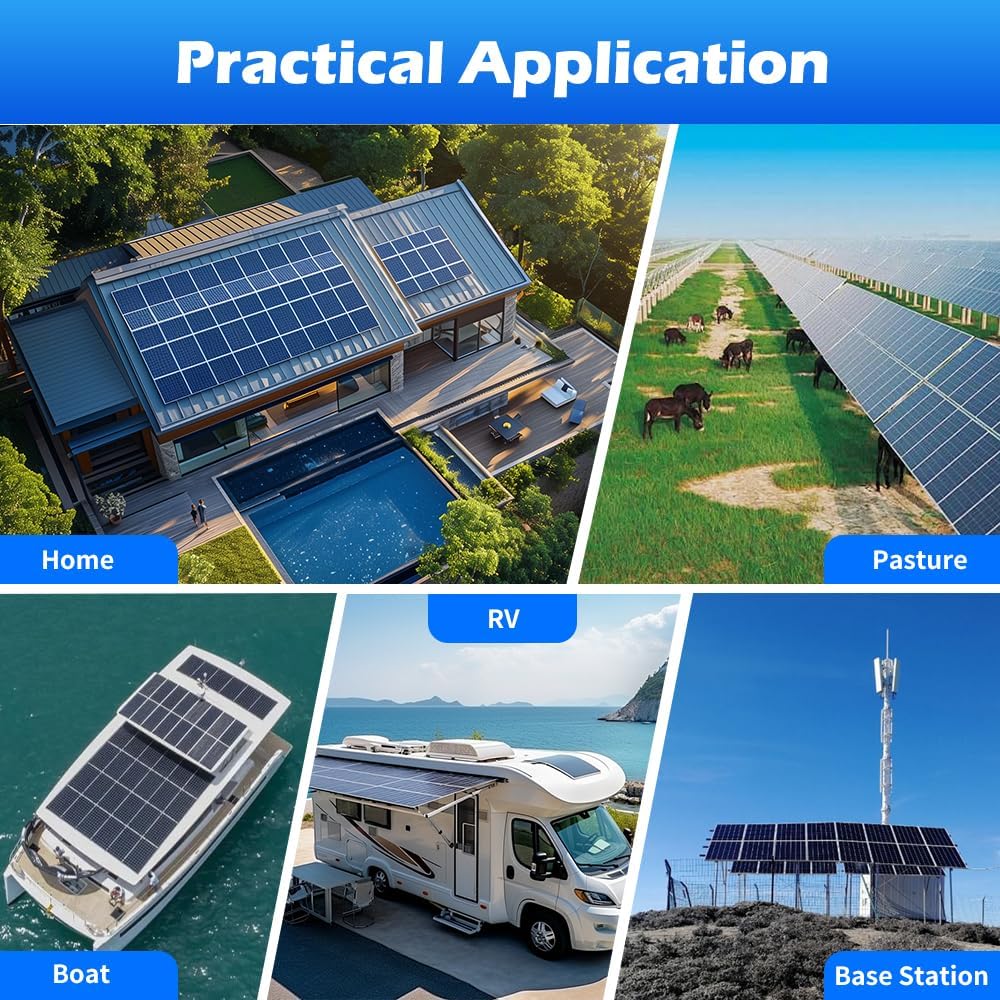
Figure 9.1: Examples of the inverter's use in diverse settings such as homes, pastures, boats, RVs, and base stations.
10. Warranty and Support
For warranty information and technical support, please refer to the documentation provided with your purchase or contact the manufacturer, Top one power, or your seller, Luckysolar. Keep your purchase receipt and product model number (TG-5000W48V) readily available when contacting support.
Protection plans may be available for extended coverage. Please check with your retailer for details on available protection plans.