
1. Introduction
Thank you for choosing the RUBOT P15 Handheld Vacuum Cleaner. This manual provides important information for the safe and efficient operation, maintenance, and troubleshooting of your device. Please read it thoroughly before use and retain it for future reference.
Important Safety Instructions
- Read all instructions before using the appliance.
- Do not use the vacuum cleaner near water or wet surfaces.
- Keep hair, loose clothing, fingers, and all parts of the body away from openings and moving parts.
- Do not pick up flammable or combustible liquids, such as gasoline, or use in areas where they may be present.
- Do not pick up anything that is burning or smoking, such as cigarettes, matches, or hot ashes.
- Use only as described in this manual. Use only manufacturer's recommended attachments.
- Do not use with a damaged cord or plug. If the appliance is not working as it should, has been dropped, damaged, left outdoors, or dropped into water, return it to a service center.
- Do not handle the charger or appliance with wet hands.
- This appliance is for household and car use only.
- Ensure the HEPA filter is correctly installed before operation.
2. Product Overview
Product Components
- RUBOT P15 Handheld Vacuum Cleaner Unit
- Brush Nozzles (various types for different surfaces)
- Crevice Tool
- Flexible Hose
- Inflation Accessories
- Pumping Accessories (for vacuum storage bags)
- USB Type-C Charging Cable
- HEPA Filter (pre-installed)
Key Features
- Dual-Mode Suction: Offers Standard (10000PA) and Max (13000PA) suction power.
- Cordless and Rechargeable: Built-in 2200mAh battery, USB Type-C charging.
- Multi-functional: Operates as a vacuum cleaner, air blower, inflator, and deflator.
- Integrated LED Light: Features a white flashlight and a red flashing warning light.
- Compact and Portable: Lightweight design for easy handling and storage.

The RUBOT P15 features a powerful brushless motor with dual-mode suction: Eco Mode (8000PA) and High Speed Mode (13000PA) for effective cleaning.
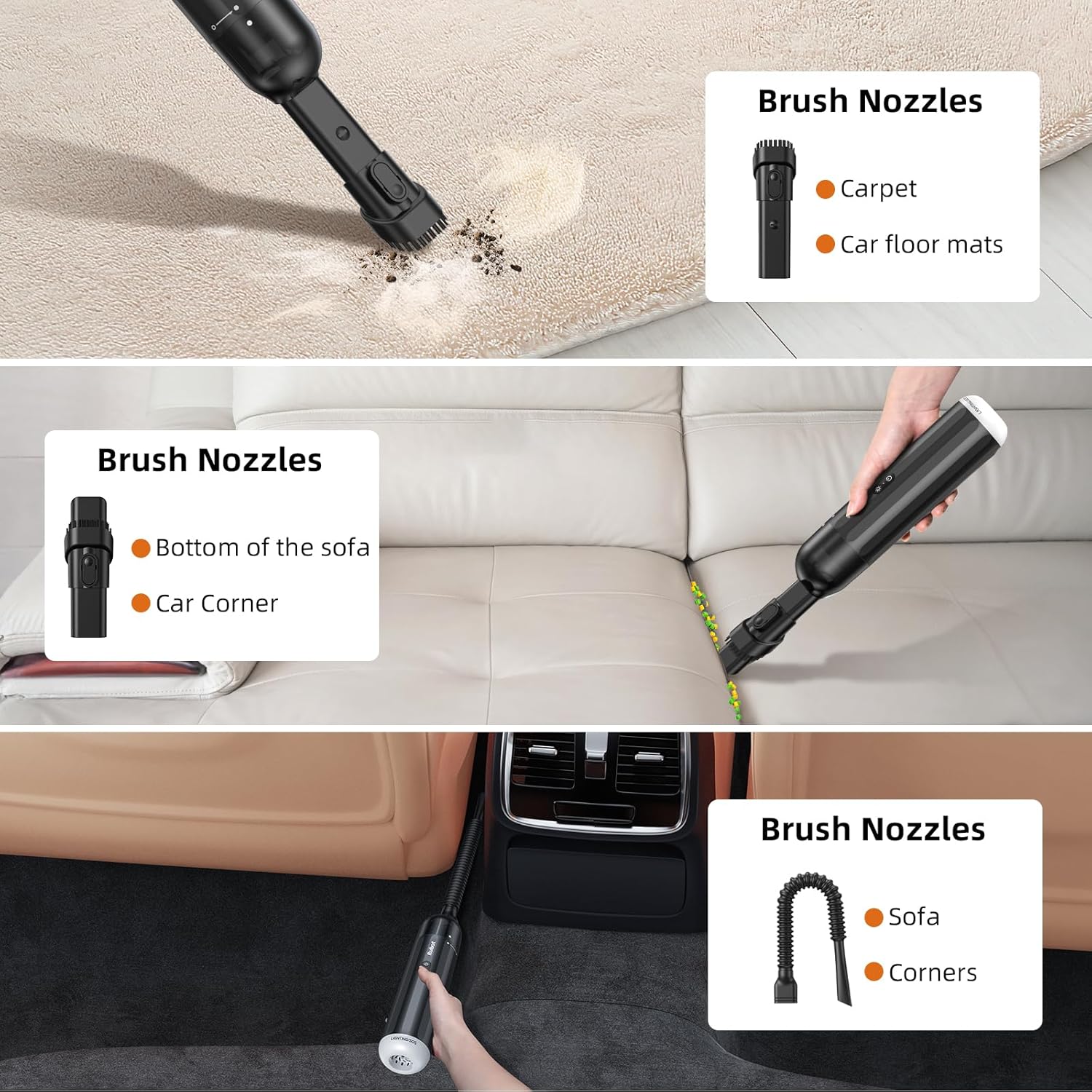
The vacuum includes multiple brush nozzles designed for specific cleaning tasks, such as reaching tight spaces in cars or cleaning upholstery.

Beyond vacuuming, the P15 can function as an air blower. It includes accessories for inflating items like swimming rings and air mattresses, and for vacuum-pumping storage bags. It also supports air-bleed for quick deflation.
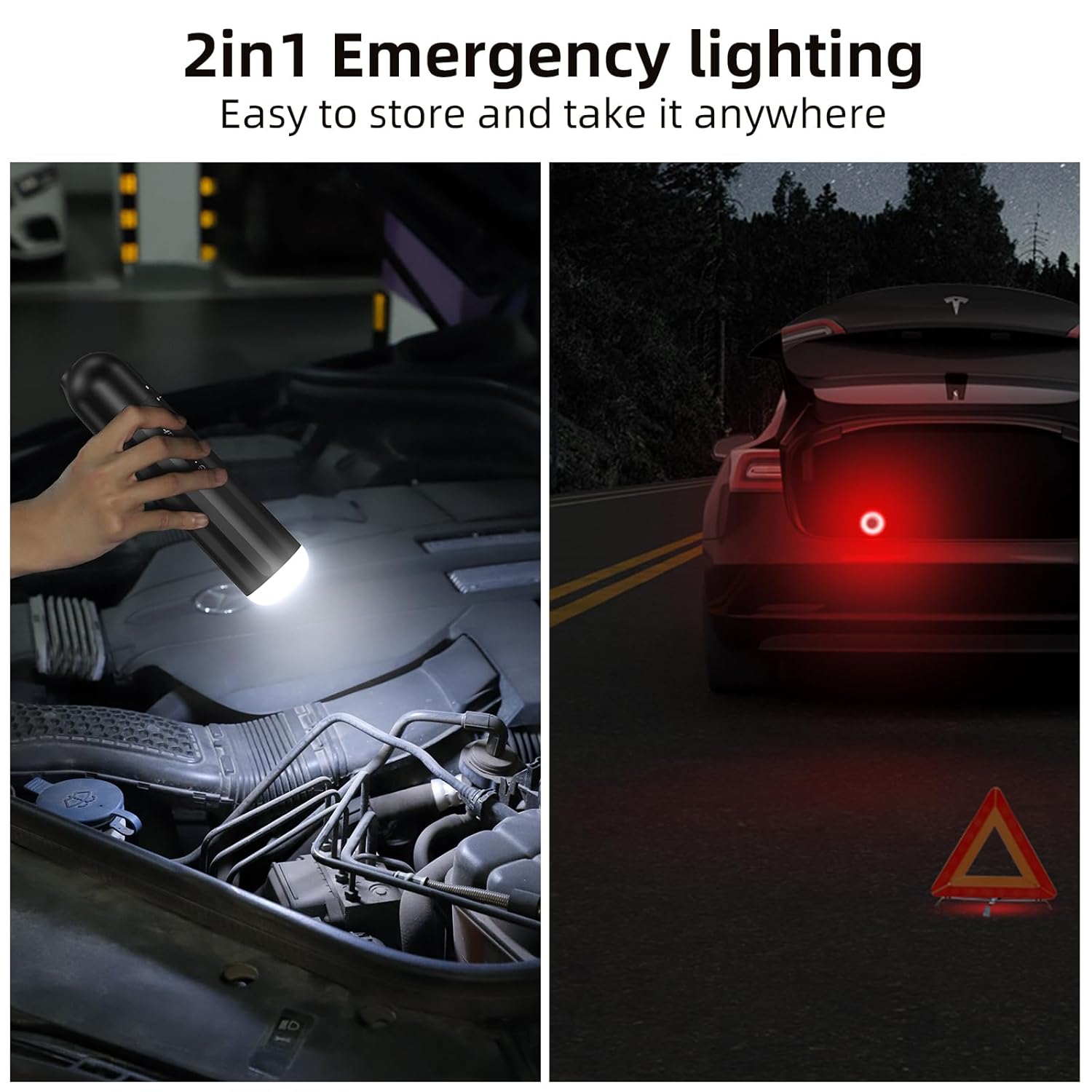
The device is equipped with an integrated LED light, offering both a white flashlight for illumination and a red flashing warning light for emergency situations.
3. Setup
Charging the Battery
- Connect the provided USB Type-C charging cable to the charging port on the vacuum cleaner.
- Plug the other end of the USB cable into a compatible USB power adapter (not included) or a car USB port.
- The charging indicator light will illuminate during charging.
- A full charge typically takes 3-4 hours. The indicator light will change or turn off once charging is complete.
- Ensure the device is fully charged before first use for optimal performance.

The P15 features a built-in rechargeable battery that fully recharges in approximately 3-4 hours using a Type-C USB port, providing 20-30 minutes of continuous operation.
Attaching Accessories
Select the appropriate nozzle or accessory for your cleaning task. Attach it firmly to the suction inlet of the vacuum cleaner. For the blower function, attach the relevant accessories to the exhaust port at the rear of the device.
4. Operating Instructions
Powering On/Off and Suction Modes
- To turn on the vacuum cleaner, press the power button once. It will start in Standard suction mode (10000PA).
- To switch to Max suction mode (13000PA), press the power button a second time.
- To turn off the vacuum cleaner, press the power button a third time.
Vacuuming Operation
- Ensure the desired nozzle is securely attached to the front suction inlet.
- Turn on the vacuum cleaner and select the appropriate suction mode.
- Move the nozzle over the surface to be cleaned, allowing the vacuum to pick up dust and debris.
- For tight spaces, use the crevice tool. For upholstery or carpets, use the brush nozzles.
Using the Air Blower Function (Inflation/Deflation)
Important: When using the blower function, remove the HEPA filter from the front suction inlet and attach the appropriate inflation/pumping accessories to the rear exhaust port. Do not attempt to vacuum dust when the HEPA filter is removed and blower accessories are attached.
- Remove the HEPA filter from the front of the unit.
- Attach the desired inflation nozzle to the rear exhaust port for inflating items like swimming rings or air mattresses.
- Attach the pumping accessory to the rear exhaust port for vacuum-pumping storage bags.
- Turn on the device using the power button. The air will be expelled from the rear port.
- For air-bleed (deflation), attach the appropriate accessory to the rear exhaust port and turn on the device.
Using the LED Light
The RUBOT P15 features an integrated LED light for illumination and safety.
- To turn on the white flashlight, press the dedicated light button once.
- To switch to the red flashing warning light, press the light button a second time.
- To turn off the LED light, press the light button a third time.
5. Maintenance
Emptying the Dust Bin
For optimal suction performance, empty the dust bin regularly, especially when it appears full.
- Ensure the vacuum cleaner is turned off.
- Twist or unlatch the dust bin from the main unit according to the product design.
- Carefully empty the collected debris into a waste bin.
- Reattach the dust bin securely to the main unit.
Cleaning the HEPA Filter
The HEPA filter should be cleaned periodically to maintain suction efficiency. Do not wash the HEPA filter with water unless explicitly stated by the manufacturer; typically, dry cleaning is recommended.
- Ensure the vacuum cleaner is turned off and the dust bin is removed.
- Carefully remove the HEPA filter from its housing.
- Tap the filter gently over a waste bin to dislodge trapped dust and debris. A soft brush can be used to remove stubborn particles.
- If the filter is washable (check product specific instructions), rinse it under cool running water until the water runs clear. Allow it to air dry completely for at least 24 hours before reinstallation. Do not use heat to dry.
- Once clean and dry, reinsert the HEPA filter into the dust bin and reattach the dust bin to the vacuum cleaner.
Storage
Store the vacuum cleaner and its accessories in a cool, dry place, away from direct sunlight and extreme temperatures. Ensure the battery is partially charged if storing for extended periods to prolong battery life.
6. Troubleshooting
| Problem | Possible Cause | Solution |
|---|---|---|
| Vacuum not turning on | Battery is depleted | Charge the battery fully. |
| Vacuum not turning on | Power button not pressed correctly | Ensure the power button is pressed firmly. |
| Low suction power | Dust bin is full | Empty the dust bin. |
| Low suction power | HEPA filter is clogged | Clean the HEPA filter. |
| Low suction power | Nozzle or hose is blocked | Check and clear any blockages in the nozzle or hose. |
| Battery not charging | Charging cable or adapter faulty | Try a different USB Type-C cable or power adapter. |
| Battery not charging | Charging port is dirty | Gently clean the charging port with a dry, soft brush. |
7. Specifications
| Feature | Detail |
|---|---|
| Brand | RUBOT |
| Model Number | P15 |
| Suction Power | Standard: 10000PA, Max: 13000PA |
| Wattage | 120 Watts |
| Battery Capacity | 2200mAh (Rechargeable) |
| Charging Time | 3-4 hours (approx.) |
| Operating Time | 20-30 minutes (approx.) |
| Filter Type | HEPA Filter |
| Noise Level | 65 Decibels |
| Item Weight | 544 g |
| Item Dimensions (LxWxH) | 25 x 6.5 x 6.5 Centimeters |
| Special Features | Cordless, Compact, Portable, Air Blower, LED Light (Flashlight & Warning) |

