
1. Introduction
Thank you for choosing the ONERugged M10T 10.1" Rugged Tablet. This device is engineered for demanding environments, featuring MIL-STD-810H certification and IP65 waterproofing. It is designed to provide reliable performance in fieldwork, construction, and other industrial applications. This manual provides essential information for setting up, operating, maintaining, and troubleshooting your tablet.
2. What's in the Box

Image: Contents of the ONERugged M10T Tablet box, including the tablet, charger, cables, and accessories.
- 1 x ONERugged M10T Tablet
- 1 x 18W QC Adapter
- 1 x Type C Charging/Data Cable
- 1 x Hand Strap
- 1 x Stylus Pen
3. Product Overview
The ONERugged M10T tablet features a robust design with strategically placed ports and controls for ease of use in challenging environments.

Image: A diagram illustrating the dimensions and various ports (USB 2.0, 3.5mm Headphone Jack, HDMI, Type-C, Ethernet Port, Power DC Jack) and buttons (Customized Button, Home Button, Volume+, Volume-, Power On/Off) on the ONERugged M10T Tablet.
Key Components:
- Display: 10.1-inch HD+ IPS screen with 1000 Nits brightness for sunlight readability.
- Cameras: 13MP rear camera with flashlight and 5MP front camera for documentation and video conferencing.
- Ports: USB 2.0, 3.5mm Headphone Jack, HDMI, Type-C, Ethernet Port, Power DC Jack, and a Docking Connector.
- Buttons: Power On/Off, Volume Up/Down, Home Button, and a Customizable Button.
- Speakers: Stereo speakers for audio output.
4. Setup
4.1. Charging the Tablet
Connect the provided 18W QC Adapter to the Power DC Jack on the tablet. The battery indicator will show charging status. Ensure the tablet is fully charged before first use.
4.2. Installing SIM and TF Cards
The tablet supports Nano SIM cards for 4G LTE connectivity and TF cards for expandable storage up to 512GB. To access the card slots, carefully remove the back panel of the tablet. The removable battery design allows for easy access to the SIM and TF card slots. Insert the cards as indicated by the diagrams inside the compartment and reattach the back panel securely.
4.3. Powering On/Off
Press and hold the Power On/Off button located on the side of the tablet until the screen illuminates. To power off, press and hold the Power On/Off button, then select 'Power off' from the options.
5. Operating Instructions
The ONERugged M10T runs on Android 14, offering a user-friendly interface. Navigate using touch gestures, and utilize the physical buttons for quick access to common functions.

Image: A construction worker using the ONERugged M10T tablet, showcasing its 10.1-inch sunlight-readable display for reviewing data on a construction site.
5.1. Sunlight Readable Display
The 10.1-inch HD+ IPS screen with 1000 Nits brightness ensures clear visibility even in direct sunlight. Adjust screen brightness settings in the Android system for optimal viewing in various lighting conditions.
5.2. Camera Usage
Utilize the 13MP rear camera for high-quality on-site documentation and the 5MP front camera for video conferencing. Access the camera application from the home screen or app drawer. The rear camera includes a flashlight for low-light conditions.

Image: A close-up view highlighting the 13MP rear camera with flashlight and the 5MP front camera on the ONERugged M10T tablet, suitable for site documentation and video calls.
5.3. Android 14 Operating System
The tablet comes pre-installed with Android 14, providing enhanced security features, improved performance, and a customizable user interface. Explore the settings menu to personalize your tablet experience and manage applications.

Image: The ONERugged M10T tablet displaying the Android 14 operating system interface with multiple applications, emphasizing its customized features for data privacy and GPS routing.
6. Battery Management
The ONERugged M10T is equipped with a 10000mAh removable battery, designed for extended use and quick replacement in the field.

Image: A visual representation of the 10000mAh hot-swappable removable battery, highlighting its design for long-lasting outdoor work shifts.
6.1. Removable Battery
The removable battery allows for quick physical swaps, ensuring zero downtime for multi-shift enterprise use. To replace the battery, power off the tablet, remove the back panel, and carefully swap the battery. Ensure the new battery is securely seated before reattaching the panel.
6.2. Fast Charging
The tablet supports 18W fast charging. Use the provided 18W QC Adapter and Type C Charging/Data Cable for optimal charging speed.
7. Connectivity
Stay connected in various environments with the tablet's versatile connectivity options.
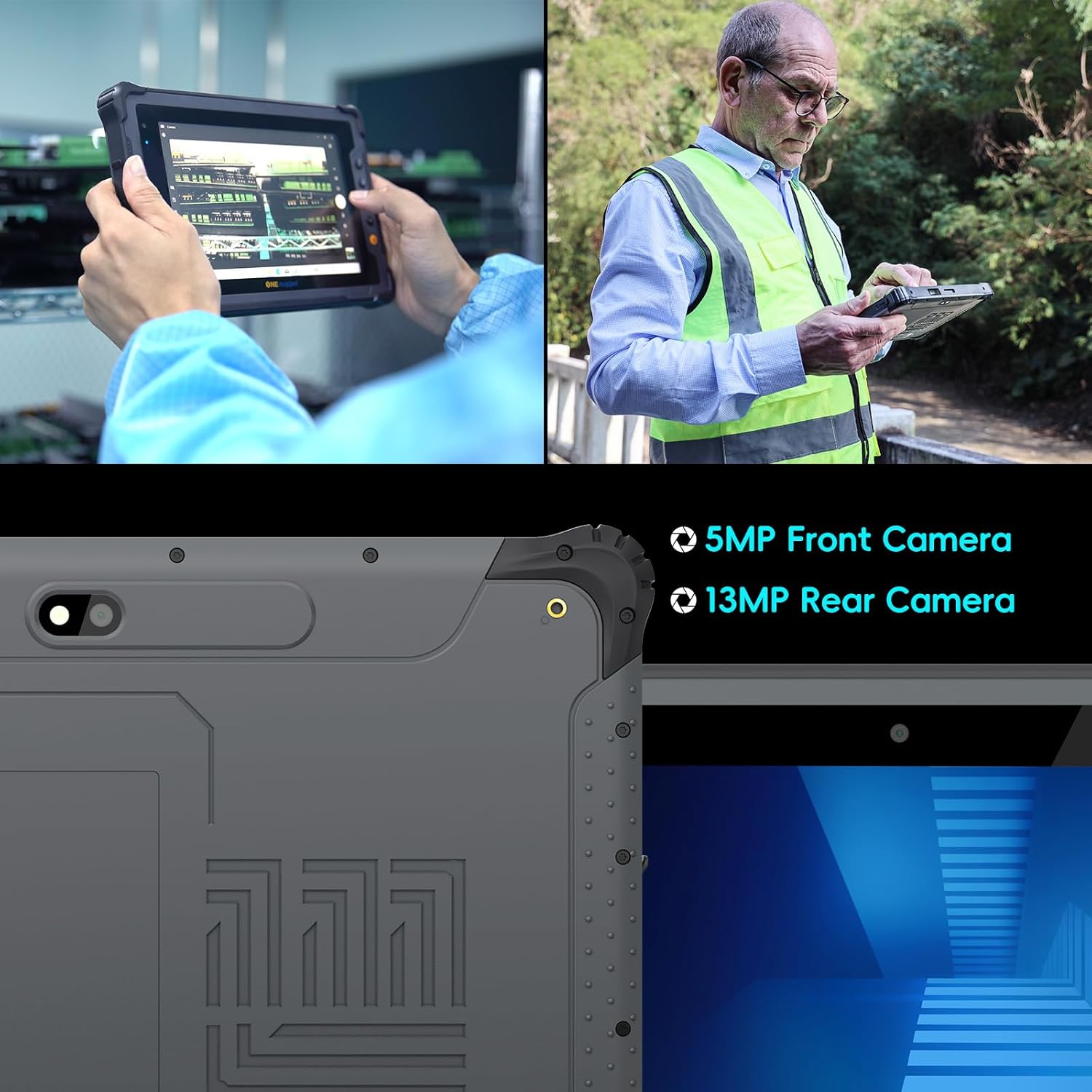
Image: The ONERugged M10T tablet being used by two workers, with icons indicating Bluetooth 5.1, SIM Card support, 2.4G+5.8G Wi-Fi, and GPS for versatile connectivity.
- 4G LTE: Supports global 4G LTE cellular access via a Nano SIM slot, compatible with major US providers (AT&T, T-Mobile, Verizon).
- Wi-Fi: Features 2.4G/5.8G dual-band Wi-Fi for reliable wireless internet access.
- Bluetooth 5.1: For connecting to wireless peripherals and accessories.
- GPS: Built-in accurate GPS for precise navigation, essential for fleet management, logistics routing, and remote area operations.
8. Durability and Environmental Resistance
The ONERugged M10T is built to withstand extreme conditions, ensuring reliability in harsh work environments.

Image: The ONERugged M10T tablet shown in various extreme conditions, illustrating its IP65 waterproof and MIL-STD-810H drop-proof ruggedization for outdoor use.
- MIL-STD-810H Certified: Withstands 4ft drops, extreme temperatures, and heavy dust.
- IP65 Waterproof: Protected against water jets and dust ingress.
- Temperature Resistance: Operates reliably in a wide range of temperatures, from cold to hot environments.
8.1. Durability Testing
The tablet undergoes rigorous testing to ensure its ruggedness and reliability. This includes drop tests, vibration tests, dust ingress tests, and water resistance tests, all adhering to MIL-STD-810H and IP65 standards.
Video: An official ONERugged video showcasing the M10T tablet's performance, display clarity, battery life, networking capabilities, and various durability tests including drop and water resistance.
Video: An official ONERugged video demonstrating the M10T tablet's applications in various rugged environments, highlighting its suitability for industrial use cases.
Video: An official ONERugged video providing a tour of the Smart Laboratory, showcasing the extensive testing instruments and processes used to ensure the stability and reliability of rugged products, including environmental, impact, vibration, and waterproof tests.
9. Maintenance
9.1. Cleaning
To clean the tablet, use a soft, damp cloth. Avoid using harsh chemicals or abrasive materials that could damage the screen or casing. Ensure all port covers are securely closed before cleaning to maintain water and dust resistance.
9.2. Storage
Store the tablet in a cool, dry place away from direct sunlight and extreme temperatures. If storing for an extended period, ensure the battery is charged to approximately 50% to prolong its lifespan.
10. Troubleshooting
10.1. Tablet Not Powering On
- Ensure the battery is sufficiently charged. Connect the tablet to the charger and wait a few minutes before attempting to power on again.
- Press and hold the Power On/Off button for at least 10-15 seconds to perform a forced restart.
10.2. Connectivity Issues (Wi-Fi/4G LTE)
- For Wi-Fi, ensure you are within range of a known network and have entered the correct password. Try restarting the tablet and your Wi-Fi router.
- For 4G LTE, verify that a Nano SIM card is correctly installed and activated with your service provider. Check signal strength in your current location.
10.3. Slow Performance
- Close unnecessary background applications.
- Clear cache for frequently used apps.
- Ensure sufficient storage space is available. Consider moving large files to a TF card or cloud storage.
11. Specifications
Detailed technical specifications for the ONERugged M10T Tablet.
| Feature | Specification |
|---|---|
| Standing screen display size | 10.1 Inches |
| Screen Resolution | 800 x 1280 pixels |
| Max Screen Resolution | 800*1280 Pixels |
| Processor | 2.2 GHz MediaTek Helio G99 Octa-core |
| Graphics Coprocessor | Mali-G57 MC2 |
| Operating System | Android 14 |
| RAM | 8 GB |
| Flash Memory Size (ROM) | 128 GB (expandable up to 512GB via TF card) |
| Wireless Type | 802.11a, 802.11ac, 802.11b, 802.11g, 802.11n (Dual-band Wi-Fi 2.4G/5.8G), Bluetooth 5.1, 4G LTE |
| Average Battery Life (in hours) | 12 Hours (10000mAh Removable Battery) |
| Item Weight | 2.25 pounds |
| Product Dimensions | 10.82 x 7.43 x 0.87 inches |
| Color | Gray |
| Durability | IP65 Waterproof, MIL-STD-810H Certified |
12. Warranty and Support
ONERugged is committed to providing high-quality products and customer service.
- Warranty: ONERugged offers a 12-month warranty from the date of purchase.
- Technical Support: Lifetime technical support is available for all ONERugged products.
- Customer Service: For any issues or inquiries, please contact our customer service team, available 24-hour online.
For further assistance, please refer to the contact information provided with your product or visit the official ONERugged website.

