
1. Introduction
Thank you for choosing the Calex Rechargeable LED Wall Light. This product is designed to provide convenient and efficient lighting for both indoor and outdoor environments. Featuring a motion sensor, cordless operation, and USB-C recharging, it offers flexibility and ease of use. Please read this manual carefully before installation and operation to ensure proper use and to maintain the product's longevity.
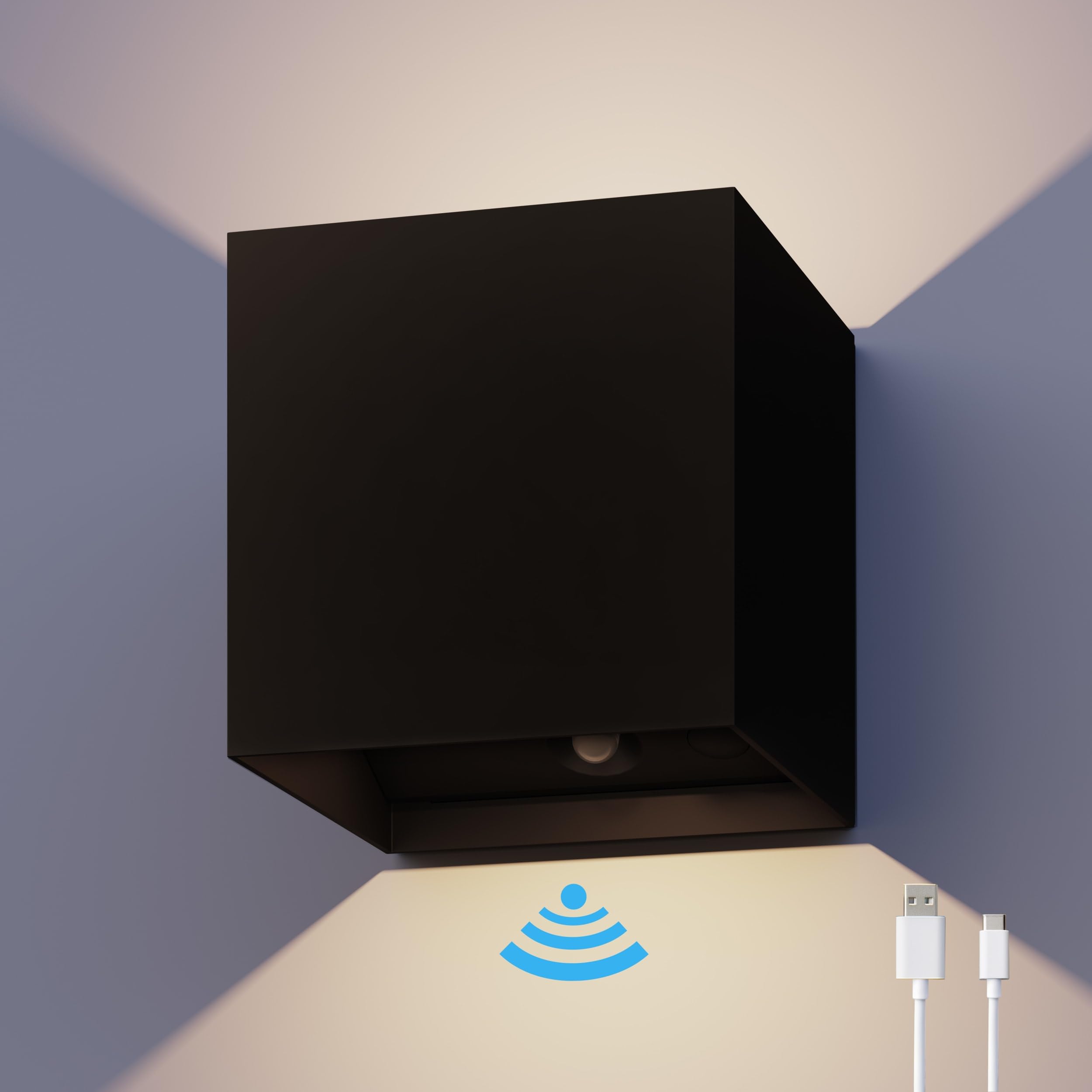
Image 1.1: The Calex Rechargeable LED Wall Light shown with its product packaging.
2. Safety Information
- Read all instructions before use.
- Do not attempt to disassemble, repair, or modify the product. This may void the warranty and pose safety risks.
- Keep the product away from extreme temperatures, direct sunlight, and open flames.
- Ensure the charging port is dry before connecting the USB-C cable.
- This product is IP44 rated, meaning it is protected against splashing water from any direction. It is suitable for outdoor use but should not be submerged in water.
- Use only the specified charging voltage (DC 5.0V 1.0A).
- Keep out of reach of children.
3. Package Contents
Verify that all components are present in the package:
- 1 x Calex Rechargeable LED Wall Light
- 1 x USB-C Charging Cable (may vary by region)
- Mounting Hardware (screws and wall plugs)
- User Manual
4. Product Features
- Motion Sensor: Automatic illumination upon motion detection for convenience and security.
- Cordless & Rechargeable: Integrated lithium-ion battery, charged via USB-C.
- Indoor/Outdoor Use: IP44 splash-proof rating makes it suitable for various environments.
- Long Battery Life: Up to 10 hours of use on a full charge.
- Warm White Light: 2700 Kelvin color temperature for a comfortable ambiance.
- Elegant Design: Modern aesthetic to complement any space.

Image 4.1: Overview of the Calex wall light's main features.

Image 4.2: The wall light's IP44 rating ensures protection against splashing water.
5. Setup & Installation
5.1 Initial Charging
Before first use, fully charge the wall light. Connect the provided USB-C cable to the charging port on the device and plug the other end into a compatible USB power adapter (DC 5.0V 1.0A, not included). The charging indicator (if present) will show charging status. A full charge takes approximately 6 hours.
5.2 Mounting the Wall Light
The Calex wall light is designed for easy wall mounting. Choose a suitable location, considering the desired lighting area and motion sensor coverage.
- Prepare the Surface: Ensure the mounting surface is clean, dry, and sturdy enough to support the light.
- Mark Drilling Points: Hold the mounting bracket (if separate) or the light itself against the wall at the desired height and mark the drilling points.
- Drill Holes: Use an appropriate drill bit to drill holes at the marked points. Insert wall plugs if necessary.
- Secure the Light: Align the light with the drilled holes and secure it using the provided screws. Ensure it is firmly attached to the wall.

Image 5.1: Installation diagram for the wall light.

Image 5.2: Hands securing the wall light to a mounting surface.
6. Operating Instructions
6.1 Power On/Off and Mode Selection
The wall light typically features a switch or button to control its operation. Locate the switch, usually near the motion sensor or charging port, to turn the light on or off, and to select different modes if available (e.g., always on, motion sensor only, dim mode).
6.2 Motion Sensor Functionality
When the motion sensor mode is active, the light will automatically turn on when motion is detected within its range and turn off after a period of no motion. The detection range and duration may vary based on environmental factors and specific product settings.

Image 6.1: The motion sensor and USB-C charging port are located at the base of the light.
6.3 Recharging the Battery
When the light output diminishes or the light stops functioning, it's time to recharge the battery. Use the provided USB-C cable and a compatible power adapter (DC 5.0V 1.0A). A full charge takes approximately 6 hours and provides up to 10 hours of use, depending on usage patterns and motion detection frequency.
7. Maintenance
7.1 Cleaning
To clean the wall light, use a soft, damp cloth. Do not use abrasive cleaners, solvents, or harsh chemicals, as these can damage the finish or electronic components. Ensure the light is off and unplugged from charging before cleaning.
7.2 Battery Care
To maximize battery life:
- Avoid fully discharging the battery frequently.
- Recharge the battery regularly, even if the light is not in constant use.
- Store the light in a cool, dry place if not used for extended periods, with the battery partially charged.
8. Troubleshooting
| Problem | Possible Cause | Solution |
|---|---|---|
| Light does not turn on. | Battery is depleted. | Charge the light fully using the USB-C cable. |
| Light is switched off or in the wrong mode. | Check the power switch and ensure it is in the 'ON' or motion sensor mode. | |
| Motion sensor not working. | Obstruction blocking the sensor. | Ensure the sensor is clear of debris or obstructions. |
| Insufficient ambient light (if light has a dusk-to-dawn sensor). | Test in darker conditions. | |
| Short battery life. | Frequent activation or incomplete charging. | Ensure the light is fully charged (6 hours). Reduce motion sensor sensitivity if possible, or consider placement. |
| Light flickers or dims. | Low battery. | Recharge the battery. |
If you encounter issues not listed here, please contact customer support.
9. Specifications
| Feature | Specification |
|---|---|
| Brand | CALEX |
| Model Number | 4301002400 |
| Product Dimensions (L x W x H) | 10 x 10.3 x 10 cm |
| Weight | 0.53 grams |
| Material | Aluminum, Plastic |
| Color | Black |
| Style | Modern |
| Light Source Type | LED |
| Luminous Flux | 170 lm |
| Power Consumption | 1.5 Watts |
| Color Temperature | 2700 Kelvin (Warm White) |
| Special Features | Motion Sensor, Wireless, Rechargeable |
| Power Source | Battery Powered (Integrated Lithium-ion) |
| Charging Time | Approx. 6 hours (via USB-C) |
| Operating Time | Up to 10 hours (depending on usage) |
| Ingress Protection (IP) Rating | IP44 (Splash-proof) |
| Installation Type | Wall Mount |
| Specific Uses | Garden, Home, Patio (Indoor/Outdoor) |

Image 9.1: Product dimensions of the Calex wall light.
10. Warranty & Support
This product comes with a standard manufacturer's warranty. Please refer to the warranty card included in your package or visit the official Calex website for detailed warranty terms and conditions.
For technical support, troubleshooting assistance, or any questions regarding your Calex Rechargeable LED Wall Light, please contact Calex customer service through their official website or the contact information provided with your purchase.

Image 10.1: The Calex wall light installed on a wooden fence, providing ambient lighting.


