
Introduction
This manual provides essential information for the safe and efficient operation of your Candy 9kg SmartPro Condenser Tumble Dryer. Please read these instructions carefully before using the appliance and retain them for future reference. This appliance is designed for domestic use only.
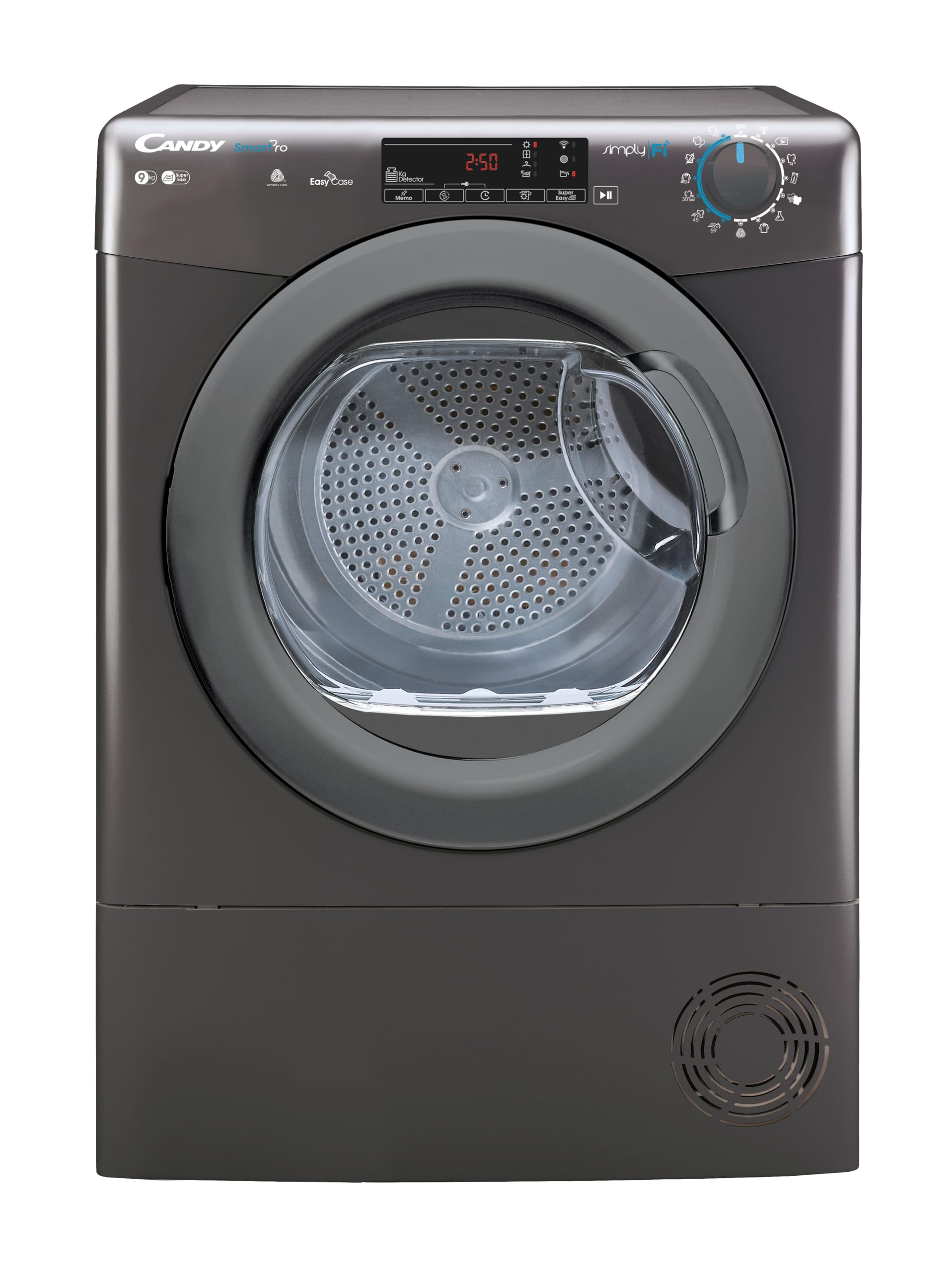
Image: Front view of the Candy 9kg SmartPro Condenser Tumble Dryer.
Safety Information
- Ensure the appliance is correctly installed and earthed by a qualified person.
- Do not allow children to play with the appliance or its controls.
- Always unplug the dryer before cleaning or maintenance.
- Do not dry unwashed items in the tumble dryer.
- Remove all objects from pockets such as lighters and matches.
- Do not install the appliance behind a lockable door, a sliding door, or a door with a hinge on the opposite side to that of the tumble dryer, in such a way that a full opening of the tumble dryer door is restricted.
Setup
1. Unpacking
Carefully remove all packaging materials. Inspect the dryer for any damage. Keep packaging materials out of reach of children.
2. Location Requirements
Place the dryer on a firm, level floor. Ensure adequate ventilation around the appliance. Do not install in areas where the temperature may fall below 0°C.

Image: The Candy dryer positioned in a room, illustrating proper placement.
3. Electrical Connection
Connect the dryer to a suitable earthed power outlet. Refer to the rating plate on the appliance for specific electrical requirements.
4. WiFi Connection (Simply-Fi App)
To utilize the SmartPro features, download the Candy Simply-Fi App from your device's app store. Follow the in-app instructions to connect your dryer to your home WiFi network. This enables remote control and access to additional programs.

Image: The Candy Simply-Fi app on a smartphone connected to the dryer.
Operating Instructions
1. Loading Laundry
Open the dryer door and load laundry, ensuring not to overload the drum. For optimal drying, separate items by fabric type and weight.
2. Control Panel Overview
The dryer features a 5D LED Display and a program selector dial. Use these controls to select your desired drying program and options.
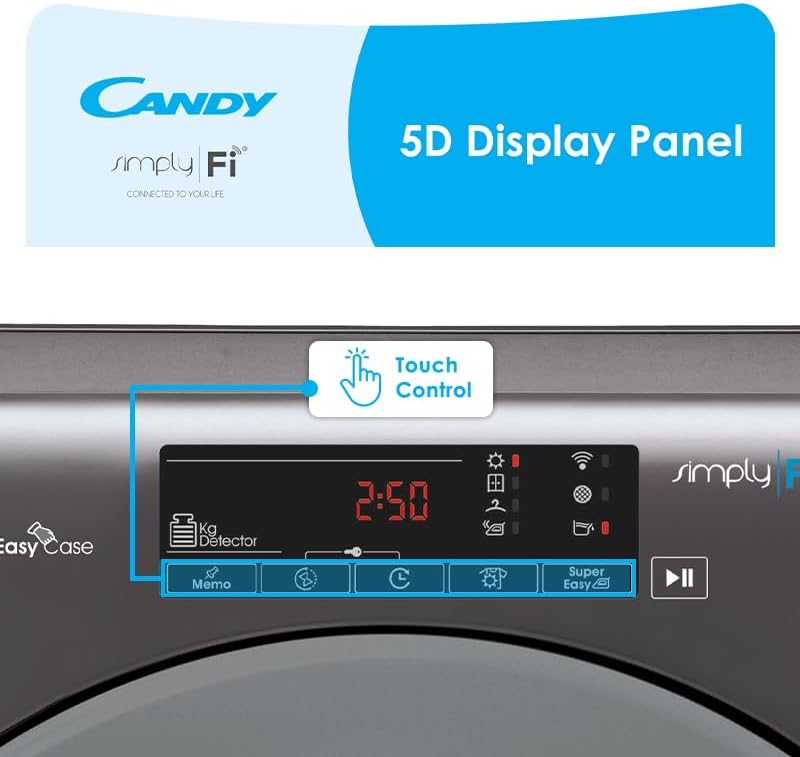
Image: Detailed view of the 5D Display Panel with touch controls.

Image: The program selection dial on the control panel.
3. Selecting a Program
Turn the program selector dial to choose from 16 standard programs. The 5D LED display will show the estimated drying time. The dryer also offers 7 rapid programs, completing cycles in less than 1 hour.
4. Using the Simply-Fi App
The Simply-Fi App provides advanced remote control, access to over 20 additional programs, efficiency tracking tips, and voice assistance. You can start, pause, and stop drying cycles from your smartphone.

Image: The Simply-Fi app interface for program selection and remote control.
5. Start, Pause, and End of Cycle
Press the Start/Pause button to begin or temporarily stop a cycle. An audible signal will indicate the end of the drying cycle.
6. Easy Case Water Tank
The patented Easy Case water tank collects condensed water. Its ergonomic design allows for easy removal and emptying. The collected water can be reused for ironing or watering plants.

Image: The Easy Case water tank, designed for convenient emptying and water reuse.
Maintenance
1. Cleaning the Lint Filter
Clean the lint filter after every drying cycle to maintain efficiency and prevent fire hazards. Pull out the filter, remove lint, and reinsert.
2. Emptying the Water Tank
Empty the Easy Case water tank after each cycle. Pull out the tank, pour out the water, and slide it back into place until it clicks.
3. Cleaning the Condenser
Periodically clean the condenser unit as per the full instruction manual to ensure optimal performance. This typically involves removing the condenser and rinsing it under water.
4. Exterior Cleaning
Wipe the exterior of the dryer with a soft, damp cloth. Do not use abrasive cleaners or solvents.
Troubleshooting
- Dryer not starting: Check if the power cord is plugged in, the door is fully closed, and a program has been selected.
- Clothes not drying properly: Ensure the lint filter is clean, the water tank is empty, and the load size is appropriate for the selected program.
- Unusual noise: Check for foreign objects in the drum or filter area. Ensure the dryer is level.
- Error codes: Refer to the full user manual for a list of error codes and their corresponding solutions.
Specifications
| Brand | CANDY |
| Model Number | 31101987 |
| Drying Capacity | 9 kg |
| Energy Rating | C |
| Dryer Type | Condenser |
| Noise Level | 67 dBA |
| Connectivity | WiFi + Bluetooth |
| Display | 5D LED Display |
| Programs | 16 Standard, 7 Rapid, 20+ via App |
| Dimensions (Package) | 89 x 65 x 62 cm |
| Item Weight | 35 kg |
| Material | Steel (Drum: Galvanized) |
Warranty and Support
Warranty Information
This Candy SmartPro Condenser Tumble Dryer comes with a 3 Year Warranty. Please retain your proof of purchase for warranty claims. For full terms and conditions, refer to the warranty card included with your appliance or contact Candy customer service.
Customer Support
For technical assistance, spare parts, or further information, please contact your retailer or the official Candy customer support in your region. Contact details can typically be found on the manufacturer's website or in the documentation provided with your appliance.


