
Introduction
This manual provides detailed instructions for the setup, operation, and maintenance of your AIDITIYMI replacement voice remote control. This remote is designed to be compatible with various Samsung Smart TV models, including but not limited to the CU7000 series: UN75CU7000FXZA, UN75CU7000DXZA, UN85CU7000FXZA, UN85CU7000DXZA, UN55CU7000DXZA, UN55CU7000FXZA, UN58CU7000DXZA, UN58CU7000FXZA, UN65CU7000FXZA, UN65CU7000DXZA, UN43CU7000FXZA, UN50CU7000FXZA, UN50CU7000DXZA, UN70CU7000FXZA, UN70CU7000DXZA.
Safety Information
- Do not mix old and new batteries.
- Do not mix alkaline, standard (carbon-zinc), or rechargeable (nickel-cadmium) batteries.
- Remove batteries if the remote control will not be used for an extended period.
- Keep the remote control away from water and direct sunlight.
- Avoid dropping or subjecting the remote control to strong impacts.
Package Contents
- 1 x AIDITIYMI Voice Remote Control (Model: BN59-01393C)
Setup
1. Battery Installation
- Open the battery compartment cover on the back of the remote control.
- Insert two AAA batteries, ensuring the positive (+) and negative (-) terminals align correctly with the markings inside the compartment.
- Close the battery compartment cover securely.
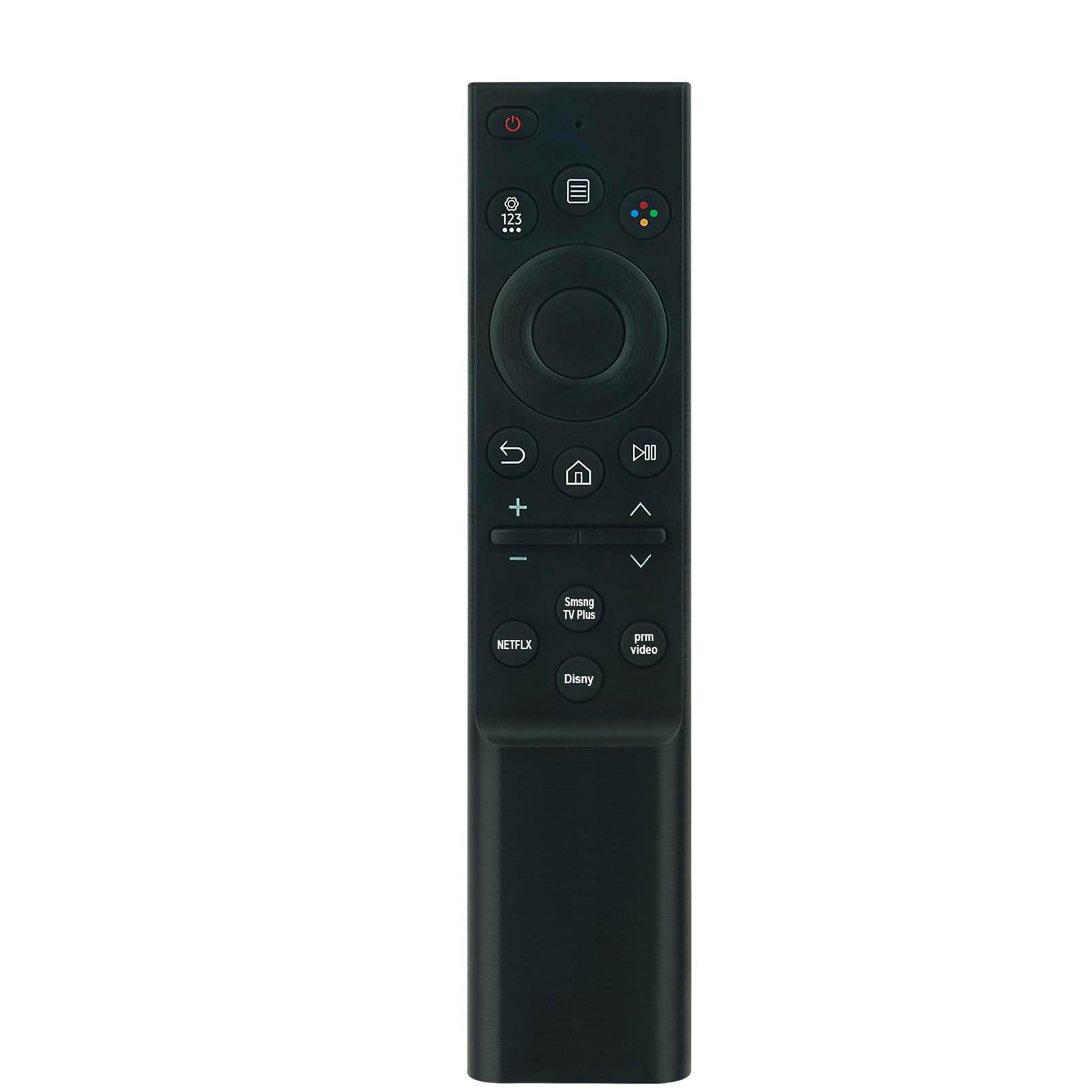
Image: Back of the remote control with the battery cover removed, revealing the battery slots.
2. Pairing the Remote Control
When using the remote control for the first time, it needs to be paired with your Samsung Smart TV. Follow these steps:
- Ensure your TV is powered on.
- Point the remote control towards the TV's remote sensor.
- Press and hold the Return and Play/Pause buttons simultaneously for at least 3 seconds.
- The TV screen will display a pairing message once the remote is successfully connected.
If pairing fails, ensure the batteries are correctly inserted and charged, and try the pairing process again.
Operating Instructions
The AIDITIYMI voice remote control provides intuitive access to your Samsung Smart TV's functions. Ensure you aim the remote control directly at the TV's sensor, avoiding any obstructions, for optimal performance.

Image: Front view of the remote control, highlighting button layout.
Key Functions:
- Power Button (⏻): Turns the TV on or off.
- Voice Control Button: Activates the voice assistant for commands.
- Navigation Pad (Up, Down, Left, Right, Enter): Used to navigate menus and select items.
- Volume Buttons (+/-): Adjusts the TV volume.
- Channel Buttons (Up/Down): Changes TV channels.
- Home Button (🏠): Returns to the Smart Hub or home screen.
- Return Button (↩): Goes back to the previous screen or menu.
- Play/Pause Button (⏯): Controls media playback.
- Dedicated App Buttons (NETFLIX, Smng TV Plus, prm video, Disny): Provides quick access to popular streaming services.

Image: Remote control in use with a compatible Samsung Smart TV.
Troubleshooting
Remote Not Responding:
- Check Batteries: Ensure batteries are correctly inserted and have sufficient charge. Replace if necessary.
- Re-pair Remote: If the remote stops responding, try re-pairing it with your TV using the instructions in the Setup section.
- Clear Obstructions: Make sure there are no objects blocking the line of sight between the remote and the TV's sensor.
- TV Interference: Move away from devices that might cause interference, such as other wireless devices.
Voice Control Issues:
- Microphone Access: Ensure the TV's settings allow microphone access for the remote.
- Speak Clearly: Speak clearly and directly into the remote's microphone.
- Environmental Noise: Reduce background noise for better voice recognition.
Specifications
| Product Dimensions | 5 x 1.57 x 0.5 inches (12.7 x 3.99 x 1.27 cm) |
| Item Weight | 1.4 ounces (39.69 grams) |
| Item Model Number | NCLIUS-BN59-01393C |
| Brand | AIDITIYMI |
| Special Feature | Ergonomic |
| Color | Black |
| Max Number of Supported Devices | 1 |
| Compatible Devices | Television (Samsung Smart TVs) |

Image: Remote control dimensions.
Maintenance
- Cleaning: Wipe the remote control with a soft, dry cloth. Do not use liquid cleaners or abrasive materials.
- Storage: Store the remote in a cool, dry place when not in use for extended periods.
- Battery Care: Remove batteries if the remote will not be used for several weeks or months to prevent leakage.
Warranty and Support
For any issues or questions regarding your AIDITIYMI remote control, please refer to the retailer's return policy or contact the manufacturer directly for support. Please have your model number (BN59-01393C) and purchase information ready when contacting support.


