
1. Introduction and Overview
The ORICO XAM2 is a compact, high-speed M.2 NVMe 2230 SSD enclosure designed for portable data storage and direct 4K ProRes video recording with compatible devices. Its robust all-metal construction ensures durability and efficient heat dissipation, making it an ideal solution for professionals and enthusiasts who require reliable storage expansion on the go.
This manual provides detailed instructions for the installation, operation, and maintenance of your ORICO XAM2 SSD enclosure.
2. Product Features
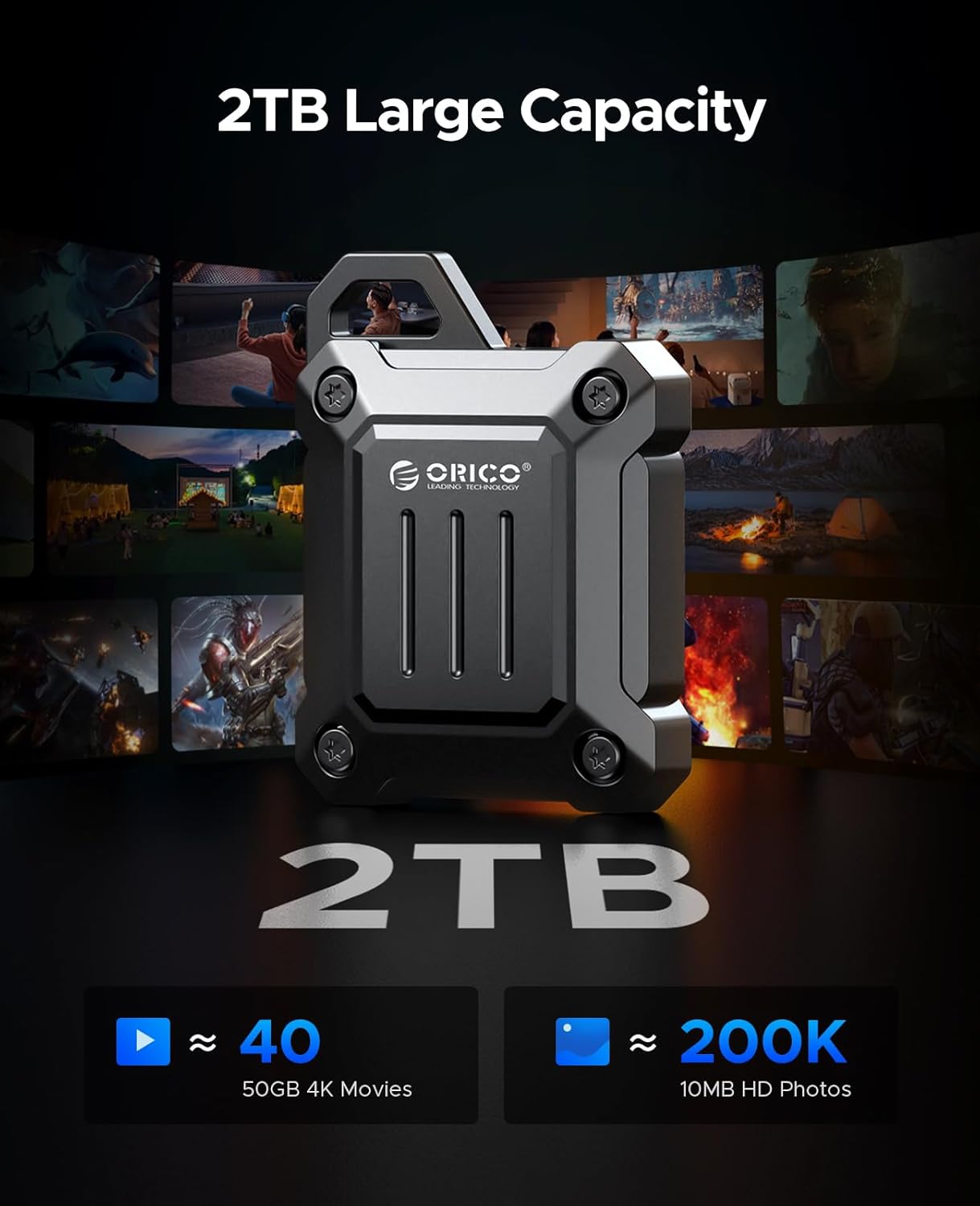
- 4K ProRes Recording and Storage: Compatible with iPhone 15 Pro/Pro Max for direct external storage of 4K ProRes videos, supporting up to 2TB capacity.
- 10Gbps High-speed Transfer: Utilizes USB 3.2 Gen 2 Type-C interface for rapid data transfer, significantly improving work efficiency.
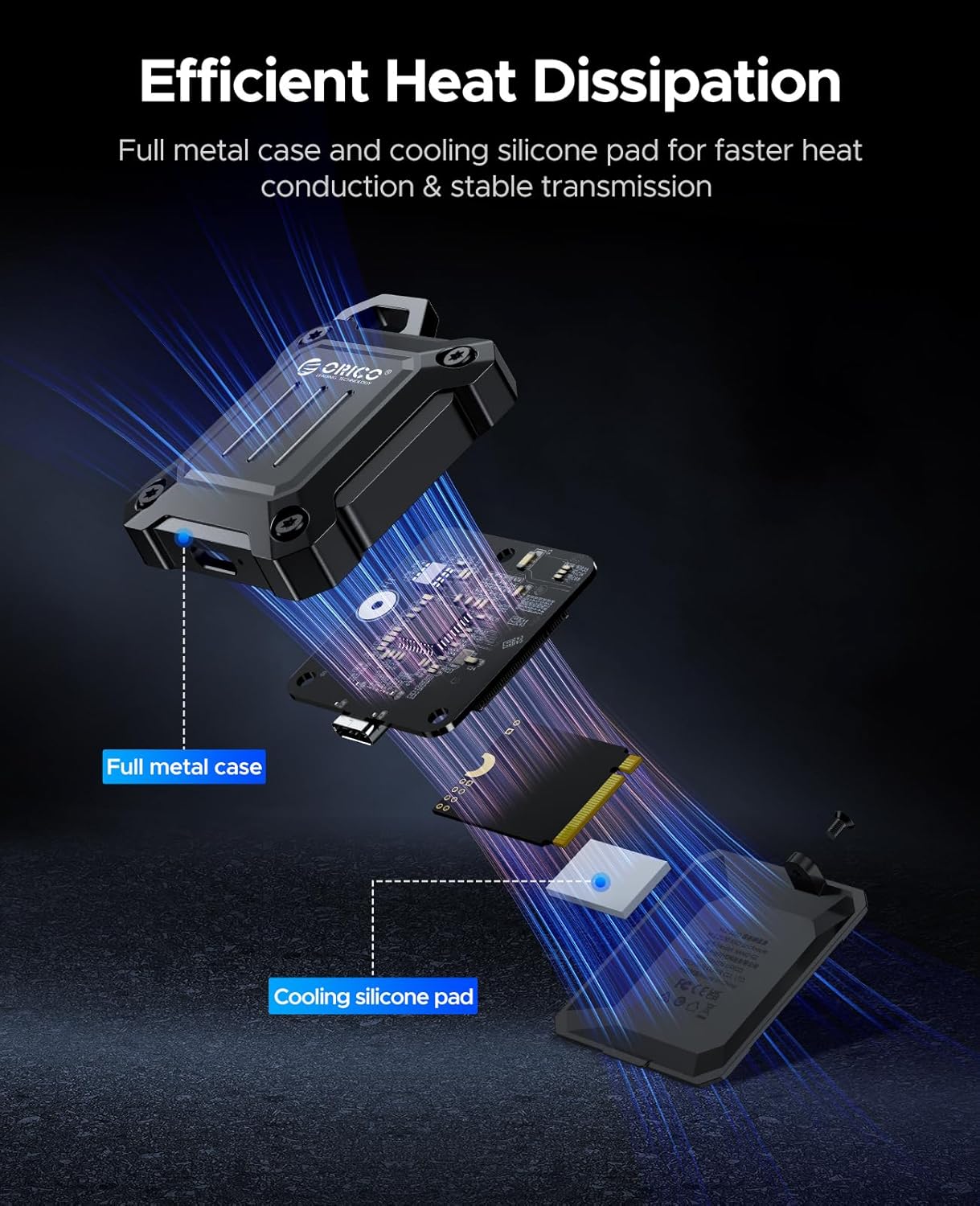
- All-metal Casing for Efficient Heat Dissipation: Features a full metal body and silicone thermal pad to protect the SSD by accelerating heat dissipation.
- 2-in-1 Cable: Includes a versatile USB-C to C/A cable for broad compatibility with various devices.
- Compact and Portable Design: Extremely small with a hook design and included lanyard for easy carrying.

The ORICO XAM2 enclosure connected to an iPhone, enabling direct 4K ProRes video recording and saving.
High-speed data transfer at 10Gbps when connected to a laptop via USB 3.2 Gen 2 Type-C.

Internal view highlighting the full metal casing and cooling silicone pad for effective heat dissipation.
The compact design with a hook allows for easy attachment to bags or keychains, enhancing portability.
Product Videos
This video demonstrates the installation of an SSD into the ORICO XAM2 enclosure and its use with an iPhone for 4K video recording, highlighting its speed and ease of use.
This video showcases the ORICO XAM2 enclosure's durability and portability, emphasizing its suitability for outdoor use and integration with camera setups.
3. Package Contents
Please verify that all items listed below are included in your package:
- 1 x ORICO XAM2 2230 SSD Enclosure
- 1 x 2-in-1 USB-C to C/A Cable (30cm)
- 1 x Lanyard
- 1 x Screwdriver
- 2 x Screws
- 1 x Thermal Silicone Pad
- 1 x Packing Box
- 1 x User Manual (this document)

Visual representation of the ORICO XAM2 package contents.
4. Setup and Installation
Follow these steps to install your M.2 NVMe 2230 SSD into the enclosure:
- Open the Enclosure: Use the provided screwdriver to loosen the screws on the enclosure and carefully open the upper cover.
- Insert SSD: Gently insert your M.2 2230 NVMe SSD (M-Key only) into the card slot at a 45-degree angle. Ensure it is fully seated.
- Secure SSD: Press the SSD down and secure it with the small screw provided.
- Apply Thermal Pad: Attach the thermal conductive silicone pad onto the SSD chip. This helps in heat dissipation.
- Close Enclosure: Align the upper cover and close the enclosure. Secure it by tightening the screws with the screwdriver.

Illustrated guide for the SSD installation process.
5. Operating Instructions
Once your SSD is installed, the ORICO XAM2 enclosure is ready for use.
Connecting to Devices
- For USB-C Devices (e.g., iPhone 15 Pro/Pro Max, iPad Pro, MacBook Pro/Air, Android phones/tablets): Use the USB-C to USB-C end of the 2-in-1 cable to connect the enclosure directly to your device's USB-C port.
- For USB-A Devices (e.g., Laptops, Desktops, Routers): Use the USB-C to USB-A end of the 2-in-1 cable to connect the enclosure to your device's USB-A port.
Data Transfer and Storage
The enclosure will appear as an external storage device on your connected system. You can drag and drop files, copy, paste, and manage data just like any other external drive.
4K ProRes Recording (iPhone 15 Pro/Pro Max)
For iPhone 15 Pro/Pro Max users, connect the enclosure to your iPhone. When recording 4K ProRes video, the iPhone will automatically detect the external storage and allow you to record directly to the SSD, saving internal phone storage.
6. Compatibility
The ORICO XAM2 enclosure is widely compatible with various operating systems and devices:
- Operating Systems: Windows, macOS, Linux, Android.
- Devices: iPhone 15 Pro/Pro Max, iPad Pro, MacBook Pro/Air, Android smartphones and tablets, desktop computers, laptops, and other devices with USB-C or USB-A ports.
- SSD Compatibility: Supports 2230 M-Key NVMe PCIe SSDs only. Does not support SATA SSDs.
7. Troubleshooting
- Enclosure Not Recognized:
- Ensure the SSD is correctly installed and secured within the enclosure.
- Try connecting to a different USB port or a different device to rule out port issues.
- Verify the SSD itself is functional by testing it in another compatible device if possible.
- For new SSDs, ensure they are initialized and formatted in Disk Management (Windows) or Disk Utility (macOS).
- Slow Transfer Speed:
- Ensure your device's USB port supports USB 3.2 Gen 2 (10Gbps) for optimal performance. Older USB 2.0 or 3.0 ports will result in slower speeds.
- Verify the cable is securely connected and undamaged.
- Actual transfer speeds may vary depending on the host device, operating system, and the specific SSD model used.
- Overheating:
- The all-metal casing and thermal pad are designed for heat dissipation. Ensure the thermal pad is correctly placed on the SSD chip.
- Avoid prolonged heavy data transfers in poorly ventilated areas.
8. Specifications
| Attribute | Value |
|---|---|
| Model Number | ORICO-XAM2 |
| Compatible Devices | Laptop, iPhone 15 Pro/Pro Max, iPad Pro, MacBook Pro/Air, Android, PC |
| Hard Disk Form Factor | 2230 Millimeters (M.2 NVMe) |
| Max Number of Supported Devices | 1 (SSD) |
| Data Transfer Rate | 10 Gigabits Per Second (10Gbps) |
| Item Weight | 4.9 ounces |
| Hardware Interface | USB 3.2 Gen 2 Type-C |
| Material | Full Metal |
| Memory Storage Capacity (Max Supported) | 4 TB |
9. Maintenance
- Cleaning: Use a soft, dry cloth to clean the exterior of the enclosure. Do not use liquid cleaners or aerosols.
- Storage: Store the enclosure in a cool, dry place away from direct sunlight and extreme temperatures.
- Handling: While the enclosure is designed to be durable, avoid dropping it or subjecting it to excessive force to prevent damage to the internal SSD.
10. Warranty and Support
ORICO products are designed and manufactured to the highest quality standards. For warranty information or technical support, please refer to the official ORICO website or contact ORICO customer service directly.
Please retain your proof of purchase for any warranty claims.


