
Introduction
Thank you for choosing the SereneLife SLPAC406W Portable Air Conditioner. This unit is designed to provide efficient cooling, dehumidification, and fan operation for spaces up to 400 square feet. For optimal performance and safety, please read this manual thoroughly before installation and use. Keep this manual for future reference.
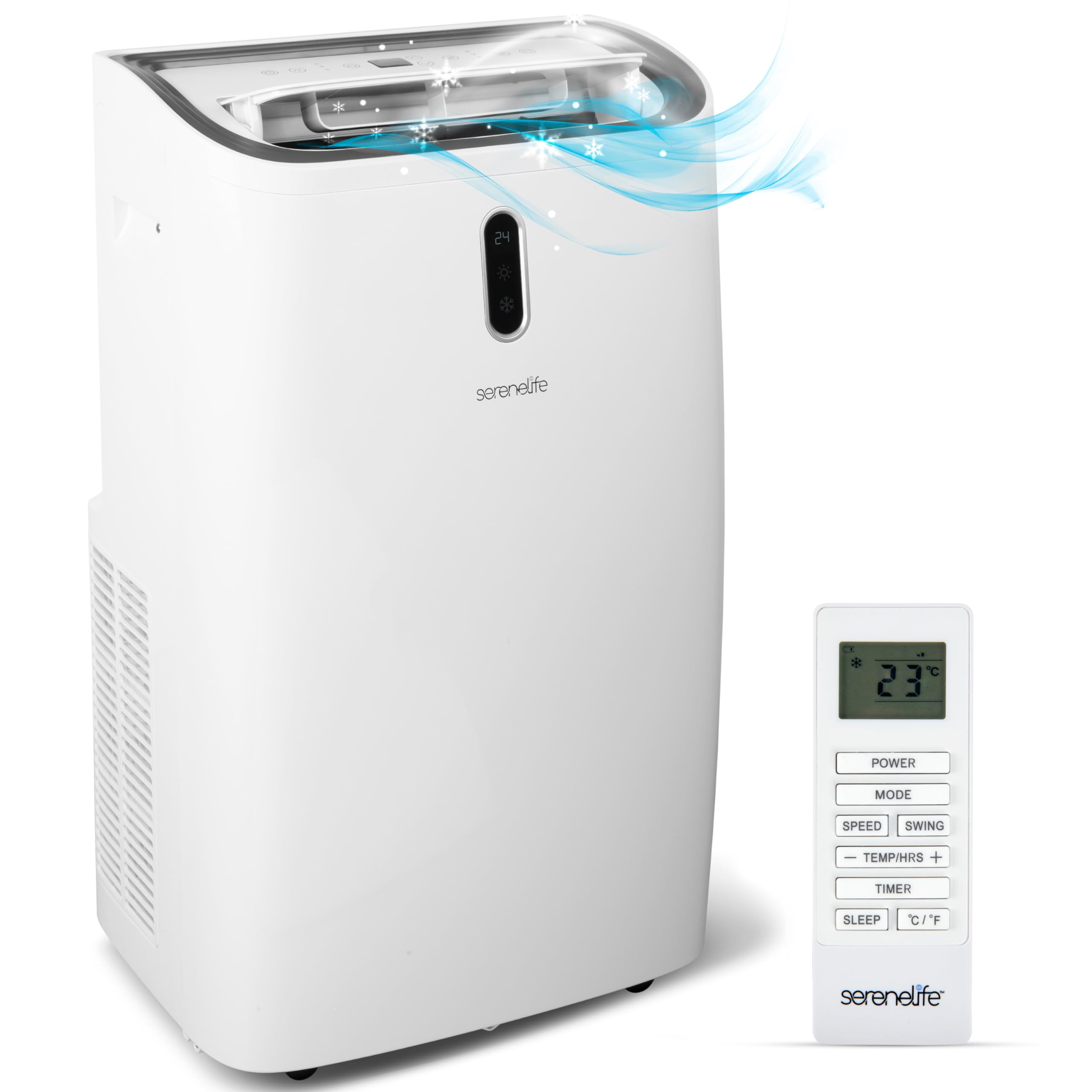
Image: SereneLife SLPAC406W Portable Air Conditioner, front view.
What's in the Box
Carefully unpack your portable air conditioner and verify that all items are present:
- AC Unit
- Exhaust Hose
- Window Installation Plate
- Remote Control
- Hose Connector
- Drain Pipe

Image: All components included in the product packaging.
Setup and Installation
Proper setup is crucial for the efficient operation of your portable air conditioner. Follow these steps for installation:
1. Unit Placement
- Place the unit on a flat, stable surface.
- Ensure there is at least 20 inches (50 cm) of clearance around the unit for proper airflow.
- Avoid placing the unit in direct sunlight or near heat sources.

Image: Product dimensions (18.5"D x 13.9"W x 30"H) and castor wheels for portability.
2. Window Kit Installation
The included window kit is designed for easy exhaust hose connection to various window types.
- Adjust the window installation plate to fit your window opening (suitable for sliding sash, double/single-hung windows). The plate is adjustable from 26.6 to 49.7 inches.
- Secure the plate in the window frame.
- Connect one end of the exhaust hose to the hose connector on the unit.
- Connect the other end of the exhaust hose to the opening in the window installation plate. Ensure a tight seal to prevent air leakage.

Image: Illustration of window kit installation for different window types.
3. Drain Pipe Connection (Optional)
For continuous dehumidification or cooling in high humidity, connect the drain pipe to the drainage outlet on the back of the unit and direct it to a suitable drain or container.
Video: SereneLife Portable Compact Standing Air Conditioner Overview
This video provides a general overview of the SereneLife portable air conditioner, including its design and basic features.
Operating Instructions
Your SereneLife portable AC unit features a digital touch button control panel and a remote control for convenient operation.
Control Panel and Remote Functions

Image: Remote control and unit control panel with labeled buttons.
- Power Button: Turns the unit on or off.
- Mode Button: Cycles through AC Cooling, Dehumidifier, and Fan modes.
- Speed Button: Adjusts fan speed (Low, Mid, High).
- Temperature Up/Down Buttons: Adjusts the desired temperature in AC Cooling mode.
- Timer Button: Sets a timer for automatic on/off operation.
Operating Modes

Image: Visual representation of the three operating modes: AC, Fan, and Dehumidifier.
- AC Cooling Mode: Provides powerful cooling for rooms up to 400 sq. ft. Set your desired temperature using the up/down arrows.
- Dehumidifier Mode: Removes excess moisture from the air. The unit will operate as a dehumidifier, and continuous drainage is recommended for this mode.
- Fan Mode: Circulates air without cooling. Choose from Low, Mid, or High fan speeds.
Video: Portable Air Conditioner Compact Home A/C Cooling Unit
This video demonstrates the compact design and cooling capabilities of the unit in a home setting.
Video: Product Overview Video
A brief product overview highlighting key features and benefits.
Maintenance
Regular maintenance ensures the longevity and efficiency of your portable air conditioner.
Air Filter Cleaning
The air filter should be cleaned regularly, typically every two weeks, or more often depending on usage and air quality.
- Turn off and unplug the unit.
- Locate and remove the air filter from the back or side of the unit.
- Wash the filter with warm, soapy water. Rinse thoroughly.
- Allow the filter to air dry completely before reinstalling. Do not operate the unit without a dry filter.
Drainage
The unit features a self-evaporative system, which reduces the need for frequent drainage. However, in high humidity conditions or when using dehumidifier mode, manual drainage may be required.
- Manual Drainage: When the internal water tank is full, the unit may stop operating and display an indicator. Place a shallow pan under the drainage outlet and remove the drain plug to empty the water.
- Continuous Drainage: For continuous operation without manual draining, connect the provided drain pipe to the drainage outlet and ensure it leads to a floor drain or a larger container.
Storage
When storing the unit for an extended period:
- Drain all water from the unit.
- Clean the air filter.
- Run the unit in fan-only mode for a few hours to dry the interior.
- Unplug the power cord and store it neatly.
- Cover the unit to protect it from dust.
Troubleshooting
Refer to this section for common issues and their solutions.
| Problem | Possible Cause | Solution |
|---|---|---|
| Unit does not turn on | No power; Power cord unplugged; Circuit breaker tripped | Check power outlet; Ensure cord is securely plugged in; Reset circuit breaker. |
| No cooling or insufficient cooling | Air filter dirty; Exhaust hose blocked/disconnected; Room too large; Doors/windows open; Temperature setting too high | Clean air filter; Check exhaust hose for blockages or disconnections; Ensure room size is within 400 sq. ft. coverage; Close all doors and windows; Lower the temperature setting. |
| Unit is noisy | Unit not on a level surface; Air filter dirty; Obstruction in fan | Place unit on a flat, level surface; Clean air filter; Check for and remove any obstructions. |
| Water leakage | Drain plug loose; Drain pipe not properly connected; Internal water tank full | Ensure drain plug is secure; Check drain pipe connection; Empty internal water tank if full. |
| Error Code E2 | Likely a sensor error or internal malfunction. | Turn off the unit, unplug it for 5 minutes, then plug it back in and restart. If the error persists, contact customer support. |
Specifications
| Feature | Detail |
|---|---|
| Model Number | SLPAC406W |
| Cooling Capacity | 14000 BTU (ASHRAE) |
| Coverage Area | Up to 400 sq. ft. |
| Operating Modes | AC Cooling, Dehumidifier, Fan |
| Power Supply | 115V |
| Wattage | 1255 Watts |
| Noise Level | 57 dB |
| Refrigerant Type | R32 |
| Product Dimensions (D x W x H) | 18.5" x 13.9" x 30" |
| Item Weight | 69.4 lbs |
| Control Method | Remote Control, Digital Touch Panel |
| Window Opening Max Width | 24 inches |
| Window Opening Max Height | 30 inches |
Warranty and Support
Warranty Information
This SereneLife Portable Air Conditioner comes with a 1-Year Limited Warranty from the date of purchase. This warranty covers manufacturing defects and workmanship under normal use. Please retain your proof of purchase for warranty claims.
Customer Support
For technical assistance, troubleshooting beyond this manual, or warranty inquiries, please contact SereneLife customer service. SereneLife is committed to providing lasting support and reliability with USA-based servicing.
Refer to the official SereneLife website or your purchase documentation for the most current contact information.