
Introduction
This manual provides comprehensive instructions for the safe and effective operation of your Huepar Dual Laser Measuring Tool. This device is designed for precise distance, area, and volume measurements, featuring a green-beam laser for enhanced visibility and a rechargeable battery, making it an ideal tool for various professional and DIY applications.
Safety Information
Laser Safety Class II: <1mW power output. Do not stare directly into the laser beam. Avoid direct eye exposure.
- Do not disassemble the device.
- Keep out of reach of children.
- Use only as directed in this manual.
Package Contents
- 1 x Bilateral Green Laser Measuring Tool 656Feet
- 1 x Auxiliary Measuring Target Plate
- 1 x Type-C Charging Cord
- 1 x Hand Strap
- 1 x Carrying bag
- 1 x User Manual
- 1x Paper box

Product Overview and Key Features
High Efficiency Dual Measurement
This tool offers simultaneous two-direction measurements, significantly improving efficiency. It supports bidirectional measurements up to 656Ft and unidirectional up to 328Ft with ±1/16 inch accuracy.

Green-Beam Laser & LCD Display
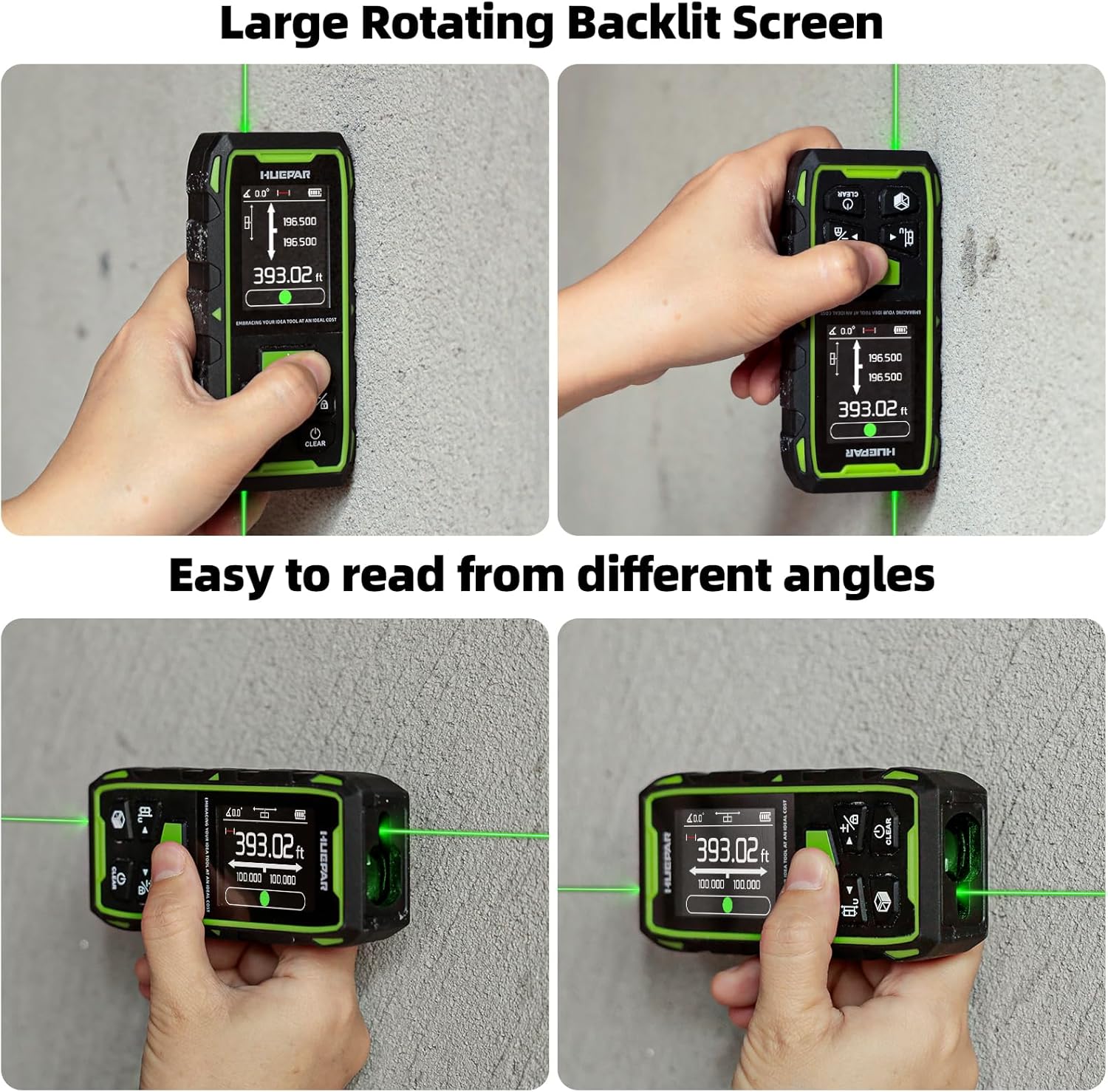
The green laser beam is up to 4 times brighter than standard red beams, ensuring high visibility in various lighting conditions. The backlit LCD screen provides clear data display and supports 4-direction automatic rotation and locking.

9 Measure Modes & Multiple Functions
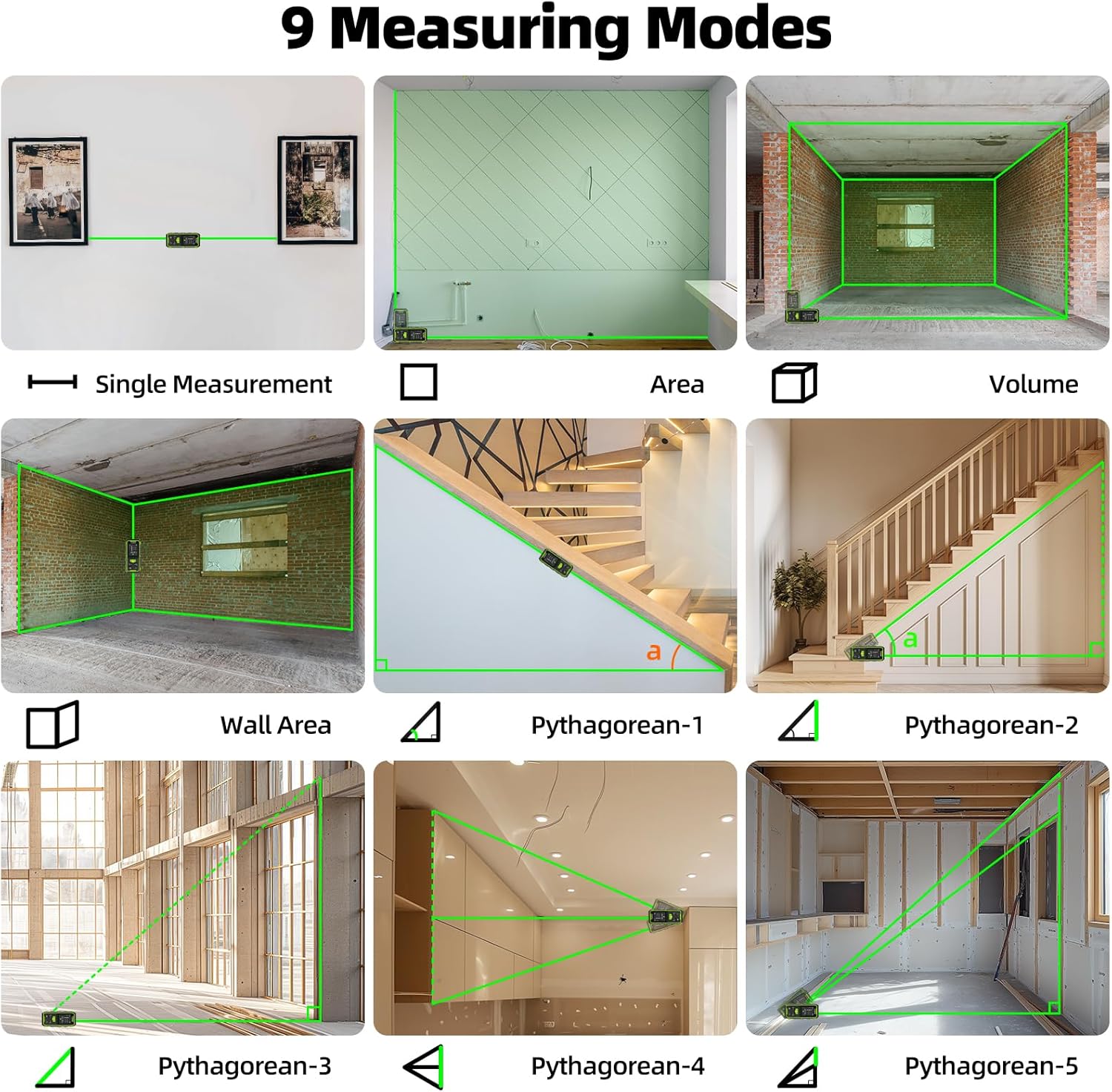
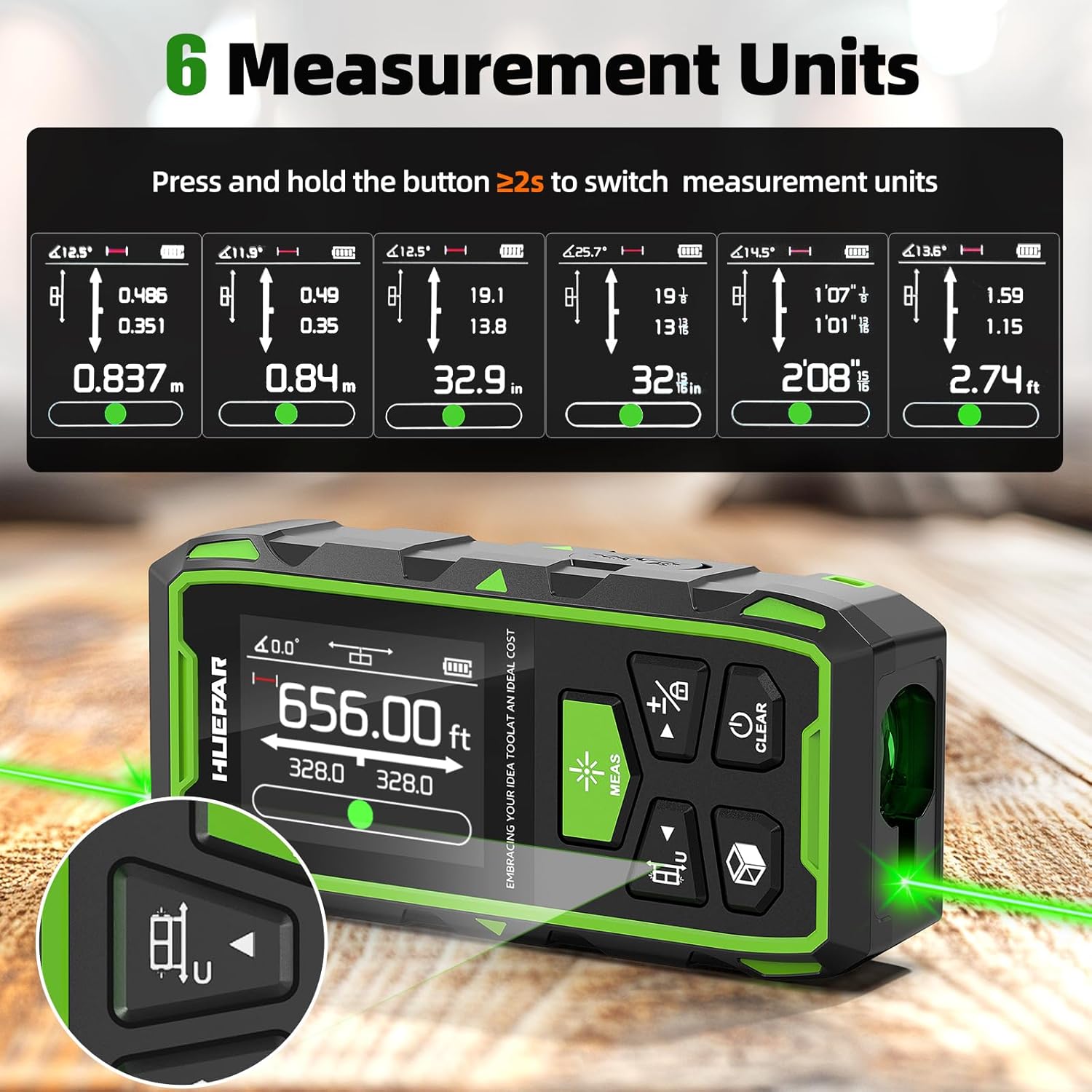
The device offers 9 measurement modes including Distance, Area, Volume, Angle, Wall area, and 4 Pythagorean modes. It supports switchable units (M/In/Ft/Ft+In), stores 100 groups of data, and includes addition/subtraction and continuous measuring modes.

Rechargeable Battery & Electronic Angle Sensor
Equipped with a built-in 3.7V 850mAh rechargeable Li-ion battery, it fully charges in about 1.5 hours and lasts for approximately 5 hours. The electronic angular sensor provides higher accuracy for angle measurements.


Durability & Mounting
The laser distance measure has an IP54 rating for water and dust resistance. It features a 1/4" threaded mount for tripod attachment and magnetic suction for fixing to metal surfaces.
Setup
Charging the Device
Connect the provided Type-C charging cord to the device's charging port and a suitable USB power source. A full charge takes approximately 1.5 hours.
This detailed instruction video provides a comprehensive guide to setting up and using the Huepar Dual Laser Measuring Tool, including charging and initial power-on procedures.
Operating Instructions
Power On/Off
Long press the "MEAS" button to power on the device. Short press "MEAS" to activate the laser for measurement. Long press the "CLEAR" button to power off. The device will also shut off automatically after 180 seconds of inactivity.
This video demonstrates the professional use of the Huepar dual laser measuring tool, showcasing its ease of use for various measurement tasks.
Unit Setting
Long press the "Unit/Reference" button to switch between measurement units (Meters, Inches, Feet, Feet+Inches, Fractional Inches).
Setting Measurement Reference
Short press the "Unit/Reference" button to cycle through different measurement reference points (front, rear, bidirectional).
Single Distance Measurement
Power on the device. Short press "MEAS" to emit the laser. Align the laser point with the target. Short press "MEAS" again to take a single distance measurement.
This video highlights the bilateral laser distance measurement capabilities of the Huepar 656Ft green laser, demonstrating its accuracy and range for single distance measurements.
Continuous Measurement
In length mode, long press "MEAS" to enter continuous measurement mode. The screen will display real-time maximum, minimum, and current values. Short press "CLEAR" to exit.
Area Measurement
Press the "Mode" button until the Area icon is displayed. Follow the on-screen prompts to measure the length and width. The device will automatically calculate and display the area.
Volume Measurement
Press the "Mode" button until the Volume icon is displayed. Follow the on-screen prompts to measure the length, width, and height. The device will automatically calculate and display the volume.
Wall Area Measurement
Press the "Mode" button until the Wall Area icon is displayed. Measure the height of the wall, then measure the width of each section. The device will sum the widths and calculate the total wall area.
Pythagorean Measurement
The device offers 4 Pythagorean modes. Press the "Mode" button to select the desired Pythagorean mode and follow the on-screen prompts to take the required measurements.
Addition and Subtraction
After a measurement, short press the "Add/Subtract" button to enter addition or subtraction mode. Take subsequent measurements, and the device will automatically add or subtract them.
Data Storage and Recall
The device automatically stores up to 100 sets of data. Long press the "Mode" button to view stored records. Use the navigation buttons to scroll through records. Long press "CLEAR" to clear all records.
This instructional video provides a detailed guide on how to effectively use the dual laser distance measure, covering various measurement functions and modes.
Learn how to use the auxiliary target plate card with your laser measuring tool to improve visibility and accuracy, especially over longer distances or in bright conditions.
Maintenance
- Clean the device with a soft, damp cloth. Do not use abrasive cleaners or solvents.
- Store the device in its carrying bag in a dry, dust-free environment when not in use.
- Avoid exposing the device to extreme temperatures or direct sunlight for prolonged periods.
Troubleshooting
Common Issues
| Problem | Possible Cause | Solution |
|---|---|---|
| Measurement Error (Err) | Laser beam obstructed, target surface too reflective/absorbent, outside measuring range. | Ensure clear path, use auxiliary target plate, measure within range. |
| Device not powering on | Low battery, device malfunction. | Charge the battery fully. If issue persists, contact support. |
| Inaccurate readings | Incorrect reference point, unstable surface, environmental factors. | Verify reference point, use a stable surface or tripod, avoid strong light/dust. |
Specifications
| Feature | Detail |
|---|---|
| Brand | Huepar |
| Color | green beam |
| Material | TPR Rubber, Acrylonitrile Butadiene Styrene |
| Item Weight | 145 Grams (5.1 ounces) |
| Product Dimensions | 4.65"L x 1.61"W x 1.02"H |
| Battery Type | Rechargeable Lithium-Ion (3.7V 850mAh) |
| Water Resistance Level | Water Resistant (IP54) |
| Measuring Range | Bidirectional: 0 to 656 feet, Unidirectional: 0 to 328 feet |
| Accuracy | ±1/16 inch |
| Laser Class | Class II, <1mW power output |
| Mounting Thread | 1/4" threaded mount |
Warranty and Support
This product comes with a 2-year warranty.
For any issues or technical support, please contact the Huepar support team.
- Replies within 24 hours.
- 2 or 3 years free repair or replacement (as per specific terms).
- Lifetime Technical Support.


