
Spinnaker SP-5068-0A
Spinnaker Hull Chronograph Meca-Quartz Watch User Manual
Brand: Spinnaker
Model: SP-5068-0A
1. Introduction
Welcome to the user manual for your new Spinnaker Hull Chronograph Meca-Quartz Watch. This timepiece combines the precision of a quartz movement with the mechanical charm of an automatic chronograph, offering a unique and reliable experience. Designed for durability and style, it features a robust 42mm stainless steel case, a genuine leather strap, and is water-resistant up to 10 ATM. This manual will guide you through the setup, operation, maintenance, and troubleshooting of your watch to ensure its longevity and optimal performance.

Figure 1: Front view of the Spinnaker Hull Chronograph Meca-Quartz Watch. This image shows the watch face with its green dial, black sub-dials, and date window, along with the black leather strap with green stitching.
2. Setup
2.1 Initial Unboxing and Inspection
Upon receiving your Spinnaker watch, carefully remove it from its packaging. Inspect the watch for any visible damage or defects. Ensure all protective films are removed from the crystal and case back.

Figure 2: The Spinnaker watch presented in its original packaging, highlighting the brand's presentation.
2.2 Setting the Time and Date
- Unscrew the Crown: The crown (located at 3 o'clock) is a screw-down type for enhanced water resistance. Gently unscrew it counter-clockwise until it pops out to position 0.
- Set the Date: Pull the crown out to position 1. Turn the crown clockwise or counter-clockwise to adjust the date. Avoid setting the date between 9 PM and 3 AM to prevent damage to the movement.
- Set the Time: Pull the crown out to position 2. Turn the crown to move the hour and minute hands to the desired time. Ensure AM/PM is correctly set if your watch has a 24-hour indicator.
- Secure the Crown: Once the time and date are set, push the crown back into position 0 and screw it down clockwise firmly against the case to maintain water resistance.
2.3 Initial Chronograph Reset
Before first use, or if the chronograph hands are not aligned to zero, perform a reset:
- Ensure the chronograph is stopped (if running).
- Unscrew the chronograph pushers (buttons at 2 and 4 o'clock) by turning them counter-clockwise.
- Pull the crown out to position 2 (time setting position).
- Press the upper pusher (at 2 o'clock) repeatedly to advance the chronograph seconds hand until it aligns perfectly with the 12 o'clock (zero) position.
- Press the lower pusher (at 4 o'clock) repeatedly to advance the chronograph minute hand until it aligns perfectly with the zero position.
- Once aligned, push the crown back to position 0 and screw down the pushers clockwise firmly.
3. Operating the Chronograph
Your Spinnaker Hull Chronograph features a Meca-Quartz movement, providing the tactile feel of a mechanical chronograph with the accuracy of quartz. The chronograph measures elapsed time.
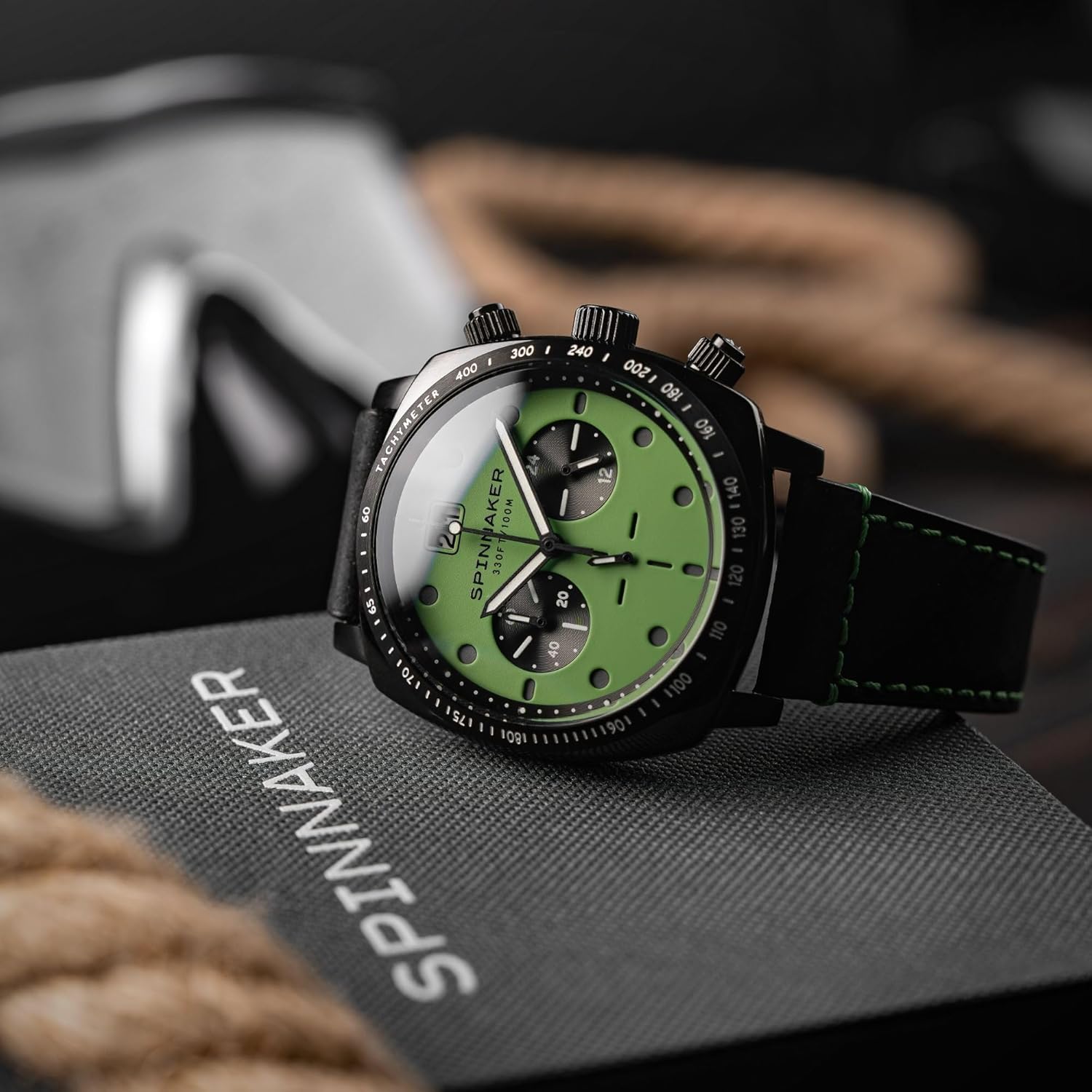
Figure 3: Side view of the Spinnaker Hull Chronograph, showcasing the pushers and crown.
3.1 Chronograph Functions
- Start/Stop: Unscrew the upper pusher (at 2 o'clock). Press it once to start the chronograph. Press it again to stop it.
- Reset: After stopping the chronograph, unscrew the lower pusher (at 4 o'clock). Press it to reset all chronograph hands back to their zero positions. Screw down both pushers firmly after use.
- Sub-dials:
- 60-Minute Counter (at 9 o'clock): Displays elapsed minutes up to 60.
- 24-Hour Indicator (at 3 o'clock): Synchronized with the main hour hand, indicating AM/PM.
- Running Seconds (at 6 o'clock): Displays the continuous seconds for the main timekeeping.
3.2 Water Resistance (10 ATM / 100 Meters)
Your Spinnaker Hull Chronograph is water-resistant up to 10 ATM (100 meters / 330 feet). This rating makes it suitable for swimming, snorkeling, and light recreational diving.
- Important: Always ensure the crown and both chronograph pushers are fully screwed down before exposing the watch to water.
- Do not operate the crown or pushers while the watch is wet or submerged.
- Avoid exposing the watch to hot water, steam, or sudden temperature changes, as this can compromise the seals.
4. Maintenance
4.1 Cleaning Your Watch
To maintain the appearance of your watch:
- Wipe the case and crystal with a soft, lint-free cloth. For stubborn dirt, a slightly damp cloth can be used, ensuring the crown and pushers are screwed down.
- Avoid using harsh chemicals, solvents, or abrasive cleaners, as these can damage the watch's finish or seals.
4.2 Leather Strap Care
The genuine leather strap requires specific care to prolong its life:
- Avoid prolonged exposure to direct sunlight, extreme temperatures, and moisture.
- If the strap gets wet, gently pat it dry with a soft cloth and allow it to air dry naturally, away from direct heat.
- Leather straps will naturally develop a patina over time and may show signs of wear. This is normal.
4.3 Battery Replacement
As a Meca-Quartz watch, it is powered by a battery for the quartz timekeeping and chronograph functions. When the battery runs low, the second hand may start to jump in 2-second intervals (End-of-Life indicator). Battery replacement should be performed by a qualified watchmaker to ensure proper sealing and water resistance.
4.4 Periodic Servicing
It is recommended to have your watch inspected by an authorized service center every 2-3 years to check the water resistance seals and overall movement condition.
5. Troubleshooting
| Problem | Possible Cause | Solution |
|---|---|---|
| Watch not running / Second hand jumping in 2-second intervals. | Low battery. | Replace the battery at an authorized service center. |
| Time/Date not setting. | Crown not fully pulled out or not unscrewed. | Ensure the crown is fully unscrewed and pulled out to the correct position (Position 1 for date, Position 2 for time). |
| Chronograph hands not resetting to zero. | Misalignment or not properly reset. | Perform the initial chronograph reset procedure (Section 2.3). Ensure pushers are unscrewed before pressing. |
| Water inside the watch. | Crown/pushers not screwed down, or seals compromised. | Immediately take the watch to an authorized service center. Do not attempt to dry it yourself. |
If the problem persists after attempting these solutions, please contact Spinnaker customer support or an authorized service center.
6. Specifications
| Feature | Detail |
|---|---|
| Model Number | SP-5068-0A |
| Movement | Japanese TMI VK Series Meca-Quartz Chronograph |
| Case Material | Stainless Steel |
| Case Diameter | 42 mm |
| Case Thickness | Approx. 12-14 mm (typical for chronographs) |
| Strap Material | Genuine Leather |
| Strap Width | 22 mm |
| Crystal | Anti-reflective Mineral Glass |
| Water Resistance | 10 ATM (100 Meters / 330 Feet) |
| Weight | 95 grams |
| Battery Type | Unknown (requires professional replacement) |
7. Warranty and Support
7.1 International Warranty
Your Spinnaker Hull Chronograph Meca-Quartz Watch comes with a 2-year international warranty from the date of purchase. This warranty covers manufacturing defects in materials and workmanship under normal use. It does not cover:
- Damage resulting from improper handling, lack of care, accidents, or normal wear and tear.
- Damage caused by unauthorized repair or modification.
- The battery, strap, or crystal.
- Water damage if the crown or pushers were not properly screwed down or if the watch was exposed to conditions beyond its water resistance rating.
To claim warranty service, please retain your proof of purchase and contact the authorized Spinnaker dealer or service center.
7.2 Customer Support
For further assistance, inquiries, or to locate an authorized service center, please visit the official Spinnaker website or contact their customer support directly.
Official Spinnaker Website: www.spinnaker-watches.com (Note: This is a placeholder URL, please refer to your product documentation for the exact website.)
Related documentsSP-5068-0A


Ask a question about this manual
Ask about setup, troubleshooting, compatibility, parts, safety, or missing instructions. Manuals+ will review the question and use this page’s manual context to help answer it.