
1. Product Overview
The memzuoix 2.4G LED Wireless Mouse is designed for comfort and functionality, featuring a rechargeable battery, ergonomic design, and vibrant RGB LED lighting. Its transparent, detachable magnetic cover allows for easy cleaning and customization. This mouse is ideal for various computing tasks, offering reliable 2.4GHz wireless connectivity.

Figure 1: memzuoix 2.4G LED Wireless Mouse with its USB receiver.
2. What's in the Box
- LED rechargeable wireless mouse
- USB 2.0 Receiver
- USB-C cable
- User manual
3. Setup Guide
3.1 Charging the Mouse
Before first use, fully charge the mouse using the provided USB-C cable. The indicator light will be green during charging and will turn off when fully charged.

Figure 2: The mouse being charged using the USB-C cable.
3.2 Connecting the USB Receiver
The mouse connects via a 2.4GHz wireless USB receiver. It does not support Bluetooth connectivity. Locate the USB receiver stored within the mouse's magnetic cover compartment. Plug the USB receiver into an available USB port on your laptop, PC, or desktop computer. No additional drivers are required for installation (Plug & Play).
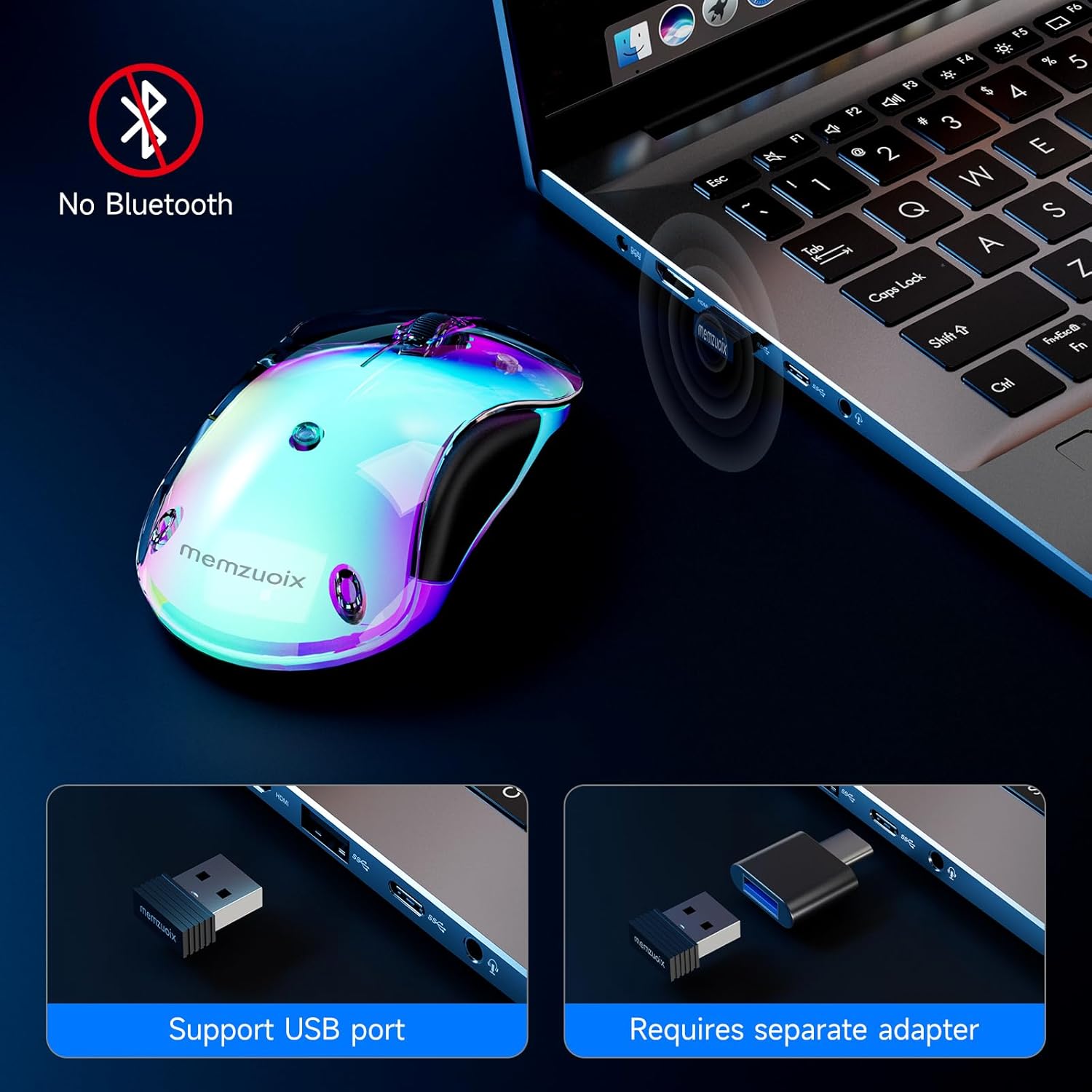
Figure 3: The USB receiver being inserted into a laptop's USB port.
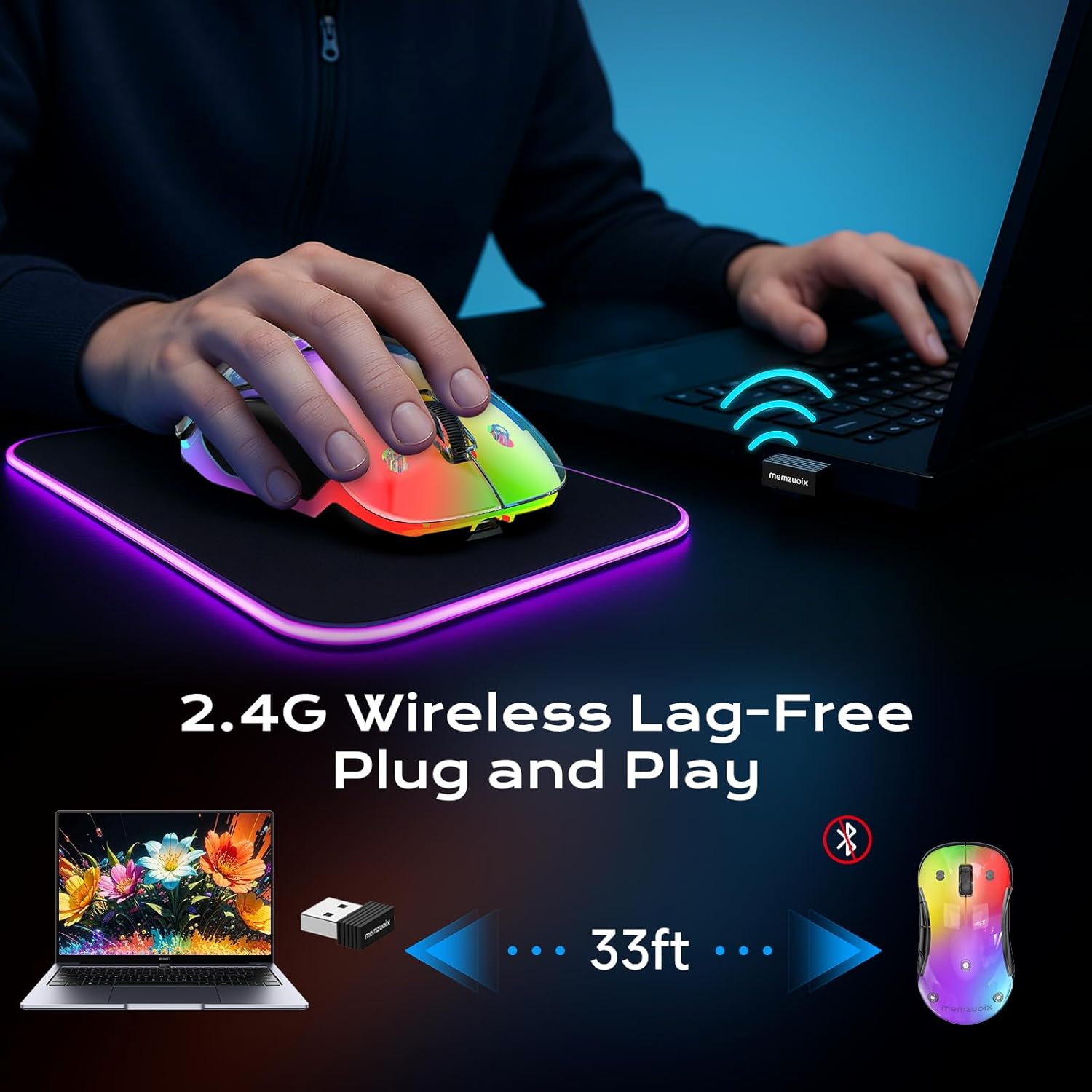
Figure 4: The mouse operating wirelessly with a laptop, demonstrating its 33ft range.
4. Operating Instructions
4.1 Power Modes and LED Lighting
The mouse features two power modes controlled by a switch on its underside:
- ON Mode: The mouse is active and will auto-sleep after 8 minutes of inactivity. Click any button to wake it up. In this mode, the LED lights are off, providing up to 90 hours of battery life.
- LIGHT Mode: The mouse's RGB LED lights are active and cycle through 9 colors. In this mode, the auto-sleep function is disabled. You can turn off the LED lights by pressing the 'Light' button on the mouse. Battery life in LIGHT mode is approximately 17 hours.
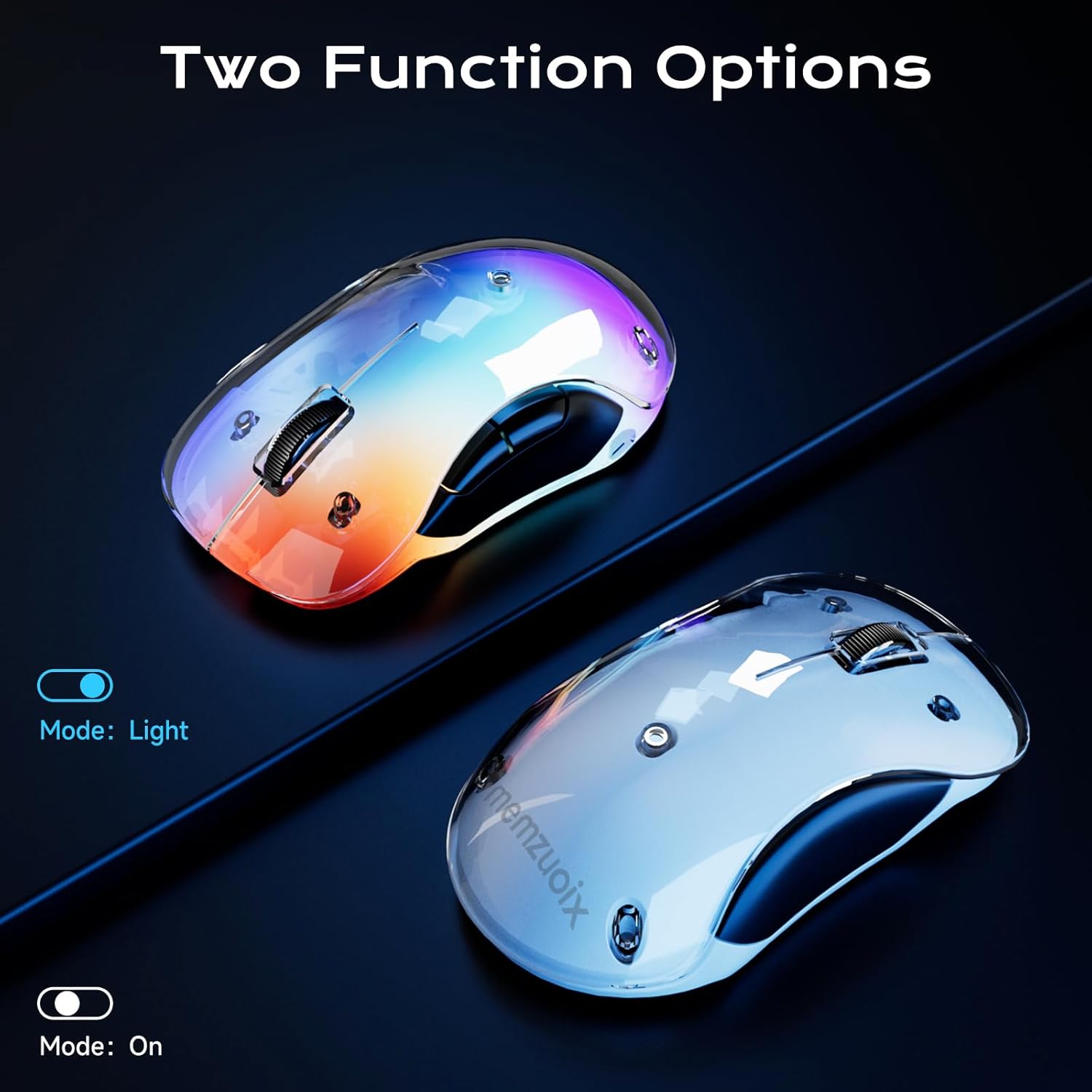
Figure 5: Illustration of the two function options: 'Light' mode with RGB and 'On' mode without lights.
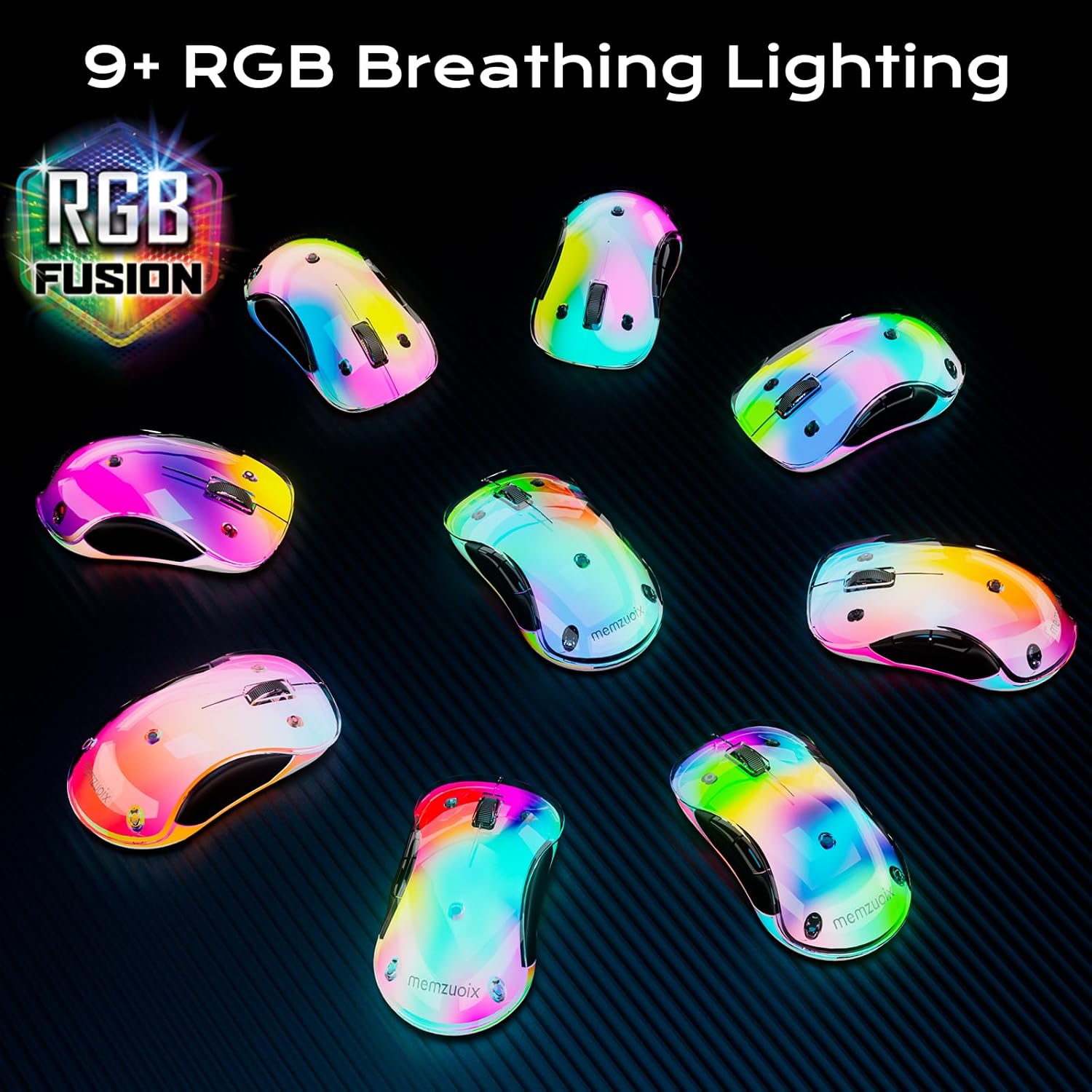
Figure 6: Various memzuoix mice showcasing the dynamic 9+ RGB breathing lighting.
4.2 Mouse Buttons and Features
The mouse features 5 buttons and a scroll wheel:
- Left Click Button
- Right Click Button
- Scroll Wheel: Provides smooth scrolling.
- Forward Button: Located on the side for navigation.
- Backward Button: Located on the side for navigation.
- LED Indicator: Shows charging status.
- Power Switch: Toggles between OFF, ON, and LIGHT modes.
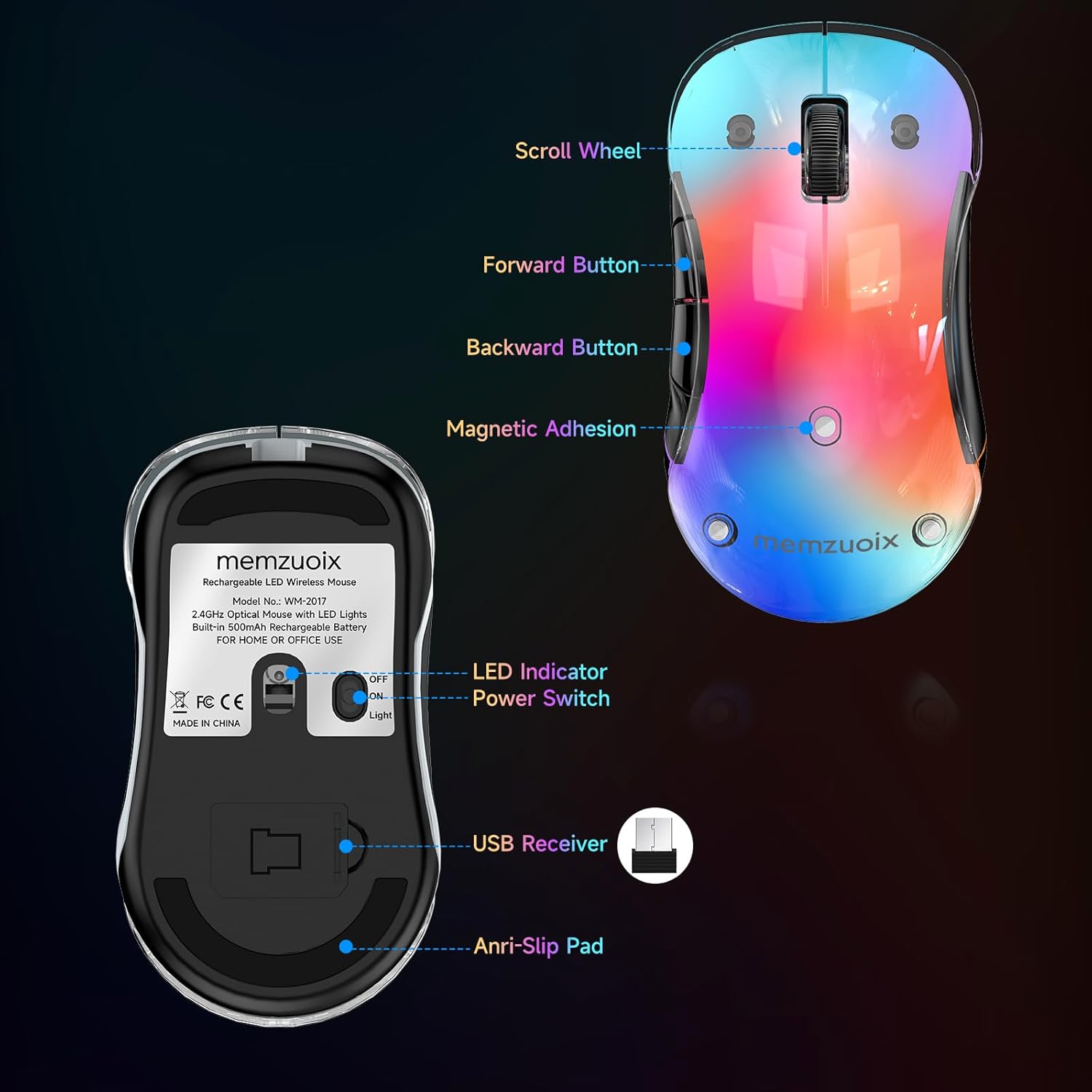
Figure 7: Labeled diagram of the mouse's scroll wheel, buttons, LED indicator, and power switch.
4.3 DPI Setting
The mouse operates at a fixed 1200 DPI (Dots Per Inch) optical tracking, providing fast and responsive cursor movement. The DPI is not adjustable.
4.4 Ergonomics and Portability
With dimensions of 4.7 × 2.3 × 1.5 inches, this ambidextrous cordless mouse is designed for comfortable use by both right and left-handed users. Its compact size makes it highly portable for travel.
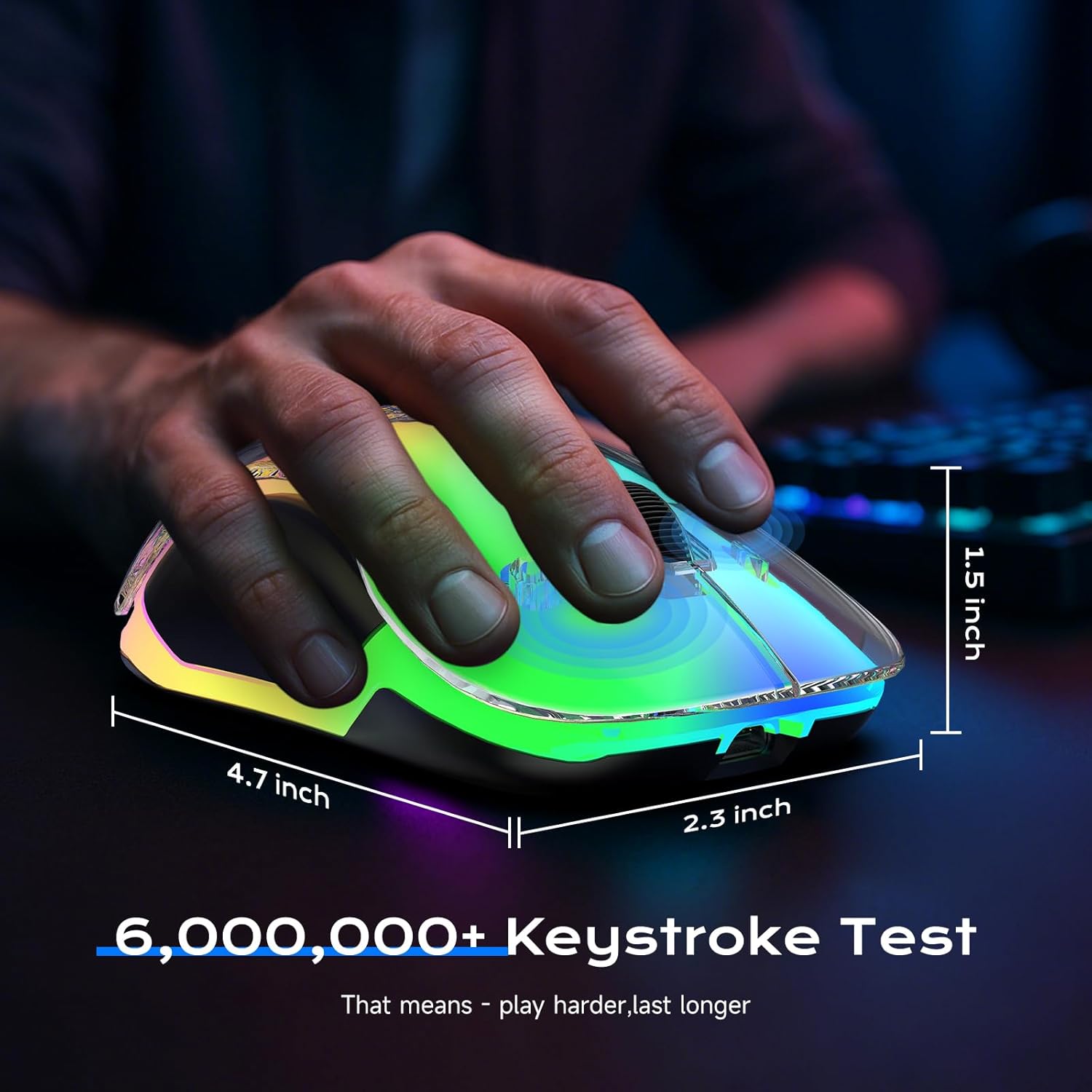
Figure 8: The mouse's dimensions and how it fits ergonomically in hand.
4.5 Official Product Videos
Video 1: Demonstration of the memzuoix mouse's RGB lighting and smooth operation. This video highlights the aesthetic appeal and responsiveness of the mouse.
Video 2: A closer look at the RGB lighting effects on the white, pink, and black versions of the memzuoix wireless mouse.
Video 3: A brief overview of the memzuoix LED mouse, showcasing its design and lighting.
Video 4: A vertical format video demonstrating the 2.4G LED Wireless Mouse in action.
5. Maintenance
The memzuoix wireless mouse features a detachable magnetic cover, making it easy to clean. Regularly wipe the surface with a soft, dry cloth to remove dust and grime. For deeper cleaning, gently remove the magnetic cover and clean the internal components as needed. Avoid using harsh chemicals or abrasive materials.
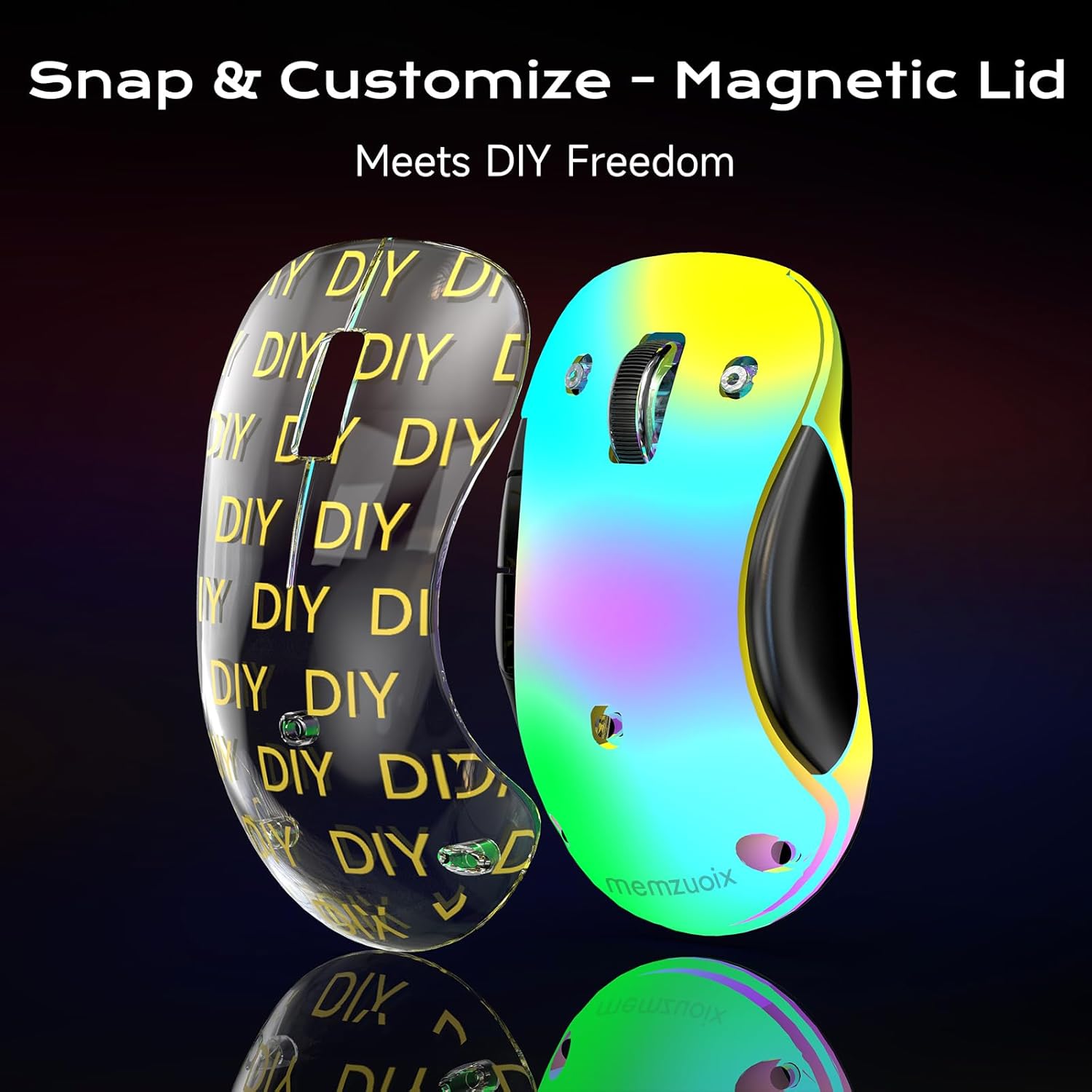
Figure 9: The detachable magnetic lid of the mouse, allowing for easy cleaning and customization.
6. Troubleshooting
- Mouse not responding: Ensure the USB receiver is securely plugged into a working USB port. Check the power switch on the underside of the mouse to ensure it is in 'ON' or 'LIGHT' mode. Recharge the mouse if the battery is low.
- LED lights not working: Ensure the mouse is in 'LIGHT' mode. If the lights are still off, press the 'Light' button on the mouse.
- Intermittent connection: Ensure the mouse is within the 33ft wireless range of the USB receiver. Avoid obstacles that may interfere with the signal.
- Battery drains quickly: Using the mouse in 'LIGHT' mode (with LEDs on) consumes more power. For extended battery life, switch to 'ON' mode (LEDs off).
- Mouse not recognized by Mac: While compatible with Mac, side buttons may have partial or no support. Ensure the USB receiver is properly connected.
7. Specifications
| Feature | Detail |
|---|---|
| Product Dimensions | 5 x 2.75 x 0.04 inches |
| Item Weight | 2.89 ounces |
| Item Model Number | WM-2017 |
| Batteries | 1 C battery required (included), rechargeable |
| Manufacturer | memzuoix |
| Color | White |
| Connectivity Technology | USB (2.4GHz Wireless) |
| Special Features | Wireless, Portable, Rechargeable, Ergonomic Design, LED Lights, Detachable Cover |
| Movement Detection Technology | Optical |
| DPI | 1200 (fixed) |
| Compatibility | Windows 8/10/11/XP/Vista, Mac (partial button support), Linux. Not for Chromebooks. |
8. Warranty and Support
The memzuoix 2.4G LED Wireless Mouse comes with a 45-Day Money-Back Guarantee and a 365-Day Warranty. For any support inquiries or warranty claims, please contact memzuoix customer service through your purchase platform.