
Introduction
Thank you for choosing the Silverlit EXOST Desert Runner RC Car. This 1:10 scale remote-controlled off-road buggy is designed for thrilling adventures across various terrains. Featuring robust suspension and 2.4 GHz technology, it offers precise control and impressive speeds of up to 20 km/h. This manual provides essential information to ensure safe and enjoyable use of your Desert Runner.
Safety Information
WARNING:
- Not suitable for children under 36 months due to small parts that may be swallowed.
- Recommended for ages 8 years and up. Adult supervision is advised.
- Do not operate near people, pets, or obstacles.
- Avoid operating in wet conditions or near water to prevent electrical damage.
- Always turn off the vehicle and remote control when not in use.
- Do not mix old and new batteries, or different types of batteries.
- Non-rechargeable batteries are not to be recharged.
- Rechargeable batteries are only to be charged under adult supervision.
Package Contents
Ensure all items are present before proceeding with setup:
- 1 x Silverlit EXOST Desert Runner RC Car
- 1 x Remote Control
- 2 x Rechargeable Batteries (for car)
- 1 x USB Charging Cable
Required (not included):
- 2 x AA Batteries (for remote control)
Setup
1. Car Battery Installation and Charging
- Locate the battery compartment on the underside of the Desert Runner RC car.
- Open the battery compartment cover using a screwdriver (not included).
- Insert the two provided rechargeable batteries into the compartment, ensuring correct polarity (+/-).
- Close the battery compartment cover and secure it with the screw.
- Connect the USB charging cable to the car's charging port and to a USB power source (e.g., computer, USB wall adapter).
- Allow the batteries to fully charge before first use. The charging indicator will typically change color or turn off when charging is complete.
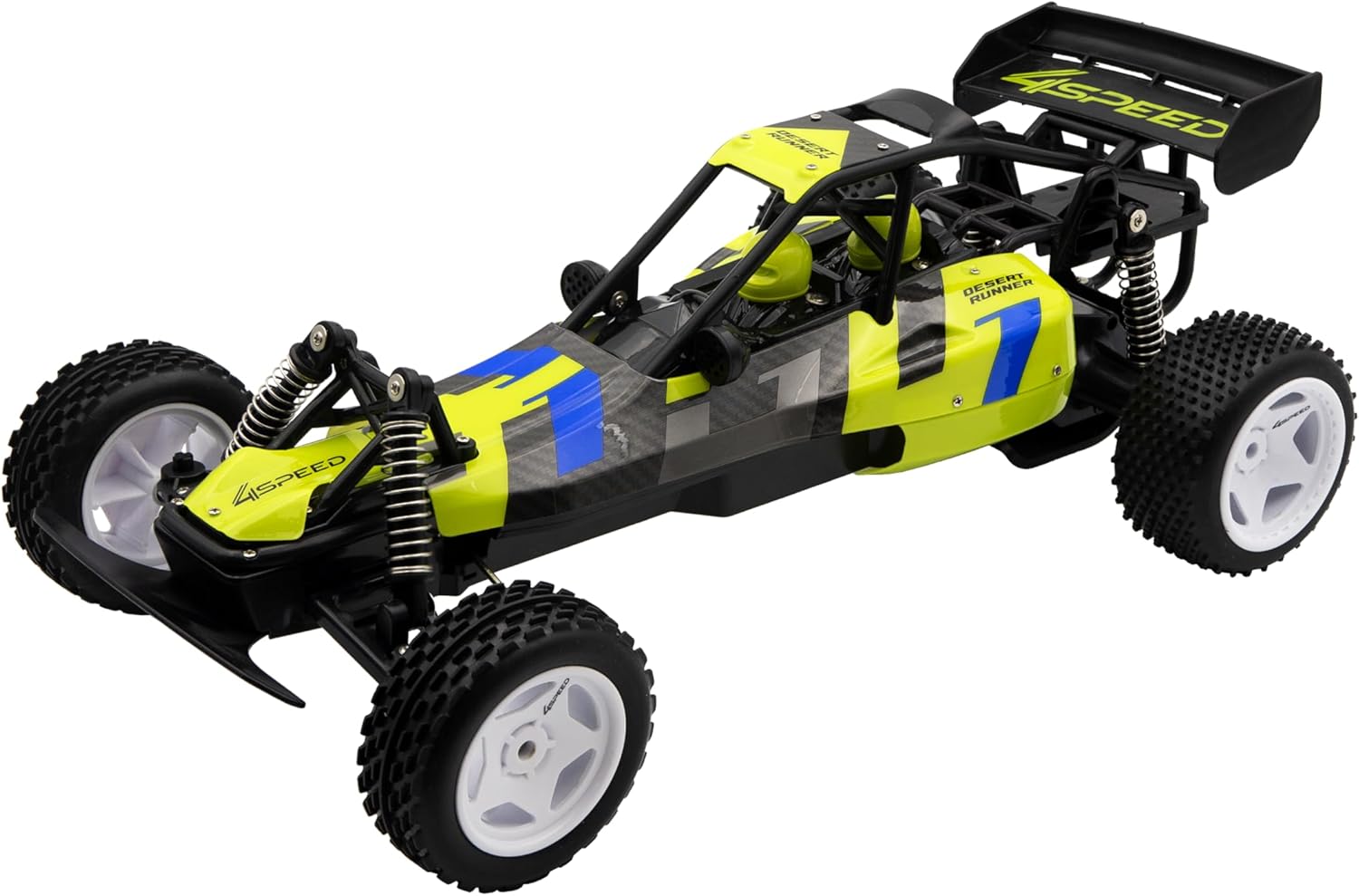
Image: Angled view of the Silverlit EXOST Desert Runner RC Car, showing its overall design and wheels. This image illustrates the product for battery compartment location.
2. Remote Control Battery Installation
- Locate the battery compartment on the back of the remote control.
- Open the battery compartment cover.
- Insert 2 x AA batteries (not included), observing the correct polarity (+/-) as indicated inside the compartment.
- Close the battery compartment cover securely.

Image: The white and black remote control for the Silverlit EXOST Desert Runner, showing the steering wheel, trigger, and control buttons (DEMO, LIGHT, POWER, SPEED).
Operating Instructions
1. Power On and Pairing
- Ensure both the car and the remote control have fresh or fully charged batteries.
- Turn on the RC car using the power switch located on the vehicle.
- Turn on the remote control using its power button.
- The car and remote will automatically pair using 2.4 GHz technology. A light on the remote or car may indicate successful pairing.
- The 2.4 GHz technology allows for multiple cars to be operated simultaneously without interference, and provides a control range of up to 25 meters.
2. Driving Controls
- Steering Wheel: Rotate the steering wheel on the remote control left or right to turn the car in the corresponding direction.
- Throttle Trigger: Pull the trigger towards you to move the car forward. Push the trigger away from you to brake or reverse.
- Speed Button: The remote control features a 'SPEED' button. Press this button to cycle through different speed settings (if applicable) to match your driving skill or terrain. The Desert Runner can reach speeds of up to 20 km/h.
- Light Button: Use the 'LIGHT' button to control any integrated lights on the vehicle.
- Demo Button: Press the 'DEMO' button to activate a pre-programmed demonstration sequence (if available).

Image: Front view of the Silverlit EXOST Desert Runner RC Car, highlighting its robust suspension and off-road tires, ready for action.
Maintenance
Cleaning
- After each use, especially after off-road driving, gently wipe the car with a soft, dry cloth to remove dirt and debris.
- Do not use water or chemical cleaners, as this can damage electronic components.
- Clean the wheels and suspension components to ensure smooth operation.
Storage
- Always remove batteries from both the car and the remote control if storing for extended periods to prevent leakage.
- Store the car and remote in a cool, dry place, away from direct sunlight and extreme temperatures.
Troubleshooting
| Problem | Possible Cause | Solution |
|---|---|---|
| Car does not respond to remote. | Low batteries in car or remote; Car and remote not paired; Car or remote not turned on. | Replace/recharge batteries; Turn off and on both devices to re-pair; Ensure both power switches are ON. |
| Short control range or intermittent signal. | Low batteries; Interference from other 2.4 GHz devices; Obstacles blocking signal. | Replace/recharge batteries; Move to an area with less interference; Ensure clear line of sight between remote and car. |
| Car moves slowly or lacks power. | Low car battery charge. | Recharge the car's batteries fully. |
| Car does not drive straight. | Steering trim adjustment needed. | Adjust the steering trim dial or lever on the remote control until the car drives straight. |
Product Specifications
- Model Number: 54025
- Brand: Silverlit
- Product Dimensions (L x W x H): 23.5 x 43 x 15 cm
- Weight: 1.01 kg
- Scale: 1:10
- Maximum Speed: 20 km/h
- Control Frequency: 2.4 GHz
- Control Range: Up to 25 meters
- Car Power Source: Rechargeable Batteries (2 included)
- Remote Control Power Source: 2 x AA Batteries (not included)
- Material: Plastic
- Recommended Age: 8 - 99 years
- Special Features: Remote control, Suspension, 2.4 GHz Technology, 4-Speed Series
Warranty Information
Silverlit products are manufactured to high-quality standards. For specific warranty details, please refer to the warranty card included with your purchase or visit the official Silverlit website. Keep your proof of purchase for any warranty claims.
Customer Support
If you encounter any issues or have questions not covered in this manual, please contact your retailer or the Silverlit customer service department. Contact information can typically be found on the product packaging or the official Silverlit website.


