1. Introduction
The Ariston Quadris WiFi 120L is a compact and high-performance electric water heater designed to provide efficient hot water for your home. Featuring intelligent ECO EVO function and 2.4kW power, it heats water faster while consuming less energy. Its compact, wall-mounted design offers significant space savings compared to traditional floor-standing models.
This manual provides essential information for the safe and efficient installation, operation, and maintenance of your Ariston Quadris WiFi 120L water heater.
2. Safety Information
Please read all safety instructions carefully before installation and operation. Failure to follow these instructions may result in property damage, personal injury, or death.
- Installation must be performed by a qualified professional in accordance with local regulations and standards.
- Ensure the electrical supply is disconnected before any installation or maintenance work.
- The unit requires a permanent 24/7 electrical connection. If applicable, remove any day/night contactors.
- Do not operate the water heater if there is no water in the tank (dry-heating protection system).
- Regular maintenance is crucial for safe and efficient operation.
3. Product Features
The Ariston Quadris WiFi 120L water heater is equipped with advanced features for comfort, efficiency, and durability:
- Space Saving: Ultra-compact rectangular shape allows for significant floor space optimization (up to 1 m²) compared to traditional 200L cylindrical water heaters. Designed for wall mounting.
- Energy Efficiency: ECO EVO function analyzes consumption, leading to up to 15% energy savings compared to Class C water heaters. Energy Class B.
- Connectivity: Integrated Wi-Fi for precise consumption monitoring and remote control via the Ariston Net application.
- Comfort: 120L capacity provides up to 234 liters of hot water at 40°C, suitable for families of 4 to 5 people with a bathtub. Ultra-fast heating time of 45 minutes.
- Durability:
- Steatite heating element in an enameled sheath to limit scaling and allow maintenance without draining.
- Enameled steel tank.
- Tank protection by Magnesium Anode.
- Anti-freeze function.
- Anti-bacteria function: at least one complete heating cycle to 65°C per month.
- Dry-heating protection system: the heating element does not activate if there is no water in the tank.
- Self-Diagnosis System: Displays fault codes on the control panel via LEDs.
- Certifications: NF certified (French standards) and CE certified (European electrical and mechanical safety standards).
4. Setup and Installation
The Ariston Quadris WiFi 120L is designed for wall-mounted installation. It comes with EASY CLIP fixing wedges (x2) for effortless installation and a dielectric insulating connector.
Important: Ensure the installation location can support the weight of the unit when full (approx. 120L + 39.3kg = ~160kg). A permanent 24/7 electrical connection is mandatory. Consult a qualified electrician for proper wiring.

Figure 1: Installation diagram illustrating the attachment of fixing wedges (A) and washers (B) to the wall bracket, and how the unit slides onto the mounted bracket.
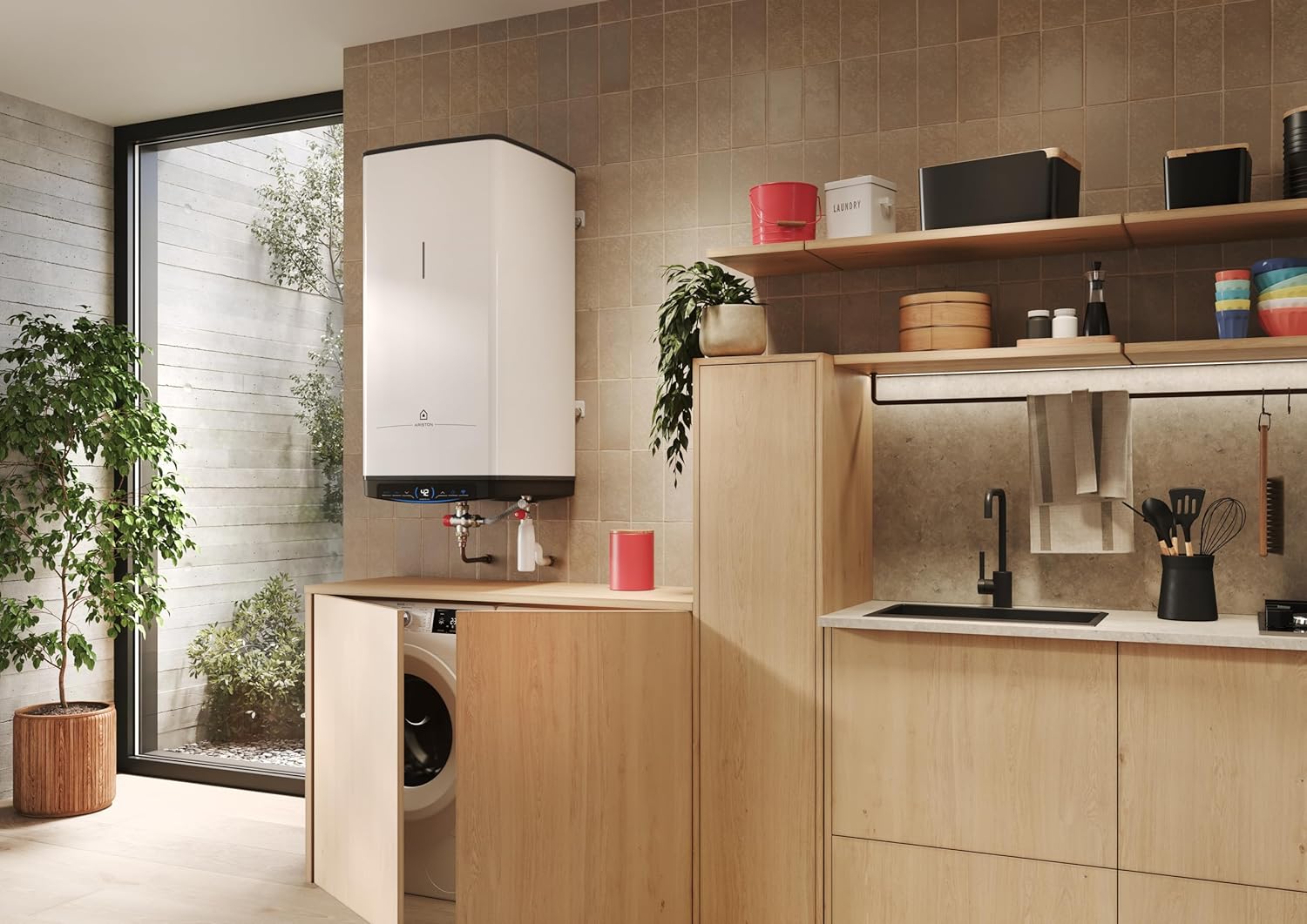
Figure 2: Bottom view of the water heater, highlighting the water inlet and outlet connections. Ensure proper plumbing connections are made according to local codes.

Figure 3: Example of the Ariston Quadris water heater installed in a utility room, demonstrating its compact, wall-mounted design.
5. Operating Instructions
Your Ariston Quadris WiFi 120L water heater is designed for user-friendly operation and energy efficiency.
5.1 Control Panel Overview

Figure 4: The control panel features a digital display showing hot water level (e.g., '42'), and buttons for BOOST, ECO, temperature adjustment, power, and Wi-Fi status.
- Power Button: Turns the unit on or off.
- Temperature Adjustment: Use the arrow buttons to set your desired water temperature.
- ECO Mode: Activates the intelligent ECO EVO function, which learns your consumption patterns to optimize heating cycles and save energy.
- BOOST Function: Provides rapid heating for an immediate supply of hot water when needed.
- Wi-Fi Indicator: Shows the status of the Wi-Fi connection.
5.2 Ariston Net Application (Wi-Fi Connectivity)
For advanced control and monitoring, download the Ariston Net application on your smartphone or tablet. The application allows you to:
- Remotely control the water heater (turn on/off, adjust temperature).
- Monitor real-time energy consumption.
- Schedule heating cycles.
- Receive alerts and diagnostic information.

Figure 5: The Ariston Quadris water heater shown with a smartphone displaying the Ariston Net application, illustrating remote control and monitoring capabilities.
6. Maintenance
Regular maintenance ensures the longevity and efficient operation of your Ariston Quadris WiFi 120L water heater.
- Steatite Heating Element: The steatite resistance limits scaling, allowing for maintenance without the need to drain the tank. However, periodic inspection by a qualified technician is recommended to check for any build-up.
- Magnesium Anode: The tank is protected by a magnesium anode. This sacrificial anode corrodes over time to protect the tank from rust. It should be inspected and replaced periodically by a professional, typically every 1-2 years depending on water quality.
- Anti-Bacteria Function: The unit automatically performs a complete heating cycle to 65°C at least once a month to prevent bacterial growth (e.g., Legionella). Ensure the unit remains powered for this function to operate.
- General Cleaning: Clean the exterior of the unit with a soft, damp cloth. Do not use abrasive cleaners or solvents.
For detailed maintenance procedures, consult a qualified technician or refer to the full technical manual.
7. Troubleshooting
The Ariston Quadris WiFi 120L is equipped with a self-diagnosis system that displays fault codes on the control panel via LEDs. If you encounter an issue, check the display for any error indicators.
| Problem | Possible Cause | Solution |
|---|---|---|
| No hot water / Insufficient hot water |
|
|
| Error code displayed on LED panel | Internal fault detected by self-diagnosis system. | Note the error code and consult the full technical manual or contact Ariston customer support for assistance. Do not attempt to repair internal components yourself. |
| Wi-Fi connection issues |
|
|
If the problem persists after attempting these solutions, please contact Ariston customer support or a qualified service technician.
8. Technical Specifications
Below are the key technical specifications for the Ariston Quadris WiFi 120L electric water heater:
| Specification | Value |
|---|---|
| Manufacturer | Ariston |
| Model Number | 3060883 |
| Capacity | 120 Liters |
| Dimensions (L x W x H) | 51.8 x 51.8 x 101.85 cm |
| Weight | 39.3 Kilograms |
| Color | White |
| Material | Alloy Steel |
| Power Source | Electric Cable |
| Voltage | 230 Volts |
| Power | 2400 Watts |
| Max Temperature | 80 Degrees Celsius |
| Energy Efficiency Class | B |
| Components Included | EASY CLIP fixing wedges x2, Dielectric Insulating Connector |
For detailed dimensional drawings, please refer to the product's technical documentation provided by Ariston.
9. Warranty and Support
For information regarding the warranty period and terms for your Ariston Quadris WiFi 120L water heater, please refer to the warranty card included with your product or contact your retailer. Warranty terms may vary by region.
For technical support, spare parts availability, or service requests, please contact Ariston customer service directly. Contact details can typically be found on the manufacturer's official website or in the product packaging.
Note: Spare parts availability information is currently unavailable through general product listings. Please contact Ariston for specific inquiries.