
1. Product Overview
The TRIUMPHKEY Electric Standing Desk offers a versatile and ergonomic workspace solution. It features electric height adjustment, memory presets, and a spacious desktop designed for productivity and comfort.
- Adjustable Height: Electrically adjust the desk height from 71 cm to 119 cm to switch between sitting and standing positions.
- Memory Presets: Two programmable memory settings allow you to save your preferred sitting and standing heights for quick adjustments.
- Spacious Desktop: The 180x80cm desktop provides ample space for monitors, keyboards, and other work essentials.
- Cable Management: Integrated cable holes help keep your workspace tidy and organized.
- Thoughtful Design: Features include an anti-slip frame for stability, a convenient headphone hook, and rounded corners for safety.
2. Safety Warnings
Please read and adhere to the following safety guidelines to ensure safe operation and prevent injury or damage to the product.
- Do not exceed the recommended weight limit of 70 kg (as indicated in product images). Overloading can cause instability and damage.
- Ensure all objects placed on the desk are within its dimensions and do not obstruct the height adjustment mechanism.
- Keep children and pets away from the desk during operation to prevent accidents.
- During assembly, follow all instructions carefully and use appropriate tools. Incorrect assembly can lead to instability or injury.
- Do not place liquids directly on the control panel or near electrical components.
- Regularly check all screws and connections to ensure they are tight and secure.
3. Setup and Assembly
The TRIUMPHKEY Electric Standing Desk is designed for easy assembly. All necessary parts and detailed instructions are included in the package. Please follow the steps below for a smooth setup.
- Unpack Components: Carefully remove all parts from the packaging. Verify that all components listed in the parts list are present and undamaged.
- Assemble Frame: Attach the desk legs to the crossbar according to the provided diagrams. Ensure all screws are tightened securely.
- Attach Desktop: Place the desktop onto the assembled frame. Align the pre-drilled holes and secure the desktop with the provided screws.
- Install Control Panel: Mount the multi-function intelligent keypad to the underside of the desktop in a convenient location. Connect the control panel cable to the motor unit.
- Connect Power: Plug the power cord into the motor unit and then into a standard electrical outlet.
- Initial Calibration: Perform an initial calibration as described in the detailed instruction manual to synchronize the motors. This usually involves pressing and holding the 'Down' button until the desk reaches its lowest point and slightly retracts.
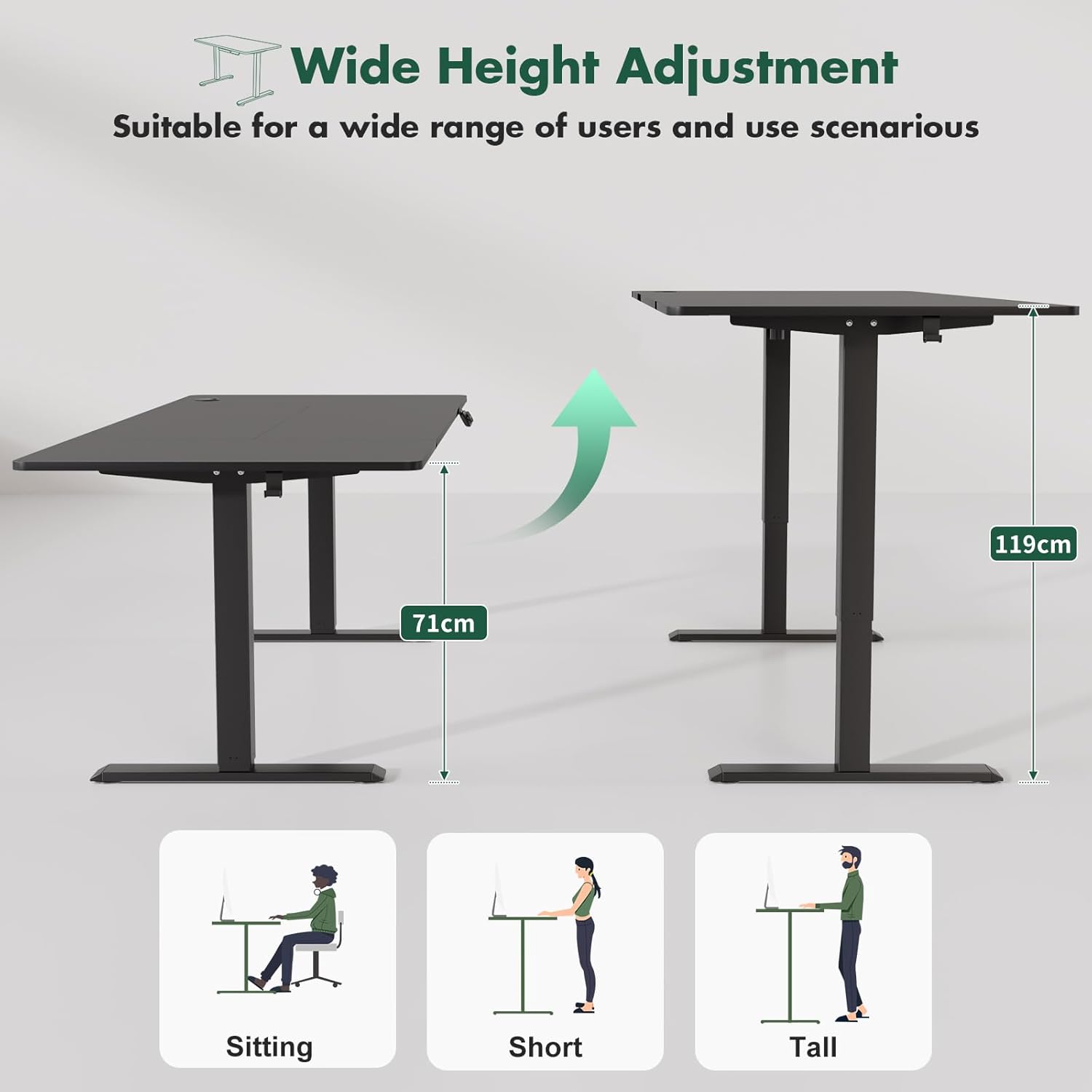
Figure 3.1: Desk frame and desktop components during assembly.
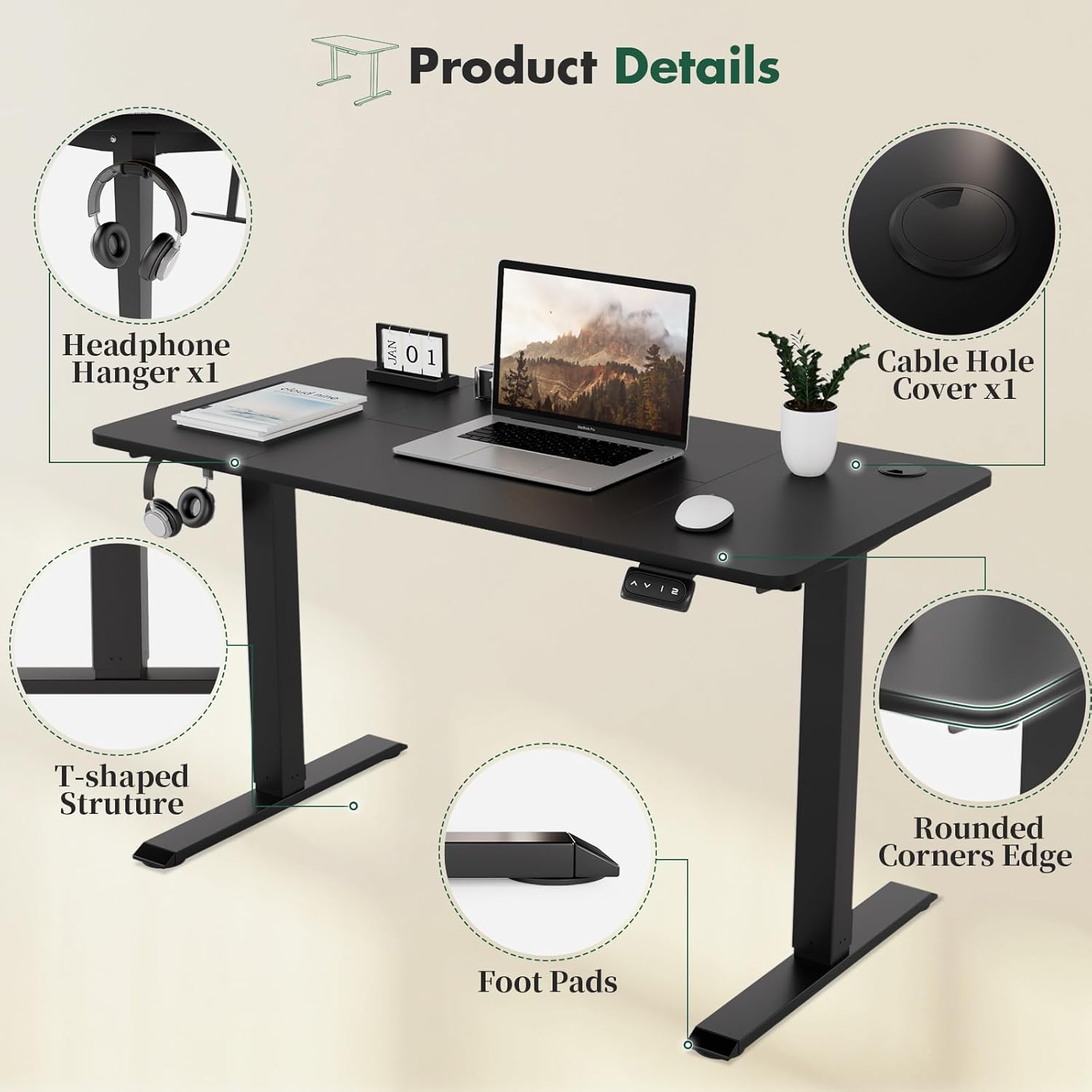
Figure 3.2: Detailed view of desk features including headphone hanger and cable management.
4. Operating Instructions
The electric standing desk offers intuitive controls for height adjustment and memory functions.
4.1. Height Adjustment
- Raise Desk: Press and hold the Up (⌃) button to raise the desk to your desired height. Release the button to stop.
- Lower Desk: Press and hold the Down (⌄) button to lower the desk to your desired height. Release the button to stop.
4.2. Memory Presets
The desk features two memory presets (1 and 2) to store your preferred heights.
- Set a Memory Height:
- Adjust the desk to your desired height using the Up or Down buttons.
- Press the M button (or similar 'Set' button if present, not explicitly shown but implied by '1' and '2' buttons).
- Within 3 seconds, press either the 1 or 2 button to save the current height to that preset. The display may show 'S-1' or 'S-2' to confirm.
- Recall a Memory Height: Press the 1 or 2 button. The desk will automatically move to the saved height.

Figure 4.1: Multi-function intelligent keypad for height adjustment and memory presets.

Figure 4.2: Desk shown at minimum (71cm) and maximum (119cm) height settings.
5. Maintenance
Proper maintenance ensures the longevity and optimal performance of your TRIUMPHKEY Electric Standing Desk.
- Cleaning: Wipe the desktop and frame with a soft, damp cloth. Avoid abrasive cleaners or harsh chemicals that could damage the finish.
- Regular Checks: Periodically inspect all screws and bolts to ensure they remain tight. Re-tighten if necessary.
- Cable Management: Ensure power cables and other cords are not pinched or tangled, especially during height adjustments.
- Motor Care: The electric motors are maintenance-free. Do not attempt to open or lubricate them.
6. Troubleshooting
If you encounter issues with your desk, refer to the following common troubleshooting steps.
- Desk Not Moving:
- Check if the power cord is securely plugged into both the desk and the wall outlet.
- Ensure there are no obstructions preventing the desk from moving.
- Perform a reset: Unplug the power cord for 10-15 seconds, then plug it back in. The desk may then require recalibration (see Setup section).
- Uneven Movement:
- Ensure the desk is not overloaded and weight is evenly distributed.
- Check that all frame connections and screws are tight.
- Perform a recalibration.
- Error Codes on Display: Refer to the detailed instruction manual for specific error code meanings and solutions. A common solution is to perform a reset and recalibration.
- Memory Presets Not Working: Re-program the memory presets as described in the Operating Instructions section.
7. Specifications
Key technical specifications for the TRIUMPHKEY Electric Standing Desk.
| Feature | Specification |
|---|---|
| Brand | TRIUMPHKEY |
| Model | 180x80cm Black |
| Color | Black |
| Desktop Dimensions (L x W) | 180 cm x 80 cm |
| Height Adjustment Range | 71 cm - 119 cm |
| Product Dimensions (L x W x H) | 180 x 80 x 119 cm (max height) |
| Item Weight | 29.8 Kilograms |
| Maximum Weight Capacity | 70 kg |
| Base Material | Alloy Steel |
| Top Material Type | Wood |
| Desk Design | Standing Desk |

Figure 7.1: Desk dimensions and weight capacity.
8. Warranty and Support
Information regarding warranty coverage and customer support was not available in the provided product data. Please refer to the product packaging or contact TRIUMPHKEY directly for details on warranty terms and support options.
For further assistance, you may visit the TRIUMPHKEY Store on Amazon.
