
1. Introduction
This manual provides instructions for the assembly, operation, and maintenance of your Srliya Life-Size Animated Halloween Skeleton. This 66-inch (168 cm) decoration features flexible joints and sound activation, suitable for both indoor and outdoor display.

Image 1.1: A complete view of the Srliya Life-Size Animated Halloween Skeleton, showcasing its full 66-inch height and overall design.
2. Package Contents
Please verify that all components are present before proceeding with setup.
- 1 x Srliya Life-Size Animated Halloween Skeleton
Note: Batteries for sound activation are not included and must be purchased separately.
3. Product Features
- Life-Size Design: Approximately 66 inches (168 cm) tall for a realistic appearance.
- Flexible Joints: Movable chin, shoulders, elbows, wrists, thighs, knees, and ankles allow for custom posing.
- Sound-Activated: Emits eerie sounds when activated by nearby noise.
- Hanging Capability: Includes a hanging rope for versatile placement.
- Durable Material: Constructed from plastic for indoor and outdoor use.
4. Setup Instructions
4.1 Unpacking and Initial Inspection
Carefully remove the skeleton from its packaging. Inspect for any damage during transit. If any parts are missing or damaged, contact customer support.
4.2 Battery Installation (for Sound Feature)
Locate the battery compartment, typically on the back or chest area of the skeleton. Insert the required batteries (not included) according to the polarity indicators (+/-). Close the battery compartment securely.
4.3 Posing the Skeleton
The skeleton features flexible joints at the chin, shoulders, elbows, wrists, thighs, knees, and ankles. Gently manipulate these joints to achieve desired poses. Avoid excessive force to prevent damage.

Image 4.3.1: This diagram illustrates the various flexible joints on the skeleton, highlighting the chin, shoulders, elbows, wrists, thighs, knees, and ankles, which allow for a wide range of posing options.

Image 4.3.2: Examples of the skeleton posed in various positions, demonstrating the flexibility of its joints. Poses include standing, sitting, waving, and a split, showcasing its adaptability for different display scenarios.
4.4 Placement and Hanging
The skeleton can be placed in a standing or sitting position, or hung using the integrated rope. Ensure the hanging point is secure and can support the skeleton's weight (approximately 1400g).
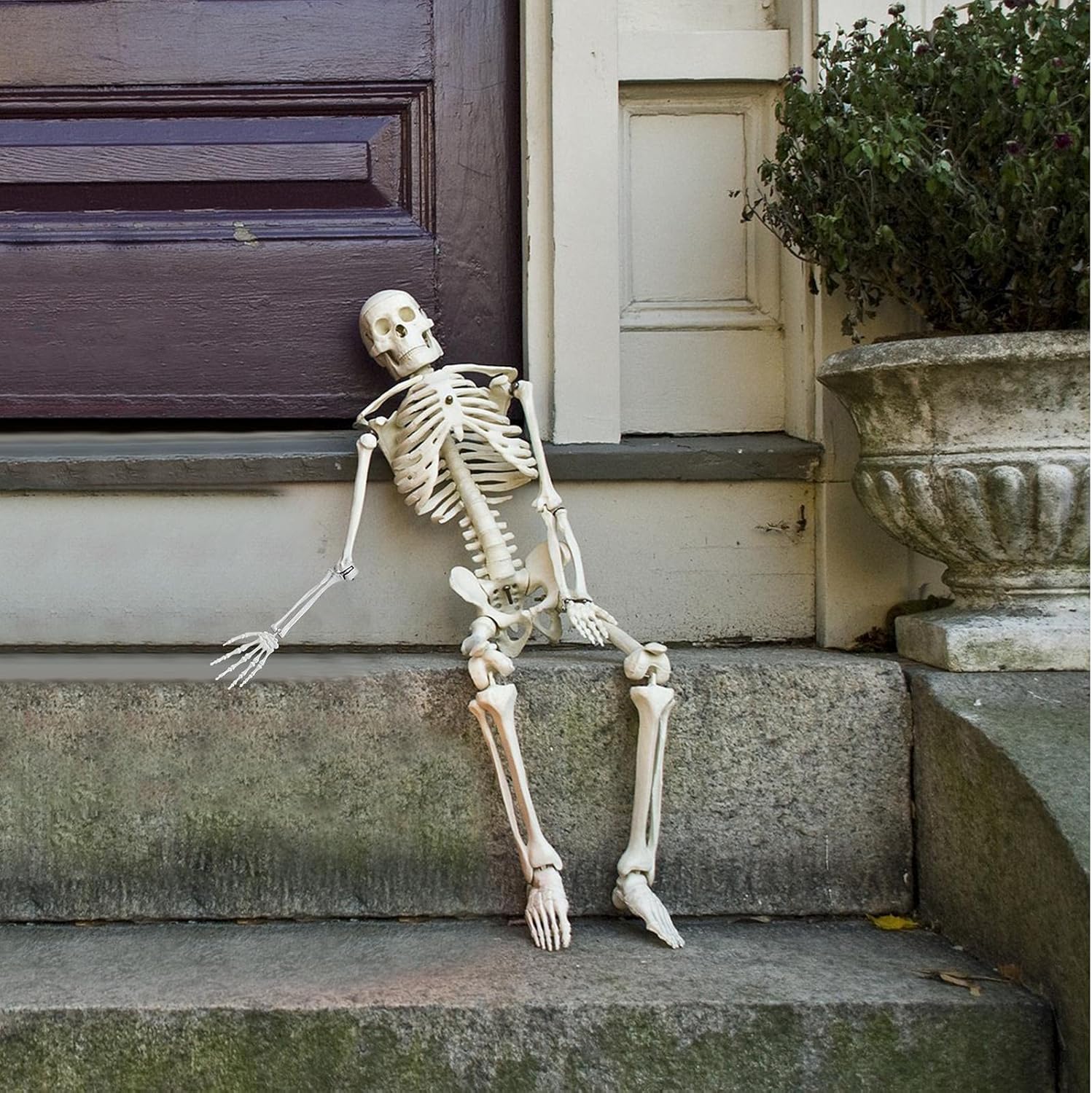
Image 4.4.1: The skeleton is shown sitting on outdoor steps, illustrating a possible display configuration for outdoor use.

Image 4.4.2: The skeleton is positioned in an armchair by a fireplace, demonstrating an indoor display option for Halloween decor.
5. Operating Instructions
Once batteries are installed, the skeleton's sound feature is activated by noise. A sensor detects sounds in the environment, triggering the howling effect.
- Ensure the battery compartment is closed and the power switch (if present) is in the "ON" position.
- Place the skeleton in an area where ambient sounds or approaching individuals can trigger the sensor.
- The skeleton will emit howling sounds when activated.

Image 5.1: The skeleton is depicted with an arm raised, illustrating its animated state when the sound feature is activated. This image highlights the interactive element of the decoration.
6. Maintenance
- Cleaning: Wipe the skeleton with a soft, dry cloth to remove dust. For stubborn dirt, a slightly damp cloth can be used. Avoid abrasive cleaners or solvents.
- Storage: When not in use, store the skeleton in a cool, dry place away from direct sunlight to prevent material degradation.
- Battery Care: Remove batteries if the skeleton will not be used for an extended period to prevent leakage and damage to the electronics.
- Joint Care: Periodically check joints for smooth movement. If a joint becomes stiff, gently manipulate it. Do not apply lubricants.
7. Troubleshooting
- No Sound:
- Check if batteries are installed correctly and are not depleted.
- Ensure the power switch (if applicable) is in the "ON" position.
- Verify that the sound sensor is not obstructed.
- Test in an environment with sufficient ambient noise to trigger the sensor.
- Joints are Stiff:
- Gently move the joint back and forth to loosen it. Avoid forcing the movement.
8. Specifications
| Attribute | Detail |
|---|---|
| Model Number | kulou10263387 |
| Brand | Srliya |
| Product Dimensions (L x W x H) | 14.5 x 6.7 x 66.14 inches (37 x 17 x 168 cm) |
| Product Weight | Approximately 1400g |
| Material | Plastic |
| Color | White |
| Power Source | Battery-powered (for sound feature, batteries not included) |
| Features | Flexible joints, Sound-activated |

Image 8.1: This image provides a visual representation of the skeleton's key dimensions, including its total height of 168 cm (66.14 inches), shoulder width of 37 cm (14.57 inches), and head width of 17 cm (6.69 inches).
9. Warranty and Support
Information regarding product warranty and customer support is not provided within this manual. Please refer to the product packaging or the retailer's website for details on warranty coverage and how to contact customer service for assistance.