
Aroepurt Hybrid Case for Blackview A70
User Manual: Aroepurt Hybrid Case for Blackview A70
Model: Hybrid Case for Blackview A70
Brand: Aroepurt
Introduction
This manual provides comprehensive instructions for the installation, operation, and maintenance of your Aroepurt Hybrid Case for Blackview A70. This product is designed to offer robust protection and enhanced functionality for your Blackview A70 smartphone, including a folding stand, magnetic support, and a tempered glass screen protector.
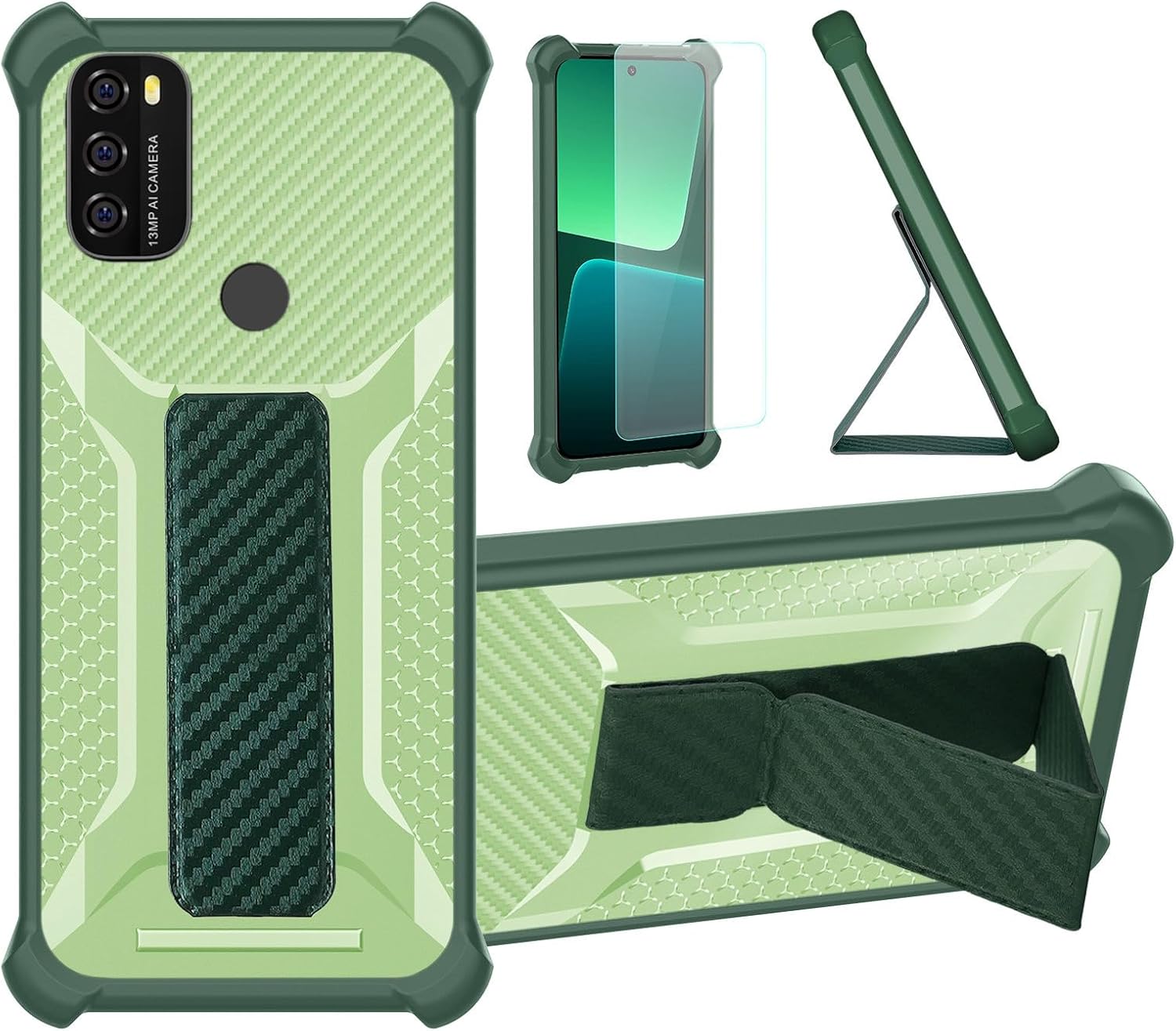
Image: Overview of the Aroepurt Hybrid Case and its components, including the phone case, tempered glass screen protector, and the integrated folding stand.
What's in the Box
Upon opening the package, verify that all components are present and undamaged:
- 1 x Aroepurt Hybrid Phone Case for Blackview A70
- 1 x Tempered Glass Screen Protector
Setup and Installation
1. Installing the Tempered Glass Screen Protector
- Clean the Screen: Use a microfiber cloth to thoroughly clean your phone's screen, removing all dust, smudges, and fingerprints. Ensure the screen is completely dry.
- Align the Protector: Carefully align the tempered glass screen protector with your phone's screen, ensuring the cutouts for the camera and sensors match perfectly.
- Apply: Gently lower the screen protector onto the screen. It will naturally adhere. If bubbles appear, gently push them towards the edges using a soft cloth or a credit card wrapped in cloth.

Image: Diagram illustrating key features of the tempered glass screen protector, such as 9H High Hardness, Shatterproof design, 99.9% Super Transparency, Perfect Adhesion, Case Friendly compatibility, and Anti-fingerprint coating.

Image: Visual representation of the screen protector's scratch-proof properties, showing a hammer impacting the screen without causing damage, indicating resistance to sharp objects and abrasion.
2. Installing the Phone Case
- Insert Phone: Gently insert your Blackview A70 phone into the case, starting with one side and then pressing the other side into place. Ensure all corners are securely seated within the case.
- Check Fit: Verify that all buttons (power, volume) and ports (charging, headphone jack) are accessible and functional. The case is designed to fit snugly.
Operating Features
Folding Support Stand
The integrated folding support allows for hands-free viewing. Simply pull out the stand from the back of the case and adjust it to your desired viewing angle. This feature is ideal for watching videos, video calls, or browsing content.
Magnetic Fastening
The case features a magnetic component that allows it to securely attach to compatible magnetic car mounts or other magnetic surfaces. This provides a stable and convenient way to use your phone while driving or in other settings.
Integrated Wristband / Finger Strap
The case includes a built-in wristband or finger strap on the back. Slide your fingers through the strap for a secure grip, reducing the risk of accidental drops during one-handed operation. This also aids in reaching all areas of the screen more comfortably.
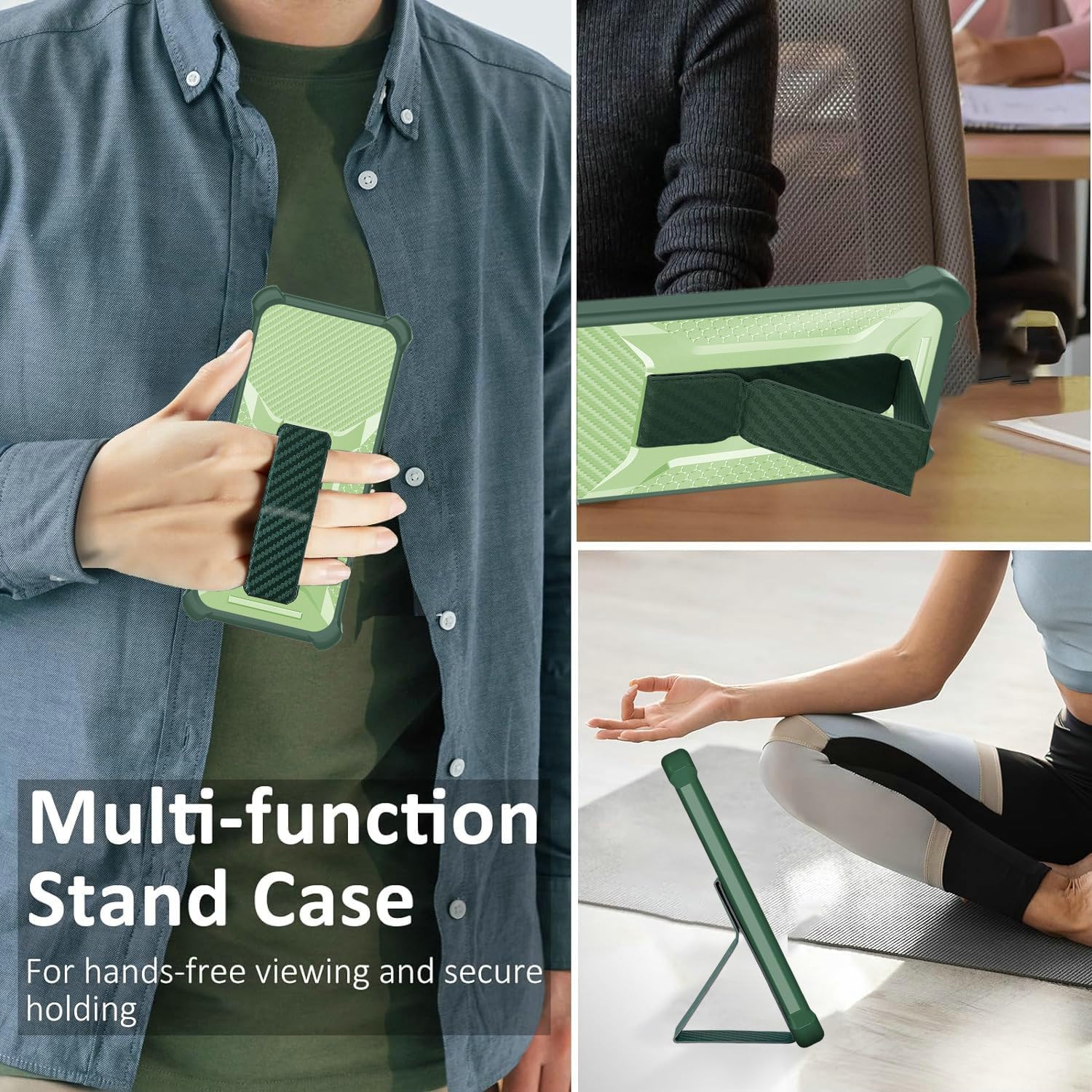
Image: Depicts the multi-function stand case in use, showing a person holding the phone securely with the integrated strap and the phone propped up for hands-free viewing in both portrait and landscape orientations.

Image: Illustrates the wristband feature for secure one-hand operation, showing how it prevents accidental drops. Also demonstrates the strong magnetic attachment to a car mount, contrasting it with less secure "other cases."
Protection Features
The Aroepurt Hybrid Case is engineered with multiple layers of protection to safeguard your Blackview A70:
- Hybrid Construction: Combines a PC hard back panel with a soft silicone frame for dual-layer protection.
- Shock Airbags: Features four-corner shock airbags designed to absorb impact from drops and bumps.
- Raised Edges: The case is designed with raised edges around the camera and screen to provide additional protection against scratches and direct impact when placed on flat surfaces.
- Frosted Anti-Fingerprint Surface: The frosted texture on the back panel effectively resists fingerprints and smudges, keeping your case looking clean.
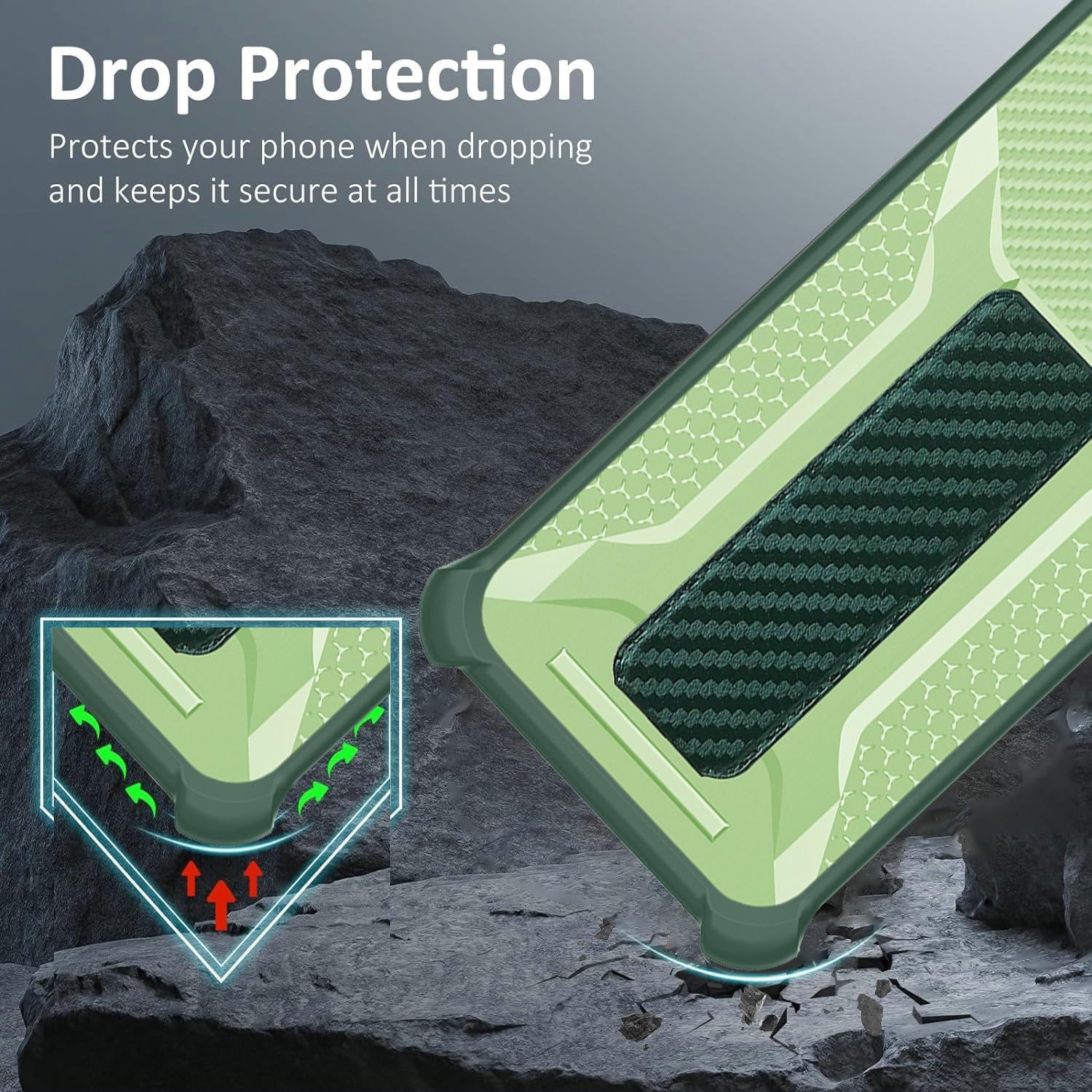
Image: Close-up view highlighting the drop protection design of the case, showing reinforced corners with internal air cushions (shock airbags) to absorb impact upon dropping.
Maintenance
To ensure the longevity and appearance of your case and screen protector:
- Cleaning the Case: Wipe the case regularly with a soft, damp cloth. For stubborn dirt, a mild soap solution can be used, followed by rinsing and thorough drying. Avoid harsh chemicals or abrasive materials.
- Cleaning the Screen Protector: Use a microfiber cloth to gently wipe the screen protector. For smudges, a screen cleaner spray designed for electronics can be applied to the cloth (not directly to the screen) and then wiped.
- Avoid Extreme Temperatures: Do not expose the case or screen protector to extreme heat or cold, as this may affect their material integrity.
Troubleshooting
Screen Protector Bubbles
If bubbles appear after installation, gently lift the nearest edge of the screen protector and re-apply, pushing the bubble towards the edge with a soft cloth. Ensure the screen is free of dust particles before re-application.
Case Fit Issues
Ensure your phone model is indeed Blackview A70. The case is precisely molded for this model. If the fit is loose or too tight, double-check the phone model. Ensure the phone is inserted correctly, with all corners fully seated.
Magnetic Mount Adhesion
For optimal magnetic adhesion, ensure the magnetic surface of your car mount is clean and free of obstructions. The case's integrated magnet is designed for strong hold, but external factors can affect performance.
Specifications
| Feature | Detail |
|---|---|
| Product Dimensions | 0.39 x 0.39 x 0.39 inches |
| Item Weight | 2.46 ounces |
| Compatible Phone Model | Blackview A70 |
| Material | Polyurethane (PC hard back panel + soft silicone frame) |
| Color | Green |
| Special Features | Folding support, Magnetic fastening, Thickened anti-drop + Card Function, Fingerprint-resistant frosted surface |
| Included Components | 1*Phone Case, 1*Tempered Glass Screen Protector |
| Manufacturer | ARO-ZJBB-BT2 |
| Country of Origin | China |
Warranty and Support
Aroepurt products are designed for durability and performance. For any questions, concerns, or support needs regarding your Hybrid Case for Blackview A70, please refer to the seller's return policy or contact the retailer where the product was purchased. Keep your proof of purchase for any warranty claims.
Typical return policies allow for returns or replacements within 30 days of purchase for defective items. Please consult the specific terms provided by your point of purchase.
Ask a question about this manual
Ask about setup, troubleshooting, compatibility, parts, safety, or missing instructions. Manuals+ will review the question and use this page’s manual context to help answer it.