
1. Product Overview
The Aroepurt Hybrid Case for Hisense Rocks 6 Hlte226e provides robust protection and enhanced functionality for your device. It features a durable construction combined with a tempered glass screen protector to safeguard your phone from daily wear and accidental damage.
Key Features:
- Comprehensive Protection: PC hard back panel, soft silicone frame, and four-corner shock airbags for enhanced drop protection.
- Integrated Stand: Folding multi-angle support allows for hands-free viewing in various orientations.
- Magnetic Functionality: Built-in magnetic plate for compatibility with magnetic car mounts.
- Anti-Fingerprint Surface: Frosted finish effectively resists fingerprints, maintaining a clean appearance.
- Wristband/Hand Strap: Provides a secure grip to prevent accidental drops during one-hand operation.
- Tempered Glass Screen Protector: Included for additional screen defense against scratches and impacts.
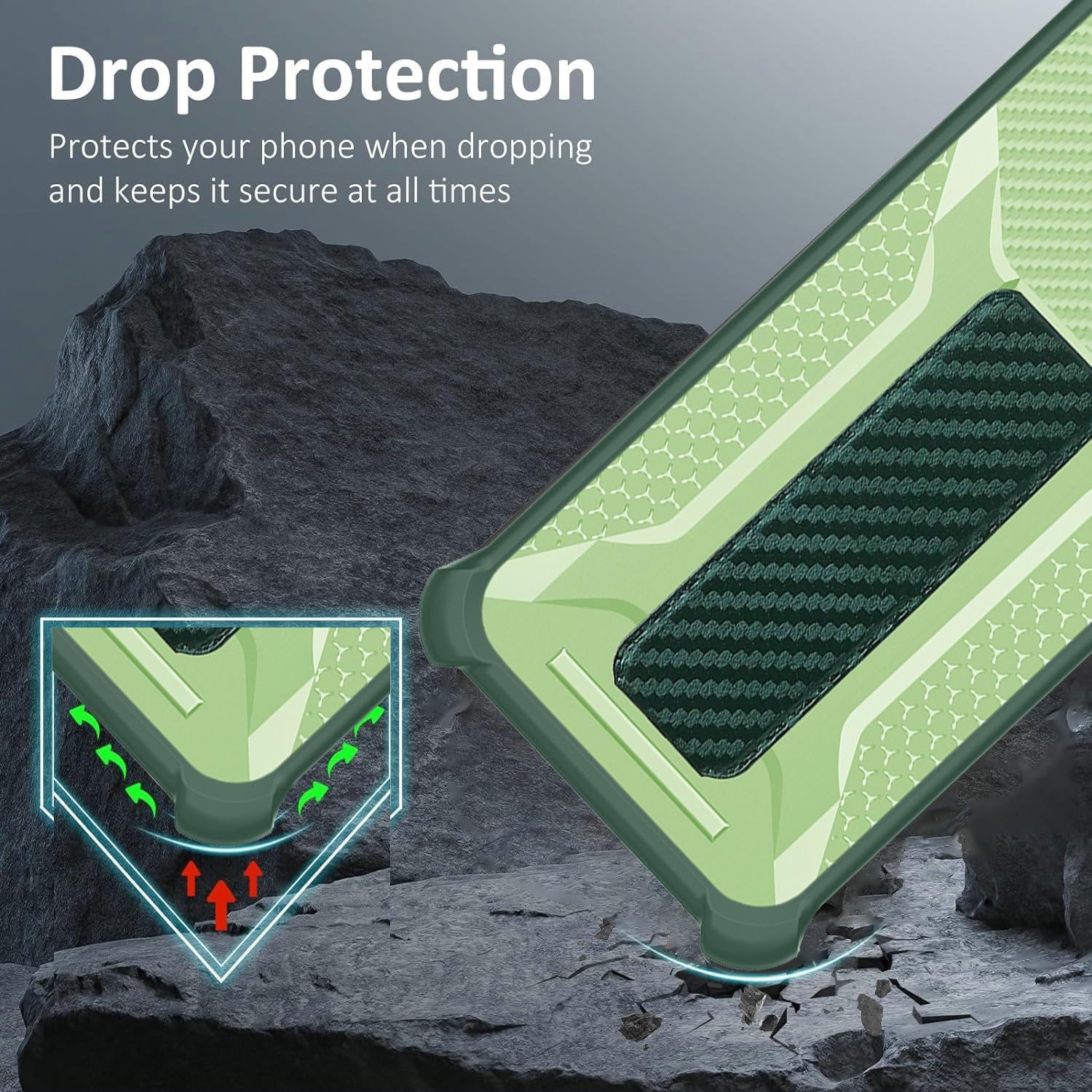
Figure 1: Drop Protection Design. The case features reinforced corners and a dual-layer structure to absorb impacts and protect your device from drops.

Figure 2: Tempered Glass Screen Protector Features. This diagram highlights the key attributes of the included screen protector, such as its hardness, clarity, and protective qualities.
2. Package Contents
Please verify that all items are present in your package:
- 1 x Aroepurt Hybrid Phone Case
- 1 x Tempered Glass Screen Protector
3. Installation Guide
3.1 Installing the Phone Case
- Ensure your Hisense Rocks 6 Hlte226e phone is clean and free of dust or debris.
- Align the phone with the soft silicone frame of the case.
- Gently push the phone into the case, starting from one corner and working your way around, ensuring all edges are securely seated.
- Verify that all ports, buttons, and camera cutouts align correctly with your phone.
3.2 Installing the Tempered Glass Screen Protector
- Clean your phone screen thoroughly using the provided cleaning wipes (if included) or a microfiber cloth. Ensure no dust, smudges, or fingerprints remain.
- Carefully peel off the protective film from the adhesive side of the tempered glass screen protector. Avoid touching the adhesive surface.
- Align the screen protector precisely with your phone's screen, paying attention to the speaker, camera, and button cutouts.
- Once aligned, gently lower the screen protector onto the screen. It will begin to adhere automatically.
- Use a clean cloth or your finger to gently press out any remaining air bubbles towards the edges of the screen.

Figure 3: Screen Protector Durability. This image illustrates the scratch-proof nature of the tempered glass, protecting the phone screen from sharp objects and abrasion.
4. Operating Instructions
4.1 Using the Folding Stand
- Locate the integrated folding stand on the back of the case.
- Gently pull out the stand until it locks into position.
- Place your phone horizontally or vertically on a flat surface. Adjust the angle as desired for comfortable viewing.
- To close, push the stand back into its recess until it is flush with the case.
4.2 Using the Wristband/Hand Strap
- Slide your fingers through the elastic wristband located on the back of the case.
- This provides a secure grip, reducing the risk of accidental drops during one-handed use or when carrying your phone.
4.3 Magnetic Car Mount Compatibility
- The case features a built-in magnetic plate.
- Simply attach your phone (with the case installed) to any compatible magnetic car mount for secure navigation or hands-free calls while driving.
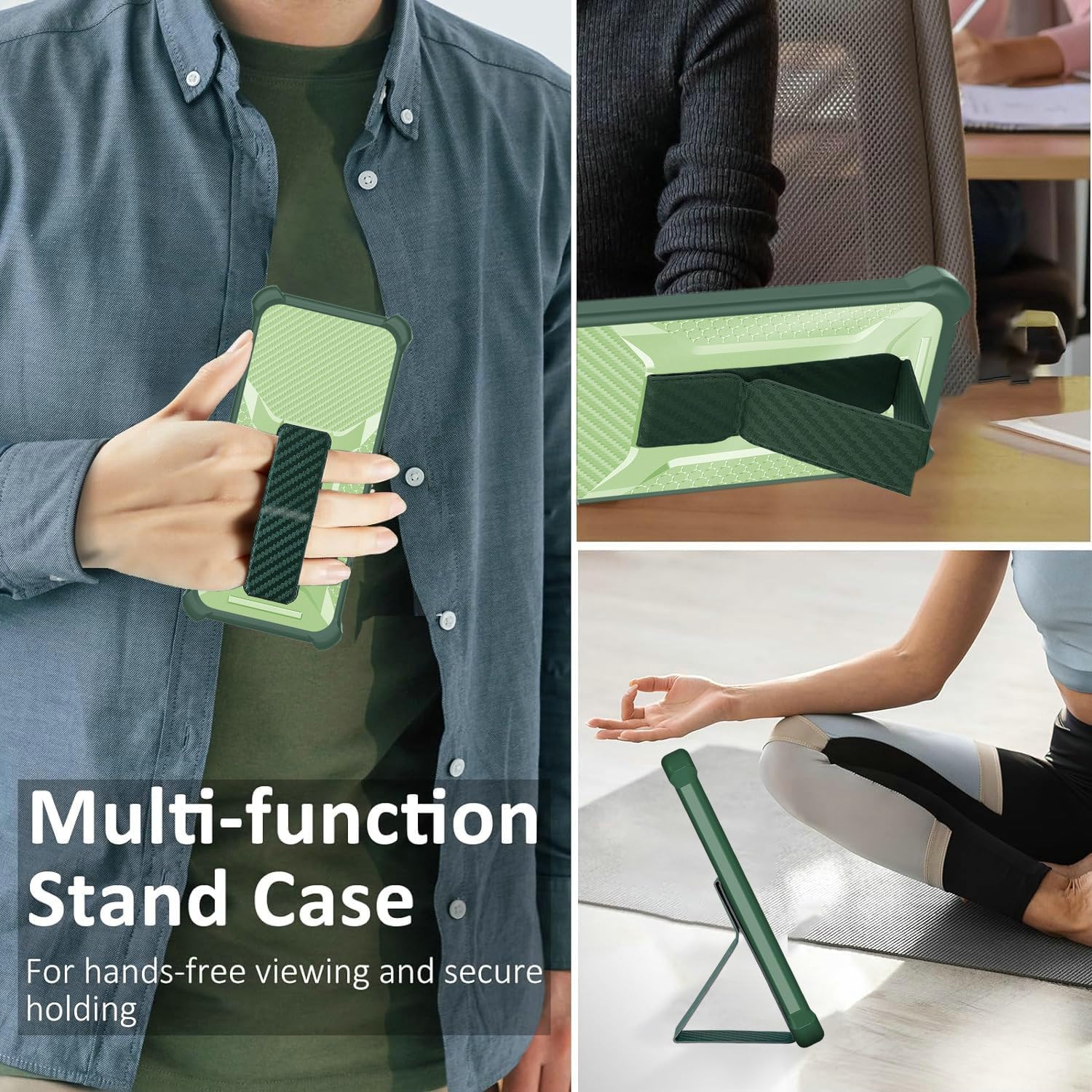
Figure 4: Multi-function Stand Case. This image demonstrates the versatility of the case, showcasing its use as a secure hand-holding strap and a multi-angle viewing stand.

Figure 5: Wristband and Magnetic Features. This image illustrates how the integrated wristband enhances one-handed operation and the case's compatibility with magnetic car mounts.
5. Maintenance
5.1 Cleaning the Phone Case
- Remove the phone from the case.
- Wipe the case with a soft, damp cloth. For stubborn dirt, a mild soap solution can be used.
- Avoid using harsh chemicals or abrasive cleaners, as these may damage the case's finish.
- Allow the case to air dry completely before reinserting your phone.
5.2 Cleaning the Screen Protector
- Use a microfiber cloth to gently wipe the screen protector.
- For smudges or fingerprints, lightly dampen the cloth with water or a screen cleaner specifically designed for electronics.
- Avoid excessive pressure or abrasive materials to prevent scratches.
6. Troubleshooting
6.1 Screen Protector Bubbles
- Small Bubbles: Often disappear within 24-48 hours. You can gently push them towards the edge with a soft cloth.
- Large Bubbles/Dust: If a bubble persists and appears to have dust underneath, carefully lift the nearest corner of the screen protector slightly, use a dust-removal sticker (if available) to remove the dust, and then reapply.
6.2 Case Fit Issues
- Loose Fit: Ensure you have the correct model case for your Hisense Rocks 6 Hlte226e. Double-check that the phone is fully seated within the case's frame.
- Buttons Not Working: Verify that the case is properly aligned and not obstructing the phone's buttons. Remove and re-install the case if necessary.
7. Specifications
| Feature | Detail |
|---|---|
| Compatible Phone Model | Hisense Rocks 6 Hlte226e |
| Material | Polyurethane (PC hard back panel + soft silicone frame) |
| Color | Green |
| Special Features | Fingerprint-resistant frosted surface, Folding support, Magnetic fastening, Thickened anti-drop, Card Function (implied by images, though not explicitly listed as a feature bullet for this model) |
| Product Dimensions | 0.39 x 0.39 x 0.39 inches |
| Item Weight | 2.46 ounces |
8. Warranty and Support
For any questions, concerns, or support regarding your Aroepurt Hybrid Case and Tempered Glass Screen Protector, please contact the seller or manufacturer through your purchase platform. Please refer to your purchase documentation for specific warranty details, if applicable.