
ADVWIN BW-101Y
ADVWIN BW-101Y Evaporative Air Cooler User Manual
Model: BW-101Y | Brand: ADVWIN
Introduction
The ADVWIN BW-101Y Evaporative Air Cooler is a versatile 3-in-1 device designed to provide cooling, fan, and humidification functions. This manual provides detailed instructions for safe operation, setup, maintenance, and troubleshooting to ensure optimal performance and longevity of your appliance.
Important Safety Instructions
- Read all instructions before using this appliance.
- Ensure the power supply matches the voltage specified on the rating label.
- Do not operate the cooler with a damaged cord or plug.
- Always unplug the appliance before cleaning, filling, or performing maintenance.
- Do not immerse the unit, cord, or plug in water or other liquids.
- Keep out of reach of children.
- Place the unit on a stable, level surface.
- Do not block air inlets or outlets.
Package Contents
Verify that all items are present in the package:
- 1 x ADVWIN BW-101Y Evaporative Air Cooler
- 4 x Ice Boxes
- 1 x Remote Control (Battery CR2025 not included)
- 1 x User Manual
Product Overview
Familiarize yourself with the components of your ADVWIN Evaporative Air Cooler.

Image: The ADVWIN Evaporative Air Cooler, showing its main unit, remote control, and four ice packs. Airflow is depicted with blue lines and snowflake icons.

Image: Diagram highlighting key features of the ADVWIN Evaporative Air Cooler, including 70-degree wide-angle oscillation, 1-8 hour timer, humidification function, and three fan speeds (Low, Medium, High).

Image: Illustrates the 3-in-1 functionality of the cooler (Air Fan, Humidifier, Air Cooler) and highlights its low noise operation (45dB) and 70-degree automatic oscillation.
Setup
- Unpacking: Carefully remove the air cooler and all accessories from the packaging.
- Positioning: Place the unit on a firm, level surface. Ensure there is adequate space around the unit for proper airflow. The cooler is equipped with 360° wheels for easy movement.
- Filling the Water Tank:
- Open the top cover of the water tank.
- Pour clean water into the tank. Do not exceed the "MAX" water level indicator. The tank capacity is 8 liters (2.1 gallons).
- For enhanced cooling, place the provided ice boxes in a freezer until frozen. Once frozen, add them directly into the water tank.

Image: Demonstrates how to fill the 8L water tank from the top and shows the touch control panel for operation.

Image: Highlights the enlarged water tank design, allowing for up to 8 hours of cooling per fill without needing to bend over to add water.
- Remote Control Battery: Insert a CR2025 battery (not included) into the remote control.
- Power Connection: Plug the power cord into a standard AC 110-120V/60Hz electrical outlet.
Operating Instructions
The ADVWIN Evaporative Air Cooler can be operated using the touch control panel on the unit or the included remote control.
Control Panel and Remote Functions:
- Power (ON/OFF): Press to turn the unit on or off.
- Speed: Press to cycle through 3 fan speeds: Low (L), Medium (M), High (H).
- Mode: Press to select between Normal, Natural, and Sleep modes.
- Normal Mode: Provides a constant airflow at the selected speed.
- Natural Mode: Simulates natural wind by varying fan speeds.
- Sleep Mode: Gradually decreases fan speed for quiet operation during sleep.
- Cool/Humidify: Press to activate the evaporative cooling/humidification function. This circulates water from the tank to cool the air. Ensure the water tank is filled when using this function.
- Swing: Press to activate the 70° automatic oscillation of the internal louvers, distributing cool air widely.
- Timer: Press to set the auto-off timer from 1 to 8 hours. Each press increases the timer by one hour.

Image: Close-up of the ADVWIN Evaporative Air Cooler's touch control panel, showing buttons for Speed, Swing, On/Off, Cool, Timer, and Wind (Mode).
Maintenance
Regular maintenance ensures efficient operation and extends the lifespan of your air cooler.
- Cleaning the Exterior: Wipe the exterior surfaces with a soft, damp cloth. Do not use abrasive cleaners or solvents.
- Draining the Water Tank:
- Before draining, ensure the unit is unplugged.
- Locate the drain plug at the bottom of the unit.
- Place a shallow pan or bucket underneath the drain plug.
- Remove the drain plug to empty the water tank.
- Once empty, replace the drain plug securely.

Image: Shows the process of draining excess water from the bottom of the ADVWIN Evaporative Air Cooler.
- Cleaning the Water Tank: Periodically clean the water tank to prevent mold and mildew growth. Use a mild detergent and rinse thoroughly.
- Filter Maintenance: The unit is equipped with a fiber filter. Refer to the product diagram for its location. Clean the filter regularly by rinsing it under running water. Ensure it is completely dry before reinserting.
- Storage: If storing the unit for an extended period, ensure the water tank is completely drained and dry. Clean the unit thoroughly and store it in a cool, dry place.
Troubleshooting
Refer to this section for common issues and their solutions.
| Problem | Possible Cause | Solution |
|---|---|---|
| Unit does not turn on. | No power supply. | Check if the power cord is securely plugged into a working outlet. |
| No cool air. | Water tank is empty or cooling function is not activated. | Fill the water tank. Press the "Cool" button to activate the cooling function. Ensure ice packs are frozen and placed in the tank for optimal cooling. |
| Weak airflow. | Air filter is dirty or air inlets/outlets are blocked. | Clean the air filter. Ensure no obstructions are blocking the air inlets or outlets. Increase fan speed. |
| Unusual noise. | Unit is not on a level surface or internal components are loose. | Place the unit on a stable, level surface. If noise persists, contact customer support. |
| Remote control not working. | Battery is dead or incorrectly inserted. | Replace the CR2025 battery. Ensure it is inserted with correct polarity. |
Specifications
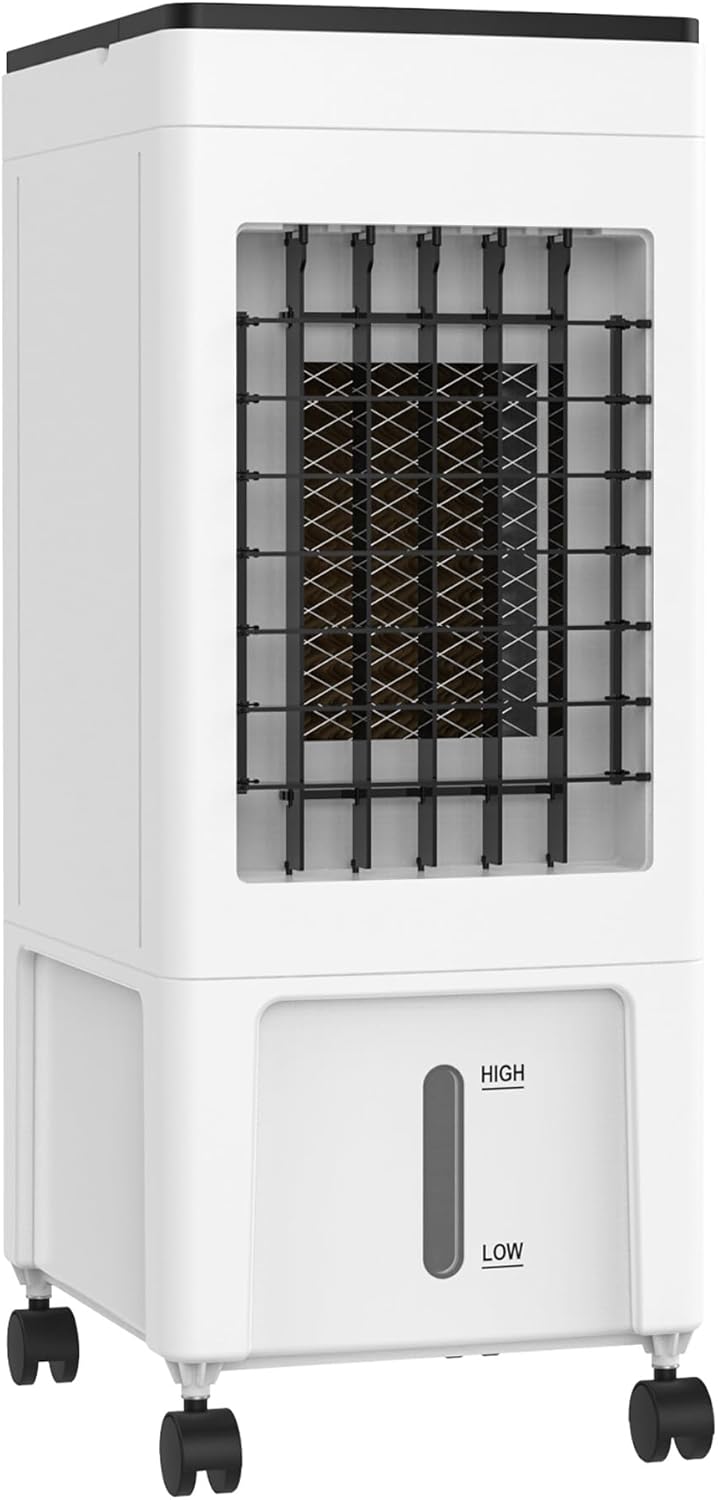
Image: Diagram showing the dimensions of the ADVWIN Evaporative Air Cooler: 11.42" (Depth) x 9.45" (Width) x 24.21" (Height).
- Model: BW-101Y
- Rated Voltage: AC 110-120 V / 60 Hz
- Rated Power (Cooling): 60 W
- Water Tank Capacity: 8 Liters (2.1 Gallons)
- Wind Speed Settings: Low, Medium, High
- Modes: Normal, Natural, Sleep
- Oscillation: 70° Automatic
- Timer: 1-8 Hours
- Noise Level: Approximately 50 dB
- Product Dimensions: 11.42" (D) x 9.45" (W) x 24.21" (H)
- Item Weight: 8.6 lbs
- Material: Acrylonitrile Butadiene Styrene (ABS)
- Included Components: Evaporative Air Cooler, 4 Ice Boxes, Remote Control
Warranty and Support
The ADVWIN BW-101Y Evaporative Air Cooler comes with a 1-year warranty from the date of purchase. This warranty covers manufacturing defects and workmanship under normal use.
For warranty claims, technical support, or any questions regarding your product, please contact ADVWIN customer service.
- Manufacturer: ADVWIN
- Contact Information: Please refer to the ADVWIN official website or your purchase documentation for the most current customer support contact details.
Ask a question about this manual
Ask about setup, troubleshooting, compatibility, parts, safety, or missing instructions. Manuals+ will review the question and use this page’s manual context to help answer it.