
1. Introduction
This manual provides detailed instructions for the MoKo Foldable Bluetooth Keyboard with integrated touchpad and numeric keypad. Please read this manual carefully before using the product to ensure proper operation and to maximize its lifespan.
Package Contents:
- 1 x MoKo Wireless Folding Keyboard
- 1 x Stand for Mobile Phones or Tablets
- 1 x USB Type-C Charging Cable
- 1 x User Manual

Image: The MoKo Foldable Bluetooth Keyboard shown unfolded, alongside a smartphone placed on the included stand.
2. Setup
2.1 Charging the Keyboard
The keyboard is equipped with a built-in 140mAh lithium battery. Before first use, or when the battery is low, charge the keyboard using the provided USB Type-C cable.
- Connect the USB Type-C cable to the charging port on the keyboard.
- Connect the other end of the cable to a USB power source (e.g., computer, wall adapter).
- A full charge typically takes 1.5 to 2 hours and provides up to 60 hours of operating time.

Image: Close-up of the keyboard showing the USB-C charging port and icons indicating charging time, working time, and standby time.
2.2 Bluetooth Pairing
The keyboard supports Bluetooth 5.1 and can pair with up to three devices simultaneously.
- Power On: Unfold the keyboard to automatically power it on.
- Activate Pairing Mode: Press and hold the Fn key and one of the Bluetooth channel keys (BT1, BT2, or BT3) for 3-5 seconds until the corresponding Bluetooth indicator light flashes, indicating it's in pairing mode.
- Enable Bluetooth on Your Device: On your tablet, mobile phone, laptop, or PC, go to the Bluetooth settings.
- Select Keyboard: Search for "MoKo Keyboard" (or similar) in the list of available devices and select it to connect.
- Confirm Connection: Once connected, the Bluetooth indicator light on the keyboard will stop flashing and remain solid for a few seconds before turning off.
- Pair Additional Devices: Repeat steps 2-5 for BT2 and BT3 to pair up to two more devices.

Image: The foldable keyboard wirelessly connected to a tablet, laptop, and smartphone, illustrating its multi-device pairing capability.
3. Operating Instructions
3.1 Switching Between Paired Devices
To switch between your paired devices, simply press the Fn key along with the corresponding Bluetooth channel key (BT1, BT2, or BT3) that your desired device is paired to.
3.2 Keyboard Layout and Typing
This keyboard features a German QWERTZ layout. It utilizes scissor-key mechanisms for a comfortable, quiet, and precise typing experience, similar to a laptop keyboard.
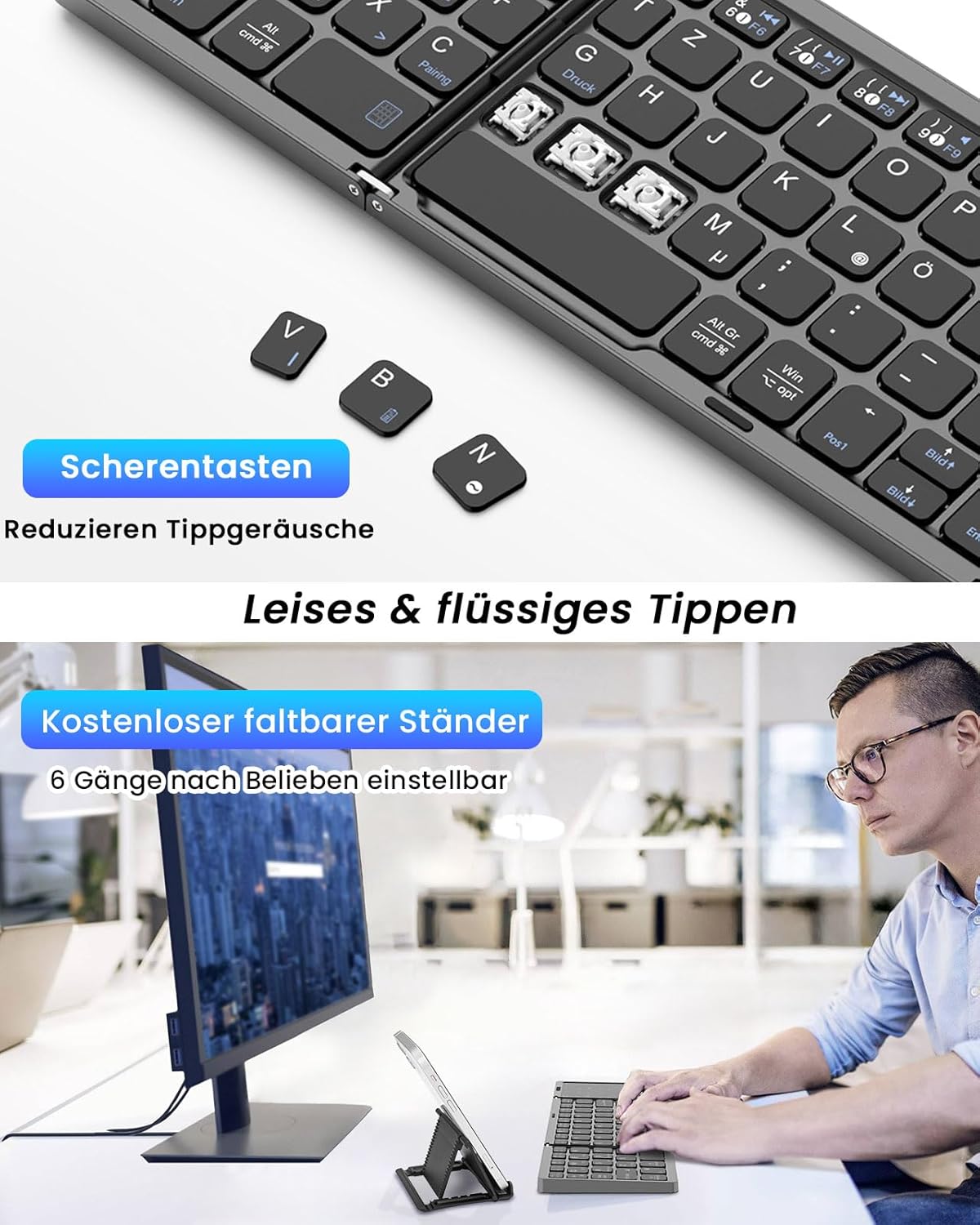
Image: A close-up view of the keyboard's scissor-key mechanism, highlighting the design for quiet and smooth typing. Below, a user is shown typing on the keyboard with a device on the included stand.
3.3 Touchpad and Numeric Keypad Modes
The right section of the keyboard functions as a versatile 2-in-1 touchpad and numeric keypad.
- Touchpad Mode: In this mode, the surface acts as a mouse, supporting left and right clicks, as well as various multi-gesture commands for navigation.
- Numeric Keypad Mode: The touchpad can be easily converted into a numeric keypad, providing a full-size keyboard experience for data entry.
- Switching Modes: Refer to the keyboard's specific function keys (often indicated by an icon) to toggle between touchpad and numeric keypad modes.

Image: A visual representation of the keyboard's right section, demonstrating how it functions as both a touchpad with gesture controls and a numeric keypad.
3.4 Compatibility
The MoKo Foldable Bluetooth Keyboard is compatible with a wide range of operating systems, including Windows, macOS, iOS, HarmonyOS, and Android devices. It works seamlessly with iPads, mobile phones, tablets, and laptops.
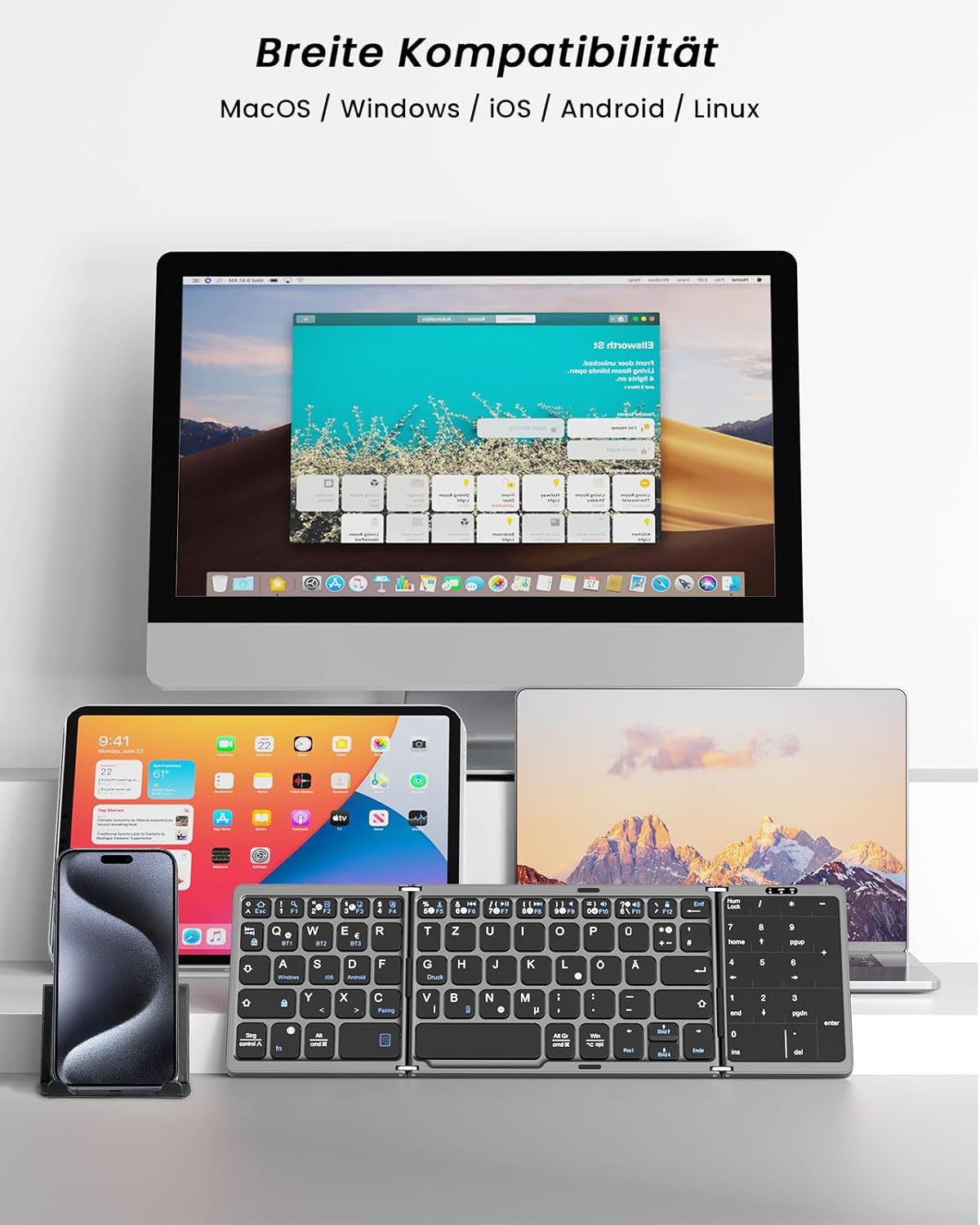
Image: The keyboard displayed with multiple devices (desktop, tablet, laptop, smartphone) running different operating systems, illustrating its broad compatibility.
4. Maintenance
4.1 Cleaning
To clean the keyboard, gently wipe the surface with a soft, damp cloth. Avoid using harsh chemicals or abrasive materials that could damage the finish or internal components.
4.2 Storage
When not in use, fold the keyboard to protect the keys and touchpad. Its compact, palm-sized design allows for easy storage in a briefcase or laptop bag. The keyboard features an automatic sleep function, entering sleep mode after 10 minutes of inactivity to conserve battery. Press any key to reactivate it.
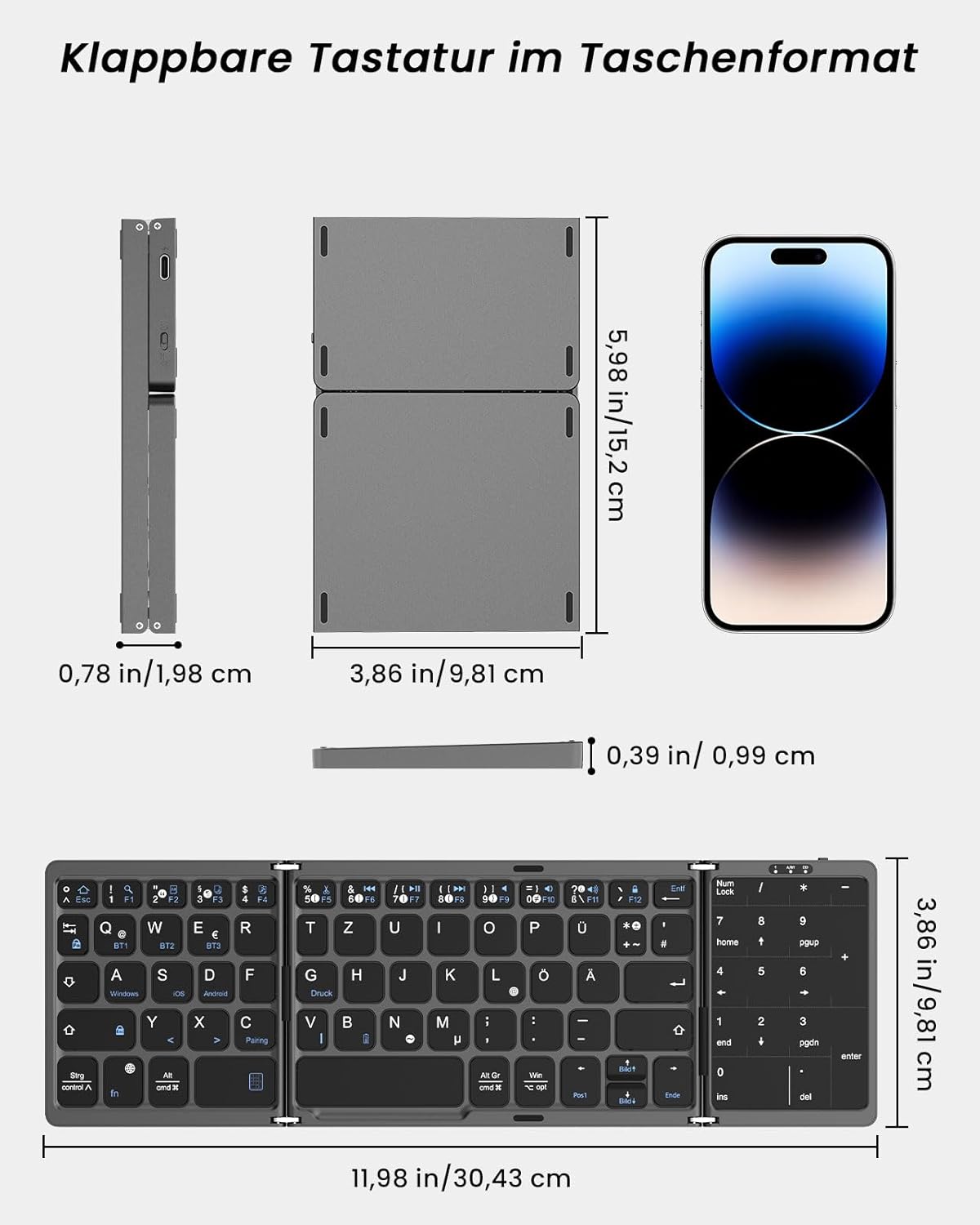
Image: A diagram showing the dimensions of the keyboard in both its folded and unfolded states, demonstrating its portability.
5. Troubleshooting
If you encounter issues with your MoKo Foldable Bluetooth Keyboard, please refer to the following common solutions:
- Keyboard not connecting:
- Ensure the keyboard is charged.
- Verify Bluetooth is enabled on your device.
- Make sure the keyboard is in pairing mode (flashing indicator).
- Forget the device in your Bluetooth settings and attempt to re-pair.
- Try connecting to a different Bluetooth channel (BT1, BT2, BT3).
- Keys not responding or typing incorrectly:
- Check battery level and charge if necessary.
- Ensure the keyboard is properly connected to your device.
- Restart both the keyboard (by folding and unfolding) and your connected device.
- Confirm the correct operating system mode is selected if applicable (though this keyboard generally adapts).
- Touchpad not working:
- Ensure the touchpad is not in numeric keypad mode. Switch modes if necessary.
- Clean the touchpad surface for optimal responsiveness.
- Automatic sleep function:
The keyboard enters sleep mode after 10 minutes of inactivity. Simply press any key to wake it up.
If problems persist, please contact customer support.
6. Specifications
| Brand | MoKo |
| Model Number | MK840401438411 |
| Connectivity Technology | Bluetooth 5.1 |
| Keyboard Layout | QWERTZ (German) |
| Special Features | Integrated Touchpad & Numeric Keypad |
| Battery Capacity | 140mAh Lithium Battery |
| Charging Time | 1.5 - 2 hours |
| Operating Time | Up to 60 hours |
| Standby Time | Up to 280 days |
| Working Voltage | 3.7V |
| Working Distance | 10-15 meters (33-50 feet) |
| Open Dimensions (L x W x H) | 30.43 x 9.81 x 0.99 cm (11.98 x 3.86 x 0.39 inches) |
| Folded Dimensions (L x W x H) | 15.2 x 9.81 x 1.98 cm (6 x 3.86 x 0.78 inches) |
| Weight | 208.09 g |
| Material | Acrylonitrile Butadiene Styrene (ABS) |
| Compatible Devices | Laptop, PC, Tablet, Smartphone |
| Compatible OS | Windows, macOS, iOS, HarmonyOS, Android |
7. Support
For any issues, questions, or support needs regarding your MoKo Foldable Bluetooth Keyboard, please contact our customer service. We aim to respond within 24 hours and provide a satisfactory solution.
Please refer to the contact information provided with your product packaging or on the official MoKo website.

Image: The product packaging, displaying a MoKo warning label and manufacturer contact details, which may include support information.


