1. Introduction
This user manual provides detailed instructions for the YONGNUO YN11mm F1.8S DA DSM WL Ultra Wide-Angle Lens. This high-performance lens is designed for Sony E-Mount APS-C cameras, offering a wide F1.8 aperture for excellent low-light performance and beautiful background blur. It features a modern optical structure, robust build quality, and advanced autofocus capabilities, making it suitable for various photographic applications including architecture, landscape, astrophotography, and food photography.
2. Product Overview
The YN11mm F1.8S DA DSM WL lens combines a compact size with a large aperture and excellent image quality. Its design incorporates an independent aperture ring with both click and silent modes, a programmable function button, and a durable aerospace aluminum alloy body.
Key Features:
- Fast, precise, stable, and quiet autofocus.
- Integrated 2.4 GHz wireless module for remote control.
- Independent Aperture Ring with "Click" and "Silent" modes.
- Modern optical structure for ultra-wide-angle performance.
- Compact size with large F1.8 aperture and excellent image quality.
- Metal bayonet and contacts for durability.
- USB firmware upgrade interface.
- Equipped with a dust and water-resistant rubber ring.

Figure 2.1: Front view of the YONGNUO YN11mm F1.8S DA DSM WL lens, showing the aperture ring and focus switch.
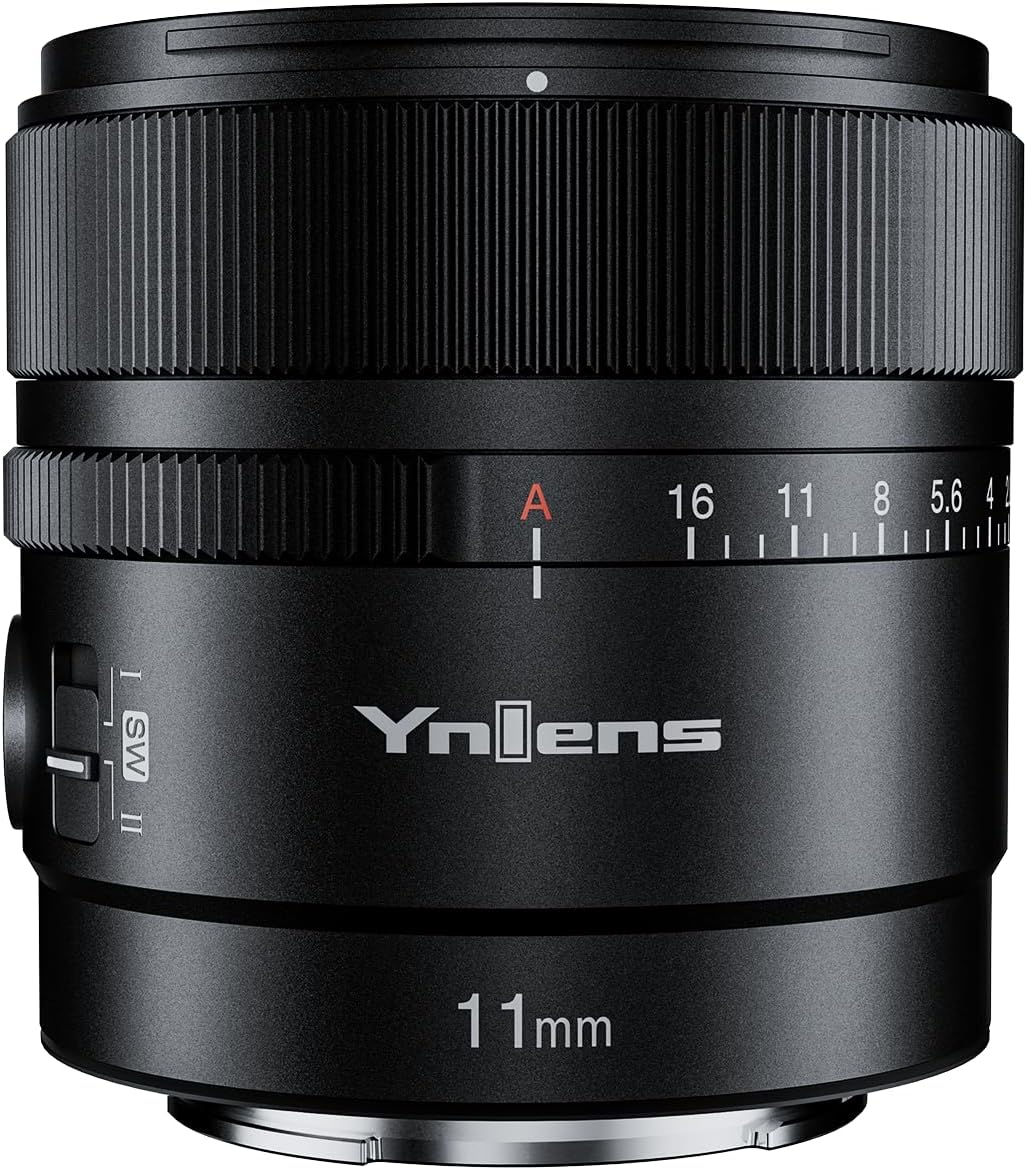
Figure 2.2: Angled view of the YONGNUO YN11mm F1.8S DA DSM WL lens, highlighting the lens barrel and controls.

Figure 2.3: Rear view of the YONGNUO YN11mm F1.8S DA DSM WL lens, showing the E-mount bayonet and contacts.
3. Setup
3.1 Attaching the Lens
- Ensure your camera is turned off.
- Align the mounting index on the lens with the corresponding index on your camera body.
- Rotate the lens clockwise (for Sony E-mount) until it clicks into place, indicating it is securely locked.
- Remove the front lens cap.
3.2 Aperture Ring Settings
The lens features an independent aperture ring for quick and visible aperture adjustments. It has two modes:
- "Click" Mode (ON): When set to "ON", rotating the aperture ring will provide tactile clicks and sound, allowing for precise adjustments. This mode is ideal for still photography.
- "Silent" Mode (OFF): When set to "OFF", the aperture ring operates silently and smoothly, which is beneficial for video recording to avoid unwanted audio interference.
3.3 Firmware Upgrade
The lens is equipped with a USB interface for firmware upgrades. Connect the lens to a computer using a compatible USB cable to update the firmware, ensuring optimal performance and compatibility with future camera models. Refer to the YONGNUO official website for the latest firmware and upgrade instructions.
4. Operating Instructions
4.1 Autofocus Operation
The YN11mm F1.8S DA DSM WL lens features a digital stepping motor (DSM) for fast, precise, and quiet autofocus. To use autofocus, ensure your camera's focus mode is set to AF (Autofocus). The lens will automatically adjust focus when the shutter button is half-pressed or when the AF-ON button is used.
4.2 Manual Focus
To switch to manual focus, set your camera's focus mode to MF (Manual Focus). Rotate the focus ring on the lens to adjust the focus manually. Your camera's focus peaking or magnification features can assist with precise manual focusing.
4.3 Using the Remote Control
The lens includes a remote control for convenient operation, leveraging its built-in 2.4 GHz wireless module. This remote can be used to control aperture or focus, offering flexibility, especially when the camera is mounted on a gimbal or in a hard-to-reach position. Refer to the remote control's specific manual for pairing and operation details.

Figure 4.1: The YONGNUO BR-L1 remote control, which can be used to operate the lens wirelessly.
4.4 Recommended Photography Applications
This ultra-wide-angle lens is highly versatile:
- Architecture Photography: Capture expansive building facades and interiors.
- Landscape Photography: Ideal for vast scenic views and dramatic perspectives.
- Astrophotography: The wide F1.8 aperture is excellent for capturing starry skies and the Milky Way.
- Food Photography: Useful for capturing entire table settings or creating unique wide-angle food shots.
- Vlogging: The wide field of view is perfect for self-recording and capturing surroundings.
5. Maintenance
5.1 Cleaning the Lens
To maintain optimal image quality, keep the lens elements clean. Use a lens blower to remove dust, followed by a soft lens brush. For smudges or fingerprints, use a clean microfiber lens cloth with a small amount of lens cleaning solution. Avoid touching the lens elements directly with your fingers.
5.2 Storage
When not in use, store the lens with both front and rear caps attached in a dry, cool place away from direct sunlight and extreme temperatures. If storing for extended periods, consider using a desiccant to prevent mold growth.
5.3 Dust and Water Resistance
The lens is equipped with a dust and water-resistant rubber ring at the mount. While this provides enhanced protection against dust and light moisture, the lens is not fully waterproof. Avoid exposing the lens to heavy rain or submerging it in water.
6. Troubleshooting
6.1 Autofocus Issues
- Lens not focusing: Ensure the lens is securely mounted on the camera. Check if the camera's focus mode is set to AF. Clean the lens contacts on both the lens and camera body.
- Slow or inaccurate autofocus: This can occur in very low light conditions or with subjects lacking contrast. Try using a brighter light source or focusing on a high-contrast edge. Ensure your camera's firmware is up to date.
6.2 Image Quality Concerns
- Soft images: Ensure proper focus. Check if the aperture is set too wide (e.g., F1.8) for certain scenes, as lenses often perform optimally when stopped down slightly. Use a tripod for stability in low light.
- Vignetting or distortion: These are common characteristics of ultra-wide-angle lenses. Most modern cameras and post-processing software can correct these automatically or manually.
6.3 Lens Not Recognized by Camera
- Turn off the camera, remove the lens, and reattach it securely.
- Clean the electronic contacts on both the lens and camera body with a clean, dry cloth.
- Ensure your camera's firmware is updated to the latest version, as new lenses may require updated camera firmware for full compatibility.
7. Specifications
| Feature | Specification |
|---|---|
| Focal Length | 11 mm |
| Mount Type | Sony E-Mount |
| Minimum Aperture | F/16 |
| Maximum Aperture | F/1.8 |
| Lens Construction | 11 elements in 9 groups |
| Closest Focusing Distance | 0.15 m |
| Drive System | Digital Stepping Motor (DSM) |
| Maximum Magnification | 0.15x |
| Number of Aperture Blades | 7 (circular aperture) |
| Frame Compatibility | APS-C |
| Weight (excluding caps) | Approx. 260 g |
| Dimensions (L x W x H) | 6.9 x 6.6 x 6.6 cm |
| Image Stabilization | Optical |
| Water Resistance Level | Waterproof |
8. What's in the Box
The YONGNUO YN11mm F1.8S DA DSM WL lens package typically includes the following items:
- YONGNUO YN11mm F1.8S DA DSM WL Lens
- Front Lens Cap
- Rear Lens Cap
- Lens Hood (LH-74 T)
- YONGNUO BR-L1 Remote Control
- User Manual for Lens
- User Manual for Remote Control
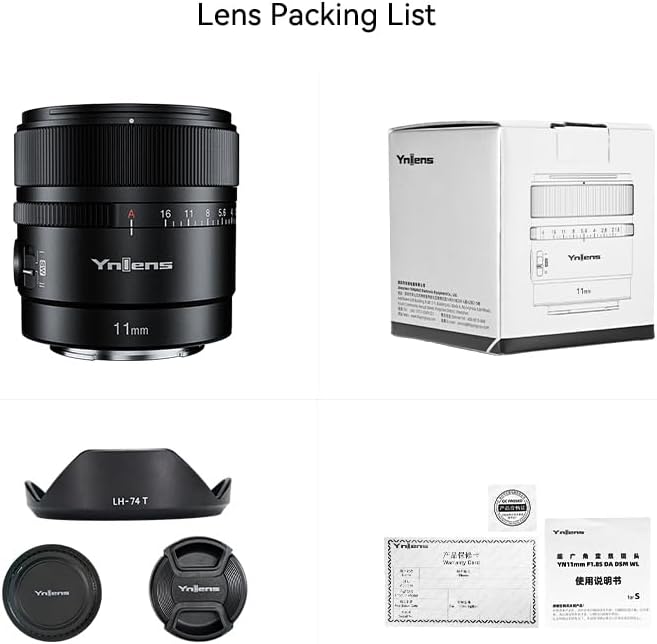
Figure 8.1: Contents of the lens package, including the lens, caps, hood, and documentation.
Figure 8.2: Contents of the remote control package, including the remote and its manual.
9. Warranty and Support
Specific warranty information and detailed support contacts are not provided within this manual. For warranty claims, technical support, or service inquiries, please refer to the warranty card included with your product or visit the official YONGNUO website. You may also contact the retailer from whom you purchased the product for assistance.
Official YONGNUO Website: www.yongnuo.com.cn (Please note: This is a placeholder URL, verify the actual official website for support.)


