
1. Introduction
This manual provides detailed instructions for the installation, operation, and maintenance of your HiOazo Smart Irrigation System Controller. Please read this manual thoroughly before using the product to ensure proper function and safety. Keep this manual for future reference.
2. Safety Information
Observe the following safety precautions to prevent injury or damage to the product:
- Electrical Safety: Ensure power is disconnected before performing any wiring. All electrical work should be performed by a qualified electrician if you are unsure.
- Water Exposure: The controller is designed for outdoor use but should be protected from direct heavy rain and extreme weather conditions.
- Children: Keep the device out of reach of children.
- Operating Temperature: Operate the device within the specified temperature range to prevent malfunction.
- Disassembly: Do not attempt to disassemble or repair the unit yourself. Contact customer support for assistance.
3. Package Contents
Verify that all items are present in the package:
- HiOazo Smart Irrigation System Controller (1)
- Power Adapter (1)
- Mounting Screws and Anchors (2 sets)
- Quick Start Guide (1)
- User Manual (this document)
4. Product Overview
The HiOazo Smart Irrigation System Controller allows you to manage your lawn's watering schedule efficiently through a connected application. It features multiple zones and smart weather adjustments.
4.1 Controller Components
Familiarize yourself with the main components of the controller:
- Display Panel: LCD or LED display for status and basic information.
- Control Buttons: For manual operation and navigation.
- Wiring Terminals: Connections for zone valves, master valve, and sensor inputs.
- Power Input: Port for the power adapter.
- Wi-Fi Antenna: For wireless network connectivity.
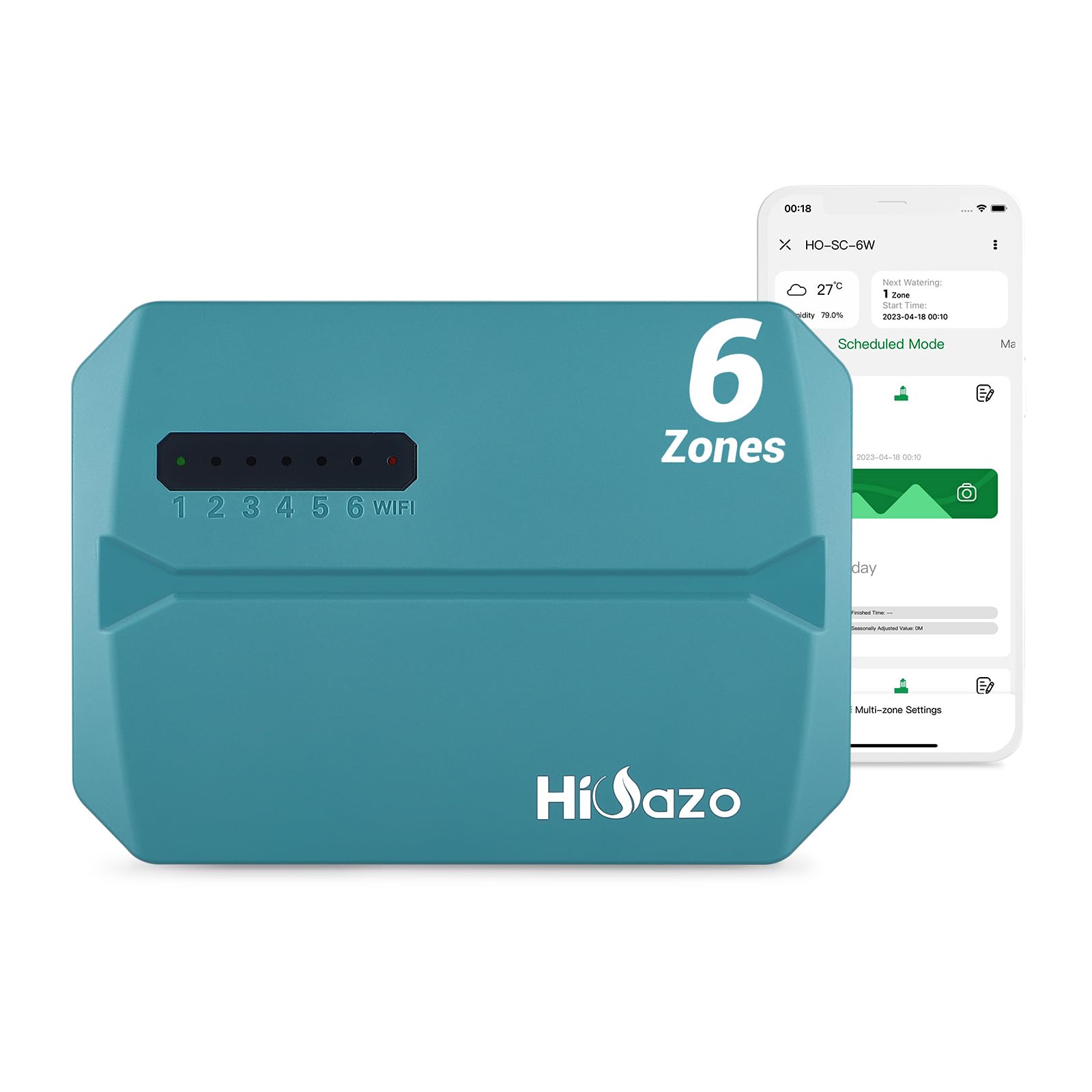
Figure 4.1: Front view of the HiOazo Smart Irrigation System Controller. This image shows the main unit with its display and control buttons.
5. Setup Instructions
5.1 Mounting the Controller
- Choose a suitable indoor or sheltered outdoor location near a power outlet and your irrigation valves. Avoid direct sunlight and extreme temperatures.
- Use the provided mounting screws and anchors to secure the controller to a wall. Ensure it is level and securely fastened.
5.2 Wiring the Valves
Before wiring, ensure the main power to your irrigation system is turned OFF.
- Connect the common wire from your irrigation valves to the terminal labeled "COMMON" or "C".
- Connect each zone valve wire to its corresponding zone terminal (e.g., Zone 1 to Z1, Zone 2 to Z2).
- If you have a master valve, connect its wire to the terminal labeled "MV" or "P".
- If using a rain sensor or flow sensor, connect it to the designated sensor terminals according to the sensor's instructions.
5.3 Powering On and App Connection
- Plug the power adapter into the controller's power input and then into a standard electrical outlet.
- The controller display should illuminate.
- Download the "HiOazo Smart" app from your mobile device's app store (iOS or Android).
- Open the app and follow the on-screen instructions to create an account and add your new HiOazo controller. This typically involves connecting the controller to your home Wi-Fi network.
6. Operating Instructions
6.1 Manual Watering
To manually water a zone or all zones:
- Via Controller: Use the control buttons to navigate to the "Manual Watering" option. Select the desired zone(s) and set the watering duration.
- Via App: Open the HiOazo Smart app, select your controller, and choose the "Manual Watering" option. Select zones and set durations, then start watering.
6.2 Creating Watering Schedules
Schedules are best managed through the HiOazo Smart app for advanced customization.
- In the app, navigate to the "Schedules" section.
- Tap "Add New Schedule".
- Select the zones to include in this schedule.
- Set the start time, watering duration for each zone, and the watering days (e.g., specific days of the week, odd/even days, or cycle and soak).
- Enable smart watering features like weather-based adjustments if desired.
- Save the schedule.
6.3 Smart Watering Features
The controller can automatically adjust watering based on local weather data:
- Rain Skip: Automatically skips watering if rain is detected or forecasted.
- Freeze Skip: Prevents watering when temperatures drop below freezing.
- Seasonal Adjust: Adjusts watering duration based on seasonal changes in plant water requirements.
These features can be enabled and configured within the HiOazo Smart app settings for each schedule.
7. Maintenance
7.1 Cleaning
Wipe the exterior of the controller with a soft, damp cloth. Do not use harsh chemicals or abrasive cleaners. Ensure no moisture enters the internal components.
7.2 Software Updates
The controller's firmware may receive updates to improve performance and add features. The HiOazo Smart app will notify you of available updates and guide you through the process. Ensure the controller remains powered during updates.
7.3 Winterization
In regions with freezing temperatures, it is recommended to winterize your irrigation system and controller:
- Turn off the main water supply to the irrigation system.
- Drain all water from the pipes and valves to prevent freezing and damage.
- Disconnect the controller's power adapter.
- While the controller is designed to withstand some outdoor conditions, consider bringing it indoors during extreme cold to prolong its lifespan.
8. Troubleshooting
| Problem | Possible Cause | Solution |
|---|---|---|
| Controller not powering on. | No power to outlet; faulty power adapter; loose connection. | Check outlet with another device. Ensure power adapter is securely connected. Try a different outlet. |
| Cannot connect to Wi-Fi. | Incorrect Wi-Fi password; controller too far from router; router issues; 2.4GHz vs 5GHz network. | Verify Wi-Fi password. Move controller closer to router. Restart router. Ensure you are connecting to a 2.4GHz network. |
| Zones not watering. | Water supply off; faulty valve; wiring issue; rain sensor activated. | Check main water supply. Inspect valve wiring. Bypass rain sensor in app settings to test. Manually test valves if possible. |
| App not responding. | App glitch; internet connectivity issue; controller offline. | Close and reopen the app. Check your phone's internet connection. Verify controller's Wi-Fi status. |
If problems persist, please contact HiOazo customer support.
9. Specifications
| Feature | Detail |
|---|---|
| Model | B0D41H8KTN |
| Brand | HiOazo |
| Package Dimensions | 5 x 4 x 2 inches |
| Item Weight | 8 ounces |
| Batteries Required | No |
| Included Components | CONTROLLER |
| Color | Turquoise |
| Display Type | LCD or LED |
10. Warranty and Support
10.1 Warranty Information
HiOazo products are covered by a limited warranty against defects in materials and workmanship. Please refer to the warranty card included with your product or visit the official HiOazo website for detailed warranty terms and conditions. Keep your purchase receipt as proof of purchase.
10.2 Customer Support
For technical assistance, troubleshooting, or warranty claims, please contact HiOazo customer support:
- Website: Visit the HiOazo Store on Amazon
- Email: Refer to the product packaging or official website for email contact.
- Phone: Refer to the product packaging or official website for phone contact.
When contacting support, please have your product model (B0D41H8KTN) and purchase date available.