
1. Introduction
The Dreo PolyFan 411 Series Pedestal Fan is designed to provide versatile air circulation and cooling for various indoor spaces. This fan combines the functionalities of a pedestal fan, an oscillating fan, and an air circulator, offering multiple modes and speed settings to suit your preferences. Its quiet operation and adjustable features ensure comfort without disruption.
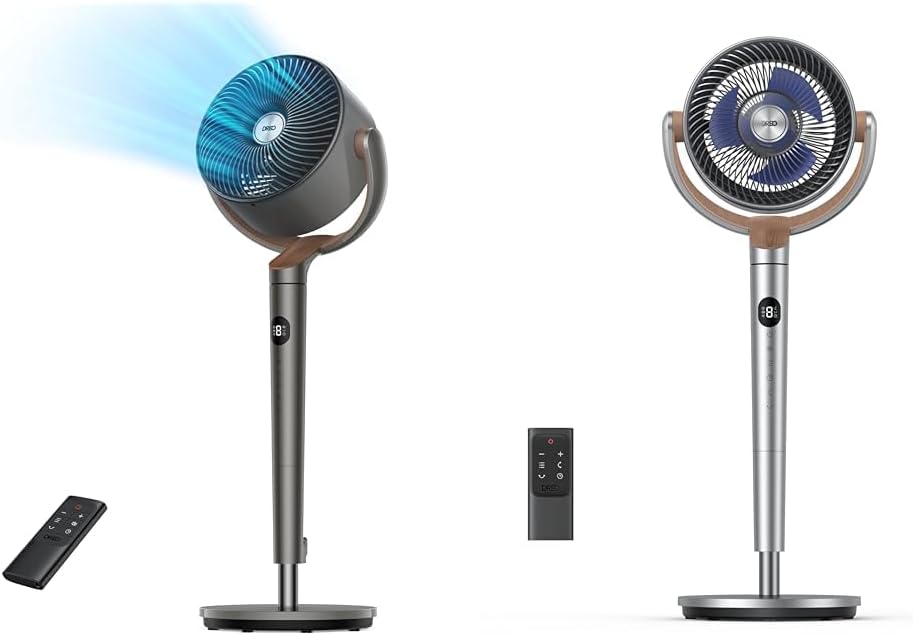
Figure 1: Dreo PolyFan 411 Series Pedestal Fan
2. Safety Instructions
Please read and follow all safety instructions before using this appliance to prevent accidents and ensure proper operation.
- Always ensure the fan is placed on a stable, level surface to prevent tipping.
- Do not insert fingers or any objects into the grille when the fan is operating.
- Unplug the fan from the power outlet before cleaning or performing any maintenance.
- Keep the fan away from water or other liquids to avoid electric shock.
- Do not operate the fan with a damaged cord or plug. Contact customer support for assistance.
- This appliance is for indoor use only.
3. Package Contents
Verify that all components are present upon unboxing:
- Fan Head Assembly
- Base
- Adjustable Pole
- Remote Control
- Power Adapter
- Instruction Manual

Figure 2: All components included in the package.
4. Setup
Follow these steps to assemble your Dreo Pedestal Fan:
- Attach the adjustable pole to the base. Align the notches and secure with the provided washer and screw using the Allen wrench.
- Attach the fan head assembly to the top of the adjustable pole by screwing it securely.
- Adjust the fan's height by unscrewing the height adjuster, extending the pole, and then screwing it back into place. The fan's height can be adjusted between 35 and 40 inches.
- Connect the power cord to the back of the fan and plug it into a wall outlet.

Figure 3: Securing the fan base and pole.
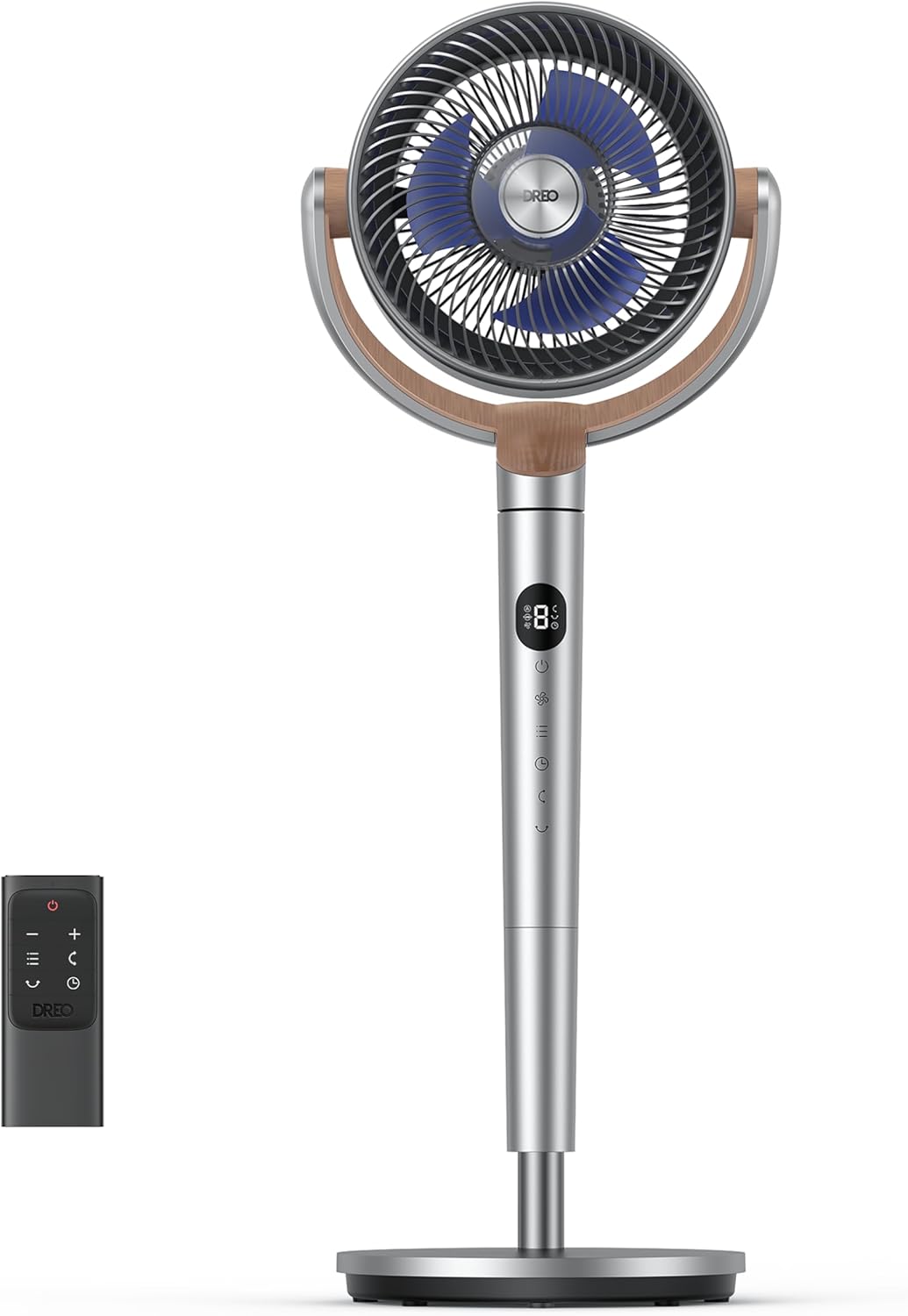
Figure 4: Adjusting the fan's height for optimal positioning.
Video 1: This video demonstrates the unboxing and setup process of the Dreo Pedestal Fan, including attaching the base, pole, and fan head, as well as adjusting the height.
5. Operating Instructions
Your Dreo Pedestal Fan offers various settings for customized comfort.
Power On/Off
- Press the power button on the fan's control panel or the remote control to turn the fan on or off.
Speed Settings
- The fan features 8 speed settings. Use the '+' and '-' buttons on the control panel or remote to adjust the airflow intensity.
Modes
Select from 3 distinct modes to optimize your comfort:
- Cooling Mode: Provides a steady, powerful airflow for rapid cooling.
- White Noise Mode: Operates at a consistent, low-noise level, ideal for sleep or concentration.
- Gentle Breeze Mode: Mimics natural, fluctuating breezes for a softer, more comfortable airflow.
Oscillation
The fan offers wide-range oscillation to distribute air effectively throughout the room.
- Vertical Oscillation: Manually tilt the fan head 120° up or down to direct airflow.
- Horizontal Oscillation: Activate horizontal oscillation up to 120° via the control panel or remote to cover a wider area.

Figure 5: Illustrates the 120° manual vertical tilt and 120° horizontal oscillation.

Figure 6: The fan's omni-directional oscillation capabilities.
Timer Function
- Set an automatic shut-off timer for up to 8 hours using the timer button on the control panel or remote.
Remote Control
The included remote control allows convenient operation from a distance. Ensure the battery pull tab is removed before first use. The remote can be stored in the integrated clip on the fan's pole.
Figure 7: Remote control for convenient operation.
Video 2: This video demonstrates the remote control functionality, including adjusting speed, modes, and oscillation settings.
6. Maintenance
Regular cleaning ensures optimal performance and longevity of your fan. The Dreo PolyFan 411 Series is designed for easy disassembly for cleaning.
- Unplug the fan before cleaning.
- Carefully disassemble the front grille and fan blades. Refer to the assembly instructions in reverse for guidance.
- Wipe the fan blades and interior surfaces with a soft, damp cloth. For stubborn dust, a mild detergent can be used.
- The fan blades and grille can be rinsed under water. Ensure all parts are completely dry before reassembling.
- Reassemble the fan, ensuring all parts are securely fastened.
Video 3: This video provides a detailed demonstration of how to disassemble the fan for cleaning, highlighting the ease of maintenance for the fan blades and grille.
7. Troubleshooting
If you encounter any issues with your fan, please refer to the following common troubleshooting steps:
- Fan does not turn on: Ensure the power cord is securely plugged into a working outlet. Check if the power button has been pressed.
- Oscillation not working: Verify that the oscillation function is activated via the control panel or remote. Check for any obstructions preventing movement.
- Remote control not responding: Ensure the remote's battery is active (remove pull tab if new). Point the remote directly at the fan's sensor.
- Unusual noise: Turn off and unplug the fan. Check for any foreign objects caught in the fan blades or grille. Clean the fan as per maintenance instructions.
For further assistance, please contact Dreo customer support.
8. Specifications
| Feature | Detail |
|---|---|
| Brand | Dreo |
| Model Number | PolyFan 411 Series |
| Power Source | Manual (Plug-in) |
| Style | Standard + Standing Fan |
| Room Type | Bedroom, Office, Living Room |
| Special Feature | Bladeless, Oscillating (Omni-directional) |
| Recommended Uses | Air Circulation, Cooling |
| Included Components | Remote Control |
| Indoor/Outdoor Usage | Indoor |
| Control Method | Remote, On-device buttons |
| Number of Power Levels | 8 |
| Adjustable Height | 35-40 inches |
| Quietness | Down to 23dB |
9. Warranty and Support
Your Dreo PolyFan 411 Series Pedestal Fan comes with a manufacturer's warranty. Please refer to the warranty card included in your package for specific terms and conditions.
For product support, troubleshooting, or warranty claims, please contact Dreo Customer Service through their official website or the contact information provided in your product documentation.


