1. Introduction
Thank you for choosing the Dhiedas P5BF Fingerprint Padlock. This smart keyless biometric padlock offers advanced security and convenience, allowing you to unlock your belongings with your fingerprint, a Bluetooth-enabled app, or an iOS Watch. Its durable and waterproof design makes it suitable for a variety of uses, from gym lockers to luggage. Please read this manual carefully to ensure proper setup and operation of your new padlock.
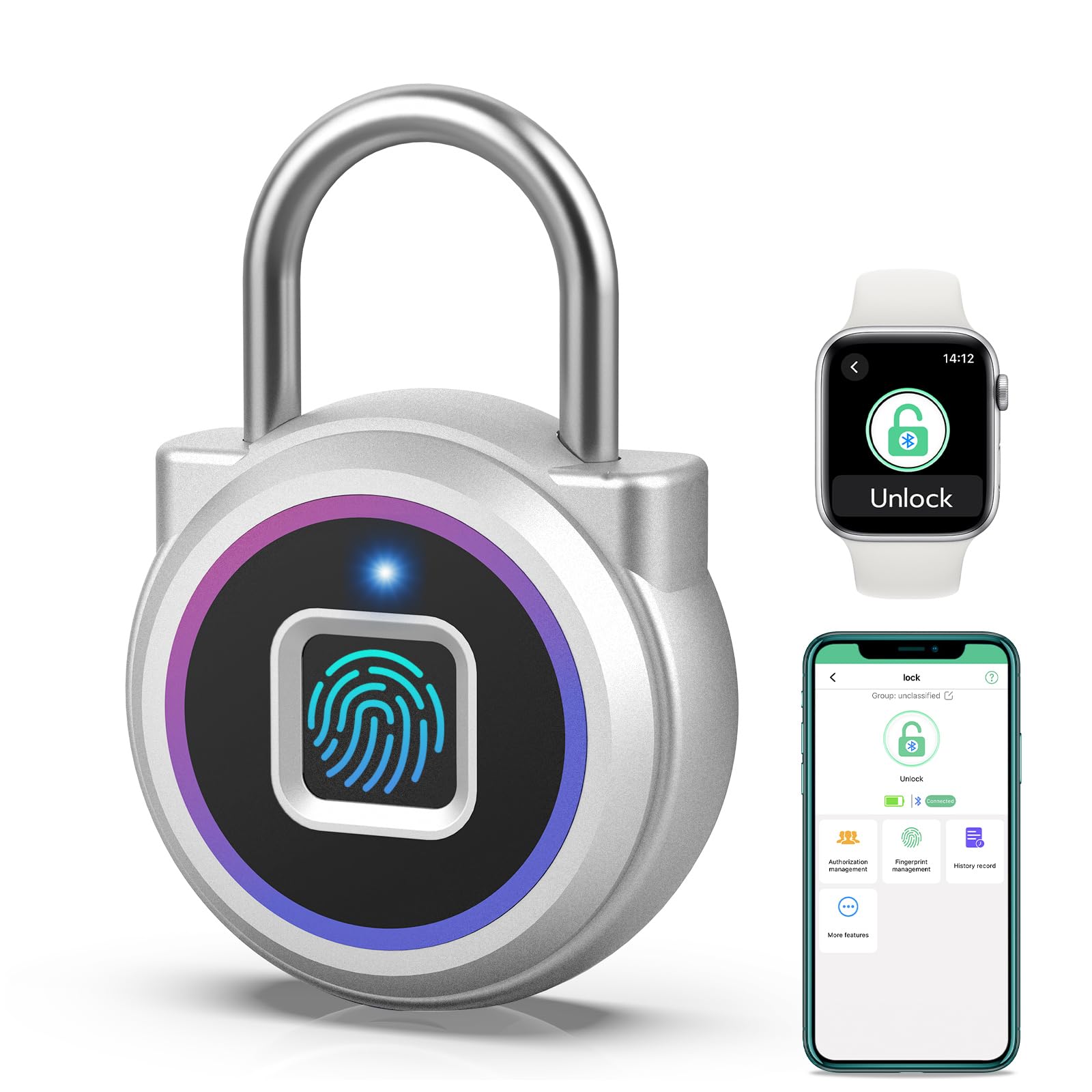
Image 1: Dhiedas P5BF Fingerprint Padlock (Rainbow color)
2. Product Features
- Fingerprint Recognition: Supports up to 20 unique fingerprints for quick 0.2-second unlocking.
- Smart Bluetooth Connectivity: Free eSmartLock app for remote unlocking, user management, and activity history.
- iOS Watch Compatibility: Unlock your padlock directly from your Apple Watch.
- Long Battery Life: 110MAH rechargeable lithium battery provides approximately 6 months of standby time or 2000 unlocks on a single charge.
- Durable Construction: Made of zinc alloy and stainless steel for excellent cut resistance.
- Water Resistant: Equipped with a waterproof rubber stopper for the charging port (Note: Not suitable for prolonged immersion).
- Compact & Portable: Small size (1.7in x 0.6in x 2.5in) and lightweight (3.52 ounces) for easy carrying.

Image 2: Overview of Dhiedas Smart Fingerprint Lock features.
3. Package Contents
- Dhiedas P5BF Fingerprint Padlock
- Micro USB Charging Cable
- English User Manual
4. Setup Guide
4.1 Initial Charging
Before first use, fully charge the padlock using the provided Micro USB cable. Connect the cable to the charging port at the bottom of the lock and to a USB power source (e.g., wall adapter, power bank, computer). The indicator light will show charging status.

Image 3: Charging the Dhiedas Fingerprint Padlock.
4.2 App Download & Installation
- Search for 'eSmartLock' in your device's app store (iOS App Store or Google Play Store).
- Download and install the application.
- Open the app and create an account or log in if you already have one.
4.3 Pairing the Padlock
- Ensure Bluetooth is enabled on your smartphone.
- In the eSmartLock app, tap the '+' icon to add a new device.
- Touch the fingerprint sensor on the padlock to wake it up. The blue indicator light will illuminate.
- The app will detect the padlock. Select it from the list to pair.
- Follow the on-screen prompts to complete the pairing process.
4.4 Fingerprint Registration
After successful pairing, you can register fingerprints via the app. The first registered fingerprint will be the administrator.
- In the eSmartLock app, navigate to 'User Management' or 'Fingerprint Management'.
- Select 'Add Fingerprint'.
- Place your finger on the padlock's fingerprint sensor, lifting and repositioning it as instructed by the app (typically 5-8 times) until the registration is complete.
- Repeat for any additional fingerprints you wish to register (up to 20 total).
Video 1: Demonstrates how to set up and use the Dhiedas Smart Padlock, including fingerprint registration and app functions.
5. Operating Instructions
5.1 Unlocking with Fingerprint
- Place a registered finger firmly on the fingerprint sensor.
- The blue indicator light will turn green, and the shackle will automatically pop open.

Image 4: Unlocking the padlock using a registered fingerprint.
5.2 Unlocking with Bluetooth App
- Open the eSmartLock app on your paired smartphone.
- Ensure the padlock is awake (touch the sensor if needed).
- Tap the 'Unlock' button within the app. The shackle will open.

Image 5: Unlocking the padlock via the eSmartLock app.
5.3 Unlocking with iOS Watch
- Ensure your iOS Watch is paired with your smartphone and the eSmartLock app is installed on both.
- Open the eSmartLock app on your Apple Watch.
- Tap the 'Unlock' icon on your watch. The shackle will open.

Image 6: Unlocking the padlock using an Apple Watch.
5.4 Locking the Padlock
To lock the padlock, simply push the shackle down firmly until it clicks into place. No fingerprint or app interaction is needed for locking.
6. eSmartLock App Features
The eSmartLock app provides enhanced control and monitoring capabilities for your padlock:
- User Management: Add or remove authorized users and their fingerprints.
- Authorization Management: Grant temporary access or schedule specific unlock times for other users.
- History Record: View a log of all unlock events, including who unlocked the device and when.
- Battery Status: Monitor the padlock's battery level in real-time.
- Device Renaming: Customize the name of your padlock in the app for easy identification.
7. Battery and Charging
- Battery Type: 110MAH rechargeable lithium battery.
- Standby Time: Approximately 6 months.
- Unlock Cycles: Approximately 2000 times per full charge.
- Charging Port: Micro USB (located at the bottom of the padlock).
- Charging Time: A full charge typically takes about 30 minutes.
- Low Battery Reminder: The padlock will indicate a low battery status (e.g., red flashing light) when charging is required.

Image 7: Low battery reminder on the padlock.
8. Water Resistance
The Dhiedas P5BF padlock is designed with a waterproof rubber stopper to protect the charging port from water ingress. It is rated for weather resistance, making it suitable for indoor and outdoor use where it may encounter splashes or light rain.
Important Note: The lock is not designed for prolonged immersion in water. Please ensure the charging port is dry before unlocking or charging to prevent damage.

Image 8: Padlock demonstrating water resistance.
9. Recommended Applications
This versatile padlock is ideal for securing various items and locations:
- Gym Lockers
- School Lockers
- Luggage and Bags
- Storage Boxes and Cabinets
- Toolboxes
- Fishing Tackle Boxes
- Indoor & Outdoor use (weather resistant)

Image 9: Multiple applications for the padlock.
10. Specifications
| Brand | Dhiedas |
| Model Name | P5BF-colorful (P5BF) |
| Lock Type | Biometric, Smart |
| Material | Stainless Steel, Zinc Alloy |
| Item Dimensions (L x W x H) | 1.7 x 0.6 x 2.5 inches |
| Item Weight | 3.52 ounces (0.1 Kilograms) |
| Shackle Size | 1 inch |
| Color | Rainbow |
| Connectivity Protocol | Bluetooth |
| Control Method | App, Touch |
| Controller Type | Android, eSmartlock APP, iOS |
| Battery Type | Lithium Ion (1 required, included) |
| Special Features | Battery Indicator, Fingerprint & Bluetooth APP & iWatch unlock, One-Touch Lock, Portable, Weather Resistant |

Image 10: Compact size and dimensions of the padlock.
11. Maintenance
- Cleaning: Wipe the padlock with a soft, dry cloth. Avoid using abrasive cleaners or solvents.
- Charging Port: Always ensure the Micro USB charging port is dry and free of debris before charging. Keep the rubber stopper securely in place when not charging.
- Storage: Store the padlock in a cool, dry place when not in use for extended periods.
- Battery Care: To prolong battery life, avoid completely draining the battery frequently. Charge it when the low battery indicator appears.
12. Troubleshooting
| Problem | Solution |
| Padlock does not unlock with fingerprint. | Ensure your finger is clean and dry. Try repositioning your finger on the sensor. Verify that your fingerprint is correctly registered in the app. If multiple fingerprints are registered, try another registered finger. |
| Padlock does not connect to the app. | Ensure Bluetooth is enabled on your smartphone. Make sure the padlock is awake (touch the sensor). Check if the padlock is within Bluetooth range. Restart the app and try again. |
| Padlock is not charging. | Check the Micro USB cable and power source. Ensure the charging port is clean and dry. The indicator light should show charging status. |
| Low battery indicator is on. | Charge the padlock immediately using the provided Micro USB cable. |
| Cannot register new fingerprints. | Ensure the padlock is paired with the app. Follow the app's instructions carefully, lifting and repositioning your finger as prompted. Check if the maximum number of fingerprints (20) has been reached. |
13. Warranty and Support
For warranty information, technical support, or any questions regarding your Dhiedas P5BF Fingerprint Padlock, please refer to the contact information provided on the product packaging or visit the official Dhiedas website. Keep your purchase receipt as proof of purchase for warranty claims.