
Chef Preserve CP.V1.1

Chef Preserve Compact Vacuum Sealer User Manual
Model: CP.V1.1
Introduction
Thank you for choosing the Chef Preserve Compact Vacuum Sealer. This innovative device is designed to extend the freshness of your food up to 5 times longer than traditional storage methods, helping to reduce waste and save money. Its compact, portable, and easy-to-use design makes food preservation simple and efficient for any kitchen or on the go.
This manual provides detailed instructions for the proper setup, operation, and maintenance of your Chef Preserve Vacuum Sealer to ensure optimal performance and longevity.
Product Overview
The Chef Preserve Compact Vacuum Sealer system includes the handheld vacuum sealer machine and reusable vacuum bags. The device is battery-powered and designed for ease of use and portability.
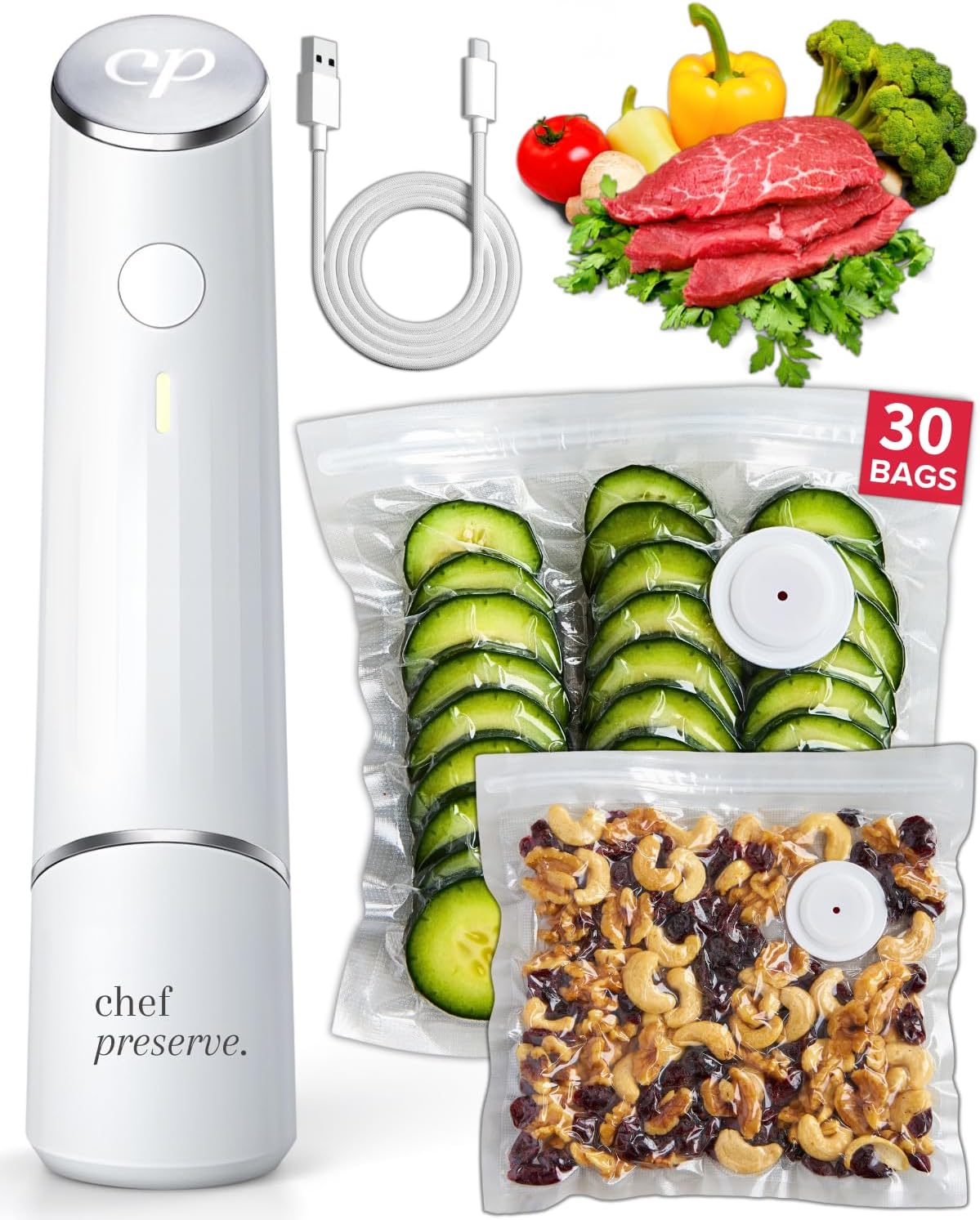
Figure 1: Chef Preserve Compact Vacuum Sealer with bags and food.
The vacuum sealer is designed to be compact and powerful, as shown in Figure 2, making it a convenient tool for any kitchen.

Figure 2: Compact design of the Chef Preserve Vacuum Sealer.
Setup
Before first use, ensure the Chef Preserve Vacuum Sealer is fully charged. The device is battery-powered and can be charged using the included USB cable.
Charging the Device:
- Connect the USB charging cable to the charging port on the vacuum sealer.
- Plug the other end of the USB cable into a compatible USB power adapter (not included) or a computer USB port.
- The indicator light on the device will show charging status (refer to device's specific light indicators for full charge).
- A single charge is sufficient to vacuum seal approximately 1000 bags.
Preparing Vacuum Bags:
The Chef Preserve system uses reusable and resealable bags. These bags are designed to be dishwasher-safe, freezer-safe, refrigerator-safe, and microwave-safe, as well as BPA-free, odor-free, and leak-proof.

Figure 3: Reusable and resealable Chef Preserve bags.
The product typically includes a variety of bag sizes to accommodate different food items. For example, the 30-bag set includes small (8x10 in) and medium (10x11 in) sizes.

Figure 4: Example of included bag sizes.
Operating Instructions
Using the Chef Preserve Compact Vacuum Sealer is a simple, four-step process:
- Prepare Food and Bag: Place your food inside the reusable vacuum bag. Ensure the food does not overfill the bag and leaves enough space at the top for sealing.
- Seal the Bag: Zip the bag tightly across the top to create a secure seal. Make sure there are no gaps.
- Position the Sealer: Lightly twist the cap off the bottom of the vacuum sealer. Place the vacuum sealer firmly onto the circular valve on the bag.
- Start Vacuuming: Press the button on the device to turn it on. The device will begin to vacuum air from the bag. Once the bag is vacuum-sealed, the device will automatically shut off.
- Remove Sealer: Detach the device from the vacuum valve.

Figure 5: Step-by-step guide for vacuum sealing.
The vacuum sealer works quickly, typically sealing a bag in about 5 seconds. This process helps to preserve the flavor, nutrition, and texture of your food.

Figure 6: Examples of food items preserved with the vacuum sealer.
Maintenance
Cleaning the Device:
Wipe the exterior of the vacuum sealer with a damp cloth. Do not submerge the device in water. Ensure the vacuum port is clear of any food debris.
Cleaning the Bags:
The reusable bags can be washed by hand with warm, soapy water or placed in the dishwasher. Ensure bags are completely dry before reuse or storage to prevent mold or mildew.
Storage:
Store the vacuum sealer and bags in a cool, dry place away from direct sunlight. The compact size of the sealer allows for easy storage in drawers or cabinets.

Figure 7: Chef Preserve's advantages in portability and ease of storage.
Troubleshooting
If you encounter any issues with your Chef Preserve Compact Vacuum Sealer, please refer to the following common problems and solutions:
- Device not turning on: Ensure the device is fully charged. If the battery is low, connect it to a power source using the USB cable.
- Bag not sealing properly:
- Check if the bag is zipped completely and there are no gaps along the seal.
- Ensure the vacuum sealer is placed firmly and correctly over the bag's valve.
- Inspect the bag for any punctures or damage. Replace damaged bags.
- Make sure the valve on the bag is clean and free of food particles.
- Weak suction:
- Verify the device is fully charged.
- Check for any obstructions in the vacuum port of the device.
- Ensure the bag is not overfilled, which can impede proper vacuuming.
- Food spoilage after sealing:
- Confirm the bag was properly sealed and vacuumed.
- Ensure food was fresh before sealing. Vacuum sealing extends freshness but does not reverse spoilage.
- Store vacuum-sealed food in appropriate conditions (refrigerator, freezer, pantry) as recommended for the food type.
If problems persist, please contact Chef Preserve customer support for further assistance.
Specifications
| Feature | Detail |
|---|---|
| Brand | Chef Preserve |
| Model Number | CP.V1.1 |
| Material | Acrylonitrile Butadiene Styrene (ABS) |
| Color | White |
| Item Weight | 2.2 Pounds (approx. 1 kg) |
| Product Dimensions | 3.94 x 3.94 x 3.94 inches (approx. 10 x 10 x 10 cm) |
| Power Source | Battery Powered |
| Operation Mode | Automatic |
| Voltage | 5V |
| UPC | 198168005385 |
Warranty and Support
The Chef Preserve Compact Vacuum Sealer is designed for durability and performance. For information regarding product warranty, please refer to the documentation included with your purchase or visit the official Chef Preserve website.
For customer support, technical assistance, or to purchase additional reusable vacuum bags, please visit the Chef Preserve Store or contact their customer service directly.
This product is eligible for a 30-day return policy from the date of purchase. Protection plans may also be available for extended coverage.
Ask a question about this manual
Ask about setup, troubleshooting, compatibility, parts, safety, or missing instructions. Manuals+ will review the question and use this page’s manual context to help answer it.