
Guudsoud X7
Guudsoud X7 Swimming Bone Conduction Headphones User Manual
Introduction
Thank you for choosing the Guudsoud X7 Swimming Bone Conduction Headphones. This manual provides essential information on how to set up, operate, and maintain your new headphones. Designed for active lifestyles, the X7 features IP68 waterproofing, 32GB of internal MP3 storage, Bluetooth 5.3 connectivity, and an open-ear design for comfort and situational awareness. Please read this manual thoroughly before use to ensure optimal performance and longevity of your device.
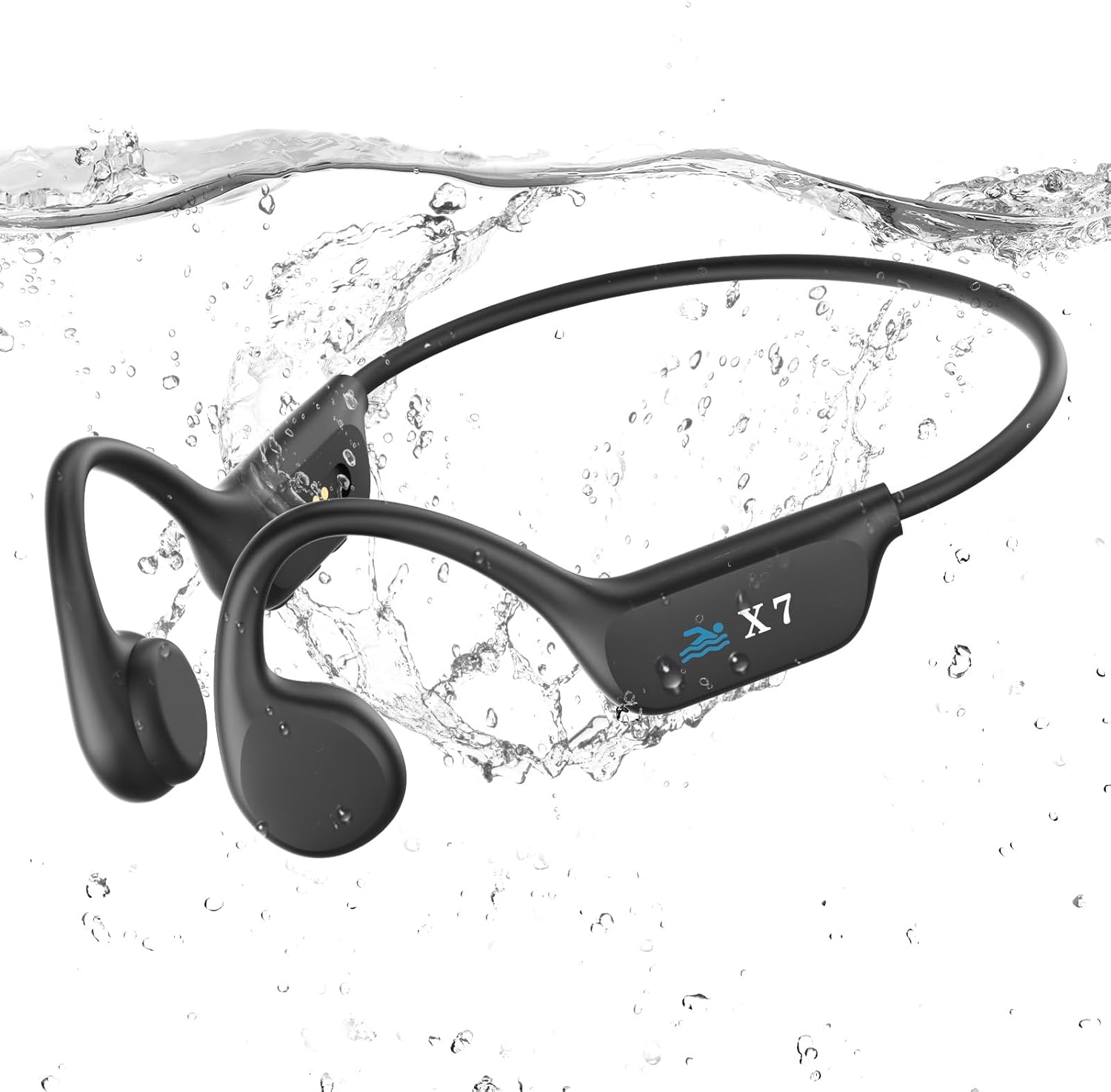
Image: The Guudsoud X7 headphones, black, with a flexible band and ear hooks, partially submerged in water, showing their waterproof design.
Product Overview
Package Contents
- Guudsoud X7 Bone Conduction Headphones
- Magnetic Charging Cable
- User Manual
Headphone Components and Controls
Familiarize yourself with the main components and control buttons of your Guudsoud X7 headphones:
- Bone Conduction Transducers: Deliver sound directly to your inner ear through your cheekbones.
- Flexible Headband: Provides a secure and comfortable fit.
- Multi-function Button: Power on/off, play/pause, answer/end calls.
- Volume Up/Next Track Button: Increase volume, skip to next song.
- Volume Down/Previous Track Button: Decrease volume, go to previous song.
- Magnetic Charging Port: For charging and data transfer.
- Mode Switch Button: Toggle between Bluetooth and MP3 modes.

Image: A woman wearing the Guudsoud X7 headphones, swimming in a pool. The image highlights the open-ear design and the location of control buttons on the side of the headphones.
Setup
1. Charging the Headphones
Before first use, fully charge your headphones. A full charge takes approximately 2 hours.
- Connect the magnetic charging cable to the charging port on the headphones.
- Connect the other end of the cable to a USB power adapter (5V/1A recommended) or a computer's USB port.
- The LED indicator will show charging status (refer to LED indicator section for details, if available).
- Once fully charged, disconnect the cable.
2. Powering On/Off
- Power On: Press and hold the Multi-function Button for 3 seconds until the LED indicator flashes and you hear a voice prompt.
- Power Off: Press and hold the Multi-function Button for 5 seconds until the LED indicator turns off and you hear a voice prompt.
3. Bluetooth Pairing
To connect your headphones to a Bluetooth-enabled device:
- Ensure the headphones are powered off.
- Press and hold the Multi-function Button for 5-7 seconds until the LED indicator flashes red and blue alternately, indicating pairing mode.
- On your device (smartphone, tablet, laptop), enable Bluetooth and search for available devices.
- Select "Guudsoud X7" from the list of devices.
- Once connected, the LED indicator will flash blue slowly, and you will hear a confirmation tone.
Note: The maximum Bluetooth connection range is 10 meters (33 feet). Bluetooth signals cannot transmit underwater.
4. MP3 Mode and Music Transfer
The Guudsoud X7 features 32GB of internal storage for MP3 files, allowing you to listen to music without a connected device, especially useful for swimming.
- Transferring Music: Connect the headphones to your computer using the magnetic charging cable. The headphones will appear as a removable disk. Drag and drop your MP3 audio files into the headphone's storage folder.
- Switching to MP3 Mode: While the headphones are on, press the Mode Switch Button to toggle between Bluetooth mode and MP3 mode. You will hear a voice prompt indicating the current mode.

Image: A diagram illustrating the internal components for MP3 mode and a smartphone screen showing Bluetooth pairing for Bluetooth mode. It highlights 32GB storage for MP3 and Bluetooth 5.3 with a 10m transmission range.
Operating Instructions
Music Playback (Bluetooth & MP3 Mode)
- Play/Pause: Short press the Multi-function Button.
- Next Track: Short press the Volume Up button.
- Previous Track: Short press the Volume Down button.
- Volume Up: Long press the Volume Up button.
- Volume Down: Long press the Volume Down button.
Call Functions (Bluetooth Mode Only)
- Answer/End Call: Short press the Multi-function Button.
- Reject Call: Long press the Multi-function Button for 2 seconds.
- Voice Assistant: Double-press the Multi-function Button (if supported by your connected device).
Using for Swimming
When swimming, always switch the headphones to MP3 mode. Bluetooth signals do not transmit effectively underwater. The IP68 waterproof rating allows for full immersion up to 2 meters deep.

Image: A swimmer wearing the Guudsoud X7 headphones and goggles, submerged in a pool. Text overlay indicates "IP68 Waterproof Rating" and "Submersible in water up to two meters deep for up to two hours. *Please switch to MP3 mode when swimming."
Maintenance
Cleaning
- After use, especially after swimming in chlorinated or saltwater, rinse the headphones with clean fresh water.
- Wipe the headphones dry with a soft, clean cloth.
- Ensure the charging port is dry before connecting the charging cable.
Storage
- Store the headphones in a cool, dry place away from direct sunlight and extreme temperatures.
- Avoid storing with sharp objects that could damage the device.
Troubleshooting
- Headphones will not power on:
Ensure the headphones are fully charged. If the issue persists, try resetting the device (refer to specific reset instructions if available, or hold power button for 10 seconds). - Cannot pair via Bluetooth:
Ensure the headphones are in pairing mode (LED flashing red and blue). Make sure Bluetooth is enabled on your device and it is within 10 meters of the headphones. Try forgetting the device on your phone and re-pairing. - No sound:
Check the volume level on both the headphones and your connected device. Ensure the headphones are correctly paired or in MP3 mode if playing from internal storage. - Music transfer issues:
Ensure the magnetic charging cable is securely connected and the headphones are recognized as a removable disk by your computer. Only MP3 format files are supported. - Bluetooth disconnects underwater:
This is normal. Bluetooth signals do not transmit effectively underwater. Switch to MP3 mode for underwater listening.
Specifications
| Brand | Guudsoud |
| Model | X7 |
| Waterproof Rating | IP68 |
| Bluetooth Version | 5.3 |
| Internal Storage | 32GB |
| Battery Capacity | 200 mAh |
| Playback Time | Up to 8 hours |
| Charging Time | Approximately 2 hours |
| Weight | 31.5 Grams |
| Material | Acrylonitrile Butadiene Styrene (ABS), Metal |
| Connectivity | Wireless Bluetooth |
| Control Type | Volume Control, Tactile Buttons |
| Ear Placement | Open-Ear |
| Battery Type | Lithium-polymer |
Safety Information
- Do not attempt to disassemble or modify the headphones. This may cause damage and void the warranty.
- Avoid exposing the headphones to extreme temperatures (hot or cold) or direct sunlight for prolonged periods.
- Do not use abrasive cleaners or harsh chemicals on the headphones.
- Listen at moderate volume levels to prevent hearing damage. Prolonged exposure to loud sounds can cause irreversible hearing loss.
- Be aware of your surroundings when using the headphones, especially during outdoor activities like running or cycling, as the open-ear design allows ambient sound.
- Ensure the charging port is completely dry before charging to prevent short circuits.
Warranty and Support
Guudsoud is committed to providing high-quality products and excellent customer service. If you encounter any issues or have questions regarding your Guudsoud X7 headphones, please contact our after-sales service team.
Our support team will respond to your inquiries and provide satisfactory solutions within 12 hours.
For support, please refer to the contact information provided on the product packaging or the retailer's website where you purchased the item.
Related documentsX7

Ask a question about this manual
Ask about setup, troubleshooting, compatibility, parts, safety, or missing instructions. Manuals+ will review the question and use this page’s manual context to help answer it.