
Aamft Aamft B10
Aamft Bone Conduction Headphones User Manual
Model: Aamft B10
Introduction
Thank you for choosing Aamft Bone Conduction Headphones. These open-ear headphones are designed to provide a comfortable and safe listening experience, allowing you to stay aware of your surroundings while enjoying high-quality audio. This manual will guide you through the setup, operation, and maintenance of your new headphones.
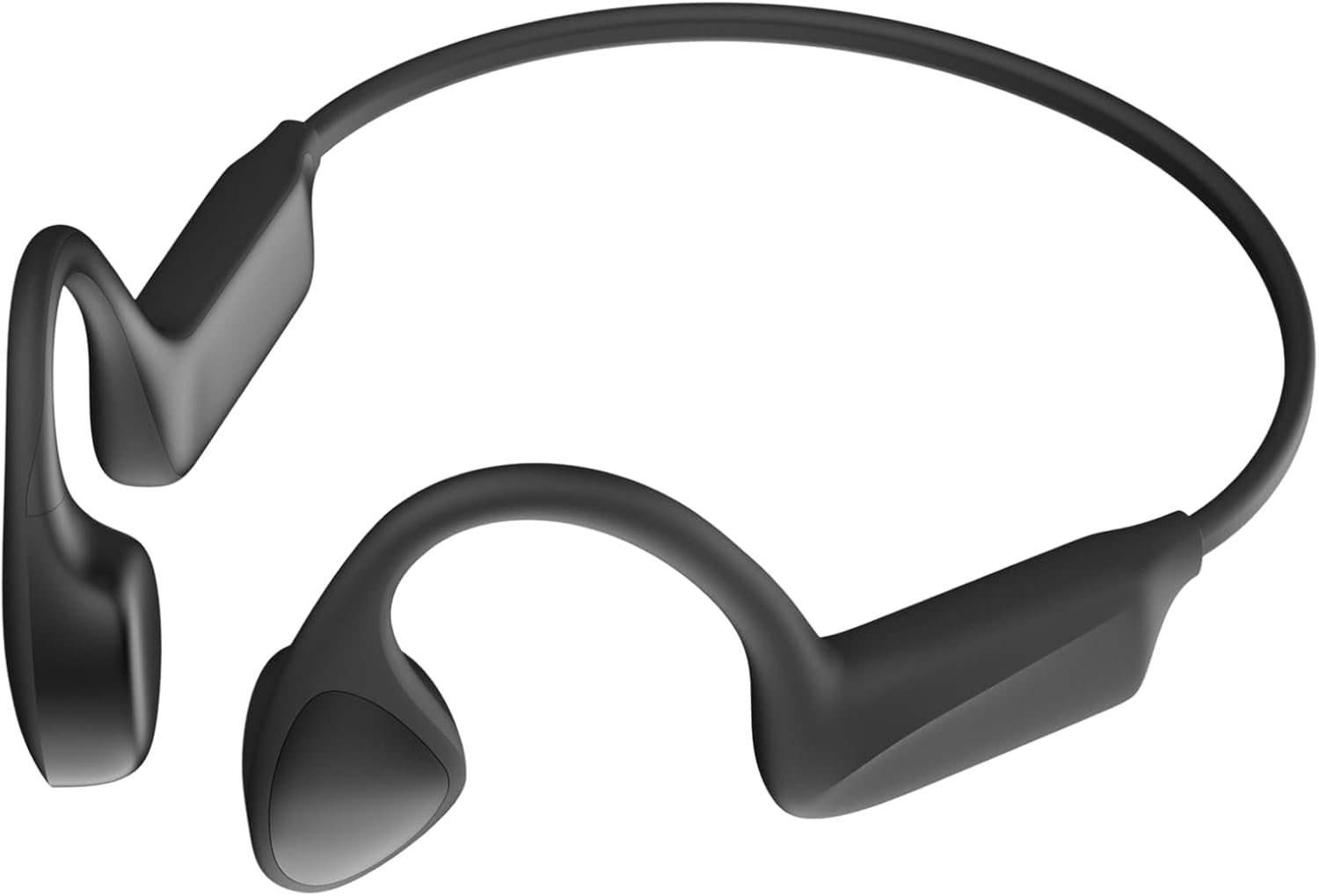
Image: Aamft Bone Conduction Headphones. These headphones feature a lightweight, flexible design with transducers that rest on the cheekbones, leaving the ears open. The main band connects the two ear pieces, designed for a secure fit during physical activity.
Package Contents
Ensure all items are present in the package:
- 1 x Aamft Bone Conduction Headphones
- 1 x Charging Cable
- 1 x User Manual (this document)
Setup
Charging the Headphones
Before first use, fully charge your headphones. The charging time is approximately 2 hours.
- Locate the charging port on your Aamft Bone Conduction Headphones.
- Connect the charging cable to the headphones and a compatible USB power source (e.g., computer USB port, wall adapter).
- The LED indicator will show charging status.
- Once fully charged, disconnect the charging cable.
Pairing with a Bluetooth Device
Your Aamft Bone Conduction Headphones use Bluetooth 5.3 for wireless connection.
- Ensure the headphones are turned off.
- Press and hold the power button until the LED indicator flashes blue and red alternately, indicating pairing mode.
- On your Bluetooth-enabled device (smartphone, tablet, computer), go to the Bluetooth settings.
- Search for available devices and select "Aamft B10" (or similar name).
- Once connected, the LED indicator will turn solid blue (or flash blue slowly), and you will hear a confirmation tone.
Note: The headphones support multipoint pairing, allowing connection to two devices simultaneously.
Operating Instructions
Wearing the Headphones
Place the headphones with the transducers resting on your cheekbones, just in front of your ears. The band should wrap around the back of your head.
Basic Controls
| Function | Action |
|---|---|
| Power On/Off | Press and hold the Power button. |
| Play/Pause | Press the Multi-function button once. |
| Volume Up | Press the Volume + button. |
| Volume Down | Press the Volume - button. |
| Next Track | Press and hold Volume + button. |
| Previous Track | Press and hold Volume - button. |
| Answer/End Call | Press the Multi-function button once during an incoming call. |
| Reject Call | Press and hold the Multi-function button during an incoming call. |
| Activate Voice Assistant | Double press the Multi-function button. |
Note: Specific button functions may vary slightly. Refer to the quick start guide included with your product for precise button layouts.
Maintenance
Proper care ensures the longevity of your Aamft Bone Conduction Headphones.
- Cleaning: Wipe the headphones with a soft, damp cloth. Do not use harsh chemicals or abrasive cleaners.
- Storage: Store the headphones in a cool, dry place away from direct sunlight and extreme temperatures.
- Water Resistance: The headphones are IPX6 sweatproof/water resistant. This means they can withstand strong jets of water, making them suitable for workouts and light rain. Do not submerge them in water.
- Charging: Use only the provided charging cable or a certified equivalent. Avoid overcharging.
Troubleshooting
| Problem | Possible Solution |
|---|---|
| Headphones won't turn on. | Ensure the headphones are fully charged. Press and hold the power button for a few seconds. |
| Cannot pair with device. |
|
| No sound or low volume. |
|
| Sound quality is poor. |
|
Specifications
- Model Name: Aamft B10
- Bluetooth Version: 5.3
- Audio Driver Type: Bone Conduction Driver
- Battery Life: Up to 10 Hours playtime
- Charging Time: Approximately 2 Hours
- Water Resistance: IPX6 Sweatproof
- Item Weight: 29 Grams (1.02 ounces)
- Frequency Range: 20 Hz - 20,000 Hz
- Microphone: HD ENC Mic
- Compatible Devices: Bluetooth-enabled devices
- Control Type: Volume Control, Remote
- Special Features: Built-in Rechargeable Battery, Multipoint Pairing, Clear Mic, Lightweight, Sweatproof
Warranty and Support
Aamft products are designed for durability and performance. For warranty information and customer support, please refer to the warranty card included with your purchase or visit the official Aamft website. You can also contact customer service via the platform where you purchased the product.
For further assistance, please visit the Aamft Store on Amazon.
Ask a question about this manual
Ask about setup, troubleshooting, compatibility, parts, safety, or missing instructions. Manuals+ will review the question and use this page’s manual context to help answer it.