1. Introduction
This manual provides essential information for the installation, operation, and maintenance of the VERBANA Metal Main Shaft Spare Parts Kit, specifically designed for JJRC M05 and F03 RC Helicopters. Please read these instructions carefully before proceeding with installation to ensure proper function and longevity of your helicopter components.
2. Product Overview
The main shaft is a critical component in RC helicopters, responsible for supporting the main rotor head and transmitting power from the gearbox to the rotor blades. This VERBANA metal main shaft is a direct replacement part, offering durability and precise fit for the JJRC M05 and F03 models.
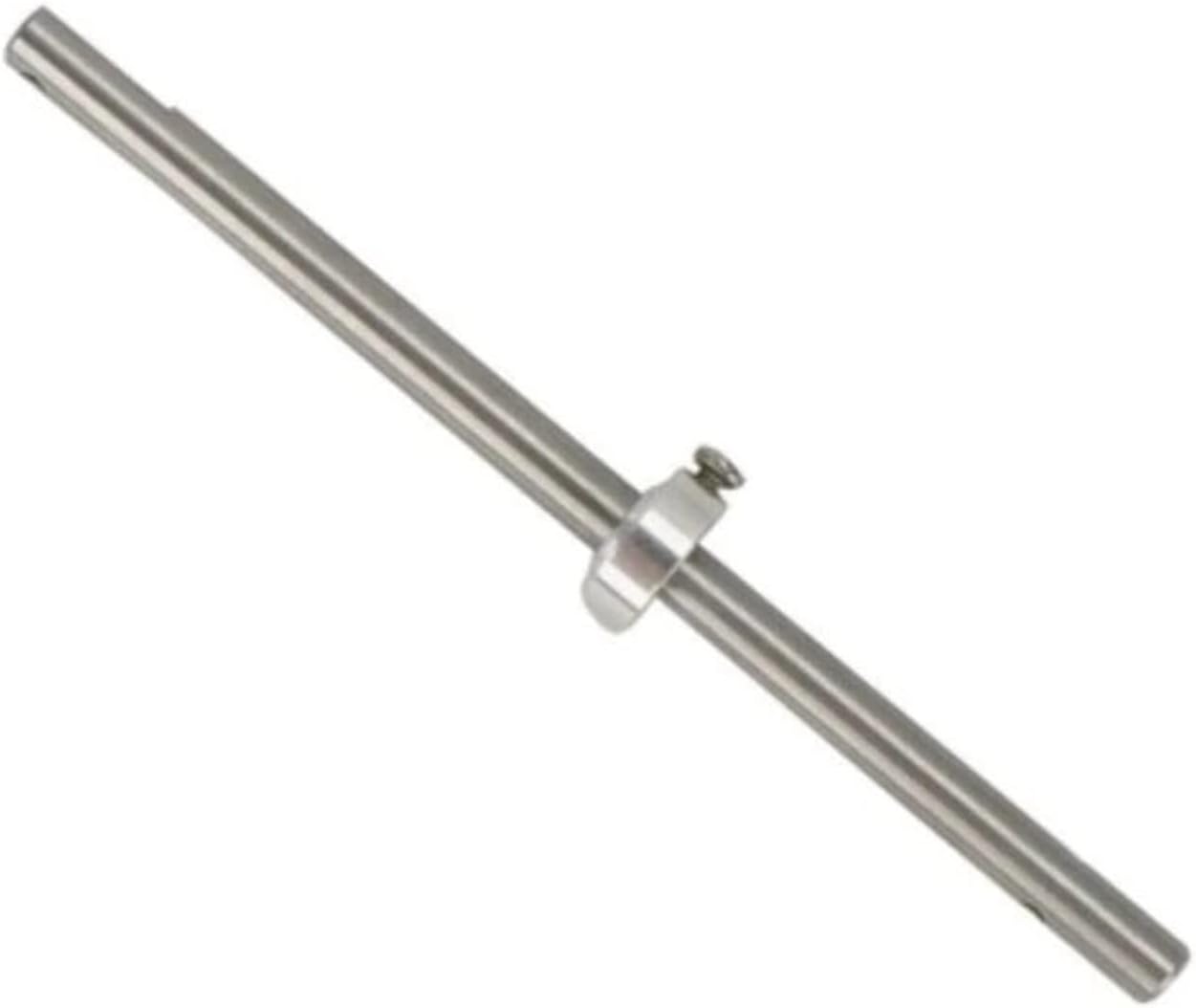
Figure 1: The VERBANA Metal Main Shaft. This image displays the cylindrical metal shaft, which is a key structural component for the main rotor assembly of the JJRC M05 and F03 RC helicopters. A small, silver-colored collar with a screw is visible near the upper portion of the shaft, used for securing other components.
3. Package Contents
Upon opening the package, verify that all components are present and undamaged. The kit includes:
- 1 x VERBANA Metal Main Shaft (for JJRC M05 F03 RC Helicopter)
Note: Additional tools or helicopter components required for installation are not included in this spare parts kit.
4. Specifications
| Feature | Detail |
|---|---|
| Compatibility | JJRC M05, JJRC F03 RC Helicopters |
| Material | Metal |
| Package Dimensions | 1.18 x 0.79 x 0.39 inches |
| Item Weight | 1.76 ounces |
| Manufacturer | VERBANA |
5. Setup and Installation
Replacing the main shaft requires careful attention to detail. It is highly recommended to consult the original instruction manual for your JJRC M05 or F03 RC Helicopter for specific disassembly and reassembly procedures. The following steps are general guidelines:
- Preparation: Ensure the helicopter's battery is disconnected. Gather necessary tools, which typically include small screwdrivers and possibly pliers.
- Disassembly:
- Carefully remove the main rotor blades.
- Detach the main rotor head assembly from the top of the existing main shaft.
- Locate and remove any retaining clips, screws, or collars that secure the main shaft within the helicopter's frame.
- Gently slide the old main shaft out from the bottom of the helicopter frame.
- Inspection: Before installing the new main shaft, inspect the surrounding components (e.g., main gear, bearings, rotor head) for any signs of damage or wear. Replace any damaged parts as needed.
- Installation of New Main Shaft:
- Carefully insert the new VERBANA metal main shaft into the helicopter frame from the bottom, ensuring it passes through all necessary bearings and the main gear.
- Secure the main shaft with the appropriate retaining clips, screws, or collars, ensuring they are tightened sufficiently but not overtightened.
- Reattach the main rotor head assembly to the top of the main shaft.
- Reinstall the main rotor blades.
- Post-Installation Check: Gently rotate the main rotor by hand to ensure smooth movement and no binding. Verify that all components are securely fastened.
Warning: Improper installation can lead to helicopter malfunction or damage. If you are unsure about any step, seek assistance from an experienced RC enthusiast or professional.
6. Operating Considerations
Once the new main shaft is installed, the helicopter should operate as intended. The main shaft itself is a static component during flight, but its integrity is crucial for flight stability and control. Ensure that the main rotor spins freely and without excessive wobble before attempting flight.
- Pre-Flight Check: Always perform a thorough pre-flight inspection to ensure the main shaft and all connected components are secure and free from damage.
- Flight Behavior: If the helicopter exhibits unusual vibrations, instability, or difficulty in control after main shaft replacement, land immediately and re-inspect the installation.
7. Maintenance
Regular maintenance of your RC helicopter, including the main shaft, will extend its lifespan and ensure safe operation.
- Visual Inspection: After every significant crash or hard landing, and periodically during normal use, visually inspect the main shaft for any signs of bending, cracks, or deformation.
- Cleanliness: Keep the main shaft and surrounding components free from dirt, dust, and debris, which can interfere with smooth operation of bearings and gears.
- Bearing Check: Ensure the bearings through which the main shaft passes are clean and rotate smoothly. Replace worn bearings as necessary.
- Fastener Check: Periodically check that all screws and retaining clips securing the main shaft are tight.
8. Troubleshooting
If you encounter issues after replacing the main shaft, consider the following common problems and solutions:
| Problem | Possible Cause | Solution |
|---|---|---|
| Excessive vibration during flight | Bent main shaft, unbalanced rotor blades, loose rotor head components. | Inspect main shaft for straightness. Balance rotor blades. Ensure rotor head components are securely fastened. |
| Main rotor not spinning freely or binding | Incorrectly installed main shaft, damaged bearings, main gear misalignment. | Re-check main shaft installation. Inspect and replace bearings if necessary. Verify main gear alignment. |
| Difficulty controlling helicopter | Main shaft not fully seated, loose rotor head, damaged swashplate. | Ensure main shaft is properly secured. Check all rotor head linkages and swashplate for damage and secure connections. |
9. Warranty and Support
For information regarding the warranty of your VERBANA Metal Main Shaft, please refer to the original purchase documentation or contact your retailer. As this is a spare part, specific warranty terms may vary.
For technical support or further assistance with installation, it is recommended to consult online RC helicopter communities, forums, or experienced hobbyists who are familiar with JJRC M05 and F03 models. VERBANA does not provide direct end-user technical support for installation procedures.


