
1. Product Overview
The Samsung DC92-02648A Washer User Interface Kit is an authentic Original Equipment Manufacturer (OEM) replacement part designed for Samsung washing machines. This kit is responsible for processing the cycle settings selected by the user and houses the washer's display, enabling interaction with the appliance.
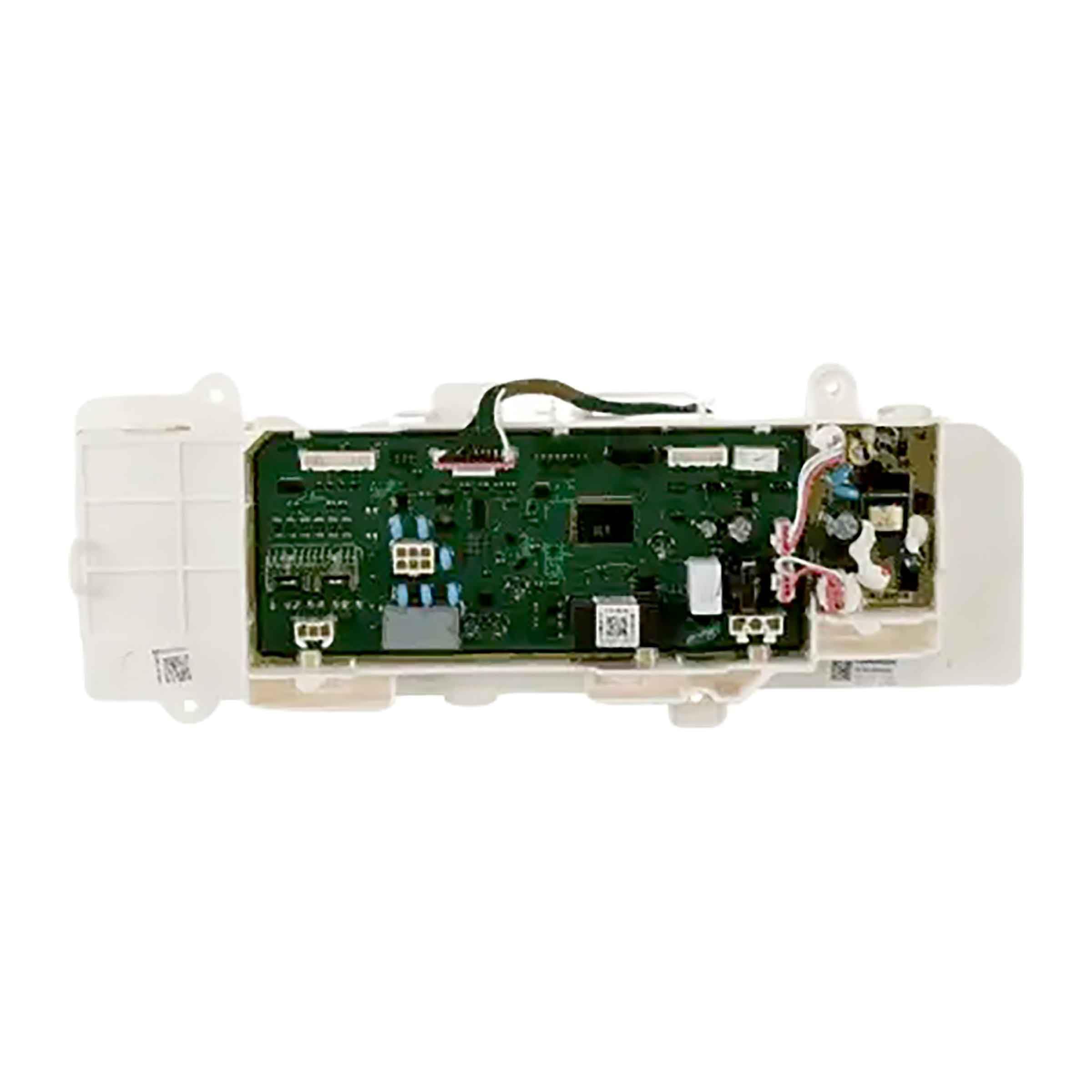
Image showing the Samsung DC92-02648A Washer User Interface Kit, a rectangular electronic component with a display area and control buttons.
2. Safety Information
Before attempting any installation, repair, or maintenance on your appliance, always prioritize safety. Failure to follow these guidelines may result in personal injury or damage to the appliance.
- Disconnect Power: Always ensure the washing machine is completely disconnected from its power source (unplugged or circuit breaker off) before beginning any work.
- Wear Protective Equipment: Use appropriate personal protective equipment (PPE), such as gloves and safety glasses, to prevent injury.
- Professional Assistance: If you are unsure about any step or lack the necessary tools and expertise, consult a qualified appliance service professional.
- Part Validation: It is recommended to refer to your specific appliance service manual, contact your appliance manufacturer, or consult a service professional to validate the needed part number for your appliance prior to purchasing and installation.
3. What's in the Box
The package for the Samsung DC92-02648A Washer User Interface Kit typically includes:
- One (1) Samsung DC92-02648A Washer User Interface Kit
4. Setup and Installation
Installation of the DC92-02648A User Interface Kit requires technical knowledge and should ideally be performed by a qualified service professional. Incorrect installation can lead to appliance malfunction, further damage, or personal injury. The following is general guidance; always refer to your specific washer model's service manual for detailed, step-by-step instructions.
- Prepare the Appliance: Ensure the washing machine is unplugged from the power outlet and the water supply is turned off.
- Access the Control Panel: Depending on your washer model, you may need to remove the top panel or front panel to access the existing user interface board.
- Disconnect Old Kit: Carefully disconnect all wiring harnesses and ribbon cables from the old user interface kit. Note the orientation and connection points for reassembly.
- Remove Old Kit: Unfasten any screws, clips, or latches securing the old user interface kit in place and remove it.
- Install New Kit: Position the new DC92-02648A User Interface Kit into the designated slot. Secure it with the appropriate fasteners.
- Reconnect Wiring: Carefully reattach all wiring harnesses and ribbon cables to the new kit, ensuring secure and correct connections.
- Reassemble Appliance: Reattach any panels removed during the process.
- Test Functionality: Restore power to the washer and test the functionality of the new user interface kit by selecting various cycles and settings.
5. Operation
Once correctly installed, the DC92-02648A User Interface Kit serves as the primary control panel for your Samsung washing machine. It enables you to:
- Select Wash Cycles: Choose from various pre-programmed wash cycles suitable for different fabric types and soil levels.
- Adjust Settings: Modify specific wash parameters such as water temperature, spin speed, and rinse options.
- View Display Information: The integrated display provides real-time information about the current cycle status, remaining time, and selected options.
- Start/Pause Cycles: Initiate or temporarily halt a wash cycle.
Refer to your washing machine's main user manual for detailed instructions on operating specific cycles and features.
6. Maintenance
Proper care of your user interface kit contributes to its longevity and reliable performance. Follow these general maintenance guidelines:
- Keep Clean: Regularly wipe the control panel surface with a soft, damp cloth to remove dust and spills.
- Avoid Harsh Cleaners: Do not use abrasive cleaners, solvents, or chemical sprays directly on the control panel, as these can damage the display or buttons.
- Keep Dry: Prevent water or other liquids from seeping into the control panel area.
- Inspect for Damage: Periodically check for any visible signs of wear, cracks, or loose buttons. If damage is observed, consult a service professional.
7. Troubleshooting
If you experience issues with your washer's control panel after installing the DC92-02648A User Interface Kit, consider the following general troubleshooting steps:
- No Display/Unresponsive Buttons:
- Ensure the washer is properly plugged in and receiving power.
- Check the circuit breaker for the appliance.
- Verify that all wiring harnesses and ribbon cables to the user interface kit are securely connected.
- Incorrect Cycle Selection/Behavior:
- Confirm that the correct cycle and options are being selected on the panel.
- Perform a power cycle (unplug the washer for a few minutes, then plug it back in) to reset the electronics.
- Error Codes: If an error code appears on the display, consult your washing machine's main user manual or Samsung's support website for specific error code definitions and troubleshooting steps.
For persistent or complex issues, professional diagnosis and repair are recommended.
8. Specifications
| Attribute | Detail |
|---|---|
| Brand | Samsung |
| Model Number | DC92-02648A |
| Item Weight | 2.31 pounds |
| Product Dimensions | 18.11 x 5.59 x 3.39 inches |
| Included Components | Single Samsung DC92-02648A Washer User Interface Kit |
9. Warranty and Support
The Samsung DC92-02648A Washer User Interface Kit is an authorized, brand new, genuine Samsung part. For specific warranty information regarding this replacement part, please refer to the documentation provided with your original Samsung appliance or contact Samsung customer service directly. They can provide the most accurate and up-to-date information regarding warranty coverage and technical support for genuine Samsung parts.
For further assistance or to locate a qualified service professional, please visit the official Samsung support website or contact their customer service hotline.