
ICM Controls ICM495-30A-F
ICM 30A Disconnect with Built-in Surge Protection User Manual
Model: ICM495-30A-F
Introduction
This manual provides essential information for the safe and effective installation, operation, and maintenance of the ICM 30A Disconnect with Built-in Surge Protection, model ICM495-30A-F. Please read this manual thoroughly before installation and keep it for future reference.
The ICM495-30A-F is a fused disconnect switch designed to provide both power disconnection and surge protection for electrical systems, ensuring enhanced safety and equipment longevity.
Safety Information
WARNING: Installation and servicing must be performed by qualified personnel only. Disconnect all power before installing or servicing this device. Failure to follow these instructions may result in serious injury or death.
- Always follow local electrical codes and regulations.
- Ensure proper grounding of the unit.
- Do not operate the unit if it appears damaged.
- Verify correct voltage and current ratings before connection.
Product Overview
The ICM495-30A-F is a robust electrical disconnect box with integrated surge protection. It features a durable enclosure suitable for outdoor use and includes a visual indicator for surge protection status.
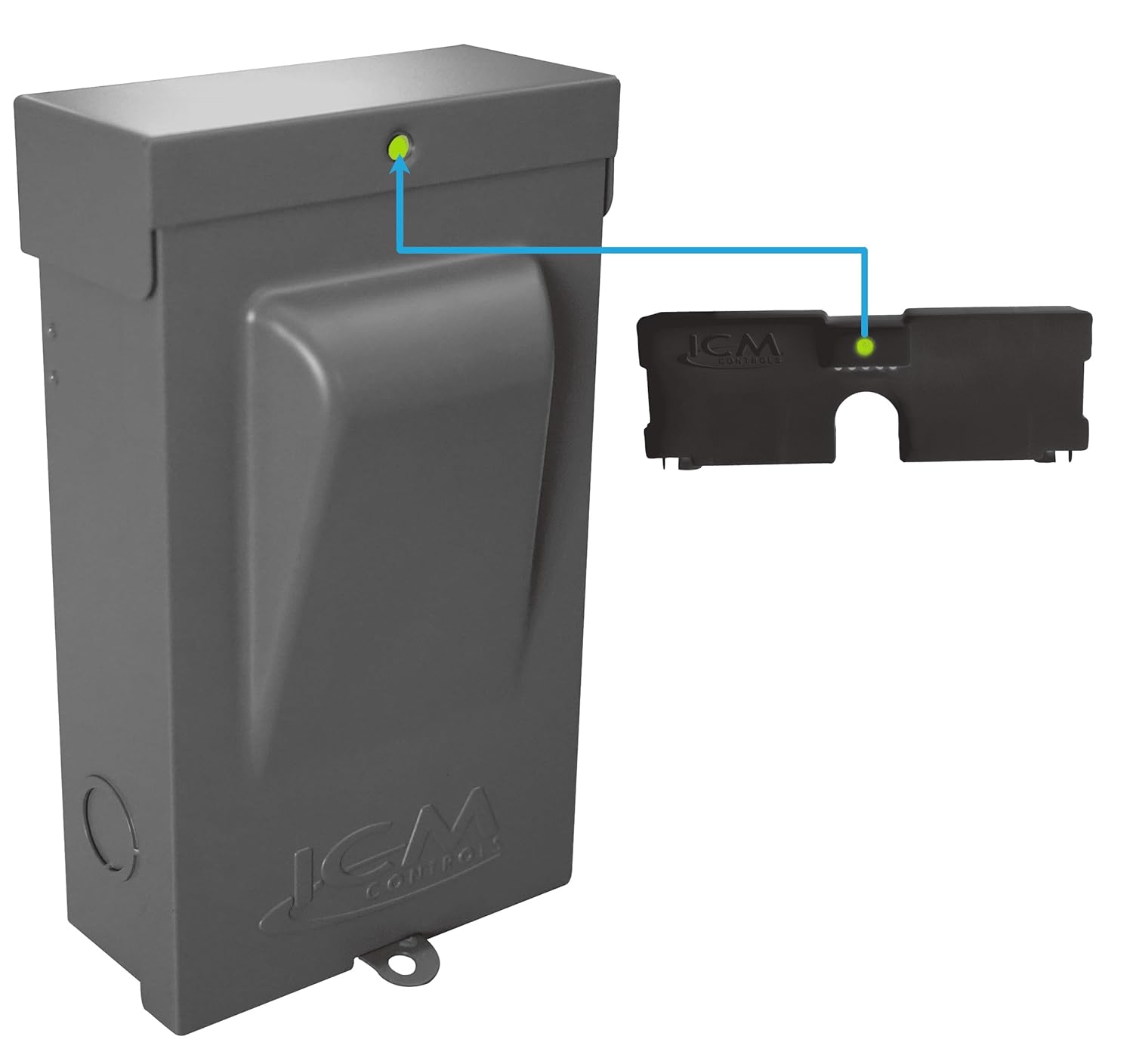
Figure 1: ICM 30A Disconnect with Built-in Surge Protection. This image shows the grey enclosure of the disconnect switch, with the ICM Controls logo embossed on the front. A green LED indicator is visible on the top right, signifying the status of the surge protection. A blue line indicates the connection to an internal component, also showing a green LED, confirming the surge protection is active.
Key Features:
- 30 Amp Fused Disconnect
- Built-in Surge Protection
- UL Listed for safety and compliance
- Durable, weather-resistant enclosure
- Visual LED indicator for surge protection status
Setup and Installation
Before beginning installation, ensure all power to the circuit is turned off at the main breaker. This device is intended for permanent installation by a licensed electrician.
Mounting:
- Select a suitable mounting location near the equipment to be protected, ensuring it is accessible for maintenance and inspection.
- Use appropriate fasteners to securely mount the enclosure to a rigid surface.
Wiring:
- Open the enclosure cover.
- Route the incoming power supply wires through the designated conduit knockouts.
- Connect the line (incoming) wires to the appropriate terminals as indicated inside the enclosure.
- Connect the load (outgoing) wires to the appropriate terminals for the equipment being protected.
- Ensure all connections are tight and secure.
- Install the required fuses (not included, refer to specifications for fuse type and rating).
- Close and secure the enclosure cover.
Note: Refer to the wiring diagram located inside the enclosure for specific connection details.
Operating Instructions
Once installed and wired correctly, the ICM495-30A-F operates automatically to provide surge protection. The disconnect function is manually operated.
Power On/Off:
- To supply power to the connected equipment, ensure the disconnect handle is in the "ON" position.
- To disconnect power for maintenance or safety, move the handle to the "OFF" position.
Surge Protection Indicator:
The unit features a green LED indicator on the top of the enclosure. This LED indicates the status of the surge protection module:
- Green LED ON: Surge protection is active and functioning correctly.
- Green LED OFF: Surge protection module has been compromised or is no longer active. The unit will still function as a disconnect, but surge protection is no longer provided. In this case, the unit should be replaced.
Maintenance
The ICM495-30A-F requires minimal maintenance. Regular inspection is recommended to ensure continued safe operation.
- Periodic Visual Inspection: Annually, inspect the enclosure for any signs of physical damage, corrosion, or loose connections.
- Surge Protection Status Check: Periodically check the green LED indicator to confirm the surge protection is active. If the LED is off, the unit's surge protection component has failed and the unit should be replaced.
- Fuse Replacement: If the fuses blow, disconnect power to the unit, open the enclosure, and replace them with fuses of the same type and rating.
CAUTION: Always disconnect power before performing any maintenance or inspection inside the enclosure.
Troubleshooting
This section provides solutions to common issues encountered with the ICM495-30A-F.
| Problem | Possible Cause | Solution |
|---|---|---|
| No power to connected equipment. | Disconnect handle in "OFF" position. Blown fuses. No incoming power. | Move handle to "ON". Replace fuses (after disconnecting power). Check main breaker/power supply. |
| Green LED indicator is off. | Surge protection module has failed. | The unit's surge protection is no longer active. Replace the entire unit to restore surge protection. |
| Unit appears physically damaged. | Impact or environmental exposure. | Disconnect power immediately. Replace the unit. |
Specifications
| Attribute | Value |
|---|---|
| Model Number | ICM495-30A-F |
| Current Rating | 30 Amps |
| Type | Fused Disconnect with Built-in Surge Protection |
| Certifications | UL Listed |
| Manufacturer | ICM |
| Package Dimensions | 9.8 x 6.73 x 4.09 inches |
| Weight | 3.75 Pounds |
Warranty and Support
For warranty information and technical support, please contact ICM Controls directly. Details are typically available on the manufacturer's website or included with the product packaging.
Manufacturer: ICM
Website: www.icmcontrols.com (Note: This is a general example, please refer to official product documentation for precise contact information.)
Related documentsICM495-30A-F


Ask a question about this manual
Ask about setup, troubleshooting, compatibility, parts, safety, or missing instructions. Manuals+ will review the question and use this page’s manual context to help answer it.