
1. Introduction
This manual provides essential information for the safe and efficient operation, installation, and maintenance of your KAFF ALBURY DC 75 BLDC Motor Filter-less Smart Auto Clean Slant Kitchen Chimney. Please read these instructions thoroughly before installation and use, and retain them for future reference.
The KAFF ALBURY DC 75 is a modern kitchen chimney designed for effective smoke and odor extraction. It features a powerful BLDC motor, filter-less technology for reduced maintenance, smart auto-clean functionality, and intuitive touch and gesture controls.
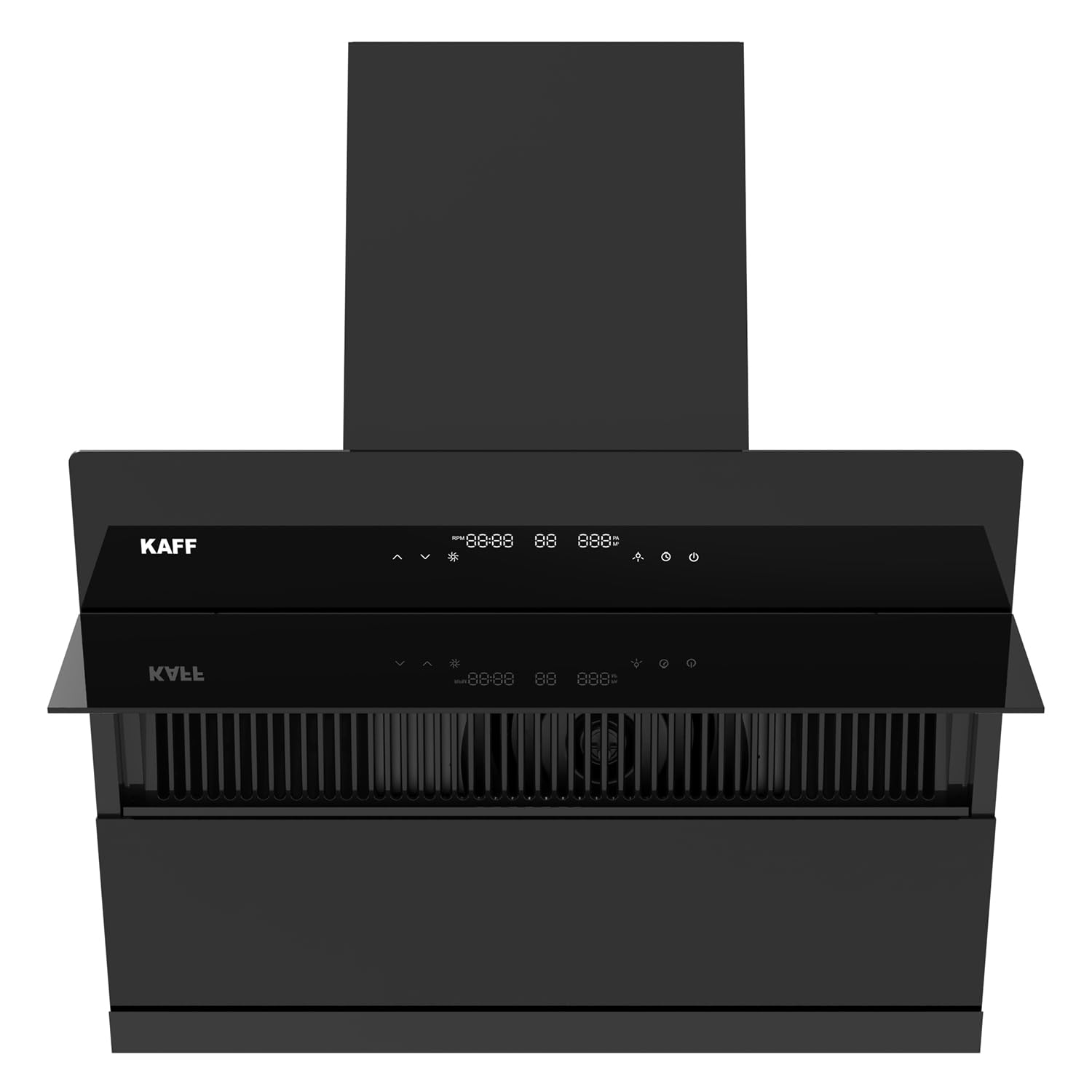
Figure 1: Front view of the KAFF ALBURY DC 75 chimney, showcasing its sleek black finish and control panel.
2. Safety Information
To prevent personal injury or property damage, always observe the following safety precautions:
- Ensure the chimney is installed by a qualified technician in accordance with local regulations and this manual.
- Verify that the power supply voltage matches the rating indicated on the chimney's label.
- Do not operate the chimney if the power cord is damaged. Contact customer service for repair.
- Maintain adequate ventilation in the room when the chimney is in use, especially if other fuel-burning appliances are present.
- Do not flambé under the chimney.
- Clean the chimney regularly to prevent grease buildup, which can be a fire hazard.
- Keep children away from the appliance during operation and cleaning.
- Do not attempt to repair or modify the chimney yourself. Refer all servicing to authorized personnel.
3. Package Contents
Before installation, ensure all components are present and undamaged:
- KAFF ALBURY DC 75 Kitchen Chimney Unit
- Ducting Pipe (if included)
- Mounting Bracket and Hardware
- User Manual (this document)
- Warranty Card
If any items are missing or damaged, contact your retailer or KAFF customer support immediately.
4. Installation Guide
Proper installation is crucial for the chimney's performance and safety. It is recommended that installation be performed by a certified technician.
4.1 Mounting the Chimney
- Determine Mounting Height: The recommended distance between the cooking surface and the bottom of the chimney should be between 65 cm and 75 cm for optimal performance.
- Mark Drilling Points: Use the provided template or measure carefully to mark the positions for the mounting bracket on the wall.
- Drill Holes: Drill holes of appropriate size for the wall plugs and screws.
- Secure Mounting Bracket: Attach the mounting bracket firmly to the wall using the provided screws.
- Hang the Chimney: Carefully lift the chimney and hook it onto the mounting bracket. Ensure it is securely seated.

Figure 2: Side view of the chimney, illustrating its slant design and potential mounting position.
4.2 Ducting Connection
Connect the ducting pipe to the chimney's exhaust outlet and route it to the external vent. Ensure the ducting is as straight and short as possible to maximize suction efficiency. Use appropriate clamps to secure all connections.
4.3 Electrical Connection
Connect the chimney to a grounded electrical outlet. Ensure the power supply is switched off before making any connections. If in doubt, consult a qualified electrician.
5. Operating Instructions
The KAFF ALBURY DC 75 features a touch control panel and gesture control for convenient operation.
5.1 Control Panel Overview
The intuitive display panel includes various touch-sensitive buttons for different functions:
- Power Button: Turns the chimney on/off.
- Speed Adjustment Buttons: Increase or decrease suction speed (9 speeds available).
- Light Button: Controls the LED lighting.
- Auto Clean Button: Activates the smart auto-clean function.
- Gesture Control Sensor: For hands-free operation.
5.2 Basic Operation
- Power On: Press the Power button once. The chimney will start at a low speed.
- Adjust Suction Speed: Use the Speed Up or Speed Down buttons to select one of the 9 available speeds. Higher speeds are recommended for heavy cooking.
- Control Lights: Press the Light button to turn the LED lights on or off.
- Power Off: Press the Power button again to turn off the chimney.
5.3 Smart Auto Clean Function
The Smart Auto Clean feature helps maintain the chimney's internal components by heating and melting accumulated oil, which then drains into the oil collector.
- Activation: Press the Auto Clean button on the control panel. The chimney will initiate a cleaning cycle.
- Duration: The auto-clean cycle typically runs for a preset duration. Refer to the display for progress.
- Post-Clean: After the cycle, ensure to empty and clean the oil collector.
5.4 Gesture Control
The chimney can be operated hands-free using gesture control:
- Power On/Off: Wave your hand from left to right in front of the gesture sensor to turn the chimney on or off.
- Increase Speed: Wave your hand from right to left to increase the suction speed.
- Decrease Speed: Wave your hand from left to right (after turning on) to decrease the suction speed.
6. Maintenance and Cleaning
Regular maintenance ensures optimal performance and extends the lifespan of your chimney.
6.1 Filter-less Design
The ALBURY DC 75 features a filter-less design, eliminating the need for traditional mesh filters. This reduces routine filter cleaning, as oil is collected directly in the oil collector.

Figure 3: Internal view of the chimney, highlighting the filter-less design and the removable oil collector.
6.2 Cleaning the Oil Collector
The oil collector should be emptied and cleaned regularly, especially after using the Smart Auto Clean function.
- Power Off: Ensure the chimney is switched off and disconnected from the power supply.
- Remove Collector: Carefully slide out the oil collector located at the bottom of the chimney.
- Empty and Wash: Dispose of the collected oil. Wash the collector with warm, soapy water. Rinse thoroughly and dry completely.
- Reinstall: Slide the clean and dry oil collector back into its position.
6.3 Cleaning the Exterior
Clean the exterior surfaces with a soft cloth dampened with mild detergent. Do not use abrasive cleaners, steel wool, or harsh chemicals, as these can damage the finish.
6.4 LED Lights
The chimney uses energy-saving Frosted LED lights. If a light needs replacement, contact authorized service personnel.
7. Troubleshooting
Before contacting customer service, refer to the following table for common issues and solutions:
| Problem | Possible Cause | Solution |
|---|---|---|
| Chimney does not turn on | No power supply Power cord not connected | Check power outlet and circuit breaker Ensure power cord is securely plugged in |
| Low suction power | Ducting obstruction Incorrect mounting height Open windows/doors creating cross-draft | Check ducting for blockages Verify chimney is within recommended height range Close windows/doors to improve suction |
| Unusual noise during operation | Loose components Ducting vibration Motor issue | Check for loose screws or parts Ensure ducting is securely fastened Contact customer service if noise persists |
| Auto Clean not effective | Oil collector full Infrequent cleaning | Empty and clean the oil collector Run auto-clean cycle more frequently based on usage |
| Gesture control not responding | Sensor obstructed Incorrect gesture | Ensure sensor area is clean and clear Practice gestures as described in section 5.4 |
8. Product Specifications
| Feature | Specification |
|---|---|
| Model | ALBURY DC 75 |
| Brand | KAFF |
| Type | Slant Kitchen Chimney |
| Motor Type | BLDC Motor |
| Suction Capacity | 1280 m³/hr |
| Size | 75 CM |
| Control Type | Touch with 9 Speed Gesture Control |
| Special Features | Filter-less, Smart Auto Clean, Built-In Oil Collector, Energy Saving Frosted LED |
| Product Dimensions (D x W x H) | 78.3D x 42.7W x 60.5H Centimeters |
| Finish Type | Stainless Steel (Black) |
9. Warranty and Customer Support
Your KAFF ALBURY DC 75 Kitchen Chimney is covered by a manufacturer's warranty. Please refer to the warranty card included in your package for specific terms and conditions, including warranty period and coverage details.
For technical assistance, service requests, or to purchase genuine spare parts, please contact KAFF customer support. Keep your purchase receipt and product serial number handy when contacting support.
For more information, visit the official KAFF Store.