
1. Introduction
Thank you for choosing the BLACK+DECKER LD12SP 12V Cordless Drill Driver. This versatile tool is designed for various drilling and screwdriving tasks around your home and for DIY projects. Its compact size, lightweight design, and cordless operation provide convenience and ease of use. Please read this manual carefully before operating the tool to ensure safe and efficient use.

Image: The BLACK+DECKER LD12SP 12V Cordless Drill Driver, along with its charger and various drill and screwdriver bits.
2. Package Contents
Your BLACK+DECKER LD12SP package should contain the following items:
- 1x BLACK+DECKER LD12SP 12V Cordless Drill Driver
- 1x Battery Charger
- 10x 25mm Screwdriver Bits
- 2x Drilling Bits

Image: A clear view of all components included in the BLACK+DECKER LD12SP kit: the drill, charger, screwdriver bits, and drilling bits.
3. Product Features and Components
Familiarize yourself with the main parts of your drill driver:

Image: Labeled diagram highlighting key components: Keyless Chuck, LED Work Light, Trigger Switch, Forward/Reverse Button, Battery, Comfort Grip Handle, and Air Vents.
- Keyless Chuck: For quick and easy bit changes without a chuck key.
- LED Work Light: Illuminates the work area for better visibility.
- Trigger Switch: Activates the drill and controls variable speed.
- Forward/Reverse Button: Changes the rotation direction for drilling or screwdriving/unscrewing.
- Battery: Integrated 12V Lithium-ion battery.
- Comfort Grip Handle: Provides a secure and comfortable hold during operation.
- Air Vents: Ensures proper motor cooling during use.
- LED Battery Indicator: Shows the current battery charge level.
4. Setup
4.1 Charging the Battery
The tool is powered by an integrated 12V Lithium-ion battery. Before first use, ensure the battery is fully charged. Connect the charger to a power outlet and then to the charging port on the drill. The LED battery indicator will show the charging status. Disconnect the charger once the battery is fully charged.

Image: A close-up view of the LED battery indicator, showing the charge status.
4.2 Installing and Changing Bits
- Ensure the tool is switched off and the forward/reverse button is in the neutral (locked) position.
- Grip the rear half of the chuck and rotate the front half counter-clockwise until the chuck jaws are open wide enough to insert the bit.
- Insert the desired drill bit or screwdriver bit fully into the chuck.
- Rotate the front half of the chuck clockwise to tighten the jaws securely around the bit.
- To remove a bit, reverse the process.
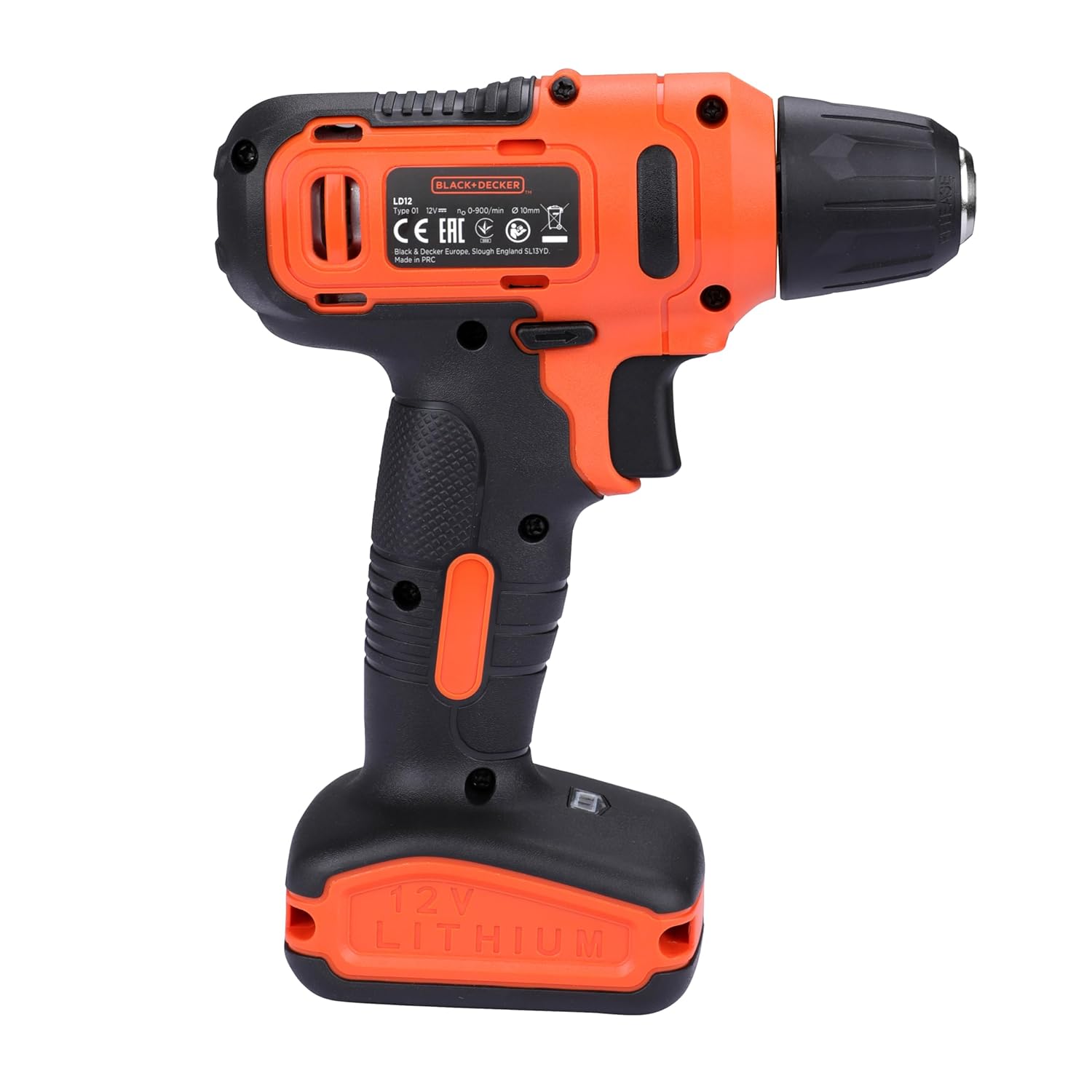
Image: A close-up of the keyless chuck, demonstrating how to insert or remove a bit.
5. Operating Instructions
5.1 Powering On/Off and Variable Speed
- To turn the tool on, press the trigger switch. The LED work light will illuminate.
- The speed of the drill is controlled by the amount of pressure applied to the trigger switch. Pressing lightly results in lower speed, while pressing fully increases the speed.
- To turn the tool off, release the trigger switch.

Image: A close-up of the trigger switch and the forward/reverse slider, illustrating the controls for operation.
5.2 Forward and Reverse Function
The forward/reverse button allows you to change the direction of rotation:
- Push the button to the left for forward rotation (drilling and tightening screws).
- Push the button to the right for reverse rotation (removing screws).
- When the button is in the center position, the trigger switch is locked, preventing accidental startup.
5.3 Drilling and Screwdriving
This tool is suitable for both drilling and screwdriving applications:
- For Drilling: Select the appropriate drill bit for the material. Apply steady, even pressure.
- For Screwdriving: Select the correct screwdriver bit. Use lower speeds for starting screws and higher speeds for driving them in. The variable speed trigger provides precise control.

Image: A person using the drill driver to fasten a screw, demonstrating its dual function for fastening or unfastening.
6. Maintenance
Regular maintenance ensures optimal performance and extends the life of your tool.
- Cleaning: Keep the tool's ventilation slots clean to prevent overheating. Use a soft, damp cloth to clean the exterior. Do not use abrasive cleaners or solvents.
- Battery Care: Store the tool and battery in a cool, dry place away from direct sunlight. Do not store the battery in a completely discharged state for extended periods.
- Bit Maintenance: Ensure drill and screwdriver bits are clean and sharp for best results. Replace worn or damaged bits.
- Storage: When not in use, store the drill driver and its accessories in the provided case in a secure, dry location, out of reach of children.
7. Troubleshooting
| Problem | Possible Cause | Solution |
|---|---|---|
| Tool does not start. | Battery is discharged. Forward/reverse button is in the locked position. | Charge the battery. Move the forward/reverse button to the forward or reverse position. |
| Reduced power or speed. | Battery is low. Incorrect bit for the material. | Recharge the battery. Use the correct bit and ensure it is sharp. |
| Bit wobbles or falls out. | Chuck not tightened properly. Bit shank is damaged. | Retighten the chuck securely. Replace the bit. |
8. Specifications
| Feature | Detail |
|---|---|
| Brand | BLACK+DECKER |
| Model Number | LD12SP-IN |
| Power Source | Battery Powered |
| Voltage | 12 Volts |
| Battery Capacity | 1.5 Ah |
| Maximum Rotational Speed | 750 RPM |
| Maximum Chuck Size | 10 Millimeters |
| Maximum Torque | 16 Newton Meters |
| Item Weight | 500 Grams |
| Product Dimensions | 11.4L x 2.4W x 7.5H Centimeters |
| Material | Plastic |
| Country of Origin | China |

Image: Visual representation of key specifications including Voltage, No Load Speed, Chuck size, and Torque.
9. Warranty and Support
Your BLACK+DECKER LD12SP Cordless Drill Driver comes with a 1 Year Warranty from the date of purchase.
For any warranty-related issues, product feedback, or support, please contact BLACK+DECKER customer care:
- Customer Care Number: 1860-425-1111 (Monday to Friday, 10 AM to 5 PM, except government holidays)
- Email: SBD-CUSTOMERCOMMUNICATIONS@SBDINC.COM
- WhatsApp: +91 96060 55835
- Authorized Service Centers: Over 500+ locations.

Image: Customer care contact information for BLACK+DECKER, detailing phone number, email, and WhatsApp support.


