
Introduction
Thank you for choosing the DOGNESS W01 Automatic Dog Paw Cleaner. This device is designed to provide a gentle and effective way to clean your pet's paws, ensuring a cleaner home and a happier pet. Featuring soft silicone bristles, one-button operation, and a long-lasting rechargeable battery, the W01 is suitable for small to medium-sized dogs.
Safety Information
- Please charge the device before first use.
- Ensure the charging port is dry before connecting the charging cable.
- Do not immerse the entire device in water. Only the silicone brush pad is designed to be washed directly.
- Keep out of reach of children and pets when not in use.
- Use only with clean water and pet-safe shampoo if desired.
Product Components
The DOGNESS W01 Automatic Dog Paw Cleaner consists of the main unit, a detachable silicone brush pad, and a USB charging cable.

Image: The main unit of the DOGNESS W01 Automatic Dog Paw Cleaner, shown in light blue, alongside its USB charging cable. A small dog is visible in the background, indicating the product's use.

Image: A detailed view of the paw cleaner's internal mechanism, illustrating the swirling action of water and bristles. Icons highlight key features: one-press start, quick cleaning, and two-speed rotation.

Image: The flexible, soft silicone bristles are shown detached from the main unit. An accompanying illustration demonstrates how these bristles can also be used as a grooming brush during bath time.
Setup
Charging the Device
Before initial use, fully charge the device. The built-in 2000mAh high-capacity rechargeable lithium battery takes approximately 2 hours to fully charge and can last up to 10 days on a single charge. A charging cord is included; however, a power adapter is not.
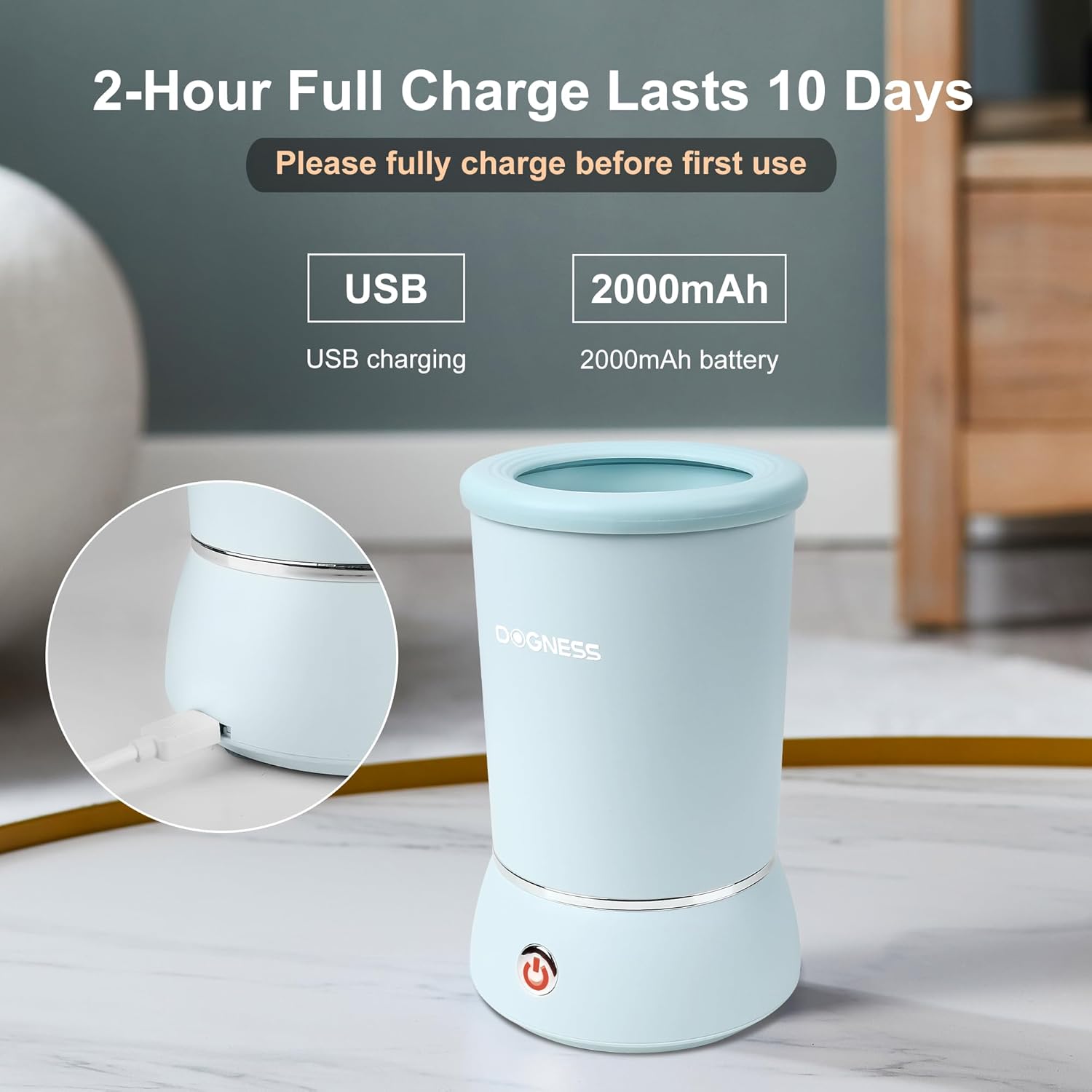
Image: The paw cleaner is shown with its USB charging port highlighted. Text indicates a 2-hour full charge provides 10 days of use, powered by a 2000mAh battery.
Operating Instructions
The DOGNESS W01 is designed for easy, one-handed operation. It is best suited for dog paws less than 2 inches wide, making it ideal for small to medium-sized dog breeds.
Step-by-Step Usage:
- Step 1: Pour Water - Fill the washer cup with an appropriate amount of water. You may add a small amount of pet-safe shampoo if desired.
- Step 2: Insert Paw & Start Cleaning - Gently insert your dog's muddy paw into the opening and press the power button to activate the cleaning cycle. The device features a 2-speed spin for effective cleaning.
- Step 3: Dry Paw - Once cleaning is complete, remove your dog's paw and dry it thoroughly with a towel.
- Step 4: Clean Brush Pad - After use, disassemble the unit and wash the silicone brush pad.
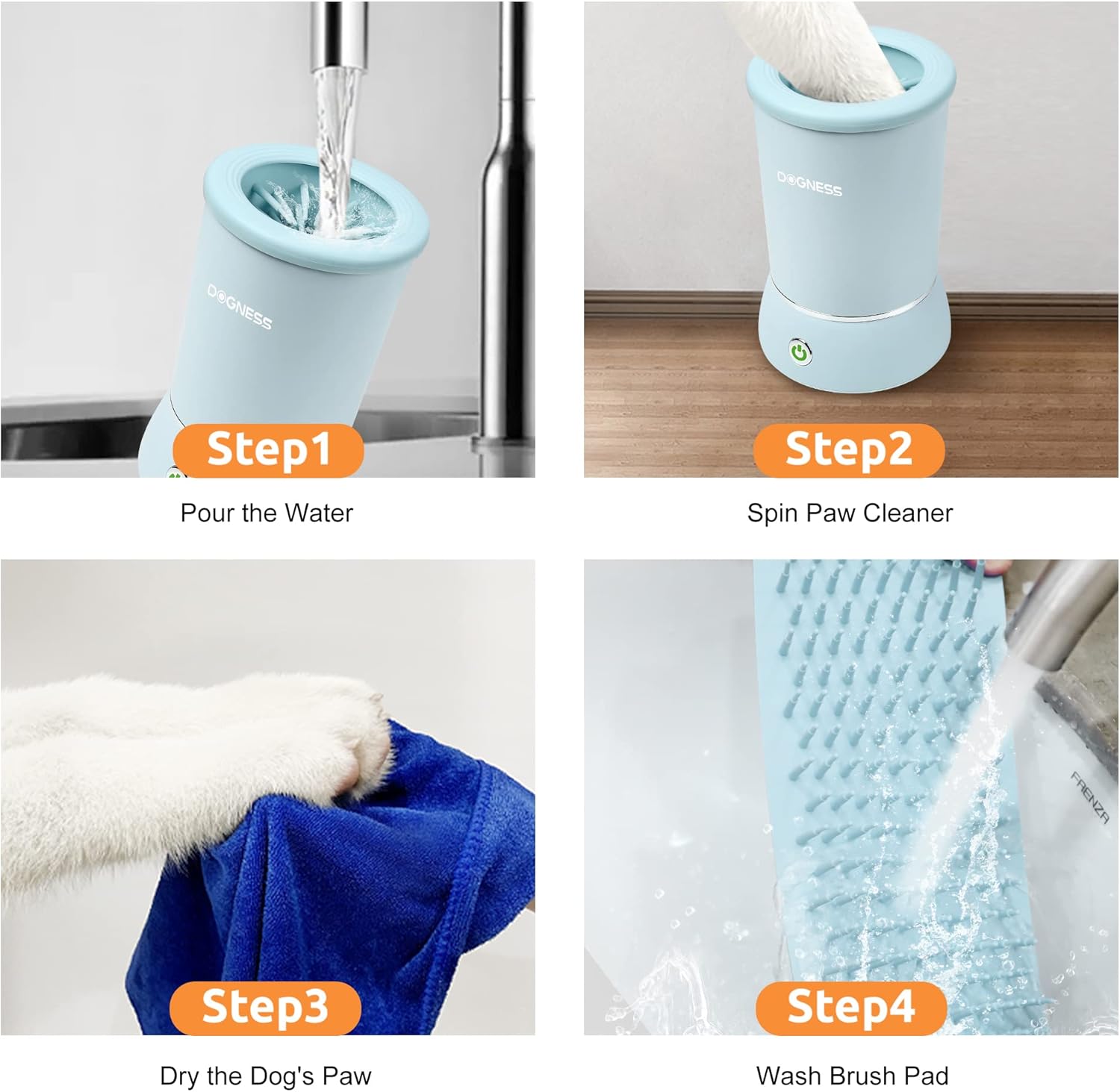
Image: A visual guide demonstrating the four steps of using the paw cleaner: pouring water, inserting a paw for cleaning, drying the paw, and washing the detachable brush pad.
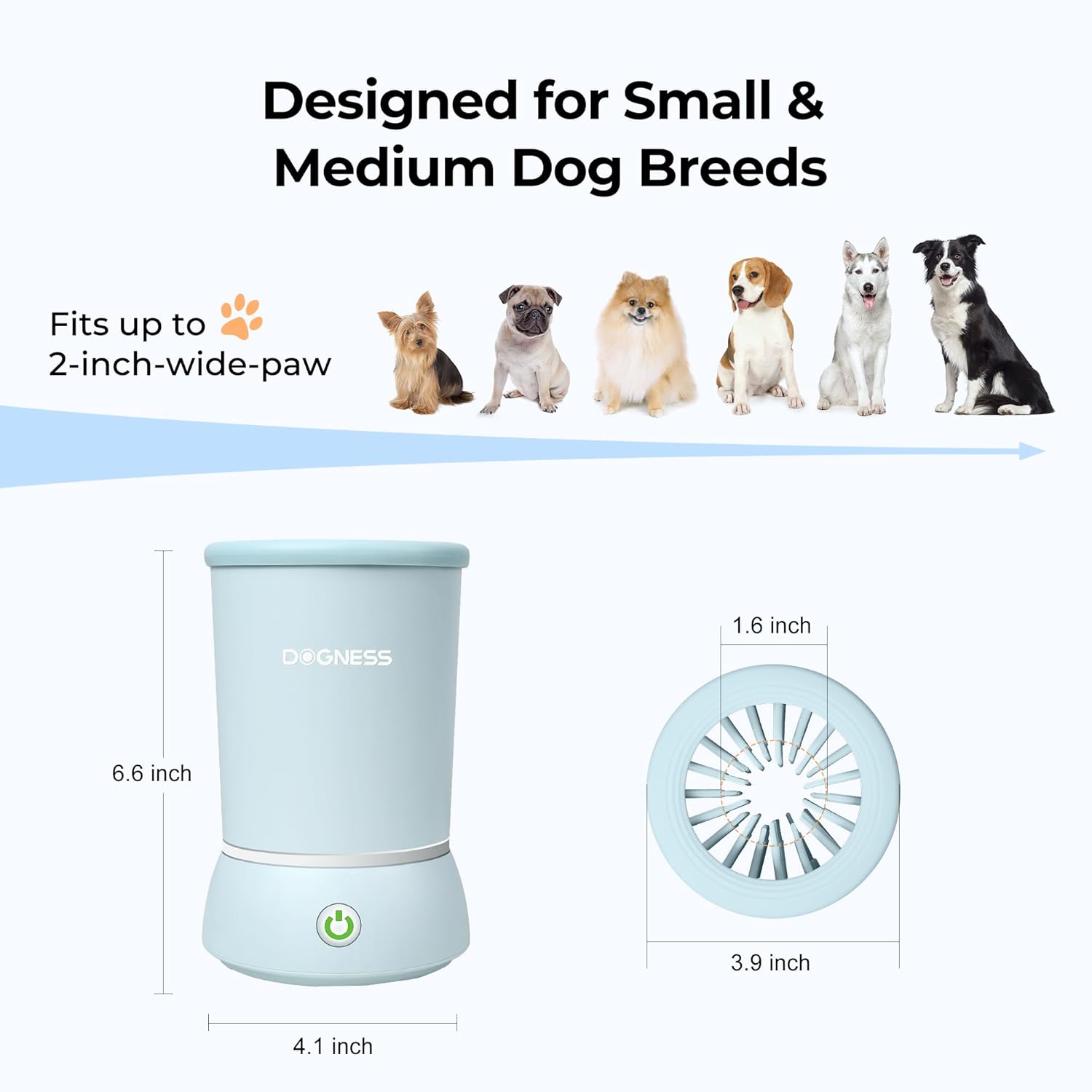
Image: This image displays the dimensions of the DOGNESS W01 paw cleaner (6.6 inches tall, 4.1 inches wide at base, 3.9 inches opening diameter) and illustrates various small to medium dog breeds, indicating the product's suitability for paws up to 2 inches wide.
Maintenance
Cleaning the Device
Regular cleaning ensures optimal performance and hygiene. The DOGNESS W01 is designed for easy disassembly and cleaning.
- Remove the top cover of the paw cleaner.
- Carefully take out the silicone brush pad.
- Wash the silicone brush pad thoroughly with water. You can use mild soap if necessary.
- Wipe the interior and exterior of the main unit with a damp cloth. Do not submerge the main unit in water.
- Allow all components to air dry completely before reassembling.
Troubleshooting
- Device Not Turning On: Ensure the device is fully charged. Connect the USB charging cable and allow it to charge for at least 2 hours.
- Motor Stops or Yellow Light Appears: If the motor encounters too much strain or an obstruction, it will automatically shut off, and a yellow indicator light will illuminate. Remove any obstructions (e.g., excessive dirt, large debris, or if the paw is too large for the opening), then press the power button again to resume operation.
- Ineffective Cleaning: Ensure sufficient water is used. For very muddy paws, pre-rinse or use a small amount of pet-safe shampoo. Confirm the silicone bristles are properly seated.
Specifications
| Feature | Detail |
|---|---|
| Model | W01 |
| Brand | DOGNESS |
| Color | Light Blue |
| Material | Silicone |
| Product Dimensions (LxWxH) | 4.1 x 4.1 x 6.6 inches |
| Item Weight | 1.48 pounds |
| Battery | 1 Lithium Ion battery (included) |
| Battery Capacity | 2000mAh |
| Charging Time | Approx. 2 hours |
| Battery Life | Up to 10 days |
| Paw Opening Diameter | 2.6 inches (best for paws less than 2 inches wide) |
Warranty and Support
For any questions, concerns, or support regarding your DOGNESS W01 Automatic Dog Paw Cleaner, please contact DOGNESS customer service. While specific warranty details are not provided in this manual, DOGNESS is committed to providing high-quality products and support.
You can visit the official DOGNESS store for more information and contact options: DOGNESS Store on Amazon
Official Product Videos
There are no official product videos from the seller available in the provided data for this manual.
