
1. Introduction
Thank you for choosing the Korfile 55-Inch Computer Gaming Desk. This manual provides detailed instructions for assembly, operation, and maintenance to ensure optimal performance and longevity of your desk. Please read this manual thoroughly before assembly and use, and retain it for future reference.
2. Important Safety Information
To prevent injury and damage to the product, please observe the following safety guidelines:
- Always assemble the desk on a stable, level surface.
- Do not use on uneven or unstable surfaces to prevent tipping and injury.
- Ensure all screws and fasteners are securely tightened before use. Periodically check and re-tighten as necessary.
- Do not overload the desk. The maximum weight recommendation is 180 pounds.
- Keep children and pets away from the assembly area. Small parts can be a choking hazard.
- Do not stand or sit on the desk.
3. Package Contents
Before beginning assembly, verify that all parts are present and undamaged. If any parts are missing or damaged, please contact customer support.
All necessary hardware and tools for assembly are included in the package.

Figure 3.1: Exploded view of desk components with dimensions.
4. Assembly Instructions
Follow these steps carefully to assemble your Korfile 55-Inch Computer Gaming Desk. It is recommended to have two people for assembly.
- Step 1: Assemble the Desk Frames. Attach the adjustable feet to the bottom of the metal frame legs (parts 8, 9, 10, 11). Connect the horizontal support bars (parts 14, 15) between the leg frames using screws (K).
- Step 2: Attach the Main Desktop. Place the main desktop panel (part 1) onto the assembled frames. Secure it with screws (I).
- Step 3: Install the Monitor Stand. Attach the monitor stand supports (parts 16) to the main desktop. Place the monitor stand panel (part C) on top of the supports and secure with screws (H).
- Step 4: Install the Power Outlet Unit. Insert the power outlet unit (part B) into the designated cutout on the monitor stand. Secure it with screws (F).
- Step 5: Attach Side Shelves. Attach the side shelf panels (parts 4, 5) to the outer frames using screws (J).
- Step 6: Assemble Fabric Drawers. Fold and assemble the fabric drawers. The desk features 5 fabric drawers that can be arranged in various configurations (left or right, above or below shelves) to customize storage space.
- Step 7: Final Checks. Ensure all screws are tightened and the desk is stable.
Video 4.1: Official assembly guide for the Korfile Computer Desk with Power Outlets & LED Lights.

Figure 4.2: Visual guide for assembling the desk frame and attaching the main desktop.

Figure 4.3: Visual guide for installing the monitor stand and integrated power outlet.

Figure 4.4: Visual guide for attaching side shelves and configuring fabric drawers.
5. Operating Instructions
5.1. Power Outlets and USB Charging Ports
The desk is equipped with a built-in charging station for convenience. This unit includes 3 standard AC power outlets and 2 USB charging ports (5V/2A).
- To use, plug the desk's power cord into a wall outlet.
- Connect your electronic devices (laptops, smartphones, gaming devices) directly to the AC outlets or USB ports.
- Ensure devices are compatible with the provided voltage and current.
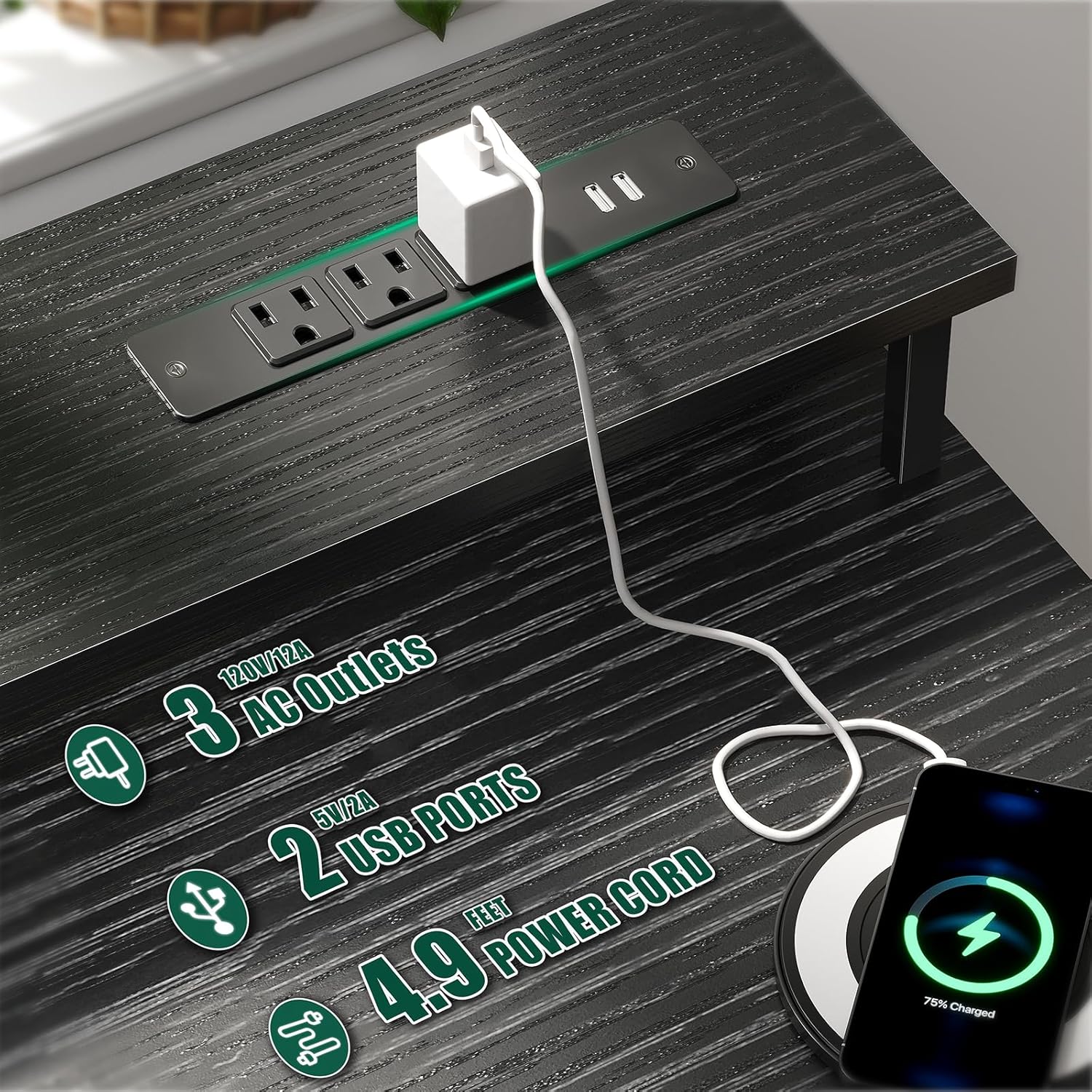
Figure 5.1: Integrated power outlets and USB charging ports.
5.2. RGB LED Lights
The desk features built-in RGB LED light strips to enhance your environment. These lights offer various modes and colors.
- The LED lights are powered via the desk's main power connection.
- Use the included remote control to adjust colors, brightness, and dynamic modes.
- Refer to the remote control's specific instructions for detailed operation of light settings.
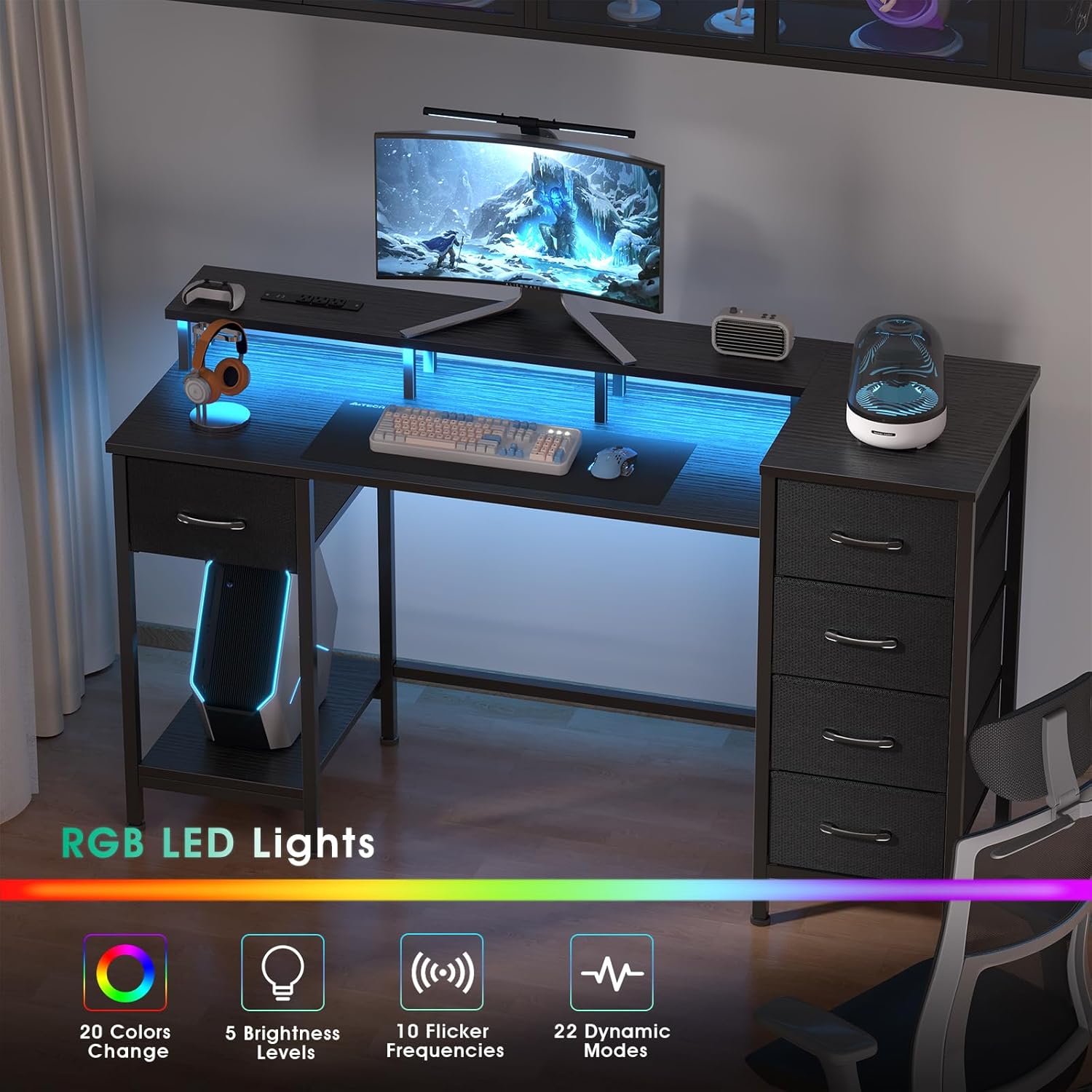
Figure 5.2: RGB LED lighting feature.
5.3. Reversible Design and Storage Drawers
The desk's design allows for flexible configuration of the storage drawers and side shelves. You can choose to install the drawer units on either the left or right side, and adjust the placement of the fabric drawers within the frames.
- The 5 fabric drawers are made of high-quality non-woven fabric, offering lightweight and breathable storage.
- To access contents, pull the drawer handles. To close, push the drawers back into their compartments.
- The monitor stand elevates your screen to eye level, promoting better posture.
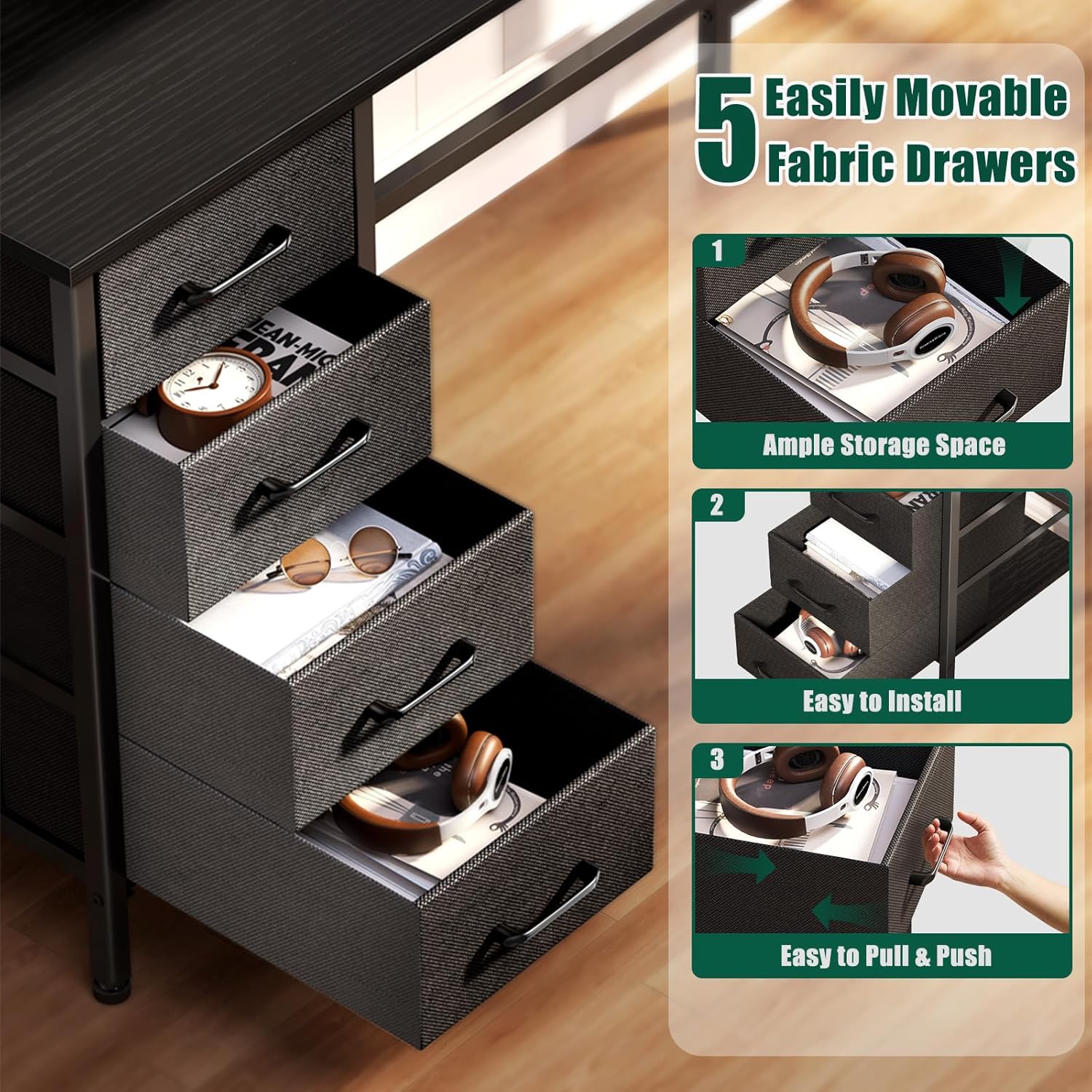
Figure 5.3: Fabric storage drawers for organization.

Figure 5.4: Examples of reversible drawer layout configurations.
6. Maintenance
Proper care will extend the life of your desk:
- Cleaning: Wipe the desk surfaces with a damp cloth for general cleaning. For tougher spots, use a mild cleaner and then wipe dry immediately. Avoid abrasive cleaners.
- Fabric Drawers: The non-woven fabric drawers can be spot cleaned with a damp cloth and mild soap. Allow to air dry completely. Do not machine wash.
- Hardware: Periodically check all screws and connections to ensure they remain tight. Re-tighten if necessary to maintain stability.
- Placement: Avoid placing the desk in direct sunlight or near heat sources to prevent material warping or discoloration.
7. Troubleshooting
If you encounter any issues with your desk, refer to the following common solutions:
| Problem | Possible Cause | Solution |
|---|---|---|
| Desk is wobbly/unstable | Loose screws; uneven floor; incorrect assembly. | Ensure all screws are fully tightened. Adjust the leveling feet on the bottom of the legs. Review assembly steps. |
| Power outlets/USB ports not working | Desk not plugged in; circuit breaker tripped; faulty unit. | Check if the desk's power cord is securely plugged into a working wall outlet. Check your home's circuit breaker. If the issue persists, contact customer support. |
| LED lights not functioning | Desk not powered; remote control battery low; faulty LED strip. | Ensure the desk is powered. Check and replace the remote control battery. If lights still do not work, contact customer support. |
| Drawers do not slide smoothly | Improper assembly; obstruction; overloaded drawer. | Ensure fabric drawers are correctly assembled and placed. Remove any obstructions. Do not overload drawers. |
8. Specifications
| Feature | Detail |
|---|---|
| Brand | Korfile |
| Model Number | CD031 |
| Product Dimensions (D x W x H) | 18.8" x 55" x 35" |
| Color | Black |
| Material | Engineered Wood (Tabletop), Metal (Frame), Non-woven Fabric (Drawers) |
| Power Outlets | 3 AC Outlets (120V/12A) |
| USB Charging Ports | 2 USB Ports (5V/2A) |
| LED Lights | RGB, 20 Colors, 5 Brightness Levels, 10 Flicker Frequencies, 22 Dynamic Modes |
| Monitor Stand | Full desktop length, elevated |
| Storage | 5 Fabric Drawers, Reversible Configuration |
| Weight Capacity | 180 Pounds (approx.) |
| Assembly Required | Yes, all tools included |
9. Warranty and Support
The Korfile 55-Inch Computer Gaming Desk comes with a limited warranty. Please refer to the warranty card included in your package for specific terms and conditions.
For technical support, missing parts, or warranty claims, please contact Korfile customer service through the retailer where you purchased the product or visit the official Korfile website.