1. Product Overview
The Ehaho UTV Sound Bar System MT-4121 is a 2.1 channel stereo audio system designed for off-road vehicles, golf carts, and marine applications. It features a 17-inch soundbar with an integrated subwoofer, two external full-range speakers, and dynamic RGB lighting. Built with IP66 waterproof and dustproof rating, this system offers robust performance in various outdoor conditions. Connectivity options include Bluetooth 5.0, 3.5mm AUX input, and USB playback.

The Ehaho UTV 2.1 Stereo Sound System delivers powerful deep bass with two 4-inch woofers and two 4-inch full-range speakers, providing 500W peak power.

Experience dynamic audio with multicolor beat-synced RGB lights, enhancing your outdoor adventures.

The system is IP66 waterproof and dustproof, ensuring durability against water and dust during off-road use.
2. What's in the Box
Verify that all components are present before installation.
- 1 x Sound Bar
- 2 x Speakers
- 2 x Remote Control
- 1 x User Guide
- 4 x Brackets
- 1 x Connectors
- 2 x 10A Fuse
- 1 x Extendable Cable
- 1 x Mounting Kit

A visual representation of all items included in the package: sound bar, speakers, remote controls, user guide, various brackets, connectors, fuses, and cables.
3. Setup and Installation
The Ehaho UTV Sound Bar System is designed for easy installation on vehicles with 1-inch to 2-inch roll bars. Universal mounting brackets are provided to ensure compatibility with various UTVs, ATVs, golf carts, and marine vessels.
3.1 Sound Bar Installation
Attach the sound bar to your vehicle's roll cage using the provided mounting brackets and hardware. Ensure a secure fit to prevent movement during operation.
3.2 Speaker Installation
Mount the two full-range speakers to suitable locations on your vehicle, typically on the roll cage or other secure points. Connect them to the sound bar using the provided speaker wires.
This video demonstrates the installation process for the Ehaho 2.1CH Stereo UTV Sound Bar and its accompanying speakers, showing how to secure the components to a vehicle's roll cage.

The universal brackets allow for easy mounting on a variety of vehicles with 1-inch to 2-inch roll bars, including ATVs, UTVs, golf carts, and marine applications.
3.3 Recommended Installation Positions
Different mounting positions can affect the listening experience. Consider the following recommended positions or explore others that suit your vehicle and preferences:

Position 1: Sound bar mounted centrally above the front seats for balanced audio distribution.

Position 2: Sound bar mounted towards the rear of the cabin, ideal for rear passenger audio or specific vehicle layouts.
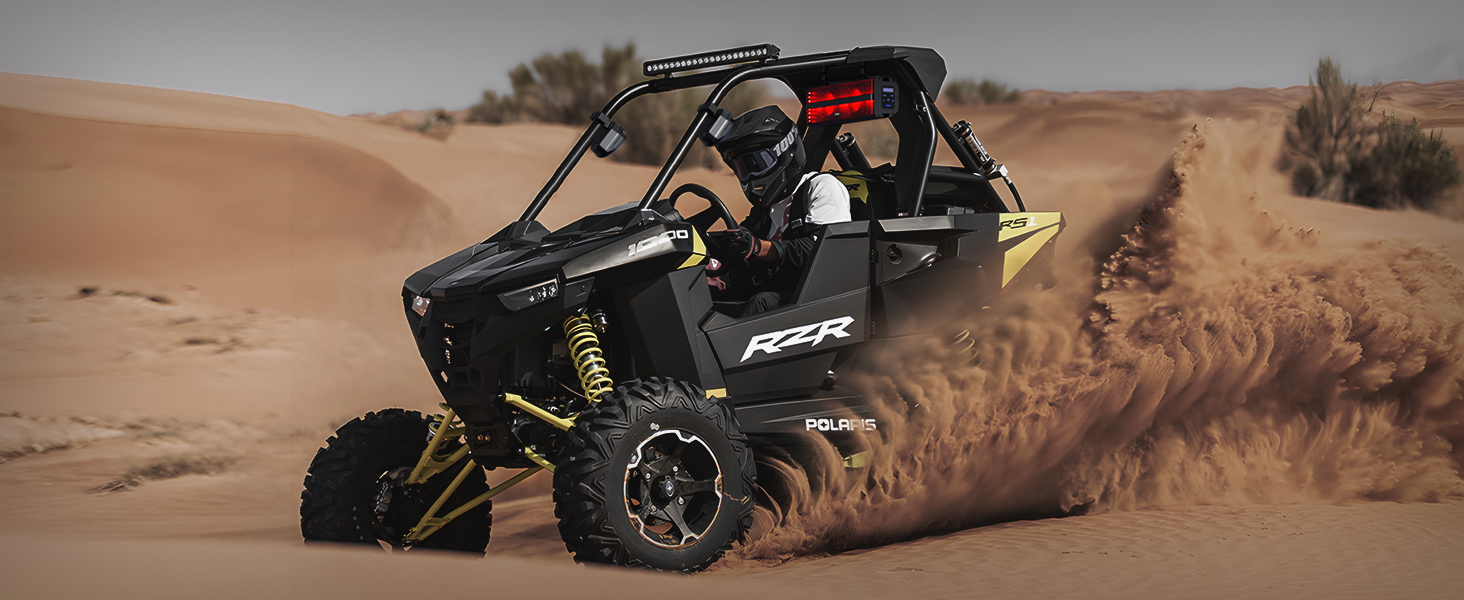
Position 3: Sound bar mounted centrally with satellite speakers on the side pillars for an immersive surround sound experience.

Detailed product dimensions for the sound bar (16.51" long, 5" high), subwoofer (3.85" wide, 5" high), mounting bracket (1"-2" compatible, 3.4" wide), speakers (4.88" wide, 5.82" high, 3.15" deep), cigarette lighter power wire (55" long), and speaker wires (118" long).
4. Operating Instructions
4.1 Power On/Off
Connect the system to a 12V power source using the provided cigarette lighter power wire or direct wiring. Press the power button on the sound bar or remote control to turn the unit on or off.
4.2 Bluetooth Connectivity
To connect via Bluetooth 5.0, ensure the sound bar is in Bluetooth mode. The panel characters will flash, indicating it is waiting for a connection. Search for 'Ehaho Sound Bar' on your smartphone or compatible device and pair. The effective range is up to 33 feet (10 meters).

Bluetooth 5.0 offers a stable connection up to 33 feet (10 meters). When not connected, the panel characters will flash, indicating pairing mode.
4.3 AUX Input
For wired audio playback, connect your device (e.g., MP3 player, smartphone) to the 3.5mm AUX input port on the sound bar. The system will automatically switch to AUX mode if a device is detected. If no device is connected, the default mode is Bluetooth.

Connect any audio device with a 3.5mm jack for direct music playback. The system automatically detects and switches to AUX mode.
4.4 USB Input
Insert a USB drive containing MP3 or WMA music files into the USB port. The system will automatically play compatible audio files. The USB port also provides 1A current for charging small devices. If no USB device is connected, the default mode is Bluetooth.

Play MP3 and WMA music directly from a USB drive. The USB port also offers 1A charging capability.
4.5 Remote Control
Use the full-function remote control to manage power, volume, track selection, mode switching, and RGB light settings. The remote has a control range of up to 33 feet (10 meters).

Control all functions of the sound bar and speakers conveniently with the included remote control, effective up to 33 feet.
5. Speaker System Details
The MT-4121 system features a powerful 2.1 channel setup for rich audio.
5.1 Integrated Subwoofer
The sound bar includes two 4-inch woofers designed to enhance bass performance. The subwoofer is an integral part of the 2.1 audio system and must be used in conjunction with the full-range speakers for optimal sound.

Two 4-inch woofers are integrated into the sound bar to provide a powerful bass experience. Note: The subwoofer functions as part of the 2.1 system and requires the full-range speakers to operate.
5.2 Full-Range Speakers
Two external 4-inch full-range speakers deliver powerful and immersive surround sound effects, complementing the sound bar's output.
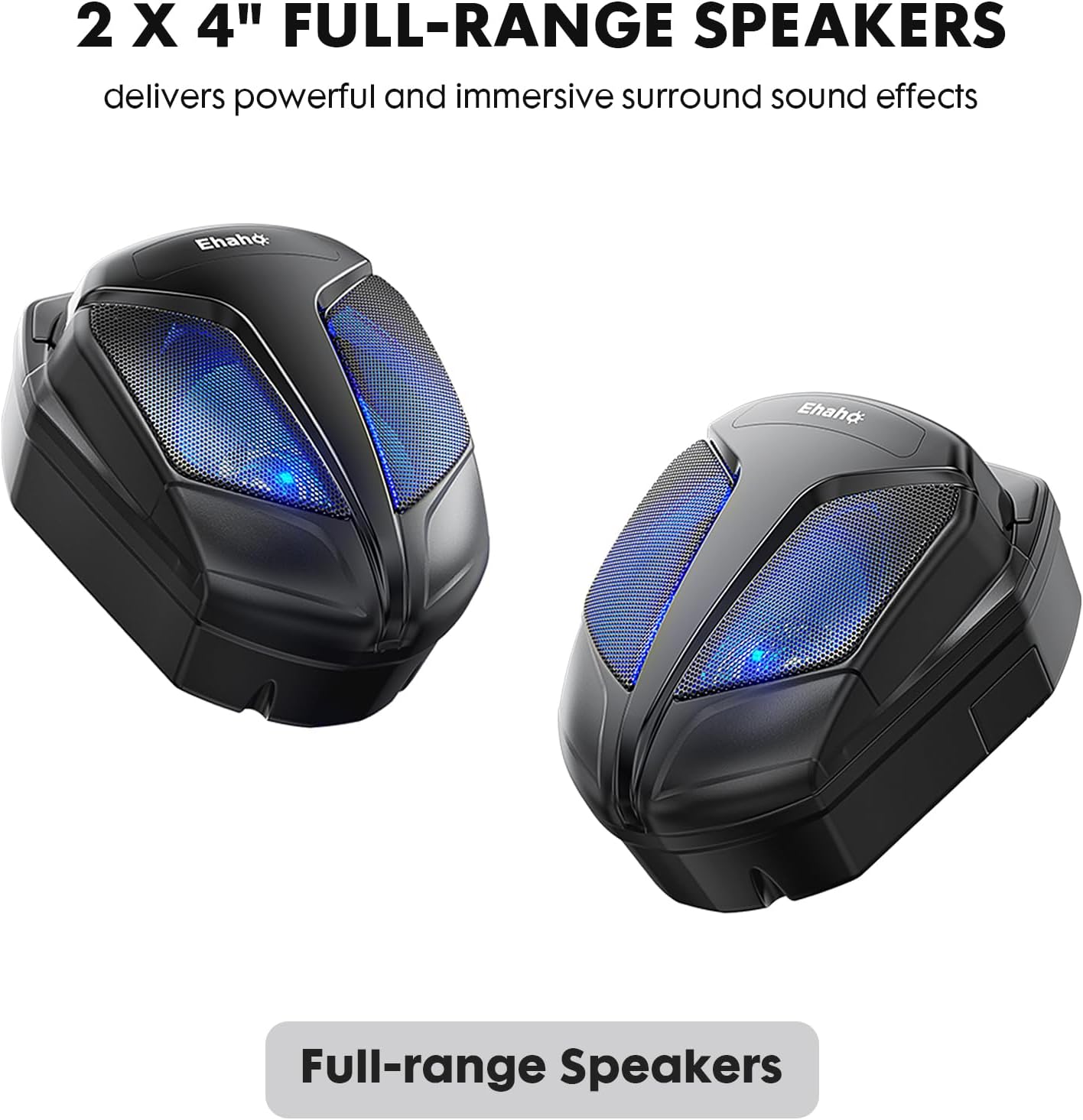
The two 4-inch full-range speakers provide clear audio and surround sound effects.
6. Maintenance
To ensure the longevity and optimal performance of your Ehaho UTV Sound Bar System, follow these maintenance guidelines:
- Cleaning: Use a soft, damp cloth to wipe down the sound bar and speakers. Avoid harsh chemicals or abrasive cleaners that could damage the finish or waterproof seals.
- Inspection: Periodically check all connections and mounting hardware for tightness. Ensure no wires are frayed or exposed.
- Storage: If storing the vehicle for an extended period, consider disconnecting the sound system from the power source.
- Water Exposure: While waterproof, avoid prolonged submersion. After exposure to saltwater, rinse the unit with fresh water to prevent corrosion.
7. Troubleshooting
If you encounter issues with your Ehaho UTV Sound Bar System, refer to the following common troubleshooting steps:
- No Power:
- Check the power connection to ensure it is securely plugged into a 12V source.
- Verify the vehicle's battery is charged.
- Inspect the inline fuse (10A) for any breaks. Replace if necessary.
- No Sound:
- Ensure the volume is turned up on both the sound bar and your connected device.
- Check that the correct input mode (Bluetooth, AUX, USB) is selected.
- Verify speaker wires are securely connected to both the sound bar and the satellite speakers.
- If using Bluetooth, ensure the device is paired and within range. Try re-pairing.
- Bluetooth Disconnection:
- Ensure your device is within the 33-foot (10-meter) range.
- Check for interference from other electronic devices.
- Try forgetting the device on your smartphone and re-pairing.
- RGB Lights Not Working:
- Ensure the system is powered on.
- Use the remote control to check light settings and modes.
If these steps do not resolve the issue, please contact Ehaho customer support for further assistance.
8. Specifications
| Feature | Detail |
|---|---|
| Model Number | MT-4121 |
| Speaker Type | 2.1 Channel (Subwoofer + Full-Range Speakers) |
| Speaker Size | 17 Inches (Sound Bar) |
| Woofer Diameter | 4 Inches (x2) |
| Speaker Maximum Output Power | 500 Watts (Peak) |
| Connectivity Technology | Bluetooth 5.0, 3.5mm AUX, USB |
| Wireless Communication Technology | Bluetooth |
| Bluetooth Range | 33 Feet (10 Meters) |
| Control Method | Remote |
| Waterproof Rating | IP66 |
| Power Source | Battery Powered, Corded Electric (12V) |
| Product Dimensions | 5 x 16 x 4.99 inches |
| Item Weight | 15.38 pounds |
| Manufacturer | Ehaho |
9. Warranty and Support
Ehaho products come with a standard warranty. For specific warranty details, claims, or technical support, please refer to the contact information provided in your product packaging or visit the official Ehaho website. Keep your purchase receipt for warranty validation.


