
1. Introduction
This manual provides detailed instructions for the operation and maintenance of your WINDFIRE DM06 / TS08 Series Dive Light. Please read this manual thoroughly before using the product to ensure proper function and safety.
The WINDFIRE Dive Light is designed for underwater activities, featuring a robust waterproof construction and multiple lighting modes. It is suitable for scuba diving, snorkeling, and other water sports.
2. Package Contents
Verify that all items are present in your package:
- 1 x WINDFIRE Scuba Diving Flashlight (DM06 or TS08 model)
- 1 x Rechargeable Battery (WF-BAT)
- 1 x USB Charger
- 2 x Waterproof O-rings (for DM06) / 3 x Waterproof Rings (for TS08)
- 1 x Hand Rope / Hand Strap
- 1 x Storage Box
3. Setup and Battery Installation
- Charge the Battery:
Before first use, fully charge the provided rechargeable battery using the USB charger. The charging time is approximately 5.5 hours. Ensure the charger's indicator light shows a full charge before proceeding.
- Install the Battery:
Unscrew the tail cap of the dive light. Insert the fully charged battery with the positive (+) end facing towards the light head. Carefully screw the tail cap back on, ensuring it is tightened securely to maintain the waterproof seal.

Image: Exploded view of the black WINDFIRE dive light, illustrating the power button, tempering glass, LED, aluminum alloy body, waterproof rings, and hand strap for assembly.

Image: Exploded view of the blue WINDFIRE dive light, showing the power switch, high transparent coated toughened glass, and XM-L2 LED lamp beads, along with dimensions.
- Inspect O-rings:
Before each use, especially after battery changes, inspect the O-rings for any dirt, damage, or wear. Ensure they are clean and properly seated in their grooves. Lubricate O-rings with silicone grease if necessary to maintain the waterproof seal. Replace damaged O-rings with the spares provided.
- Attach Hand Rope/Strap:
Secure the hand rope or strap to the dive light for added security during underwater use.
4. Operating Instructions
- Power On/Off:
Press the power button located on the body of the flashlight to turn the light on. Press it again to cycle through the lighting modes and to turn it off.
- Switching Lighting Modes:
The dive light features three lighting modes: High, Low, and SOS. Each press of the power button will cycle to the next mode. The sequence is typically High → Low → SOS → Off.

Image: Visual representation of the three lighting modes (High, Low, SOS) available on the WINDFIRE dive light.
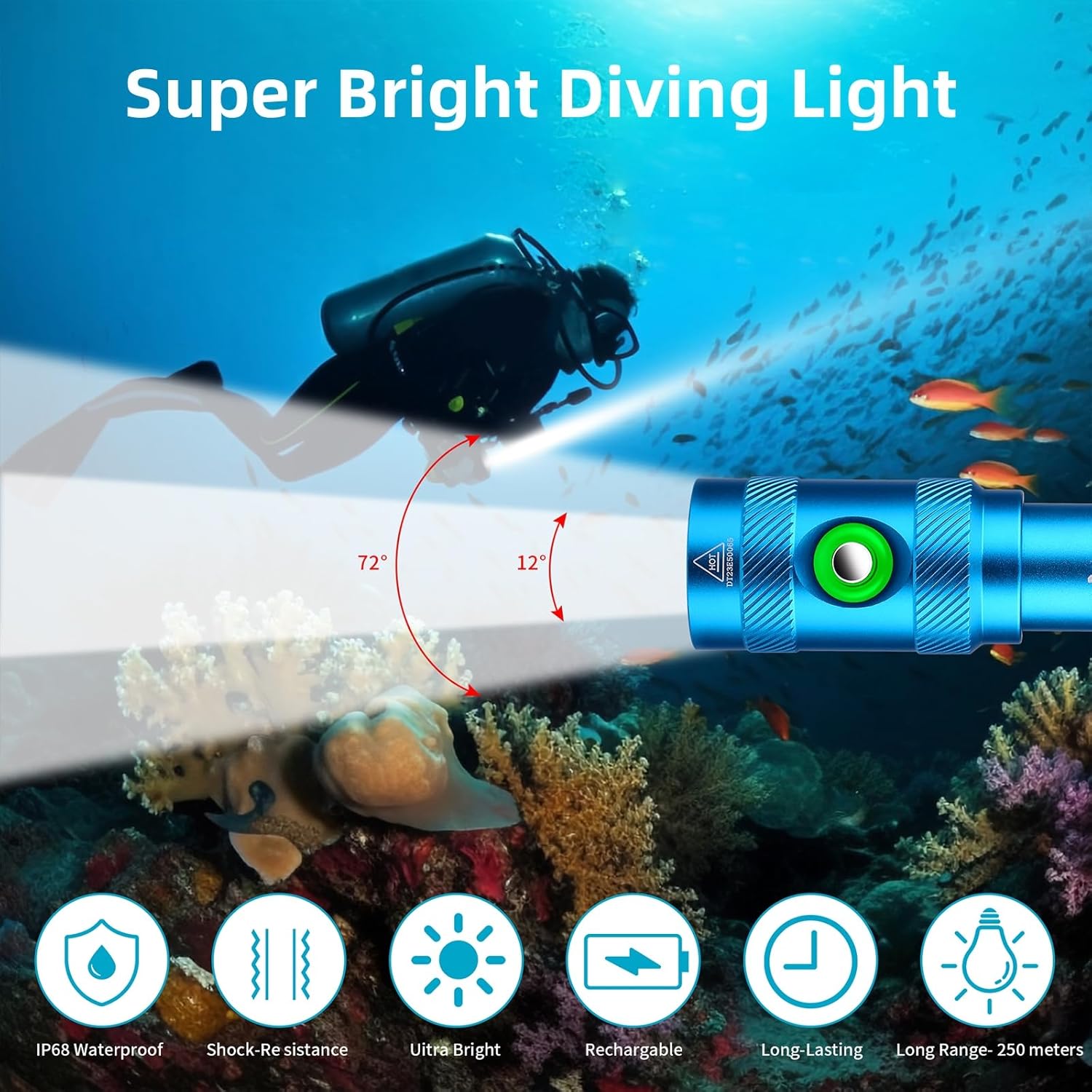
Image: A diver using the blue WINDFIRE dive light, illustrating the High (3 hours), Low (5.5 hours), and SOS (4 hours) lighting modes and their approximate runtimes.
- Battery Indicator:
The power button incorporates a battery indicator light to display the remaining battery power:
- Green Light: Over 30% battery remaining.
- Orange Light: 10% to 30% battery remaining.
- Red Light: Less than 10% battery remaining.
- Red Light Flashing: Critically low battery, recharge immediately.

Image: Close-up of the WINDFIRE dive light's power button, demonstrating the smart battery indicator with green (over 30%), orange (10%-30%), and red (less than 10%) light states.
5. Maintenance
- After Each Dive: Rinse the dive light thoroughly with fresh water to remove salt, sand, and other debris. Dry it completely with a soft cloth.
- O-ring Care: Regularly inspect the O-rings for cracks, cuts, or deformation. Clean them and apply a thin layer of silicone grease to keep them pliable and ensure a watertight seal. Replace O-rings if any damage is observed.
- Battery Charging: Recharge the battery when the indicator shows low power. Avoid completely draining the battery to prolong its lifespan. Store the battery partially charged if not used for extended periods.
- Storage: Store the dive light in a cool, dry place away from direct sunlight and extreme temperatures. Remove the battery if storing for a long duration to prevent potential leakage.
6. Troubleshooting
| Problem | Possible Cause | Solution |
|---|---|---|
| Light does not turn on. | Battery is dead or improperly installed. | Charge the battery. Ensure battery is inserted with correct polarity (+ end towards head) and tail cap is fully tightened. |
| Light is dim or flickers. | Low battery power. Loose connections. | Recharge the battery. Ensure tail cap is securely tightened. |
| Water leakage. | Damaged or improperly seated O-rings. Tail cap not fully tightened. | Inspect O-rings for damage and proper seating. Clean and lubricate O-rings. Tighten tail cap securely. Replace O-rings if damaged. |
| Button unresponsive. | Debris under button. Internal issue. | Rinse button area with fresh water. If problem persists, contact customer support. |
7. Specifications
DM06 Model Specifications:
- LED Type: LED
- Lumen: 5000 lumens
- Range: 250 meters
- Lighting Mode: High-Low-SOS
- Depth Rated: 60 meters
- Waterproof Grade: IP68
- Power Support: 1*Rechargeable battery
- Size: 128*32*28 mm (5.04*1.26*1.1 in)
- Weight: 120 g (0.26 lb)
TS08 Model Specifications:
- Bulb Type: High lumen lamp beads
- Lumen: 5000 lumen
- Irradiation Distance: 150 meters
- Diving Depth: 60 meters
- Material: A6063 aluminum
- Mode: High - Low - SOS
- Running Time: 3-5 hours
- Power Support: 1*rechargeable battery
- Waterproof Rated: IPX8
- Size: 142*23*23mm (5.59*0.91*0.91 inch)
- Net Weight: 168 g (6 oz)

Image: Illustration highlighting the IPX8 waterproof rating of the WINDFIRE dive light, indicating its capability for underwater use up to 60 meters.

Image: Features of the blue WINDFIRE dive light, including IP68 waterproof, shock-resistance, ultra bright output, rechargeable battery, long-lasting performance, and a 250-meter range.
8. Warranty and Support
Warranty: WINDFIRE provides a 12-month warranty for quality-related issues from the date of purchase. Additionally, a 30-day money-back guarantee is offered for any reason. Please retain your proof of purchase for warranty claims.
Customer Support: If you encounter any issues or have questions regarding your WINDFIRE Dive Light, please contact our professional customer service. Refer to your purchase platform or product packaging for specific contact details.