
Introduction
This manual provides detailed instructions for the setup, operation, and maintenance of your RIJER Wireless HDMI Transmitter and Receiver system. This system is designed for high-definition video transmission, supporting 4K decoding input and 1080P HD display output, with a long-range wireless capability.
Product Features
- Multi-screen Connection: Includes one transmitter (1TX) and four receivers (4RX) for simultaneous display on multiple screens (TVs, monitors, projectors).
- Extended Wireless Transmission: Offers barrier-free transmission up to 200m/656FT and through-wall transmission up to 35m/115FT.
- High-Definition Display: Supports 4K/30Hz decoding input and 1080P HD display output for enhanced visual experience.
- Plug and Play: Simple setup without the need for software downloads, Bluetooth, or Wi-Fi.
- Local Loop-out: The transmitter features an HDMI out port for local display, offering flexible setup options.
- Wide Compatibility: Compatible with various HDMI devices including laptops, desktop computers, cameras, streaming devices (Roku, Fire Stick), gaming consoles, Blu-ray/DVD players, and both Windows and Mac systems.
- Dual-band Antenna: Built-in 2.4/5.8G dual-band high-speed antenna for stable and high-definition transmission.
What's in the Box
The package includes the following components:
- Wireless HDMI Transmitter (TX) x 1
- Wireless HDMI Receiver (RX) x 4
- HDMI cable x 5
- Type-C USB data cable x 5
- User Manual x 1
- Micro HDMI to HDMI adapter x 1
- Mini HDMI to HDMI adapter x 1
- DP to HDMI adapter x 1
- Signal booster antenna x 10

Image: All components included in the RIJER Wireless HDMI Transmitter and Receiver (1TX+4RX) package, neatly laid out.
Setup Instructions
1. Connecting the Transmitter (TX)
- Connect the signal source (e.g., laptop, PC, gaming console) to the HDMI In port of the Transmitter using an HDMI cable.
- Connect the Type-C USB data cable to the Transmitter for power. The power indicator light will illuminate.
- (Optional) For local display, connect an HDMI cable from the HDMI Out port of the Transmitter to a local display device (e.g., monitor, TV).
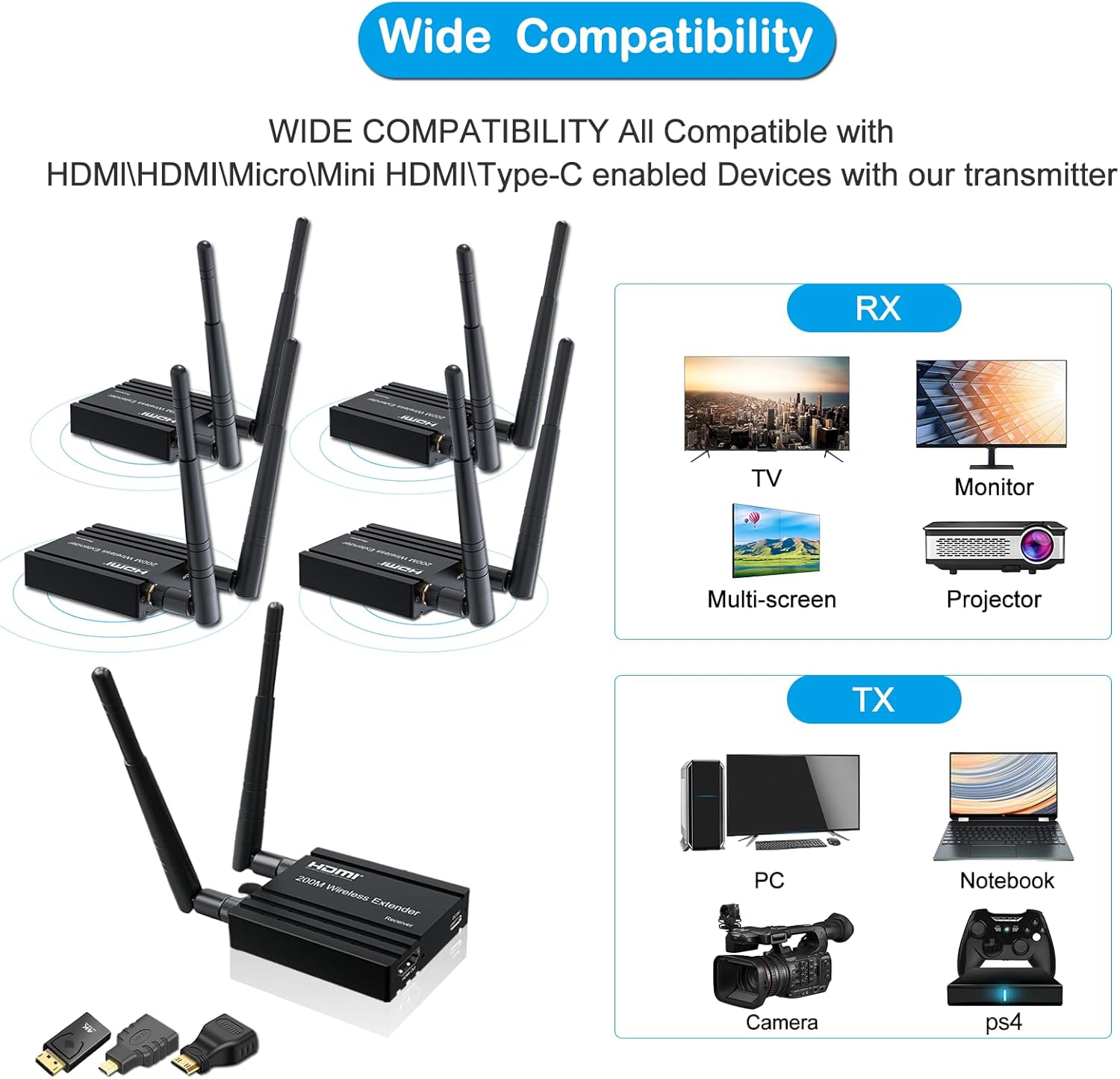
Image: A diagram showing the RIJER Wireless HDMI Transmitter connected to a laptop via HDMI and a local monitor via the HDMI Out port, illustrating the local loop-out function.
2. Connecting the Receivers (RX)
- Connect each Receiver to the HDMI In port of your display devices (e.g., TV, monitor, projector) using an HDMI cable.
- Connect the Type-C USB data cable to each Receiver for power. The power indicator light will illuminate.
- Ensure all signal booster antennas are securely attached to both the Transmitter and Receivers.

Image: A setup showing multiple RIJER Wireless HDMI Receivers connected to various display devices like TVs, monitors, and projectors, demonstrating multi-screen connectivity.
3. Pairing and Connection
The RIJER system is designed for plug-and-play operation with automatic pairing. Once both the Transmitter and Receivers are powered on and connected to their respective devices, they should automatically establish a connection within approximately 30 seconds. The indicator lights on both units will blink during pairing and become solid once a stable connection is made.
Video: Demonstration of connecting the RIJER Wireless HDMI Transmitter and Receiver, showing power-on and HDMI connections, and the indicator lights blinking during pairing.
Video: Real-world testing of the RIJER Wireless HDMI system, demonstrating the stability and performance of the connection across multiple screens.
Operating Instructions
1. Basic Operation
Once the Transmitter and Receivers are successfully connected, the video and audio from your source device will be automatically mirrored or extended to the connected displays. No additional software or configuration is typically required.
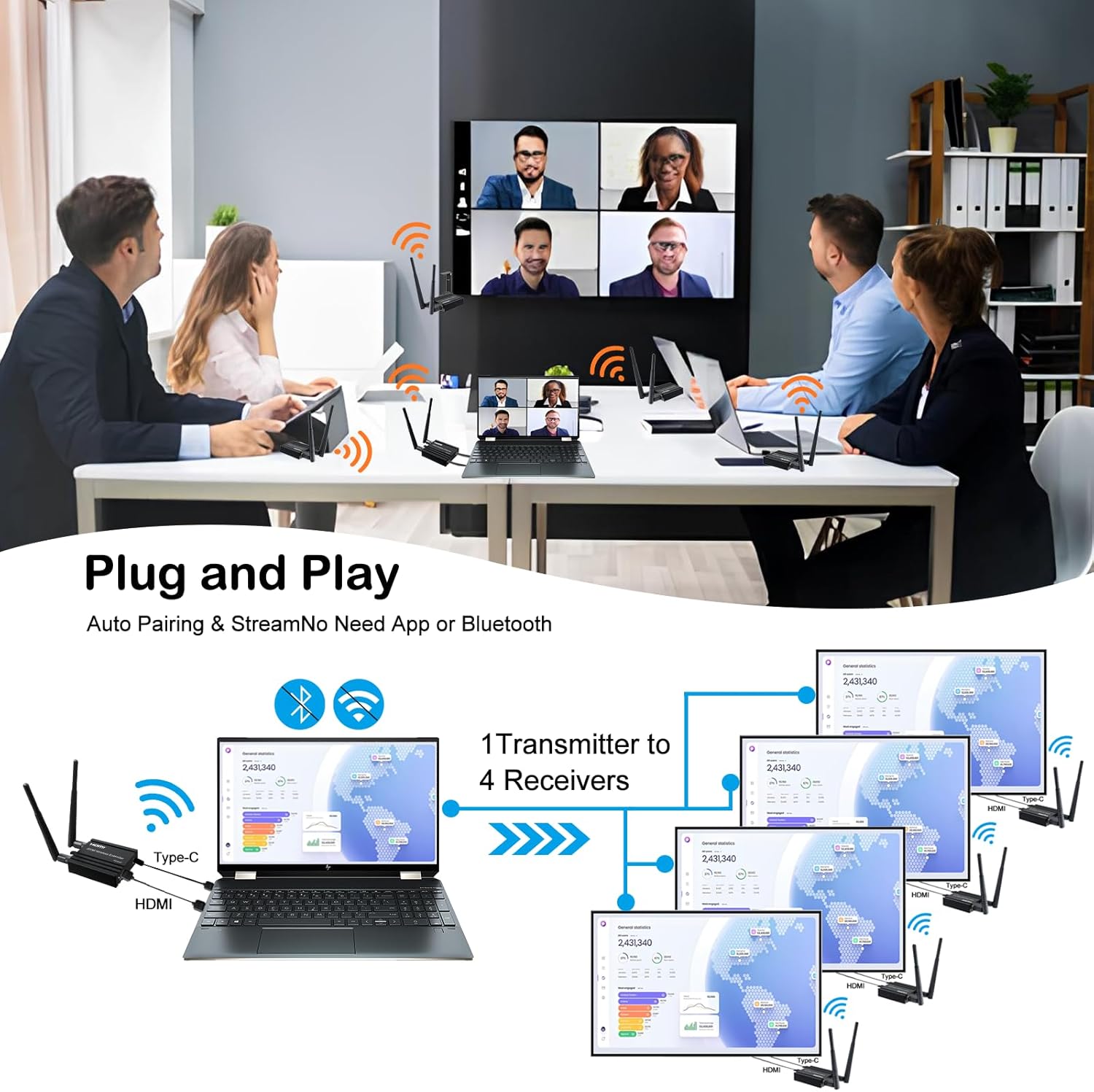
Image: A business meeting scenario showing the RIJER Wireless HDMI system transmitting content from a laptop to a large display, highlighting its ease of use for presentations.
2. Transmission Modes
The system supports different display modes depending on your operating system settings:
- Copy Mode (Mirror): Displays the same content on all connected screens, including the local loop-out display.
- Extended Mode: Allows you to extend your desktop across multiple screens, providing more workspace. This mode is typically configured through your computer's display settings.

Image: A visual representation of the two connection modes: Copy mode, where all screens show identical content, and Extended mode, where the display is expanded across screens.
3. Optimal Performance
For optimal transmission range and stability, ensure the antennas on both the Transmitter and Receivers are positioned vertically and unobstructed. The system utilizes 2.4/5.8G dual-band technology to maintain a stable signal.

Image: A comparison showing the benefits of 5G frequency band transmission for stable and high-speed signal, as used by the RIJER Wireless HDMI system.
Video: A demonstration of the RIJER Wireless HDMI system's ability to transmit a stable signal through two walls over a distance of 115FT (35M).
Troubleshooting
- No Signal/Black Screen:
- Ensure both Transmitter and all Receivers are powered on and their indicator lights are solid (not blinking).
- Verify all HDMI and power cables are securely connected.
- Check if the input source on your display device is set to the correct HDMI port.
- Try restarting both the Transmitter and Receivers.
- Intermittent Signal/Poor Quality:
- Reduce the distance between the Transmitter and Receivers.
- Minimize obstructions (walls, large furniture) between the units.
- Ensure antennas are properly oriented and not obstructed.
- Check for potential interference from other wireless devices (e.g., Wi-Fi routers, microwaves).
- Audio Issues:
- Verify audio settings on your source device and display.
- Ensure HDMI cables support audio transmission.
Specifications
| Brand | RIJER |
| Model Number | 656ft wireless 1TX+4RX |
| Hardware Interface | Radio Frequency |
| Color | Black |
| Compatible Devices | Laptop, Camera, Cable Box, Netflix, PS5, Phone to Monitor, Projector, HDTV |
| Data Link Protocol | IEEE 802.11n |
| Item Weight | 1.03 Kilograms |
| UPC | 798725439105 |
| Transmission Range (Barrier-free) | Up to 200m / 656FT |
| Transmission Range (Through-wall) | Up to 35m / 115FT |
| Input Resolution | Up to 4K/30Hz |
| Output Resolution | Up to 1080P HD |
Warranty and Support
This RIJER product comes with a 3-year warranty as specified by the manufacturer. For any technical assistance, installation instructions, or troubleshooting, please contact RIJER customer support. Lifetime technical support is provided.
For further assistance, please refer to the official RIJER website or contact their customer service directly.