1. Introduction
This manual provides comprehensive instructions for the setup, operation, and maintenance of your Trade Shop FO-85011 CID Big Button Corded Telephone. Please read this manual carefully before using the telephone to ensure proper functionality and to familiarize yourself with all features.
The FO-85011 CID is designed for ease of use, featuring large buttons, an integrated display, and a calculator function, making it suitable for various environments including homes and hotels.
2. Package Contents
Upon opening the package, please verify that all items listed below are present and in good condition:
- 1x FO-85011 CID Corded Telephone Unit
- 1x Handset
- 1x Coiled Handset Cord
- 1x Telephone Line Cord
Note: The color and specific model details of the item may vary based on stock availability.
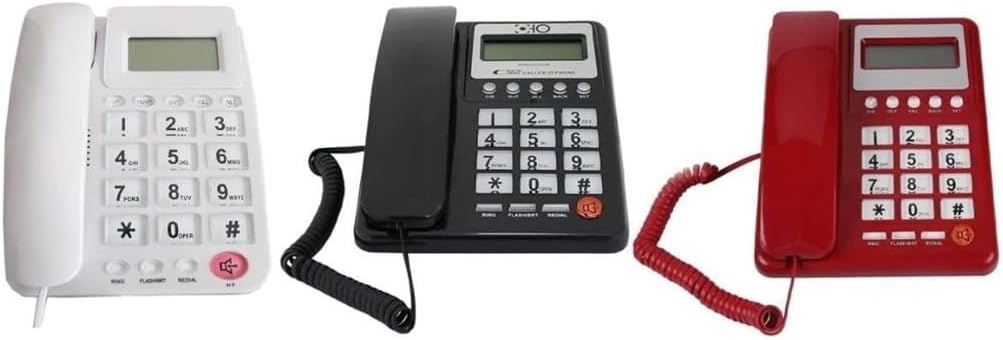
Figure 1: FO-85011 CID Corded Telephones in various colors (white, black, red).
3. Setup Instructions
3.1 Connecting the Handset
- Locate the coiled handset cord.
- Plug one end of the coiled cord into the jack on the side of the telephone base, marked with a handset icon.
- Plug the other end of the coiled cord into the jack at the bottom of the handset.
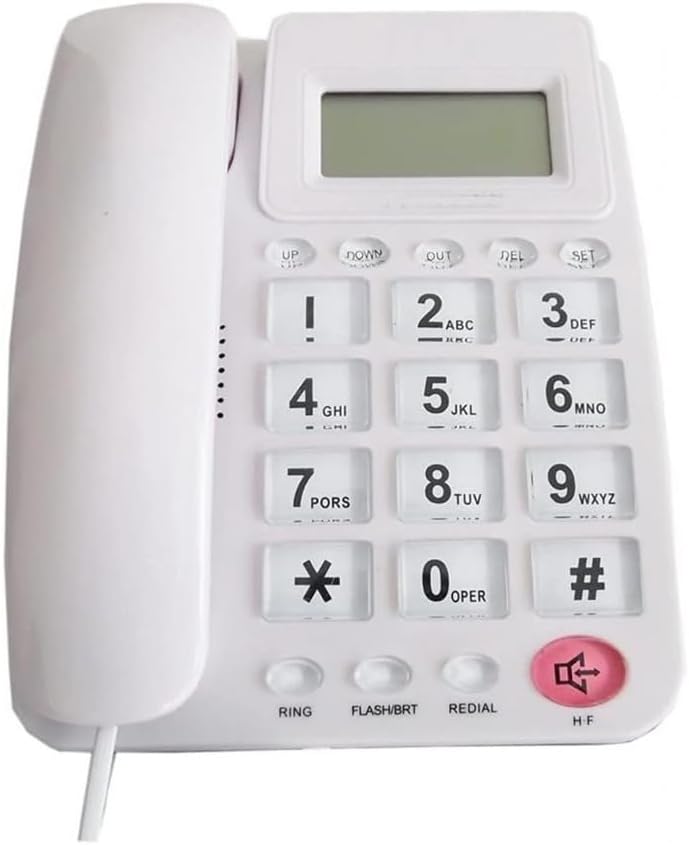
Figure 2: Front view of the white telephone unit, highlighting the large buttons and integrated display.
3.2 Connecting to the Telephone Line
- Locate the telephone line cord.
- Plug one end of the telephone line cord into the jack on the back or side of the telephone base, typically marked with a wall jack icon.
- Plug the other end of the telephone line cord into your wall telephone jack.
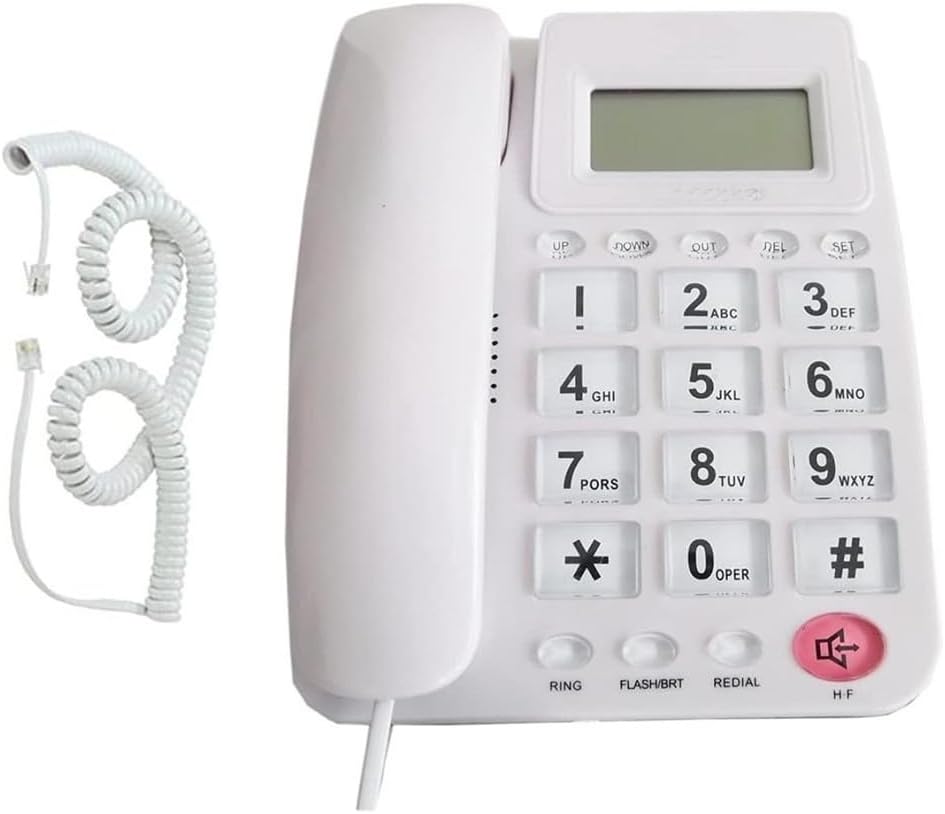
Figure 3: The telephone unit with its cords, ready for connection.
3.3 Initial Check
After connecting both cords, lift the handset. You should hear a dial tone. If not, please refer to the Troubleshooting section.
4. Operating Instructions
4.1 Making a Call
- Lift the handset.
- Wait for a dial tone.
- Dial the desired telephone number using the large numeric keypad. The number will appear on the integrated display.
- Wait for the call to connect.
4.2 Receiving a Call
- When the telephone rings, lift the handset to answer the call.
- To end the call, place the handset back into its cradle.
4.3 Redial Function
To redial the last number called:
- Lift the handset.
- Press the REDIAL button. The telephone will automatically dial the last number.
4.4 Flash/BRT Button
The FLASH/BRT button is used for specific telephone system features, such as call waiting or transferring calls, depending on your telephone service provider. Consult your service provider for details on its functionality.
4.5 Integrated Calculator Function
The telephone includes a basic calculator function:
- To activate the calculator, press the designated calculator button (if available, otherwise consult the display for an option).
- Use the numeric keypad to input numbers and perform calculations.
- The results will be displayed on the integrated screen.

Figure 4: Dimensions of the FO-85011 CID telephone unit.
5. Maintenance and Care
- Cleaning: Use a soft, damp cloth to clean the telephone's surface. Avoid using harsh chemicals or abrasive cleaners, as they may damage the finish.
- Storage: Store the telephone in a cool, dry place away from direct sunlight and extreme temperatures when not in use for extended periods.
- Liquid Exposure: Do not expose the telephone to water or other liquids. If liquid enters the unit, disconnect it immediately and contact support.
6. Troubleshooting
If you encounter any issues with your telephone, please refer to the following common problems and solutions:
- No Dial Tone:
- Ensure all cables (handset cord and telephone line cord) are securely connected.
- Test the wall telephone jack with another working phone to confirm the line is active.
- Check for any service outages with your telephone service provider.
- Display Not Working:
- Ensure the telephone is properly connected to the active telephone line, as some displays draw power from the line.
- If the display requires batteries (not specified for this model, but common for CID features), check and replace them if necessary.
- Cannot Make or Receive Calls:
- Verify the telephone line connection.
- Confirm that your telephone service is active.
- Ensure the handset is properly seated in the cradle when not in use.
If the problem persists after trying these steps, please contact customer support.
7. Specifications
| Feature | Detail |
|---|---|
| Model | FO-85011 CID |
| Brand | OISE ART STORE |
| Type | Corded Telephone |
| Key Features | Large Buttons, Integrated Display, Calculator Function |
| Material | Multimaterial |
| Available Colors | Black, White, Red (subject to stock) |
| Manufacturer Reference | KAROL46358 |
| ASIN | B0D3RKWFST |
8. Warranty and Support
This product is designed for reliability and performance. While specific warranty details are not provided in this manual, customer satisfaction is important. If you encounter any issues or require assistance, please contact your retailer or the manufacturer's customer support.
For general inquiries or support, please refer to the contact information provided by your point of purchase.
Note: The feature bullet "Satisfaits ou remboursés. !" translates to "Satisfied or your money back!", indicating a commitment to customer satisfaction, though not a formal warranty statement.


