
1. Introduction
Thank you for choosing the Mova Dreame S10 Robot Vacuum and Mop Cleaner. This intelligent device is designed to provide efficient and thorough cleaning for your home, combining powerful vacuuming with advanced mopping capabilities. With its 7000Pa Vormax suction, VibroTurbo mopping system, and intelligent 3DAdapt obstacle avoidance, the Mova S10 ensures a pristine living environment with minimal effort.
Please read this manual carefully before using the product and retain it for future reference.
2. Safety Information
Important Safety Instructions:
- This appliance can be used by children aged 8 years and above and persons with reduced physical, sensory or mental capabilities or lack of experience and knowledge if they have been given supervision or instruction concerning use of the appliance in a safe way and understand the hazards involved.
- Children shall not play with the appliance. Cleaning and user maintenance shall not be made by children without supervision.
- Ensure the robot is fully charged before first use.
- Do not use the robot in wet environments or near water sources.
- Keep hair, loose clothing, fingers, and all parts of body away from openings and moving parts.
- Do not operate the robot in areas with open flames or fragile objects.
- Regularly clean the dustbin and filters to maintain optimal performance.
- Only use the original charging dock and power adapter provided with the product.
3. Package Contents
Verify that all items are present in your package:

Image: Components included in the Mova S10 package.
- Robot Vacuum Cleaner x1
- Charging Station x1
- Side Brush x1
- Mop Pad (pre-installed) x1
- User Manual x1
4. Setup
4.1 Charging Station Placement
Place the charging station on a hard, level surface against a wall. Ensure there is at least 0.5 meters (1.6 feet) of clear space on both sides and 1.5 meters (4.9 feet) in front of the station. Connect the power adapter to the charging station and plug it into a power outlet.
4.2 Initial Charging
Place the robot onto the charging station. The robot will automatically turn on and begin charging. For first-time use, it is recommended to fully charge the robot before operation.

Image: The Mova S10 robot vacuum automatically returning to its charging station.
4.3 App Download and Connection
Download the official Mova/Dreame Home app from your mobile app store. Follow the in-app instructions to add your Mova S10 robot. This will allow you to control the robot remotely, set cleaning schedules, view maps, and access advanced features.

Image: The Mova S10 robot vacuum being controlled via its mobile application, showing mapping capabilities.
4.4 Initial Mapping
For optimal navigation, allow the robot to complete an initial mapping run of your home. Clear any obstacles from the floor to ensure accurate map creation. The robot uses LDS Navigation for precise mapping.
5. Operating Instructions
5.1 Cleaning Modes
The Mova S10 offers versatile cleaning modes:
- Vormax Suction: Experience powerful 7000Pa suction with 4 adjustable levels for customized cleaning. The 470ml dustbin simplifies maintenance.
- VibroTurbo Mopping System: Utilize sonic vibration cleaning at 3,500 rpm with 3.5N pressure and a 300ml water tank for deep mopping.
- RoboSwing Technology: Enhance corner cleaning by 15% with the S10's RoboSwing floor washing, ensuring precise and automated cleaning of every corner.

Image: The Mova S10 robot vacuum showcasing its 7000Pa Vormax suction capability.

Image: The VibroTurbo mopping system of the Mova S10, illustrating its high-frequency vibration for effective cleaning.
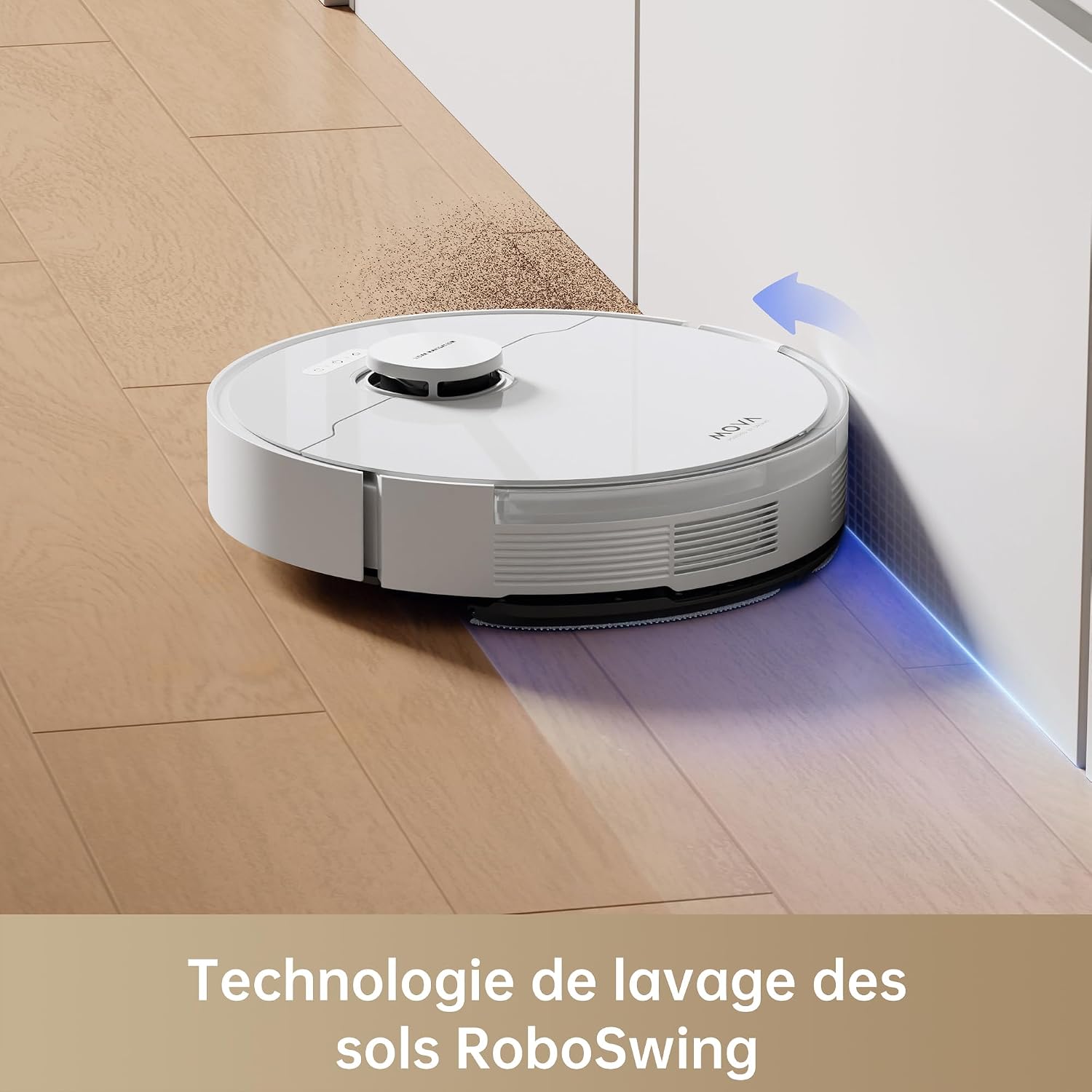
Image: The Mova S10 utilizing RoboSwing technology to clean along edges and corners.
5.2 Intelligent Obstacle Avoidance (3DAdapt)
The S10 features 3DAdapt intelligent obstacle avoidance, precise mapping with Smart Pathfinder, and interactive mapping. This ensures quick and safe navigation around household items, preventing collisions and ensuring a smooth cleaning process.

Image: The Mova S10 demonstrating its intelligent 3DAdapt obstacle avoidance system.
5.3 Smart Mop Lifting
The S10 intelligently lifts its mop pads by 7mm when detecting carpets, protecting them from moisture and preventing dirt spread. This allows for seamless transition between hard floors and carpets without manual intervention.

Image: The Mova S10's intelligent mop lifting feature, raising the mop by 7mm when encountering carpets.
5.4 Carpet Detection and Cleaning
The S10 automatically detects carpets using ultrasonic sensors, increasing suction power for deeper cleaning on carpets while preventing mopping. It adjusts power based on dust levels and carpet density.

Image: The Mova S10 intelligently cleaning carpets with optimized patterns.
5.5 Voice Control
The Mova S10 supports voice control, allowing you to start, stop, or send the robot back to its charging station using compatible voice assistants.

Image: The Mova S10 can be controlled via voice commands through compatible smart home devices.
6. Maintenance
Regular maintenance ensures the longevity and optimal performance of your Mova S10.
6.1 Dustbin and Filter Cleaning
- Press the dustbin release button and remove the dustbin.
- Empty the dustbin contents into a trash can.
- Remove the HEPA filter and tap it gently to remove dust. Do not wash the HEPA filter with water.
- Rinse the dustbin with water if necessary and allow it to air dry completely before reinserting.
6.2 Main Brush and Side Brush Cleaning
- Turn the robot over and remove the main brush cover.
- Remove the main brush and use the cleaning tool to cut and remove any tangled hair or debris.
- Pull the side brush gently to remove it. Clean any hair or debris wrapped around it.
- Reinstall the brushes securely.
6.3 Mop Pad Cleaning
- Remove the mop pad from the robot.
- Rinse the mop pad thoroughly with water after each use.
- Allow the mop pad to air dry completely before reattaching.
6.4 Sensor Cleaning
- Use a soft, dry cloth to wipe the charging contacts on the robot and charging station.
- Clean the cliff sensors, wall sensors, and LDS navigation sensor window on the robot.
7. Troubleshooting
If you encounter issues with your Mova S10, refer to the following common problems and solutions:
| Problem | Possible Cause | Solution |
|---|---|---|
| Robot does not turn on | Low battery; Power button not pressed | Place robot on charging station; Press and hold power button for 3 seconds |
| Robot cannot charge | Charging contacts dirty; Charging station not powered | Clean charging contacts; Ensure charging station is plugged in |
| Robot gets stuck frequently | Too many obstacles; Sensors dirty | Clear floor of clutter; Clean all sensors |
| Poor cleaning performance | Dustbin full; Filter clogged; Brushes tangled | Empty dustbin; Clean/replace filter; Clean brushes |
| Mop not dispensing water or leaving streaks | Water tank empty; Mop pad dirty/dry; Water nozzle clogged | Refill water tank; Clean/wet mop pad; Clean water nozzle |
| Robot makes unusual noise or burning smell | Brush tangled with foreign objects; Motor issue | Check and clean main/side brushes thoroughly. If issue persists, contact customer support immediately. |
| Robot is losing water (leaking) | Water tank improperly installed; Damaged water tank/seal | Ensure water tank is correctly seated. Check for cracks or damage. If damaged, contact customer support for replacement parts. |
For issues not listed here, or if problems persist, please contact Mova customer support.
8. Specifications
| Feature | Detail |
|---|---|
| Brand | Mova |
| Model Name | Mova S10 |
| Model Number | RLS42SA |
| Color | White |
| Dimensions (L x W x H) | 35 x 35 x 9.74 cm (13.78 x 13.78 x 3.83 inches) |
| Item Weight | 4.2 Kilograms (9.26 lbs) |
| Suction Power | 7000 Pa |
| Dustbin Capacity | 470 Milliliters |
| Water Tank Capacity | 300 Milliliters |
| Battery Type | Lithium-ion (1 included) |
| Navigation Type | LDS Navigation |
| Special Features | Rubber Brush, Ultrasonic Carpet Detection, 7mm Mop Autoraise |
| Controller Type | Voice Control, App Control |
| Filter Type | HEPA |
| Recommended Surface | Hard Floors, Carpets, Rugs |
| Country of Origin | China |
9. Warranty and Support
Mova is committed to providing high-quality products and excellent customer service. For warranty information, technical support, or to inquire about replacement parts, please refer to the warranty card included with your product or visit the official Mova website.
For general inquiries or assistance, you may also contact Mova customer support through the contact information provided in the app or on the product packaging.