
Introduction
The Boult Audio W20 Wireless Earbuds are designed to provide a superior audio experience with advanced features for daily use. These earbuds offer an impressive 40-hour total battery life, premium 13mm BoomX drivers for powerful sound, and advanced wireless technology with 45ms low latency for seamless audio streaming.
Equipped with Zen ENC microphone technology, the W20 ensures clear voice calls by effectively reducing background noise. For convenience, they feature intuitive touch controls and IPX5 water resistance, making them durable for various activities. The comfortable in-ear design ensures a secure fit for extended listening sessions.

Image: The Boult Audio W20 Wireless Earbuds in their charging case, showcasing their sleek green design.
What's in the Box
Upon unboxing your Boult Audio W20 Wireless Earbuds, you will find the following components:
- Boult Audio W20 Wireless Earbuds (Left and Right)
- Charging Case
- USB Type-C Charging Cable
- User Manual (this document)
Setup
Charging the Earbuds and Case
Before first use, it is recommended to fully charge both the earbuds and the charging case. The charging case provides additional battery life for your earbuds, extending playtime significantly.
- Place the earbuds into their respective slots in the charging case. Ensure they are seated correctly.
- Connect the USB Type-C charging cable to the charging port on the case and the other end to a compatible USB power source (e.g., wall adapter, computer USB port).
- The LED indicators on the charging case will illuminate to show the charging status. Once fully charged, the indicators may change or turn off.
A full charge for the case takes approximately 1.5 hours. The earbuds offer an impressive 40-hour total battery life with the charging case, and a quick 10-minute charge can provide up to 120 minutes of playtime.
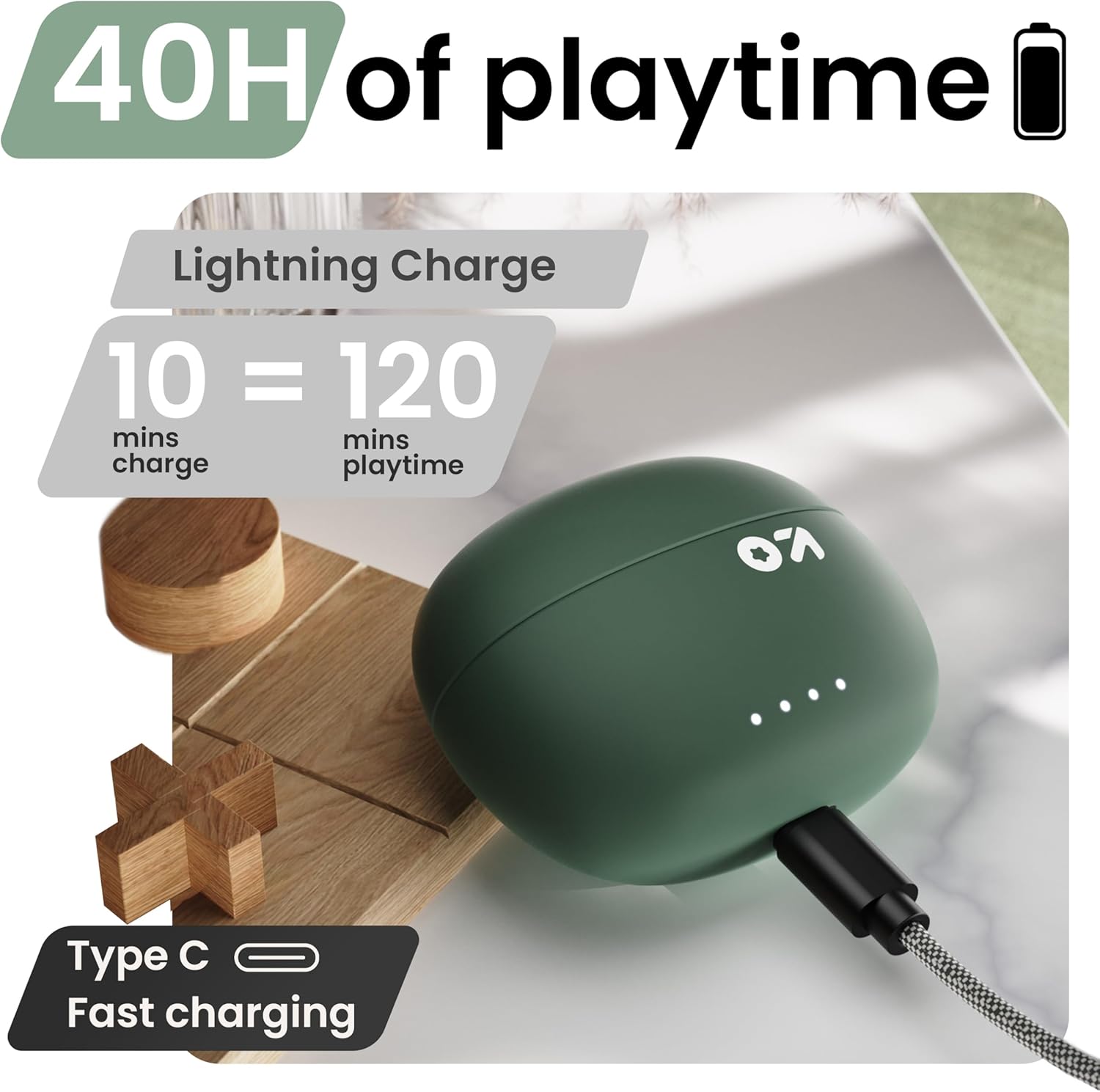
Image: The charging case connected via a Type-C cable, illustrating the fast charging capability and extended playtime.
Pairing with Your Device
The Boult Audio W20 Earbuds utilize Blink & Pair™ technology for swift and stable connectivity with Bluetooth 5.3.
- Open the charging case. The earbuds will automatically enter pairing mode.
- On your smartphone, tablet, or laptop, navigate to the Bluetooth settings.
- Turn on Bluetooth and search for available devices.
- Select "Boult Audio W20" from the list of found devices.
- Once connected, you will hear an audio prompt, and the earbuds' indicator lights may change.
The earbuds will automatically reconnect to the last paired device when taken out of the case, provided Bluetooth is enabled on the device.

Image: The earbuds next to a smartphone, highlighting stable Bluetooth 5.3 connectivity and the Blink & Pair feature for fast pairing.
Operating Instructions
Touch Controls
The Boult Audio W20 Earbuds feature intuitive touch controls on each earbud for easy management of music, calls, and voice assistants.
| Action | Function |
|---|---|
| Single Tap (Either Earbud) | Play/Pause Music, Answer/End Call |
| Double Tap (Right Earbud) | Next Track |
| Double Tap (Left Earbud) | Previous Track |
| Triple Tap (Right Earbud) | Volume Up |
| Triple Tap (Left Earbud) | Volume Down |
| Long Press (2 seconds, Either Earbud) | Activate Voice Assistant (Siri/Google Assistant) |
| Four Taps (Either Earbud) | Toggle Game/Music Mode |
| Long Press (2 seconds during call) | Reject Call |

Image: A visual guide to the touch controls on the earbuds, demonstrating gestures for music, calls, and voice assistant activation.
Zen Mode ENC for Clear Calls
The W20 earbuds incorporate Zen ENC (Environmental Noise Cancellation) microphone technology. This feature actively reduces ambient noise during calls, ensuring your voice is transmitted clearly to the other party, even in noisy environments.

Image: A close-up of the earbud highlighting the Zen ENC microphone technology for HD call clarity.
Low Latency Gaming Mode
For an optimized gaming experience, the W20 earbuds feature an ultra-low latency mode of 45ms. This minimizes audio delay, ensuring that sound effects and dialogue are perfectly synchronized with on-screen action. Activate this mode with four taps on either earbud as per the touch controls.
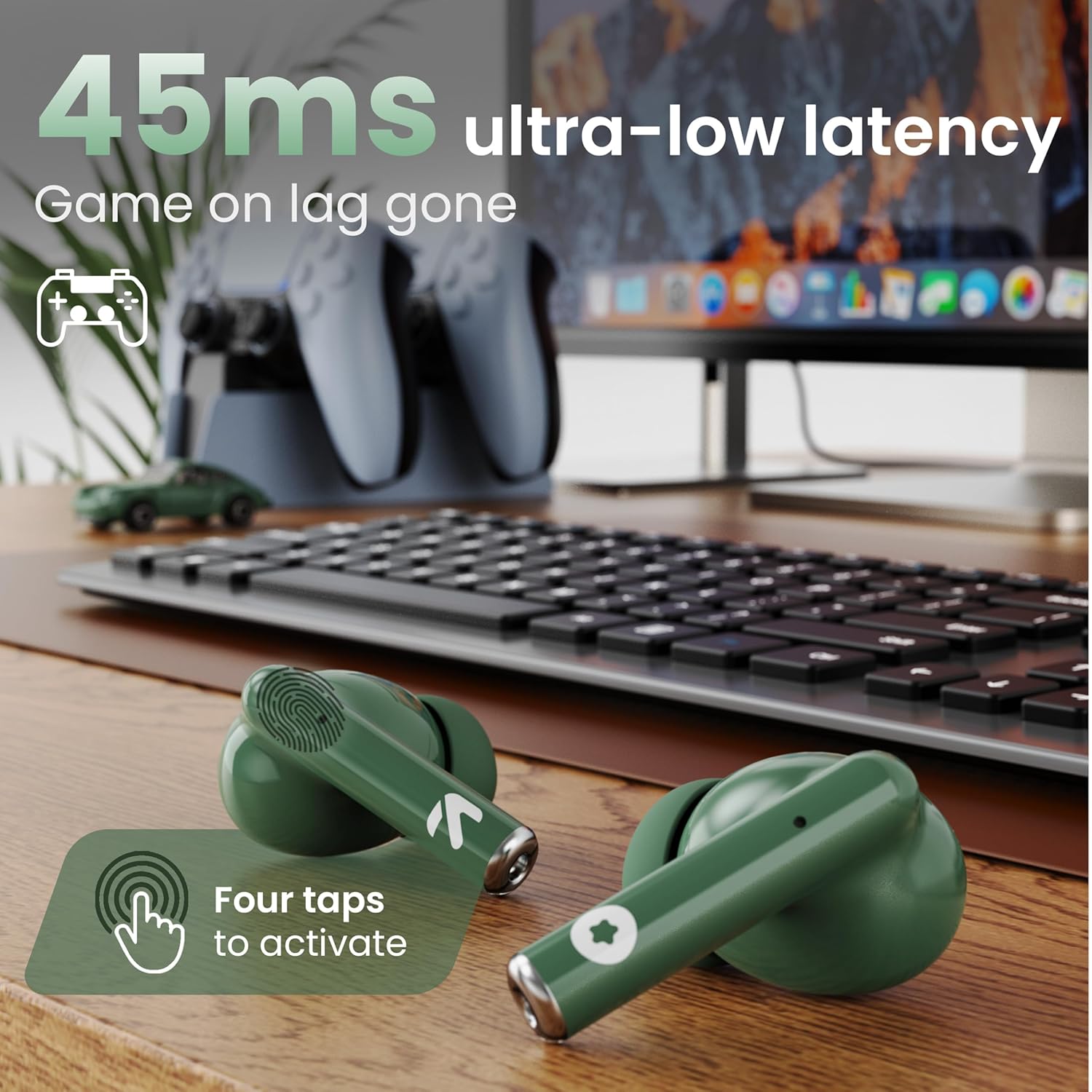
Image: The earbuds positioned in a gaming setup, illustrating the 45ms ultra-low latency feature for an immersive gaming experience.
Maintenance
Proper maintenance ensures the longevity and optimal performance of your Boult Audio W20 Wireless Earbuds.
Cleaning
- Regularly clean the earbuds and charging case with a soft, dry, lint-free cloth.
- For stubborn dirt, slightly dampen the cloth with water or a mild, non-abrasive cleaner. Avoid getting moisture into any openings.
- Use a cotton swab or a small, soft brush to gently clean the ear tips and speaker grilles to remove earwax or debris.
- Ensure the charging contacts on both the earbuds and the case are clean and free of dust to maintain proper charging.
Water Resistance
The Boult Audio W20 Earbuds are rated IPX5 water resistant. This means they are protected against low-pressure water jets from any direction, making them sweatproof, rainproof, and splashproof. However, they are not designed for submersion in water or for use during swimming. Avoid exposing them to high-pressure water or prolonged contact with water.

Image: The earbuds and charging case on a wet surface, illustrating their IPX5 water resistance for protection against sweat, rain, and splashes.
Storage
When not in use, always store the earbuds in their charging case to protect them from dust, damage, and to keep them charged.
Troubleshooting
If you encounter any issues with your Boult Audio W20 Wireless Earbuds, refer to the following common troubleshooting steps:
No Sound or Intermittent Audio
- Check Connection: Ensure the earbuds are properly paired and connected to your device. Try disconnecting and re-pairing.
- Volume Levels: Verify that the volume on both your device and the earbuds is turned up.
- Battery Level: Ensure both earbuds and the charging case have sufficient charge.
- Distance: Make sure the earbuds are within the Bluetooth range (up to 10 meters) of your device.
- Interference: Move away from strong Wi-Fi signals, other Bluetooth devices, or large metal objects that might cause interference.
Earbuds Not Charging
- Check Cable and Adapter: Ensure the USB Type-C cable is securely connected to both the case and the power source, and that the power adapter is functional.
- Clean Contacts: Clean the charging contacts on both the earbuds and inside the charging case with a dry cotton swab to remove any dust or debris.
- Case Battery: Ensure the charging case itself has enough power.
One Earbud Not Working
- Re-pair: Place both earbuds back into the charging case, close the lid for a few seconds, then open it and try re-pairing.
- Reset: Refer to the product's specific reset procedure (if available, not detailed in provided data, so general advice). A common reset involves holding touch controls for an extended period while in the case.
- Battery: Ensure both earbuds are charged.
Voice Assistant Not Responding
- Correct Gesture: Ensure you are performing the correct long-press gesture (2 seconds) on either earbud.
- Device Settings: Check your phone's settings to ensure the voice assistant (Siri/Google Assistant) is enabled and configured correctly.
- Internet Connection: A stable internet connection is often required for voice assistant functionality.
Specifications
| Feature | Detail |
|---|---|
| Model Name | W20 (Airbass Earbuds) |
| Brand | Boult |
| Connectivity Technology | Wireless (Bluetooth 5.3) |
| Bluetooth Range | 10 Meters |
| Audio Driver Type | Dynamic Driver |
| Audio Driver Size | 13 Millimeters |
| Frequency Response | 20 Hz - 20,000 Hz |
| Impedance | 32 Ohm |
| Sensitivity | 103 dB |
| Noise Control | Active Noise Cancellation (Zen ENC for calls) |
| Audio Latency | 45 Milliseconds (Gaming Mode) |
| Total Playtime | Up to 40 Hours (with charging case) |
| Earbud Charging Time | 1 Hour |
| Carrying Case Charging Time | 1.5 Hours |
| Water Resistance Level | IPX5 (Sweatproof, Rainproof, Splashproof) |
| Control Type | Touch Control |
| Material | Plastic, Silicone |
| Item Weight | 52.6 Grams (total) / 1.86 ounces (product) |
| Product Dimensions | 1.93 x 3.5 x 3.78 inches |
| Included Components | Charging Case |
Warranty and Support
For warranty information, technical support, or any inquiries regarding your Boult Audio W20 Wireless Earbuds, please refer to the official Boult website or contact their customer service directly.
You can visit the official Boult Store on Amazon for more information and support:
Please retain your proof of purchase for warranty claims.


