Introduction
This instruction manual provides detailed information on the setup, operation, maintenance, and troubleshooting of your Vieta Pro Upper 3 Portable Bluetooth Speaker. Please read this manual thoroughly before using the product to ensure proper and safe operation. Keep this manual for future reference.
Safety Information
- Do not expose the speaker to extreme temperatures or direct sunlight for prolonged periods.
- Do not disassemble, repair, or modify the speaker yourself. This will void the warranty and may cause damage.
- Ensure all ports are securely closed when exposing the speaker to water to maintain its IPX7 waterproof rating.
- Use only the specified charging cable and adapter.
- Keep out of reach of children.
Product Overview
Speaker Components and Controls
Familiarize yourself with the various parts and controls of your Vieta Pro Upper 3 speaker.

Figure 1: Vieta Pro Upper 3 speaker demonstrating its IPX7 waterproof capability with water splashing on it. The speaker is cylindrical, dark red, with a fabric grille and control panel on the side.

Figure 2: Detailed view of the control panel on the side of the Vieta Pro Upper 3 speaker. From top to bottom, the buttons are: Power, Volume Up (+), Volume Down (-), Mode (M), Play/Pause/Call (►/▌), and a light indicator. A carrying strap is also visible.

Figure 3: Angled perspective of the Vieta Pro Upper 3 speaker, highlighting the illuminated ring on the top surface and the side control panel. The speaker's cylindrical shape and fabric texture are clearly visible.
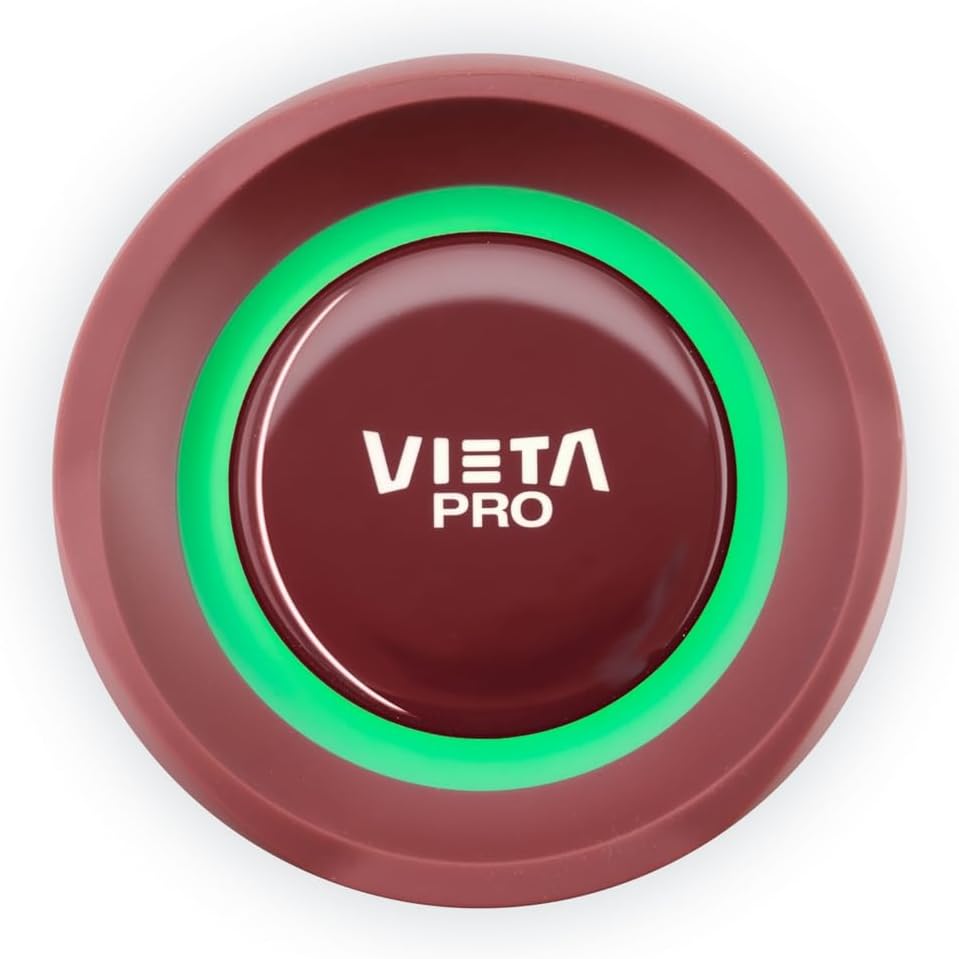
Figure 4: Top-down view of the Vieta Pro Upper 3 speaker, featuring the central Vieta Pro logo surrounded by an illuminated ring, which changes color to indicate status or light modes.
Button Functions:
- Power Button (Ⓞ): Press and hold to power on/off. Short press to check battery status.
- Volume Up (+): Short press to increase volume. Long press for next track.
- Volume Down (-): Short press to decrease volume. Long press for previous track.
- Mode (M): Short press to switch between Bluetooth, FM Radio, AUX-IN, and USB modes.
- Play/Pause/Call (►/▌): Short press to play/pause music. Short press to answer/end calls. Long press to reject calls. Double press to activate voice assistant.
- Light Button (☀): (Implied by description, not explicitly shown as a separate button, but the light system is mentioned). Short press to cycle through light themes.
Setup
1. Charging the Speaker
Before first use, fully charge the speaker. Connect the provided USB charging cable to the speaker's charging port and the other end to a USB power adapter (not included) or a computer USB port. The charging indicator light will show charging status and turn off when fully charged. A full charge provides up to 10 hours of playback.
2. Powering On/Off
- To Power On: Press and hold the Power button (Ⓞ) for approximately 3 seconds until you hear an audible prompt and the indicator light turns on.
- To Power Off: Press and hold the Power button (Ⓞ) for approximately 3 seconds until you hear an audible prompt and the indicator light turns off.
3. Bluetooth Pairing
- Ensure the speaker is powered on and in Bluetooth mode (indicated by a flashing blue light). If not, short press the Mode (M) button to switch to Bluetooth mode.
- On your mobile device (smartphone, tablet, etc.), enable Bluetooth.
- Search for available devices. You should see "Vieta Pro Upper 3" in the list.
- Select "Vieta Pro Upper 3" to connect. Once connected, you will hear a confirmation sound, and the blue indicator light will stop flashing and remain solid.
- The speaker will automatically reconnect to the last paired device when powered on, if the device is within range and Bluetooth is enabled.
4. True Wireless Stereo (TWS) Pairing
The TWS function allows you to connect two Vieta Pro Upper 3 speakers for a stereo sound experience.
- Ensure both Upper 3 speakers are powered on and not connected to any Bluetooth device.
- On one of the speakers, double-press the Play/Pause button (►/▌). It will enter TWS pairing mode.
- The speakers will automatically search for and connect to each other. Once connected, you will hear a confirmation sound.
- Now, connect your mobile device to one of the speakers via Bluetooth as described in "3. Bluetooth Pairing". Both speakers will play audio in stereo.
5. AUX-IN Connection
To play audio from devices without Bluetooth:
- Connect one end of a 3.5mm audio cable (not included) to the AUX-IN port on the speaker.
- Connect the other end to the audio output jack of your device (e.g., MP3 player, computer).
- The speaker will automatically switch to AUX mode, or you can press the Mode (M) button to select AUX mode.
6. USB Playback
To play audio from a USB flash drive:
- Insert a USB flash drive containing audio files (MP3, WAV, etc.) into the USB port on the speaker.
- The speaker will automatically switch to USB mode and begin playing audio, or you can press the Mode (M) button to select USB mode.
Operating Instructions
1. Music Playback
- Play/Pause: Short press the Play/Pause button (►/▌).
- Volume Control: Short press the Volume Up (+) or Volume Down (-) buttons.
- Next Track: Long press the Volume Up (+) button.
- Previous Track: Long press the Volume Down (-) button.
2. FM Radio
To use the built-in FM radio:
- Press the Mode (M) button repeatedly until you enter FM Radio mode.
- Long press the Play/Pause button (►/▌) to automatically scan and save available FM stations.
- Short press the Volume Up (+) or Volume Down (-) buttons to switch between saved stations.
3. Call Handling (Microphone)
When connected via Bluetooth to a smartphone, you can use the speaker for hands-free calls:
- Answer Call: Short press the Play/Pause button (►/▌) when an incoming call rings.
- End Call: Short press the Play/Pause button (►/▌) during a call.
- Reject Call: Long press the Play/Pause button (►/▌) when an incoming call rings.
4. Light System
The speaker features a dynamic light system with multiple themes:
- Short press the dedicated Light button (if present, or refer to manual for specific button) to cycle through the available light themes.
- Long press the Light button to turn the light system on/off.
Note: The specific button for light control is not explicitly detailed in the product description, but the feature is present. Refer to the physical speaker for the exact button.
5. Voice Assistant
Activate your smartphone's voice assistant (Siri, Google Assistant, etc.) through the speaker:
- Double-press the Play/Pause button (►/▌) to activate the voice assistant on your connected device.
Maintenance
1. Cleaning
Wipe the speaker with a soft, damp cloth. Do not use abrasive cleaners or solvents. Ensure all ports are closed before cleaning with a damp cloth.
2. Storage
Store the speaker in a cool, dry place away from direct sunlight and extreme temperatures when not in use for extended periods. Fully charge the battery before storing to prolong its lifespan.
3. Water Resistance (IPX7)
The Vieta Pro Upper 3 speaker is IPX7 waterproof, meaning it can be submerged in water up to 1 meter for up to 30 minutes. However, it is crucial to ensure that the charging port and AUX-IN port covers are securely sealed before exposing the speaker to water. Do not expose to saltwater or other chemicals. After exposure to water, dry the speaker thoroughly before charging.
Troubleshooting
| Problem | Possible Cause | Solution |
|---|---|---|
| Speaker does not turn on. | Low battery. | Charge the speaker fully. |
| Cannot pair via Bluetooth. | Speaker not in pairing mode; device Bluetooth off; too far from device. | Ensure speaker is in Bluetooth pairing mode (flashing blue light). Turn on Bluetooth on your device. Move speaker closer to device (within 10 meters). Forget "Vieta Pro Upper 3" on your device and try pairing again. |
| No sound. | Volume too low; incorrect mode; device not playing. | Increase speaker and device volume. Ensure correct mode (Bluetooth, AUX, USB). Check if audio is playing on the connected device. |
| TWS pairing fails. | Speakers already connected to another device; too far apart. | Ensure both speakers are disconnected from any Bluetooth device. Place speakers close to each other. Try re-initiating TWS pairing. |
| FM radio reception is poor. | Weak signal. | Move the speaker to a location with better signal. Re-scan for stations. |
Specifications
- Model Name: Upper 3
- Model Number: VM-BS57DG
- Brand: Vieta Pro
- Connectivity Technology: Bluetooth 5.0
- Maximum Speaker Output Power: 40 Watts
- Audio Output Mode: Stereo
- Battery Life: Up to 10 hours
- Water Resistance: IPX7
- Product Dimensions: 29 x 42 x 36 cm (11.4 x 16.5 x 14.2 inches)
- Weight: 1.17 Kilograms (2.58 lbs)
- Special Features: Bluetooth, Wireless, FM Radio, AUX-IN, USB Playback, Microphone, True Wireless Stereo (TWS), Light System, Voice Assistant compatibility.
- Compatible Devices: Tablet, Smartphone
Warranty and Support
For warranty information and technical support, please refer to the official Vieta Pro website or contact their customer service. Keep your proof of purchase for any warranty claims.
Vieta Pro Official Store: Visit Vieta Pro Store on Amazon


